1. Introduktion
This manual provides detailed instructions for the installation, operation, and maintenance of your Girafit GRF-T350SW 3K 5MP Indoor/Outdoor Pan/Tilt/Zoom Wi-Fi Security Camera. Please read this manual thoroughly before using the product to ensure proper functionality and safety. Keep this manual for future reference.
2. Produktet er slutview
Nøglefunktioner
- 3K 5MP Resolution with 4X Digital Zoom: Giver klar og detaljeret videofootage.
- 360° Pan and 180° Tilt: Offers comprehensive coverage of your monitoring area.
- AI Person/Pet/Vehicle Detection: Advanced artificial intelligence for accurate identification of subjects, reducing false alerts.
- Auto Motion Tracking: Automatically follows detected subjects within the camera's field of view.
- Nattesyn i stjernelysfarver: Enhanced low-light performance for vivid color images at night.
- Tovejs lyd: Indbygget mikrofon og højttaler til kommunikation i realtid.
- Auto Alert Siren: Afskrækker ubudne gæster med en hørbar alarm.
- IP65 Vejrbestandighedsklassificering: Suitable for outdoor use in various weather conditions.
- Fleksible opbevaringsmuligheder: Supports encrypted US cloud storage and local Micro SD card storage (up to 256GB).
- 2.4GHz/5GHz Wi-Fi Connectivity: Dual-band Wi-Fi support for stable connection.
Hvad er der i æsken
- Girafit GRF-T350SW Camera Body
- Strømadapter
- Monteringsskruer og ankre
- Monteringsskabelon
- Brugermanual

Figure 2.1: Girafit GRF-T350SW camera showing its pan and tilt capabilities.

Figure 2.2: The Girafit GRF-T350SW camera operating reliably in both rainy and sunny conditions, highlighting its IP65 weatherproof design.
3. Opsætning
3.1 Fysisk installation
- Vælg en placering: Select a suitable outdoor or indoor location that provides the desired viewing angle and is within range of your Wi-Fi network. Ensure the power outlet is accessible.
- Monter kameraet: Use the provided mounting template to mark drill holes. Secure the mounting bracket to the wall or ceiling using the screws and anchors. Attach the camera to the bracket.
- Tilslut strøm: Plug the power adapter into the camera and then into a power outlet. The camera will power on and initiate its startup sequence.
3.2 Appinstallation og kontooprettelse
- Download the Girafit App: Søg efter 'Girafit' in your smartphone's app store (iOS or Android) and download the official application.
- Opret en konto: Åbn appen, og følg instruktionerne på skærmen for at registrere en ny konto.
3.3 Netværksforbindelse
- Tilføj enhed: In the Girafit app, tap the '+' icon to add a new device. Select your camera model.
- Følg instruktionerne i appen: The app will guide you through connecting the camera to your 2.4GHz or 5GHz Wi-Fi network. This typically involves scanning a QR code displayed on your phone with the camera lens.
- Færdiggørelse: Når der er forbindelse, ændres kameraets statusindikator, og du vil se livefeedet i appen.
4. Betjening
4.1 Panorering, vipning og zoomkontrol
Fra live view in the Girafit app, use the on-screen controls to remotely adjust the camera's viewing angle. The camera supports 360° horizontal pan and 180° vertical tilt. You can also digitally zoom in up to 4X to view detaljer.

Figure 4.1: Visual comparison demonstrating the clarity of 3K 5MP resolution with 4X zoom compared to standard 3MP resolution.
4.2 Bevægelsesdetektion og automatisk sporing
The camera features advanced AI detection capabilities to identify humans, pets, and vehicles. When motion is detected, the camera can automatically track the subject, zoom in, record the event, and send push notifications to your smartphone.
- Aktivér detektion: Navigate to the camera settings in the app to enable AI Person/Pet/Vehicle Detection.
- Set Detection Zones: Definer specifikke områder inden for kameraets view hvor du vil have bevægelsesdetektion aktiv.
- Activate Auto Tracking: Enable auto tracking in the settings to allow the camera to follow detected subjects.
- Auto Alert Siren: Configure the camera to trigger an audible siren upon detection to deter unwanted visitors.

Figure 4.2: Illustration of the camera's automatic tracking feature, showing a person being followed with a 4X zoom.

Figure 4.3: The camera's AI accurately detecting a human, a pet, and a vehicle in a home environment.

Figure 4.4: The camera detecting activity in a defined hexagonal area and issuing an auto voice alert.
4.3 Nattesyn
The GRF-T350SW offers multiple night vision modes for clear surveillance in low-light conditions.
- Nattesyn i stjernelysfarver: Utilizes a Starlight Sensor and f/1.6 aperture to capture more light, providing full-color video even in very dim environments.
- Infrarød tilstand: Standard sort-hvid nattesyn ved hjælp af infrarøde LED'er.
- Spotlight-tilstand: Activates built-in spotlights to illuminate the area and capture color video when motion is detected at night.
Du kan skifte mellem disse tilstande eller indstille dem til automatisk i appens indstillinger.

Figure 4.5: Visual representation of the camera's Starlight Color Night Vision, Infrared Mode, and Spotlight Mode capabilities.
4.4 Tovejslyd
The integrated microphone and speaker allow for two-way communication. You can speak through the camera to visitors or deter intruders directly from your smartphone via the Girafit app.
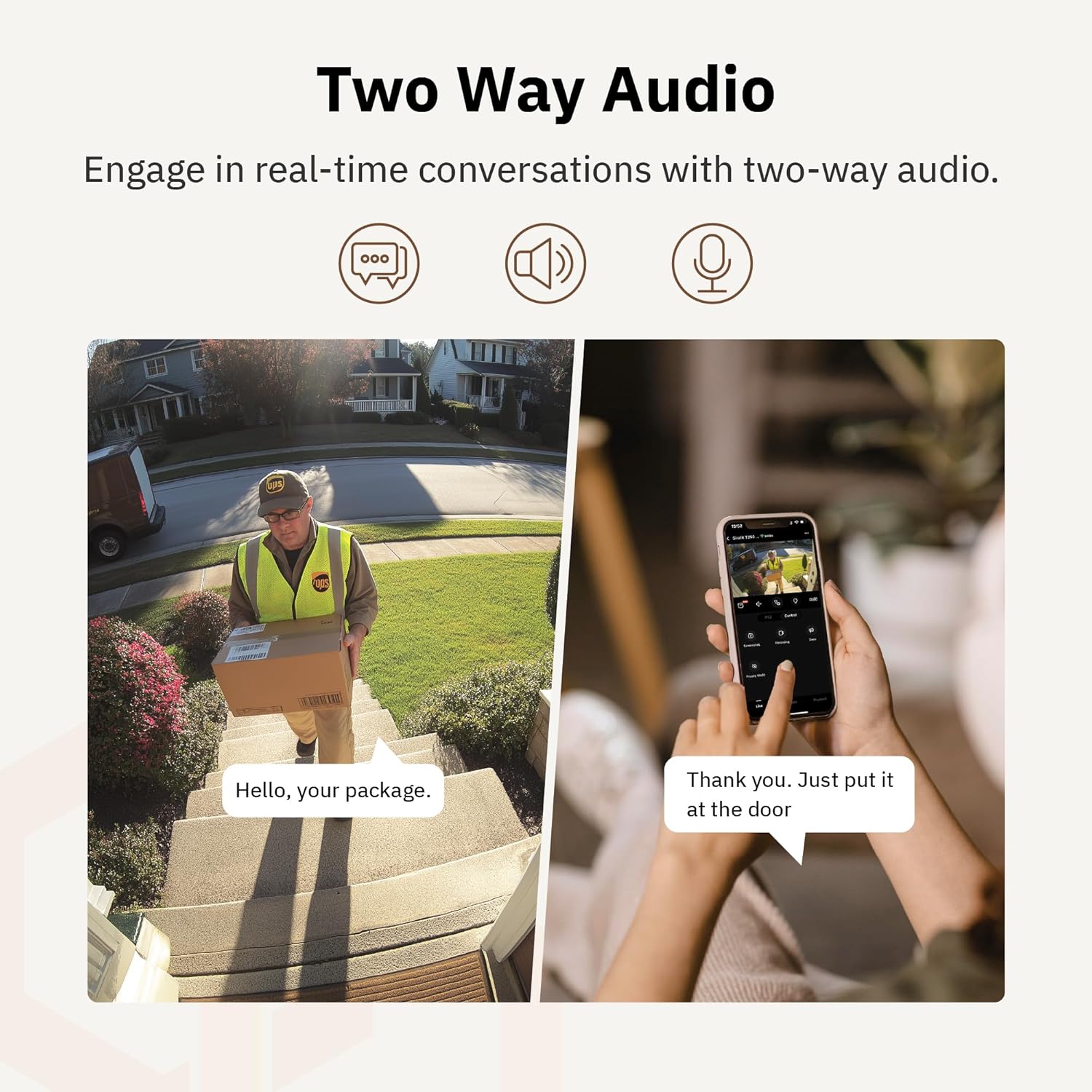
Figur 4.6: Et example of using two-way audio to communicate with a delivery person at the door.
4.5 Privatlivstilstand
For enhanced privacy, the camera features a privacy mode. When activated, the camera lens physically tilts down by 180°, ensuring no live feed is captured or transmitted. This provides 100% privacy protection when needed.

Figure 4.7: The camera in privacy mode, with the lens tilted downwards to ensure no recording or live view.
4.6 Videolagring
The camera supports two primary methods for video storage:
- Micro SD-kort: Insert a Micro SD card (up to 256GB, not included) into the designated slot on the camera for local storage of recordings.
- Cloud Storage: Girafit offers encrypted cloud storage services in the US. Refer to the app for subscription options and details.
5. Vedligeholdelse
5.1 Rengøring
For at opretholde optimal ydeevne skal kameralinsen og huset rengøres regelmæssigt. Brug en blød,amp klud til at tørre støv og snavs af. Undgå at bruge skrappe kemikalier eller slibende materialer, der kan beskadige linsen eller finishen.
5.2 firmwareopdateringer
Girafit regularly releases firmware updates to improve camera performance, add new features, and enhance security. Check the Girafit app periodically for available updates and follow the in-app instructions to install them. Ensure the camera has a stable power supply during updates.
6. Fejlfinding
- Kameraet opretter ikke forbindelse til Wi-Fi:
- Ensure your Wi-Fi network is 2.4GHz or 5GHz and the password is correct.
- Flyt kameraet tættere på din Wi-Fi-router.
- Genstart din router og kameraet.
- Dårlig videokvalitet:
- Tjek din internetforbindelses hastighed.
- Rengør kameralinsen.
- Sørg for, at kameraet får tilstrækkelig strøm.
- Bevægelsesdetektion virker ikke:
- Bekræft, at bevægelsesdetektion er aktiveret i appens indstillinger.
- Juster detektionsfølsomhed og detektionszoner.
- Sørg for, at der ikke er nogen forhindringer, der blokerer kameraets view.
- To-vejs lydproblemer:
- Check microphone and speaker permissions for the Girafit app on your phone.
- Sørg for, at kameraets mikrofon og højttaler ikke er blokeret.
For further assistance, please contact Girafit customer support.
7. Specifikationer
| Feature | Beskrivelse |
|---|---|
| Modelnavn | GRF-T350SW |
| Videooptagelsesopløsning | 3K (5 MP) |
| Indendørs/Udendørs brug | Udendørs |
| Forbindelsesteknologi | Wi-Fi (2.4GHz/5GHz), Wired |
| Strømkilde | Elektrisk med ledning |
| Monteringstype | Vægmontering |
| Speciel funktion | 2-Way Audio, AI Detection (Human/Pet/Vehicle), Auto Tracking, Color Night Vision, IP65 Weatherproof |
| Kompatible enheder | Desktop, Laptop, Smartphone (Android/iOS) |
| Varedimensioner (L x B x H) | 2.63 x 2.63 x 4.76 tommer |
| Varens vægt | 14.7 ounce |
| Opbevaringsmuligheder | Micro SD-kort (op til 256 GB), Cloud-lagring |
| UPC | 764742517881 |
8. Garanti og support
Girafit products are designed for reliability and performance. For warranty information, please refer to the warranty card included with your product or visit the official Girafit website. For technical support, troubleshooting assistance, or any inquiries regarding your Girafit GRF-T350SW camera, please contact Girafit customer service through the contact information provided on the official website or within the Girafit app.


