Indledning
Thank you for choosing the SOAR NBA Wireless Boombox Speaker. This manual provides essential information for the safe and effective use of your new speaker. Designed for the ultimate sports experience, this boombox delivers dynamic sound and features to amplify your game day celebrations. Please read this manual thoroughly before operating the device and retain it for future reference.

Billede: Forside view of the SOAR NBA Wireless Boombox Speaker, showcasing the Philadelphia 76ers logo and vibrant LED light show.

Image: A user enjoying the SOAR NBA Wireless Boombox Speaker outdoors on a basketball court.
Sikkerhedsoplysninger
For at sikre sikker drift og forhindre skader, bedes du overholde følgende forholdsregler:
- Udsæt ikke højttaleren for ekstreme temperaturer, direkte sollys eller høj luftfugtighed.
- Undgå at tabe eller udsætte højttaleren for kraftige stød.
- Du må ikke selv adskille, reparere eller ændre enheden. Overlad al service til kvalificeret personale.
- Hold højttaleren væk fra vand eller andre væsker.
- Brug kun det specificerede opladningskabel og strømadapter.
- Rengør højttaleren med en blød, tør klud. Brug ikke slibende rengøringsmidler.
Pakkens indhold
Bekræft at alle varer er til stede i pakken:
- SOAR NBA Wireless Boombox Speaker
- USB opladningskabel
- Ekstra lydkabel
- Brugermanual
Produkt overview
Familiarize yourself with the various parts and controls of your SOAR NBA Wireless Boombox Speaker.

Billede: Forside view of the speaker, highlighting the team logo and speaker grilles.

Billede: Detaljeret view of the control panel, including AUX, Micro SD, USB, DC IN ports, and control buttons.
Kontrolpanelets funktioner:
- Power knap: Tænder/slukker højttaleren.
- Mode knap: Switches between Bluetooth, FM Radio, AUX, USB, and TF Card modes.
- Afspil/pause knap: Styrer lydafspilning.
- Forrige/Lydstyrke ned-knap: Skips to the previous track or decreases volume.
- Næste/Lydstyrke op-knap: Skips to the next track or increases volume.
- AUX-indgang: Til tilslutning af eksterne lydenheder via 3.5 mm kabel.
- Micro SD -kortplads: Til afspilning af lyd fra et Micro SD-kort.
- USB-port: Til afspilning af lyd fra et USB-drev.
- DC IN-port: Til opladning af højttaleren.
- Mikrofonindgang: Til tilslutning af ekstern mikrofon.
Opsætning
1. Opladning af højttaleren
Before first use, fully charge the speaker. Connect the provided USB charging cable to the DC IN port on the speaker and the other end to a USB power adapter (not included) or a computer's USB port. The charging indicator light will illuminate during charging and turn off when fully charged. A full charge provides up to 8 hours of playback.
2. Tænd/sluk
Tryk og hold på Power knap for a few seconds to turn the speaker on or off. A voice prompt will indicate the power status.
3. Bluetooth-parring
Sådan tilslutter du din højttaler til en Bluetooth-aktiveret enhed:
- Turn on the speaker. It will automatically enter Bluetooth pairing mode, indicated by a voice prompt.
- Aktiver Bluetooth på din mobile enhed (smartphone, tablet osv.).
- Søg efter "SOAR Boombox" in the list of available Bluetooth devices.
- Select "SOAR Boombox" to connect. Once paired, a voice prompt will confirm the connection.
The speaker will automatically reconnect to the last paired device if it's within range and Bluetooth is enabled.

Image: Speaker connected via Bluetooth to a smartphone, ready for audio playback.
4. Aux-indgang (AUX)
Connect non-Bluetooth devices using the provided 3.5mm auxiliary cable. Insert one end into the AUX input port on the speaker and the other end into the audio output jack of your device. The speaker will automatically switch to AUX mode, or you can manually select it using the Mode knap.
5. Mikrofonindgang
For karaoke or announcements, connect a microphone (not included) to the microphone input jack on the speaker.
6. Betjening af FM-radio
Sådan bruger du den indbyggede FM-radio:
- Tryk på Mode knap for at skifte til FM-radiotilstand.
- Tryk på Afspil/pause knap for automatisk at scanne og gemme tilgængelige FM-stationer.
- Brug Forrige/Lydstyrke ned og Næste / Lydstyrke op knapper til at navigere mellem gemte stationer.
7. USB/TF-kortafspilning
Indsæt et USB-flashdrev eller et TF-kort (Micro SD) med MP3-lyd files into the respective port. The speaker will automatically detect the media and begin playback. Use the playback controls to manage your music.
8. Syncing Two Speakers (TWS Function)
For an enhanced stereo sound experience, you can pair two SOAR NBA Wireless Boombox Speakers together:
- Sørg for, at begge højttalere er tændt og ikke er forbundet til nogen Bluetooth-enhed.
- På én højttaler (dette vil være den primære højttaler) skal du dobbelttrykke på Mode knap or a dedicated TWS button (if available) to initiate TWS pairing. A voice prompt will indicate it's searching.
- De to højttalere opretter automatisk forbindelse til hinanden. En stemmemeddelelse bekræfter den vellykkede TWS-parring.
- Tilslut nu din mobilenhed til den primære højttaler via Bluetooth som beskrevet i trin 3. Lyden afspilles i stereo gennem begge højttalere.

Image: Illustration of two speakers syncing together for stereo sound, with a smartphone connected to one.
Betjening af højttaleren
Afspilningskontroller
- Afspil/pause: Tryk på Afspil/pause knap for at afspille eller sætte lyd på pause.
- Næste nummer: Tryk kort på Næste/Lydstyrke op-knap for at springe til næste spor.
- Forrige nummer: Tryk kort på Forrige/Lydstyrke ned-knap for at gå til det forrige spor.
Lydstyrkejustering
- Forøg lydstyrke: Tryk og hold på Næste/Lydstyrke op-knap.
- Skru ned for lydstyrken: Tryk og hold på Forrige/Lydstyrke ned-knap.
LED lysshow
The speaker features an integrated RGB LED light show that syncs with the music. This feature is automatically active when the speaker is on. There is no specific button to control the light show; it operates automatically.
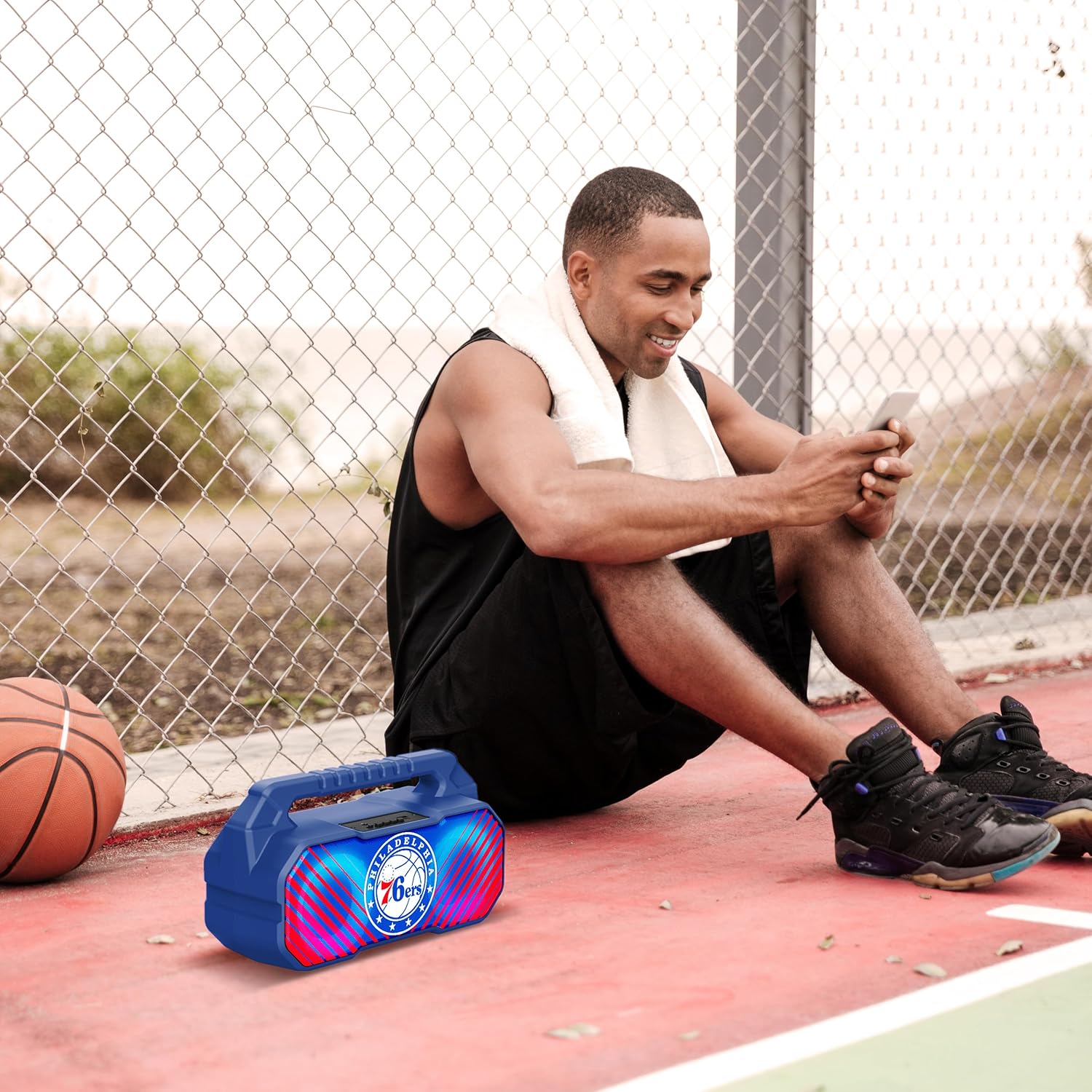
Image: The speaker's LED light show in action during a gathering, creating an ambient effect.
Opretholdelse
Proper care will extend the life of your speaker:
- Rensning: Tør højttaleren af med en blød, tør og fnugfri klud. Brug ikke flydende rengøringsmidler, aerosoler eller opløsningsmidler.
- Opbevaring: Når højttaleren ikke er i brug i længere perioder, skal den opbevares køligt og tørt, væk fra direkte sollys og ekstreme temperaturer.
- Batteripleje: For at bevare batteriets sundhedstilstand skal højttaleren oplades mindst én gang hver tredje måned, hvis den ikke bruges regelmæssigt.
Fejlfinding
Hvis du støder på problemer med din højttaler, kan du se følgende almindelige problemer og løsninger:
| Problem | Mulig årsag | Løsning |
|---|---|---|
| Højttaleren tænder ikke. | Batteriet er lavt eller afladet. | Oplad højttaleren helt. |
| Ingen lyd. | Volume is too low; incorrect mode selected; device not paired correctly. | Øg lydstyrken; tryk på Mode-knappen for at vælge den korrekte indgang; par Bluetooth-enheden igen. |
| Bluetooth-forbindelsen er ustabil. | Device is too far from speaker; interference. | Move device closer to speaker (within 33 feet/10 meters); avoid obstacles. |
| FM-radiomodtagelsen er dårlig. | Svagt signal; miljøforstyrrelser. | Relocate the speaker; re-scan for stations. |
| TWS-parring mislykkes. | Speakers are already connected to another device; incorrect pairing procedure. | Ensure both speakers are disconnected from other devices; follow TWS pairing steps precisely. |
Specifikationer
Key technical specifications for the SOAR NBA Wireless Boombox Speaker:
| Feature | Detalje |
|---|---|
| Modelnavn | Wireless BoomBox Speaker |
| Varenummer | NBA-BBX-PHI |
| Udgangseffekt | 10 Watts (2 x 5-Watt speakers) |
| Bluetooth version | Bluetooth 5.0 |
| Batterilevetid | Op til 8 timer |
| Dimensioner (L x B x H) | 13.5 x 7.5 x 5.3 tommer |
| Vægt | 1.11 kilo |
| Materiale | Plast |
| Inkluderede komponenter | Built-In Microphone (referring to microphone input capability) |
| UPC | 192129179047 |

Image: Dimensional drawing of the speaker, indicating its width and height.

Image: Internal component view, emphasizing the 10W speaker drivers and various features like Bluetooth 5.0, FM Radio, AUX input, and LED lights.
Garanti og support
The SOAR NBA Wireless Boombox Speaker comes with a 1 års begrænset garanti fra købsdatoen. Denne garanti dækker fabrikationsfejl i materialer og udførelse under normal brug.
The warranty does not cover damage caused by misuse, accident, unauthorized modification, or external causes such as drops or liquid exposure.
For warranty claims or technical support, please contact the manufacturer, Prime Brands Group Inc., or refer to the contact information provided on the product packaging or the official SOAR website. Please have your proof of purchase and product model number ready when contacting support.
Manufacturer: Prime Brands Group Inc.


