1. Introduktion
The SOAR ShockBox XL Wireless Bluetooth Speaker is designed to provide a high-quality audio experience for various occasions, including sports events and gatherings. This manual provides detailed instructions for the setup, operation, and maintenance of your speaker.

Figure 1: SOAR NFL XL ShockBox Wireless Bluetooth Speaker (Tennessee Titans edition).
2. Pakkens indhold
Kontroller venligst, at alle varer er til stede i pakken:
- SOAR NFL XL ShockBox Wireless Bluetooth Speaker
- Micro-USB opladningskabel
- Brugervejledning (dette dokument)
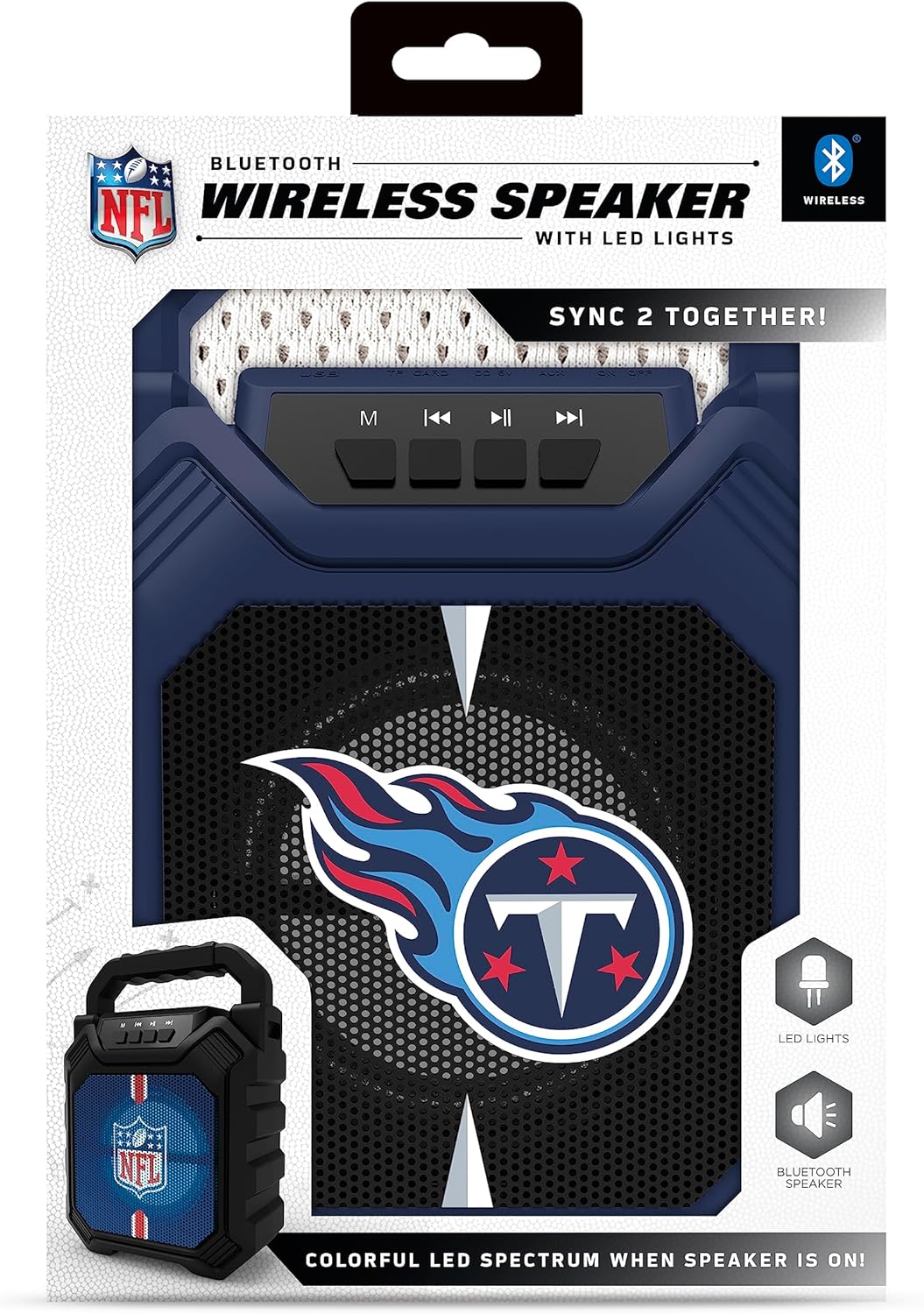
Figure 2: Speaker in its retail packaging, showing the product and its key features.
3. Produktfunktioner
- Bluetooth 5.0-forbindelse: Muliggør trådløs lydstreaming fra kompatible enheder.
- Flere lydindgange: Includes AM/FM radio, USB port, and Aux input for versatile playback options.
- Bærbart design: Features a convenient top handle for easy transport and a shockproof construction for durability.
- Forlænget spilletid: Provides over 5 hours of continuous audio playback on a single charge.
- Dynamisk LED-belysning: Multicolor LED lights synchronize with the music, enhancing the visual experience.
- Stereo Sound Pairing: Supports "Sync 2 Together" functionality, allowing two speakers to be paired for enhanced stereo audio.
- Lydkvalitet: Delivers deep bass and crystal clear sound.
- Stemmemeddelelser: Features voice-over speaker prompts for operational guidance.
- Højttalerdriver: Equipped with a 25W speaker driver for powerful sound output.
4. Betjeningselementer og porte
Familiarize yourself with the control panel and input ports located on the speaker:
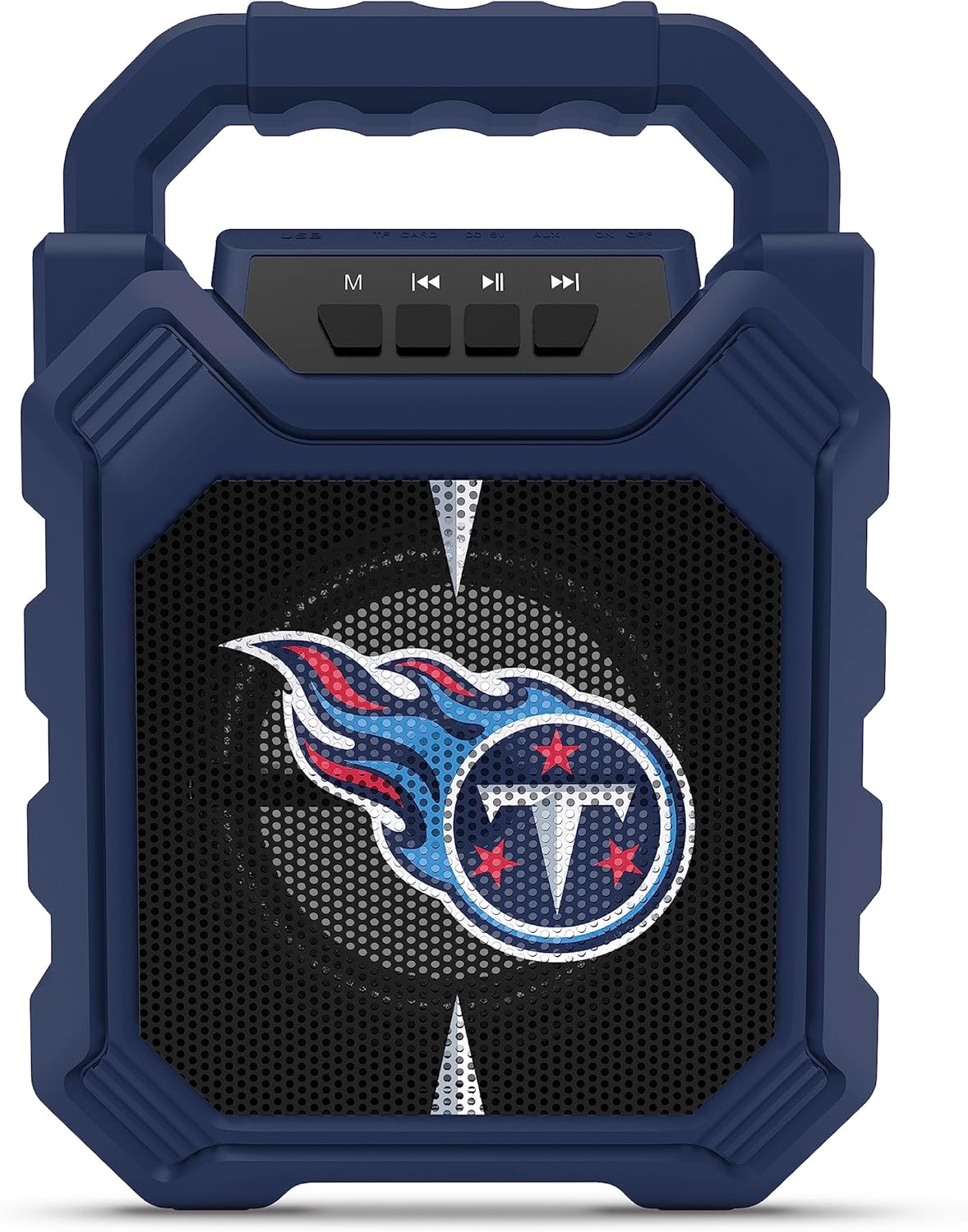
Figure 3: Top panel of the speaker with control buttons and input ports.
| Knap/Port | Fungere |
|---|---|
| M (Mode) -knap | Switches between Bluetooth, FM Radio, USB, and Aux input modes. |
| Forrige nummer / Lydstyrke ned | Short press for previous track (Bluetooth/USB), long press to decrease volume. |
| Afspil/pause knap | Afspiller eller sætter lydafspilning på pause. |
| Næste spor / lydstyrke op | Short press for next track (Bluetooth/USB), long press to increase volume. |
| USB-port | Til afspilning af lyd fra USB-flashdrev. |
| TF kort slot | Til afspilning af lyd fra TF-kort (MicroSD). |
| AUX-indgang | 3.5mm jack for connecting external audio devices via an auxiliary cable. |
| Micro-USB-opladningsport | Til opladning af højttalerens interne batteri. |
5. Opsætning
5.1 Opladning af højttaleren
- Connect the supplied micro-USB cable to the speaker's micro-USB charging port.
- Tilslut den anden ende af kablet til en USB-strømadapter (medfølger ikke) eller en computers USB-port.
- LED-indikatoren lyser under opladning og slukker, når den er fuldt opladet.
- A full charge provides over 5 hours of playtime.
5.2 Tænd/sluk
- To power on, locate the power switch (usually on the back or side) and slide it to the "ON" position.
- For at slukke skal du skubbe tænd/sluk-knappen til "OFF"-positionen.
6. Betjeningsvejledning
6.1 Bluetooth -parring
- Ensure the speaker is powered on and in Bluetooth mode (press the 'M' button until you hear a Bluetooth prompt).
- Aktiver Bluetooth på din mobilenhed, og søg efter tilgængelige enheder.
- Select "SOAR ShockBox XL" from the list of devices.
- Når parringen er fuldført, vil højttaleren indikere en vellykket forbindelse, og du kan begynde at streame lyd.
6.2 FM-radiofunktion
- Tryk på 'M'-knappen for at skifte til FM-radiotilstand.
- Tryk og hold Afspil/Pause-knappen nede for automatisk at scanne og gemme tilgængelige FM-stationer.
- Brug knapperne Forrige/Næste spor til at navigere mellem gemte stationer.
6.3 USB and AUX Input Usage
- USB-indgang: Indsæt et USB-flashdrev med lyd files i USB-porten. Højttaleren skifter automatisk til USB-tilstand og begynder afspilning.
- AUX-indgang: Connect one end of a 3.5mm audio cable (not included) to the speaker's AUX input and the other end to your external audio device. Press the 'M' button to switch to AUX mode.
6.4 Dynamic LED Lights
The speaker features multicolor LED lights that pulse to the rhythm of the music. These lights are automatically activated when the speaker is in use. There is no separate control for the LED lights mentioned in the product features.

Figur 4: Eksample of SOAR ShockBox XL speakers with dynamic LED lighting.
6.5 Sync 2 Together (True Wireless Stereo)
To pair two SOAR ShockBox XL speakers for true wireless stereo sound:
- Sørg for, at begge højttalere er tændt og i Bluetooth-tilstand, men endnu ikke er forbundet til nogen enhed.
- On one speaker (this will be the primary speaker), press and hold the 'M' button until you hear a pairing tone.
- De to højttalere vil automatisk oprette forbindelse til hinanden. Når de er oprettet forbindelse, vil du høre en bekræftelsestone.
- Now, connect your mobile device to the primary speaker via Bluetooth as described in Section 6.1. Audio will play through both speakers in stereo.
7. Vedligeholdelse
- Rensning: Brug en blød, tør klud til at rengøre højttalerens yderside. Brug ikke slibende rengøringsmidler eller opløsningsmidler.
- Opbevaring: Opbevar højttaleren et køligt, tørt sted væk fra direkte sollys og ekstreme temperaturer.
- Batteripleje: For at forlænge batteriets levetid, bør du oplade højttaleren helt, inden du bruger den i længere tid. Undgå at aflade batteriet helt ofte.
- Vandtæthed: While the speaker has a shockproof design, specific water resistance ratings are not provided. Avoid exposing the speaker to water or excessive moisture.
8. Fejlfinding
| Problem | Mulig løsning |
|---|---|
| Højttaleren tænder ikke. | Ensure the battery is charged. Connect the speaker to a power source using the micro-USB cable. |
| Kan ikke parres via Bluetooth. |
|
| Ingen lyd eller lav lydstyrke. |
|
| FM-radiomodtagelsen er dårlig. | Adjust the speaker's position. Ensure no strong interference sources are nearby. |
| "Sync 2 Together" pairing fails. |
|
9. Specifikationer
| Feature | Detalje |
|---|---|
| Modelnummer | NFL-BTH6-DLPH |
| Bluetooth version | 5.0 |
| Lydindgange | Bluetooth, FM Radio, USB, Aux |
| Spilletid | Over 5 hours per charge |
| Opladningsport | Mikro-USB |
| Højttalerdriver | 25W |
| Fabrikant | Prime Brands Group Inc. |
| Første ledige dato | 6. september 2023 |
10. Garanti og support
For information regarding warranty coverage and customer support, please refer to the contact details provided by Prime Brands Group Inc., the manufacturer. Protection plans are available for purchase separately through the retailer.
For further assistance, please visit the official SOAR webwebsted eller kontakt deres kundeservice.


