Indledning
This manual provides essential information for the operation and maintenance of your SOAR NHL ShockBox LED Wireless Bluetooth Speaker. Please read this manual thoroughly before using the device to ensure proper functionality and to maximize your user experience.
The SOAR NHL ShockBox LED Wireless Bluetooth Speaker is a portable audio device designed for wireless music playback and hands-free calling. It features Bluetooth 5.0 technology for stable connectivity and integrated LED lights that synchronize with audio output.
Nøglefunktioner
- Bærbart og let design: Engineered for easy transport and use in various environments.
- Premium Stereo Sound: Delivers clear and robust audio output.
- Bluetooth 5.0-teknologi: Ensures wireless connection to all Bluetooth-enabled devices within a range of up to 30 feet (approximately 9 meters).
- Forlænget batterilevetid: Provides over 5 hours of continuous music playback or talk time on a single charge.
- Genopladeligt batteri: Equipped with a built-in rechargeable battery; a Micro USB cable is included for charging.
- Dynamiske LED-lys: Features multiple color LED lights that illuminate and move in sync with the rhythm of the music.
- Integreret højttalertelefon: Includes a built-in microphone for hands-free calling.
- Officially Licensed NHL Product: Displays official NHL team branding.
Pakkens indhold
Kontroller venligst, at alle varer er til stede i pakken:
- SOAR NHL ShockBox LED Wireless Bluetooth Speaker
- Micro USB opladningskabel
- Brugervejledning (dette dokument)
Opsætningsvejledning
Opladning af højttaleren
- Find Micro USB-opladeporten på højttaleren.
- Connect the included Micro USB cable to the speaker's charging port.
- Tilslut den anden ende af USB-kablet til en kompatibel USB-strømkilde (f.eks. en computers USB-port eller en USB-vægadapter).
- The LED indicator will typically show charging status (e.g., solid red while charging, off when fully charged). A full charge provides over 5 hours of operation.
Tænd/sluk
- To power on, press and hold the Power button until the LED indicator lights up and an audible prompt is heard.
- To power off, press and hold the Power button until the LED indicator turns off and an audible prompt is heard.
Bluetooth-parring
- Ensure the speaker is powered on and in pairing mode (indicated by a flashing LED light and an audible prompt).
- Naviger til Bluetooth-indstillingerne på din Bluetooth-aktiverede enhed (smartphone, tablet, computer).
- Aktiver Bluetooth og søg efter tilgængelige enheder.
- Select "SOAR ShockBox" from the list of found devices.
- Once paired, the speaker will provide an audible confirmation, and the LED indicator will typically change to a solid light or a slow pulse.
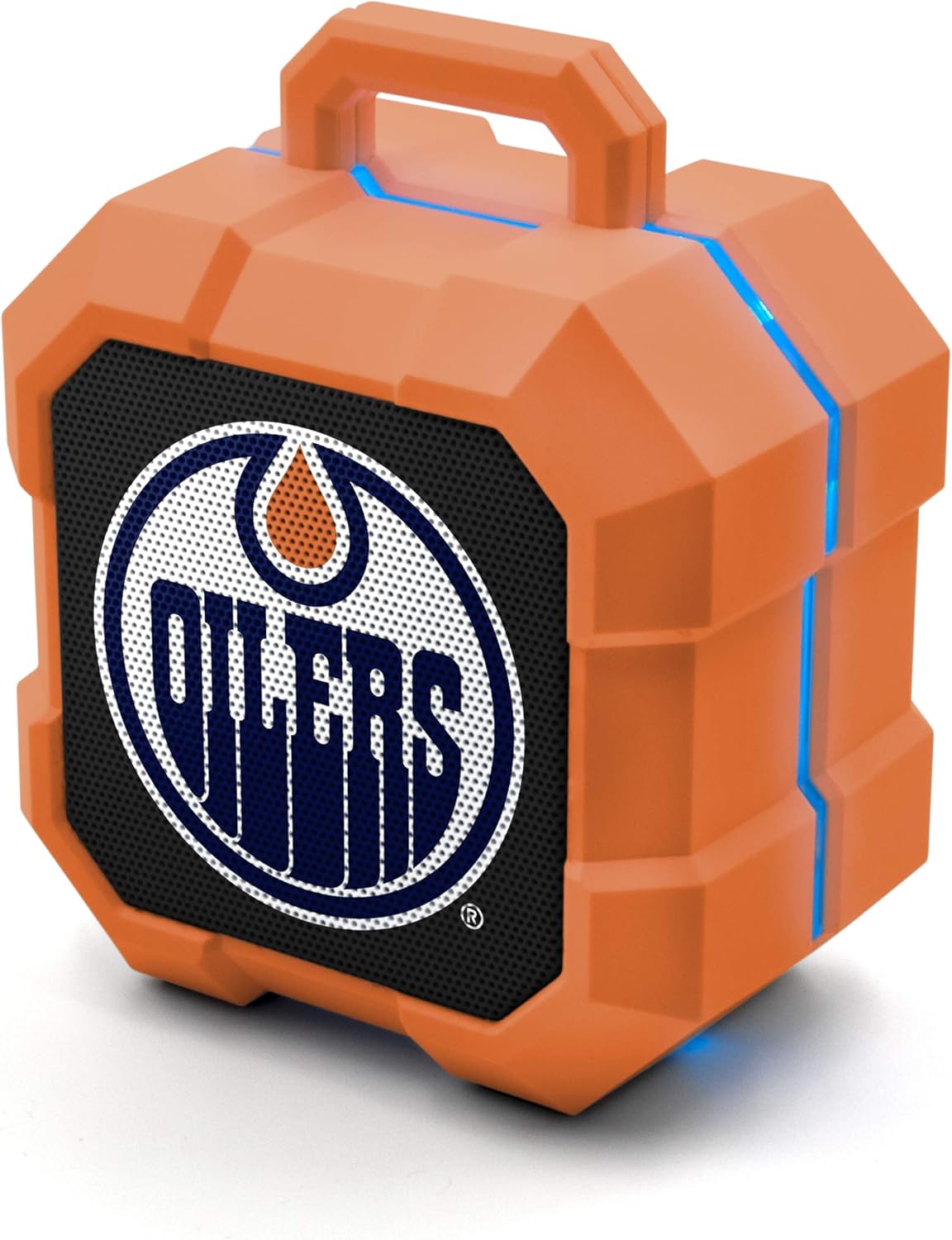
Image: The SOAR NHL ShockBox LED Wireless Bluetooth Speaker, featuring the Edmonton Oilers logo on the front grille and blue LED light accents along the top and sides. This image displays the primary product design.
Betjeningsvejledning
Musikafspilning
- After successful Bluetooth pairing, open your music application on your connected device and begin playback.
- Lydstyrkekontrollen styres typisk via din tilsluttede enhed.
- The speaker's LED lights will automatically synchronize with the music's beat.
Højttalertelefonens funktionalitet
- When a call is received while connected via Bluetooth, the speaker will ring.
- To answer a call, press the Multi-function button (often the Play/Pause button).
- To end a call, press the Multi-function button again.
- To reject a call, press and hold the Multi-function button.
Stereo Pairing (TWS Function)
For an enhanced audio experience, two SOAR ShockBox speakers can be paired together to create a true wireless stereo (TWS) system.
- Sørg for, at begge højttalere er slukkede.
- Tænd begge højttalere samtidigt. De vil gå i parringstilstand.
- On one of the speakers, double-press the Power button (or a dedicated TWS button if available). The speakers will attempt to connect to each other.
- Once successfully paired, an audible confirmation will be heard, and one speaker will act as the master (left channel) and the other as the slave (right channel).
- Connect your Bluetooth device to the master speaker as described in the "Bluetooth Pairing" section.

Image: This illustration demonstrates the True Wireless Stereo (TWS) function, showing two SOAR ShockBox speakers connected wirelessly to a single device for synchronized audio playback.
Pleje og vedligeholdelse
- Rensning: Use a soft, dry cloth to clean the speaker's exterior. Do not use abrasive cleaners, solvents, or harsh chemicals.
- Opbevaring: Opbevar højttaleren et køligt, tørt sted væk fra direkte sollys og ekstreme temperaturer.
- Vandtæthed: Denne højttaler er ikke vandtæt. Undgå at udsætte den for vand, regn eller overdreven fugt.
- Batteripleje: For at forlænge batteriets levetid bør du undgå at aflade batteriet helt ofte. Oplad højttaleren regelmæssigt, selvom den ikke er i brug i længere perioder.
- Håndtering: Tab ikke højttaleren, skil den ikke ad eller forsøg selv at reparere den. Dette kan ugyldiggøre garantien og forårsage skade.
Fejlfinding
| Problem | Mulig årsag | Løsning |
|---|---|---|
| Højttaleren tænder ikke. | Batteriet er afladet. | Oplad højttaleren med det medfølgende Micro USB-kabel. |
| Kan ikke parre med Bluetooth-enhed. | Speaker is not in pairing mode; Bluetooth is off on device; device is out of range. | Ensure speaker is in pairing mode (flashing LED). Turn Bluetooth on your device. Move device closer to speaker (within 30 ft). Forget previous pairings on your device and try again. |
| Ingen lyd eller lav lydstyrke. | Lydstyrken på højttaleren eller enheden er for lav; højttaleren er ikke tilsluttet. | Skru op for lydstyrken på både højttaleren og din tilsluttede enhed. Sørg for, at højttaleren er parret korrekt. |
| LED-lys virker ikke. | Feature may be disabled (if applicable); malfunction. | Ensure music is playing. If the issue persists, contact customer support. |
Specifikationer
| Feature | Detalje |
|---|---|
| Modelnummer | NHL-BTX2-LFS |
| Bluetooth version | 5.0 |
| Wireless Range | Op til 30 fod (9 meter) |
| Batterilevetid | Over 5 hours (music/talk time) |
| Opladningsport | Micro USB |
| Højttaler output | 3W |
| Dimensioner (ca.) | 3.6 in (width) x 4.5 in (height) |
| Fabrikant | Prime Brands Group Inc. |
| Først tilgængelig | 18. januar 2022 |

Image: This graphic illustrates the approximate dimensions of the SOAR ShockBox speaker, showing a width of 3.6 inches and a height of 4.5 inches.

Image: A visual representation highlighting the 3-watt speaker driver, emphasizing its compact size while delivering significant audio output.
Garanti og support
For warranty information and customer support, please refer to the contact details provided on the product packaging or visit the official SOAR webwebsted. Gem din købskvittering som købsbevis i tilfælde af garantikrav.
Fabrikant: Prime Brands Group Inc.


