1. Produktet er slutview
The Gateman IREVO S170 is a sophisticated keyless door lock designed for enhanced security and convenience. It features a modern design, multiple access methods, and advanced safety functions.

Figur 1: Forside view of the Gateman IREVO S170 Keyless Door Lock.
Nøglefunktioner:
- Beautiful and Sophisticated Design: The lock features a sleek, modern silver color metal panel with a ten-key keypad, designed for aesthetic appeal and robust functionality.
- Smart Card Auto-Pulling Feature: Allows for convenient door access by simply tapping a smart card without needing to press a recognition area.
- 5 Second Relief LED: An LED indicator that blinks every 5 seconds to confirm security status and operation.
- Safe Handle Mechanism (SHM): Designed to prevent unauthorized entry by disabling the lock when the inside handle is turned, similar to an automobile clutch. This feature can be configured based on user preference.
- Fiber Glass & Sturdy Body Structure: Constructed with fiber glass and reinforced plastics, providing strong resistance against heat and shocks.
- High Temperature Warning Safety System and Fire Safety Switchgear System: In case of high temperatures (e.g., 55 degrees Celsius), the system triggers an alarm and automatically unlocks for emergency evacuation.
- Electric Shock Neutralization Function: Engineered to withstand electric shocks up to 500 times, ensuring product durability and safety.
- Simple Menu Setting: Frequently used menu functions can be conveniently controlled with a single button.
- Networking System: Supports integration with home networking systems for advanced control and monitoring.
- User List Up Ability: Maintains a list of previous access events for security auditing.
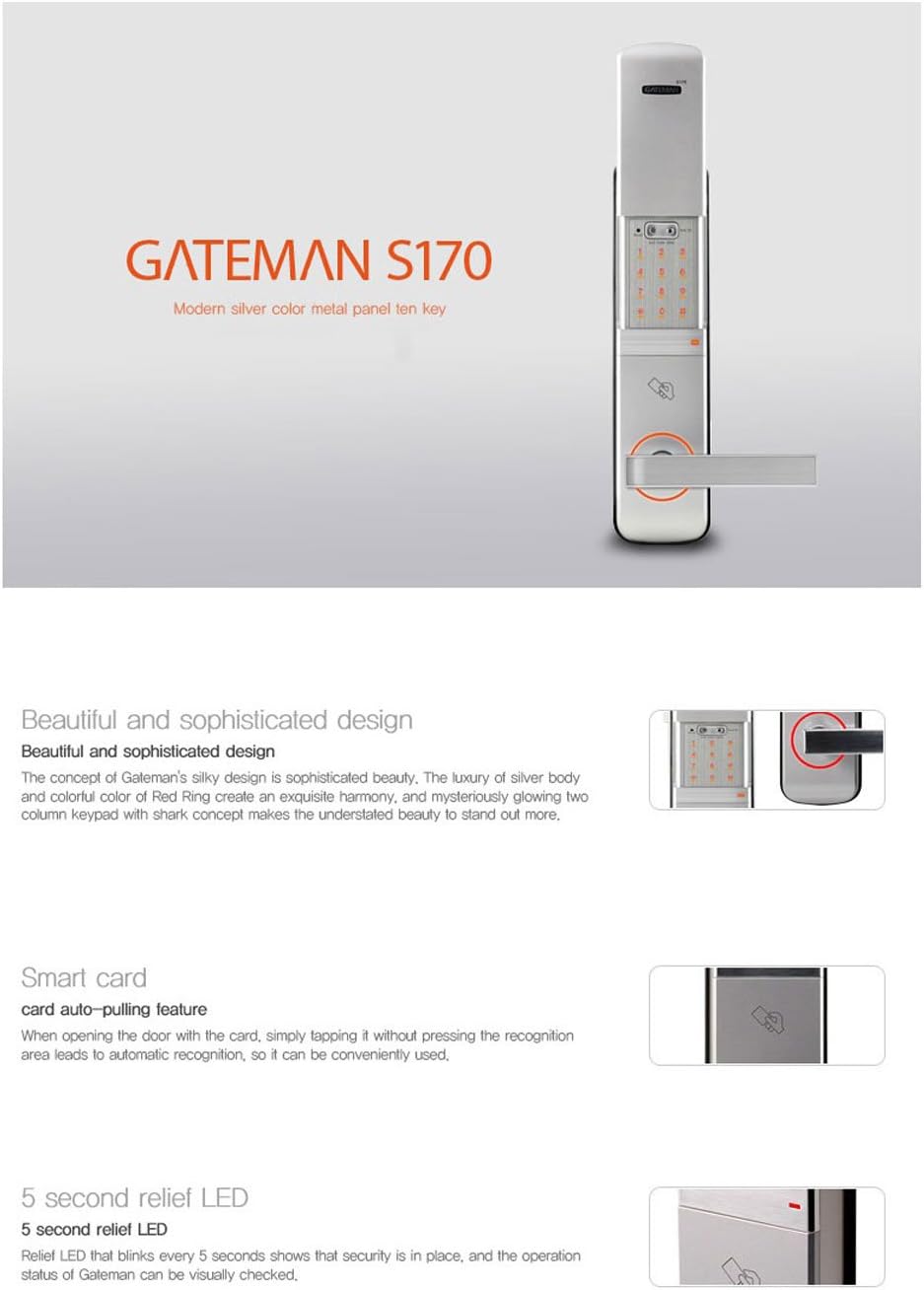
Figure 2: Features of the Gateman IREVO S170, including design, smart card, and LED indicator.

Figure 3: Illustration of the Safe Handle Mechanism (SHM) for enhanced security.
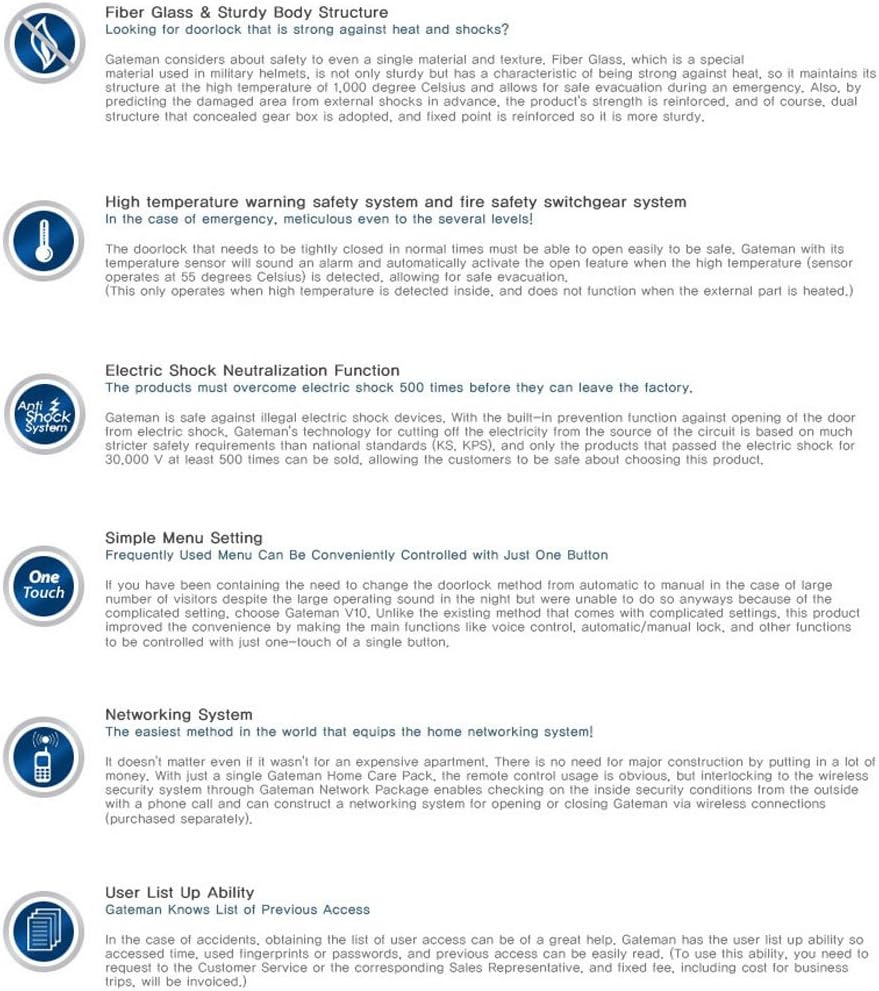
Figur 4: Overview of advanced features such as fiberglass body, temperature warning, and simple menu settings.
2. Opsætning
2.1 Batteriinstallation
The Gateman IREVO S170 requires 4 AA Alkaline batteries (1.5V). Ensure correct polarity when inserting the batteries into the battery compartment located on the rear body of the lock. Replace batteries promptly when the low battery indicator appears.
2.2 Gendan standardindstillinger
To restore the lock to its factory default settings:
- Remove the battery cover on the rear body.
- Locate and press the Reset Button for 5 seconds.
- You will hear 3 long beeps, indicating that the restoration is complete.
2.3 Default Programming and User Codes
Upon restoration or initial setup, the lock will have default codes:
- Default Programming Code (PC): 000000 (6 digits). The PC can only unlock the door when vacation mode is active. In other cases, the PC cannot unlock the door.
- Default User Code (UC): 1234 (4 digits).
3. Betjeningsvejledning
3.1 Using the Key to Unlock
In case of emergency or preference, the physical key can be used:
- Indsæt nøglen i nøglehullet.
- Turn the key 90 degrees to the left.
- Turn the handle to unlock the door.
3.2 Enabling Passage Mode
Passage mode allows the door to remain unlocked for continuous access without requiring a code:
- Locate the turnpiece on the rear body of the lock.
- Turn the turnpiece 90 degrees to the right.
- The lock will beep, indicating that passage mode is enabled.
3.3 Disabling Passage Mode
To re-engage the locking mechanism and disable passage mode:
- Locate the turnpiece on the rear body of the lock.
- Turn the turnpiece to the vertical position.
- The door will now be locked and require a code or key for entry.
3.4 Changing the Programming Code (PC)
The first four numbers of the new programming code must be different from any existing user codes. If not, the programming code cannot be changed.
- Indtast din nuværende Programmeringskode efterfulgt af Gateman key.
- Wait for 1 green light and 1 beep.
- Trykke 1 efterfulgt af Gateman key.
- Wait for 1 green light and 1 beep.
- Indtast din Ny programmeringskode (six numbers) followed by the Gateman key.
- Wait for 1 green light and 1 beep to confirm the change.
3.5 Adding User Codes (UC)
User Codes must be different from the first 4 numbers of the programming code. Up to 20 sets of user codes can be saved. After 20 sets, the default User Code will be invalid.
- Indtast din Programmeringskode efterfulgt af Gateman key.
- Wait for 1 green light and 1 beep.
- Trykke 2 efterfulgt af Gateman key.
- Wait for 1 green light and 1 beep.
- Indtast din Ny brugerkode (four numbers) followed by the Gateman key.
- Wait for 1 green light and 1 beep to confirm the addition.
3.6 Deleting User Codes (UC)
If all user codes are deleted, the default user code will become active.
- Indtast din Programmeringskode efterfulgt af Gateman key.
- Wait for 1 green light and 1 beep.
- Trykke 3 efterfulgt af Gateman key.
- Wait for 1 green light and 1 beep.
- Indtast Uønsket brugerkode (four numbers) followed by the Gateman key.
- Wait for 1 green light and 1 beep to confirm deletion.
3.7 Enabling/Disabling Silent Mode
Silent mode disables audible feedback from the lock for quiet operation.
- Indtast din Programmeringskode efterfulgt af Gateman key.
- Wait for 1 green light and 1 beep.
- Trykke 4 efterfulgt af Gateman key.
- Wait for 1 green light and 1 beep. The lock will now be in silent mode (or silent mode will be disabled if it was previously on).
3.8 Enabling/Disabling Vacation Mode
When vacation mode is set, only the Programming Code (PC) or a physical key can unlock the door. User Codes (UC) cannot unlock the door. A physical key cannot turn off vacation mode. Enter the PC code once to turn off vacation mode.
- Indtast din Programmeringskode efterfulgt af Gateman key.
- Wait for 1 green light and 1 beep.
- Trykke 5 efterfulgt af Gateman key.
- Wait for 1 green light and 1 beep. Vacation mode is now enabled (or disabled if it was previously on).
3.9 Adding a One-time Code
A one-time code will be invalid after one-time use. One-time codes must be different from any user codes. If not, the one-time code cannot be added.
- Indtast din Programmeringskode efterfulgt af Gateman key.
- Wait for 1 green light and 1 beep.
- Trykke 6 efterfulgt af Gateman key.
- Wait for 1 green light and 1 beep.
- Indtast One-time Code (four numbers) followed by the Gateman key.
- Wait for 1 green light and 1 beep to confirm the addition.
3.10 Setting Auto-lock Delay Time (2-99s)
The default auto-lock time delay is 5 seconds.
- Indtast din Programmeringskode efterfulgt af Gateman key.
- Wait for 1 green light and 1 beep.
- Trykke 7 efterfulgt af Gateman key.
- Wait for 1 green light and 1 beep.
- Indtast det ønskede forsinkelsestid between 2-99 seconds followed by the Gateman key.
- Wait for 1 green light and 1 beep to confirm the setting.
4. Vedligeholdelse
To ensure optimal performance and longevity of your Gateman IREVO S170 Keyless Door Lock, follow these maintenance guidelines:
- Udskiftning af batteri: Replace all four AA alkaline batteries when the low battery indicator activates. Do not mix old and new batteries or different types of batteries.
- Rensning: Wipe the lock's surface with a soft, dry cloth. Avoid using abrasive cleaners, solvents, or chemical sprays, as these can damage the finish or electronic components.
- Regelmæssig kontrol: Periodically check that all screws are tight and that the lock operates smoothly.
5. Fejlfinding
If you encounter issues with your Gateman IREVO S170, consider the following common solutions:
- Låsen svarer ikke: Check the batteries. If they are low or depleted, replace them. Ensure they are inserted with correct polarity.
- Koden virker ikke: Verify that you are entering the correct programming or user code. Ensure vacation mode is not active if you are using a user code. Try restoring default settings if codes are forgotten or corrupted.
- Døren låser/låser ikke korrekt op: Check for any obstructions in the door frame or latch mechanism. Ensure the lock is properly aligned and installed.
- Unusual Beeping or LED Patterns: Refer to the product's specific error code indications (if available in a separate quick guide) or try restoring default settings.
Hvis problemerne fortsætter efter at have forsøgt disse trin, bedes du kontakte kundesupport.
6. Specifikationer

Figur 5: Alternativ view of the Gateman IREVO S170 Keyless Door Lock.
| Attribut | Detalje |
|---|---|
| Produktnavn | GATEMAN S170 |
| Dimensions (Front Body) | 25 x 74.6 x 300 mm |
| Dimensions (Rear Body) | 37 x 78.4 x 295.4 mm |
| Materiale | Zinc die-cast, Reinforced plastics, Glass |
| Strømkilde | DC 6V |
| Batteritype | 4 x 1.5V AA alkaliske batterier |
| Driftstemperatur | -15 ~ 55°C |
| Farve | Sølv |
| Stil | Moderne |
| Låsetype | Tastatur |
| Speciel funktion | Nøglefri |
| Inkluderede komponenter | Brugermanual |
7. Garantioplysninger
Please refer to the product packaging or the official Gateman webwebstedet for detaljerede garantioplysninger. Gem din købsbevis til garantikrav.
8. Support
For further assistance, technical support, or inquiries regarding your Gateman IREVO S170 Keyless Door Lock, please contact Gateman customer service through their official channels. Contact information can typically be found on the product packaging or the manufacturer's webwebsted.


