1. Introduktion
The Gateman GL-200H is a state-of-the-art digital door lock designed for enhanced security and convenience. This hybrid lock offers multiple access methods including touchpad and card key, along with advanced features like 1-second automatic locking and anti-fingerprint residue technology. This manual provides essential information for the proper installation, operation, and maintenance of your GL-200H digital door lock.
2. Sikkerhedsoplysninger
- Do not attempt to disassemble or repair the lock yourself. This may void the warranty and cause damage.
- Keep the product away from water or excessive moisture.
- Avoid exposing the lock to direct sunlight or extreme temperatures.
- Use only the specified battery type (1.5V AA alkaline batteries).
- Sørg for, at alle komponenter er forsvarligt fastgjort under installationen for at forhindre funktionsfejl.
- Brug ikke slibende rengøringsmidler eller opløsningsmidler på låsens overflade.
3. Pakkens indhold
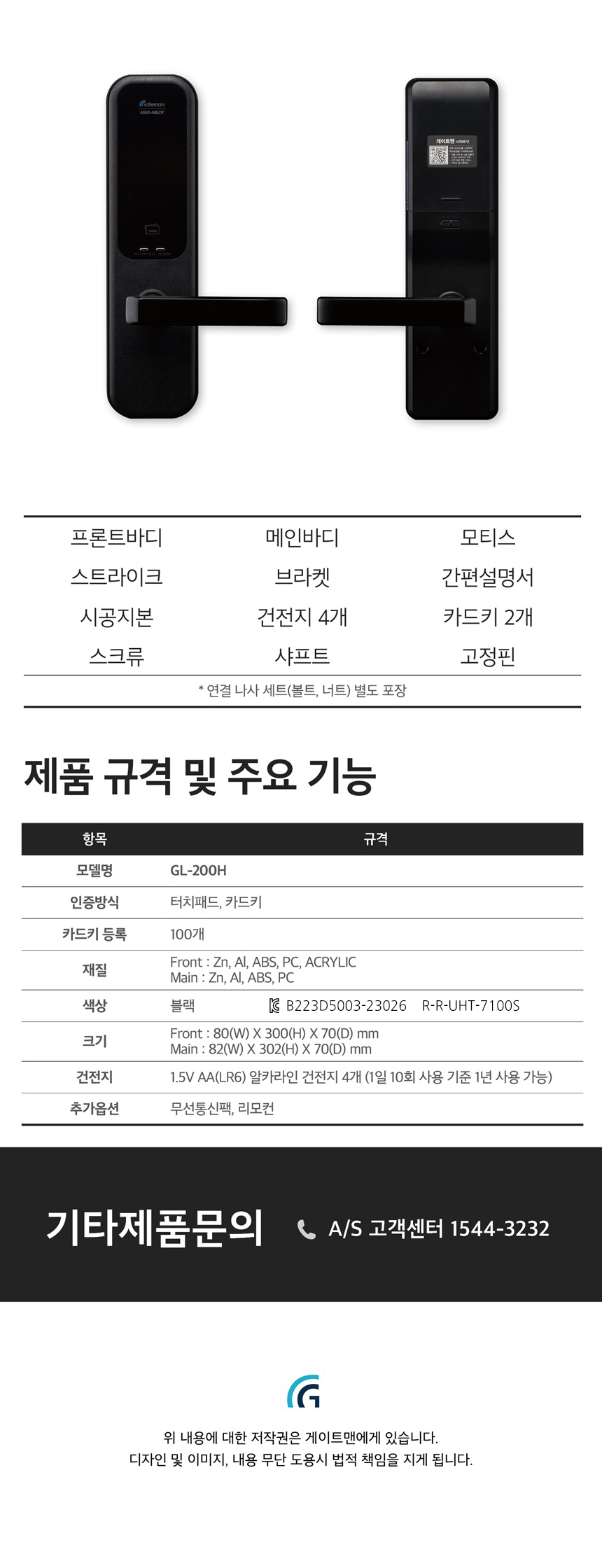
Bekræft, at alle følgende komponenter er inkluderet i din pakke:
- Forreste krop
- Hovedlegeme
- Strejke
- Beslag
- mortise
- Simpel manual
- Aksel
- Skruer
- Card Key (2ea)
- Fast Pin
4. Specifikationer
| Punkt | Specifikation |
|---|---|
| Modelnavn | GL-200H |
| Autentificeringsmetode | Touchpad, Card Key |
| Card Key Registration | Op til 100 |
| Materiale | Front: Zn, Al, ABS, PC, Acrylic; Main: Zn, Al, PC |
| Farve | Sort |
| Size (Front Body) | 80(B) X 300(H) X 70(D) mm |
| Size (Main Body) | 80(B) X 300(H) X 70(D) mm |
| Batteri | 1.5V AA(LR6) Alkaline battery 4ea (Approx. 1 year usage based on 10 uses/day) |
| Yderligere muligheder | Wireless module (for remote control) |
5. Opsætning og installation
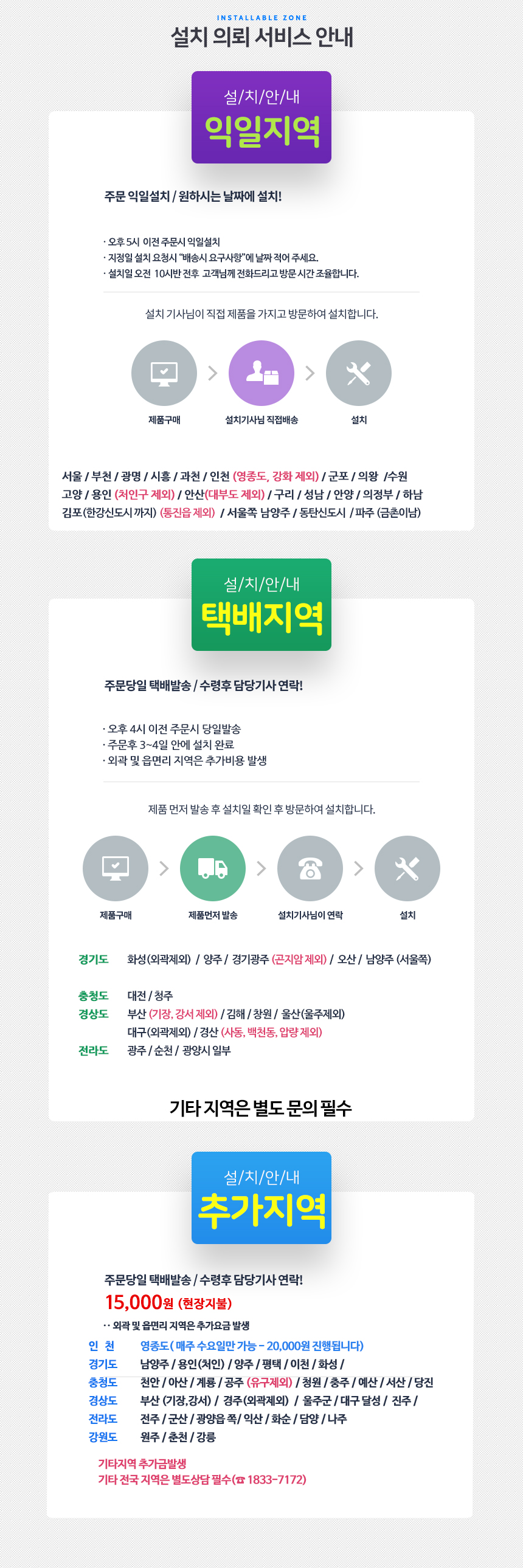
The Gateman GL-200H offers flexible installation options, including 'No-Drill Installation' for doors that do not require additional drilling, and 'KS-Drill Installation' for doors that may require standard drilling. It is highly recommended to utilize professional installation services to ensure proper functionality and security.
5.1 Dørkompatibilitet
- Dørtykkelse: The lock is compatible with doors 55mm or thicker.
- Mortise Lock: Ensure your door has a standard mortise lock for proper fitment.
- Door Handle Direction: The lock can be installed to accommodate either left or right-handed door handles.
- Specielle døre: For glass or sash doors, professional consultation is advised as special installation procedures may be required.
5.2 Installation Process (General Steps - Professional Installation Recommended)
- Forbered døren: Ensure the door meets the compatibility requirements. If replacing an existing lock, remove the old hardware.
- Install Mortise: Insert the mortise into the door edge and secure it with screws.
- Install Main Body: Attach the main body (interior unit) to the door, ensuring the shaft is correctly aligned with the mortise.
- Montering af forreste karosseri: Attach the front body (exterior unit) to the door, connecting any necessary cables to the main body.
- Fastgør med skruer: Fasten all components securely using the provided screws.
- Installer batterier: Insert four 1.5V AA alkaline batteries into the battery compartment of the main body.
- Test funktionalitet: After installation, test all locking and unlocking functions with both password and card keys.
For detailed installation diagrams and specific instructions, please refer to the simple manual included in your package or consult a professional installer.
6. Betjeningsvejledning
6.1 Oplåsning af døren
- Brug af en adgangskode:
- Tryk på tastaturet for at aktivere det.
- Indtast din registrerede adgangskode.
- Press the '*' or '#' button (depending on model configuration) to confirm.
- Døren vil låse op.
- Using a Card Key:
- Place your registered card key on the card reader area of the front body.
- Døren vil låse op.
6.2 Låsning af døren
- Automatisk låsning: The GL-200H features a 1-second immediate locking function. After the door closes, it will automatically lock within approximately 1 second.
6.3 Særlige funktioner
- Anti-Fingerprint Residue: The keypad is designed to minimize visible fingerprint traces, enhancing security.
- Fake Number Function: To prevent password exposure, you can enter random numbers before or after your actual password. For example, [Random Numbers] + [Your Password] + [Random Numbers].
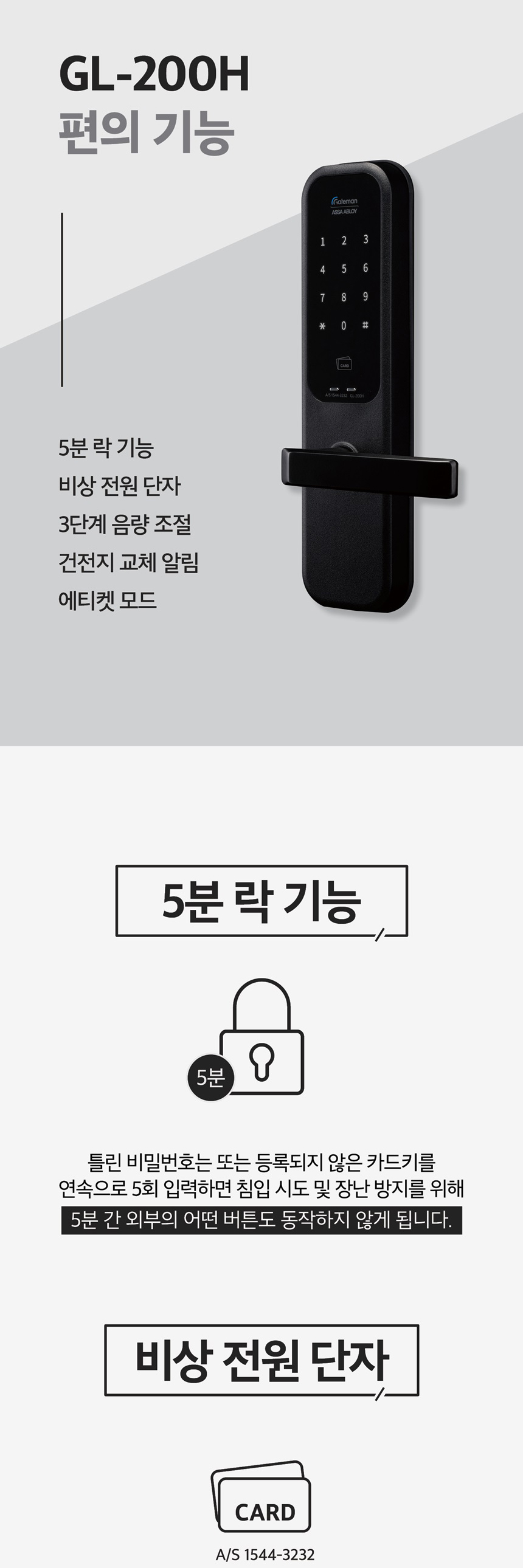
- 5-Minute Lock Function: If an incorrect password or unregistered card key is attempted 5 consecutive times, the lock will temporarily disable external button input for 5 minutes to prevent unauthorized access.
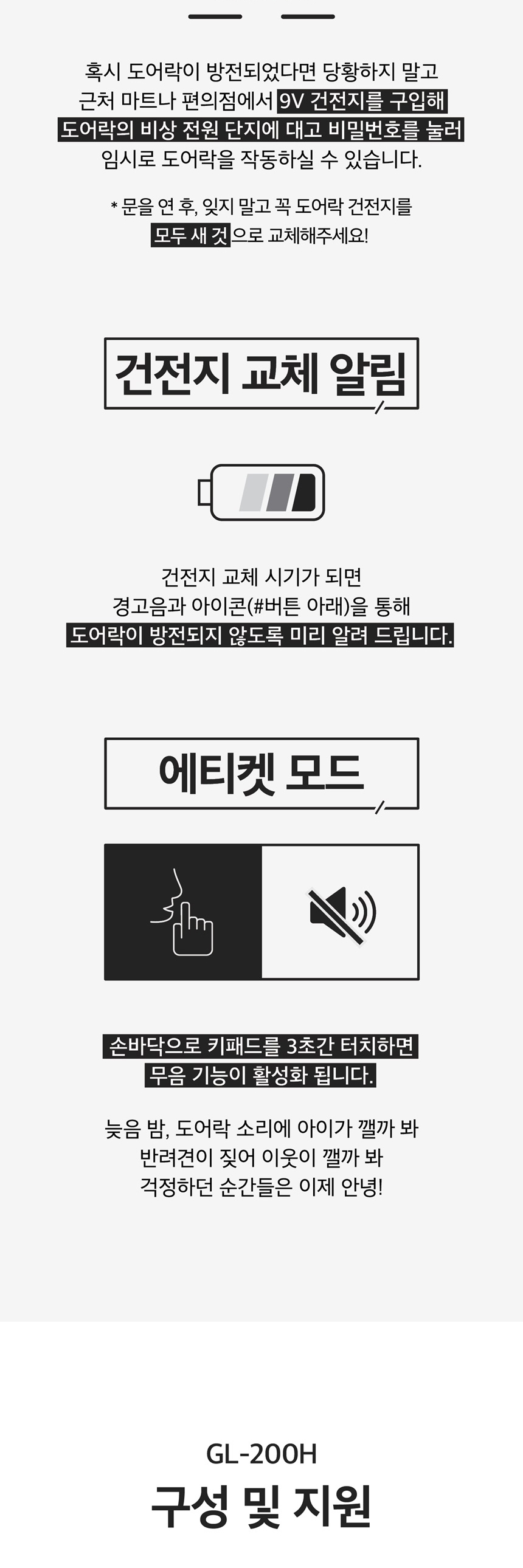
- Emergency Power Terminal: In case of complete battery discharge, you can use a 9V battery to temporarily power the lock via the emergency power terminal on the front body to gain access.
- 3-Step Volume Control: Adjust the sound level of the lock's operations and alerts.
- Battery Replacement Alert: The lock will provide a warning sound and icon when the batteries are low and require replacement.
- Etiquette Mode (Silent Mode): To activate silent mode, touch the keypad with your palm for 3 seconds. This mutes operational sounds, useful for late-night entries or exits.
7. Vedligeholdelse
7.1 Udskiftning af batteri
When the battery replacement alert sounds or the battery icon appears, replace all four 1.5V AA alkaline batteries immediately. Do not mix old and new batteries, or different types of batteries. Always use new, high-quality alkaline batteries.
7.2 Rengøring
Wipe the lock's surface with a soft, dry cloth. Do not use water, alcohol, or chemical cleaners, as these can damage the finish or internal components.
8. Fejlfinding og ofte stillede spørgsmål
8.1 Almindelige problemer og løsninger
- Door not opening/locking:
- Check if the batteries are dead. Use a 9V emergency battery to power the lock if needed.
- Ensure the door is properly closed and aligned with the strike plate.
- Verify that the correct password or a registered card key is being used.
- Battery low alert: Replace all four 1.5V AA alkaline batteries immediately.
- Lock temporarily disabled (5-minute lock): This occurs after 5 consecutive incorrect password/card key attempts. Wait for 5 minutes before trying again.
8.2 Ofte stillede spørgsmål (FAQ)
- Q: Can the lock be installed if my door handle is on the opposite side?
- A: Yes, the GL-200H can be installed to accommodate the desired direction of your door handle.
- Q: Can the GL-200H be installed on glass or sash doors?
- A: Yes, it is possible, but these are considered special door types. Please contact customer support for specific guidance and potential additional installation requirements.
- Q: Can I install the lock myself?
- A: Self-installation is possible if no additional drilling is required for your door. However, professional installation is recommended to ensure optimal performance and security.
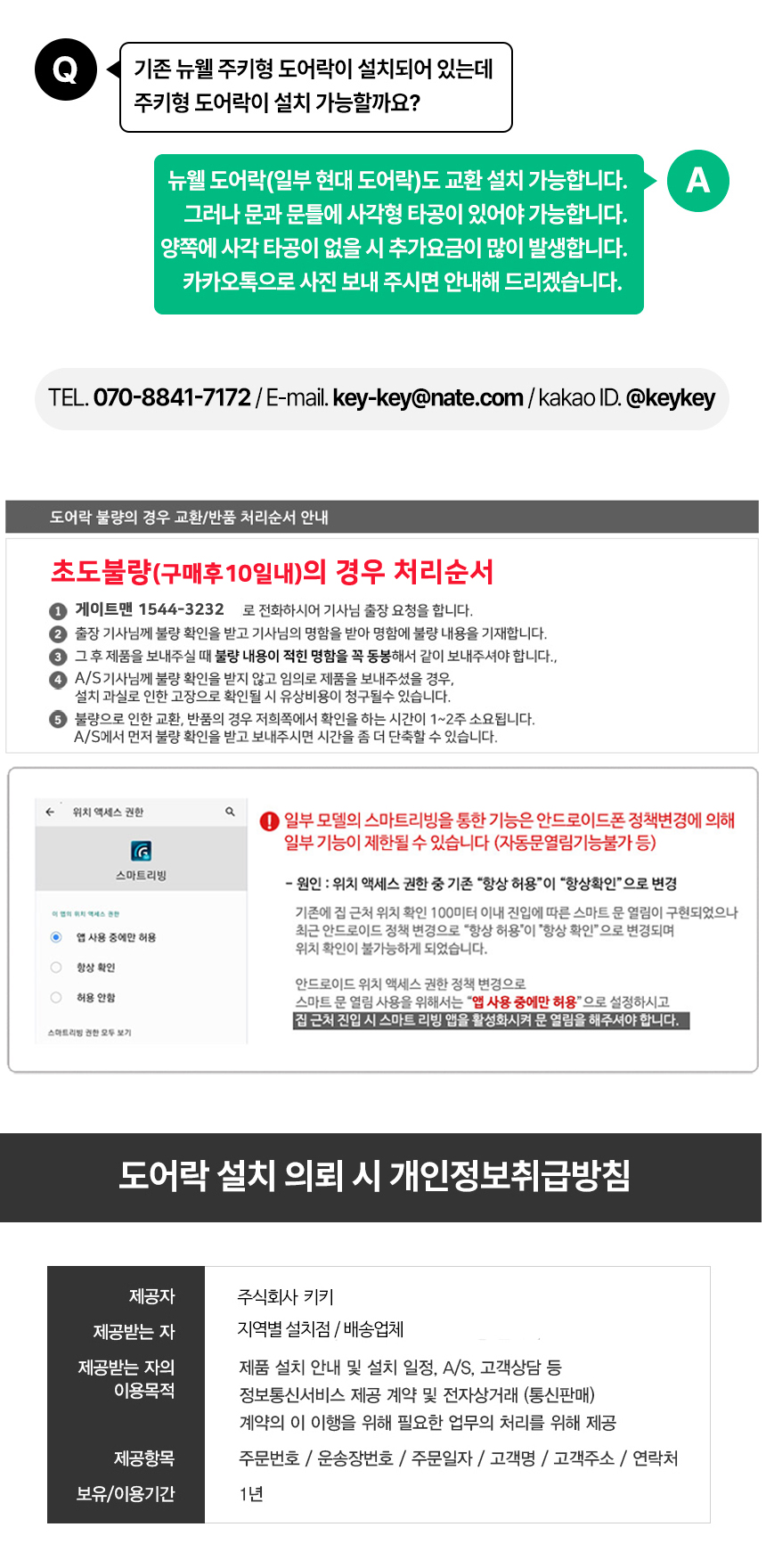
- Q: Can the lock be installed if an auxiliary lock is already present?
- A: Yes, but additional drilling might be needed depending on the existing auxiliary lock's position and type.
- Q: Can the lock be installed if an old type of digital lock is currently installed?
- A: Yes, replacement installation is possible. However, if the existing lock is an older model (e.g., 10+ years old), additional drilling might be required due to differing standards and hole sizes. A 32mm additional hole may be necessary.
9. Brugertips
- Nem installation: Many users find the GL-200H easy to install, especially if no additional drilling is required for their door.
- Pålidelighed: The Gateman brand is known for reliable products, providing peace of mind against malfunctions.
- Quick Locking: The 1-second automatic locking feature is highly appreciated for its immediate security.
- Etiquette Mode for Quiet Operation: Utilize the etiquette mode for silent operation during late hours to avoid disturbing others.
10. Garanti og support
Gateman provides comprehensive customer support for its products.
10.1 After-Sales Service (A/S)
For after-sales service inquiries, please contact the A/S center at 1544-3232. Note that after one year from the purchase date, services may be subject to a fee from the manufacturer.
10.2 Kundesupport
For general inquiries, product information, or installation assistance, you can reach customer support via:
- Telefon: 1833-7172 (Available from 10:00 AM to 3:00 PM. For other hours, KakaoTalk inquiry is recommended.)
- KakaoTalk ID: @keykey
- E-mail: key-key@nate.com
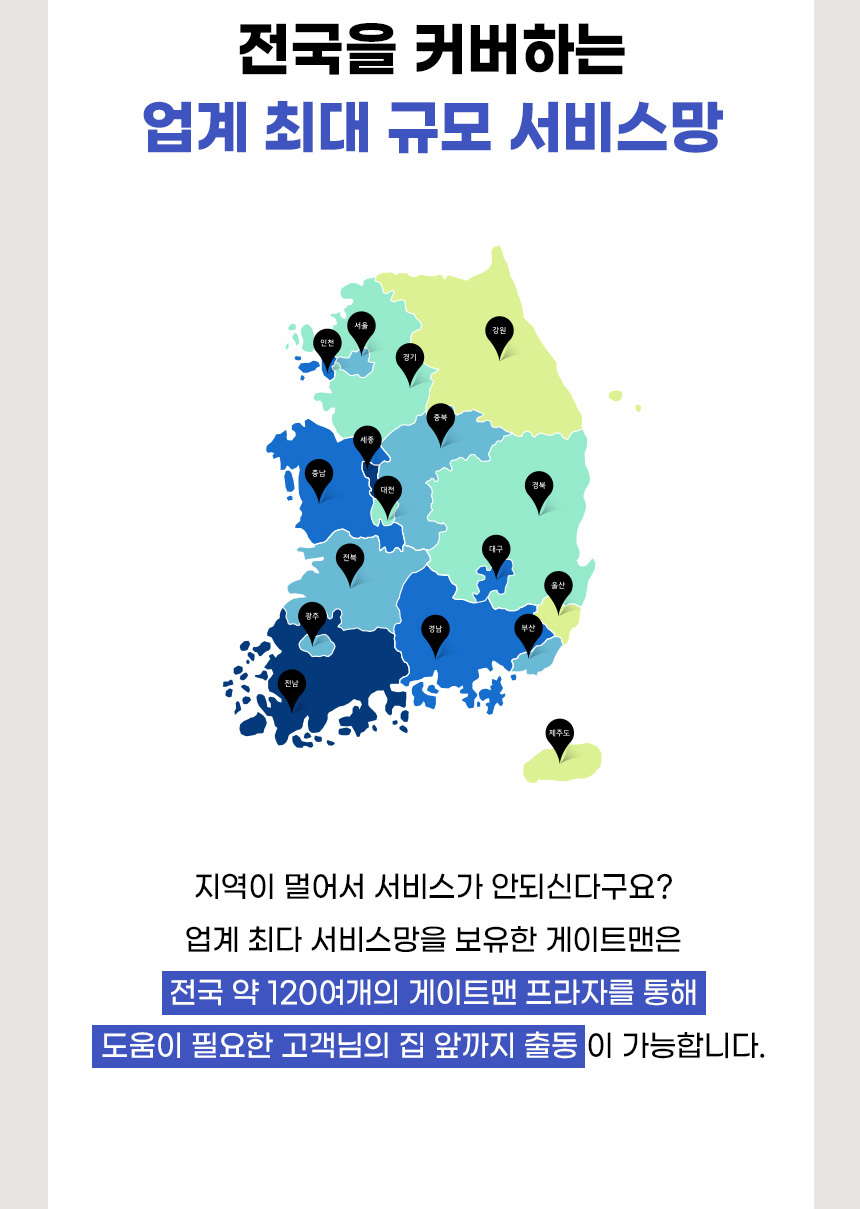
Gateman offers a 24/7 nationwide service network with over 1200 service centers to assist customers.