

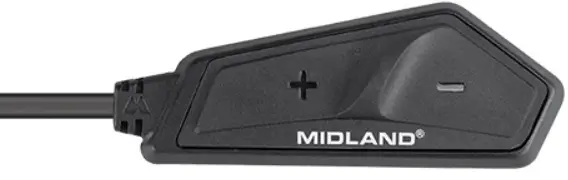
MIDLAND Smartcom Intercom
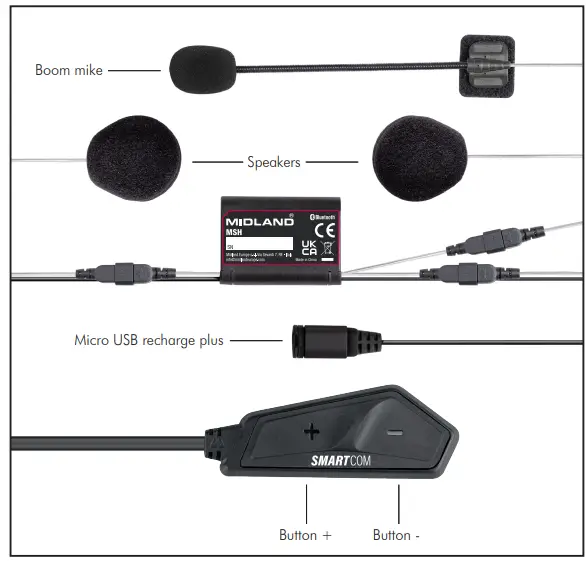
BESKRIVELSE – FORKLARING
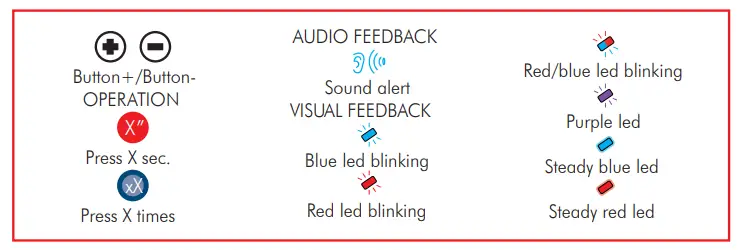
TÆND 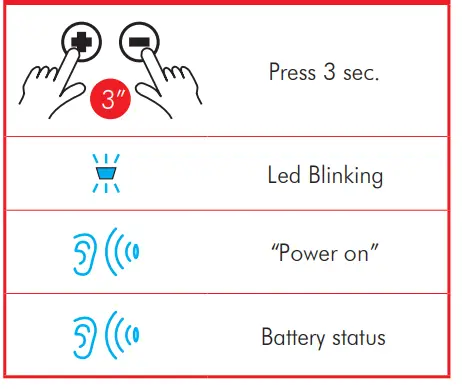 SLUK
SLUK 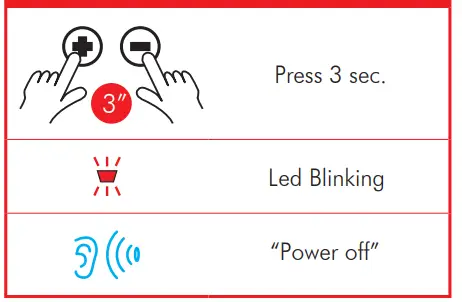
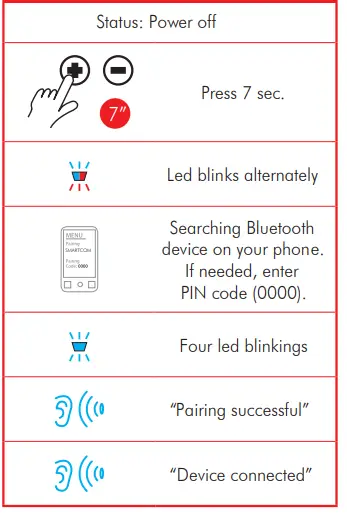
PARRING TIL TELEFON/GPS
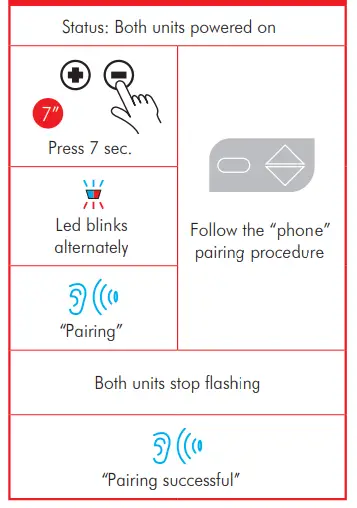
PARRING AF EN ANDEN SMARTCOM ELLER MIDLAND 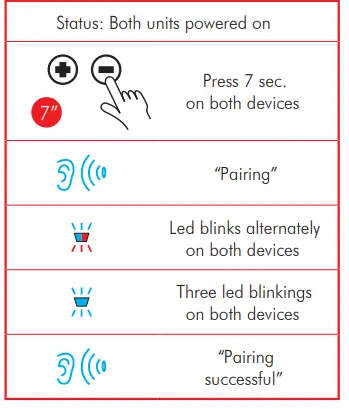
PARRING TIL EN ANDEN MODEL/MÆRKE ENHED
NULSTIL ALLE PARRINGER
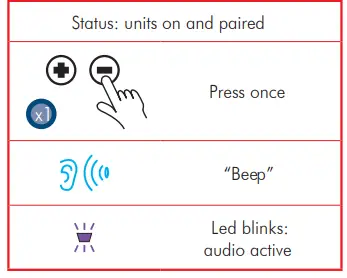
 ÅBN/LUK INTERCOM
TALEOPKALD
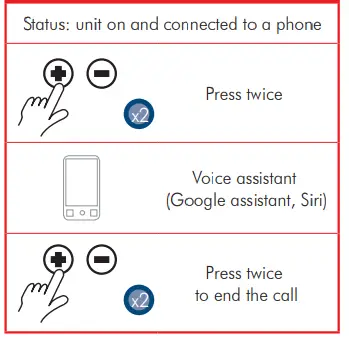
BESVAR ET OPKALD
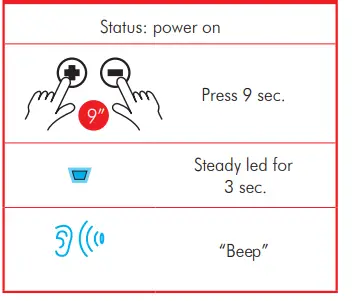
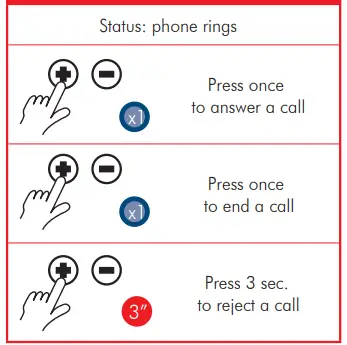 For at slå automatisk svar til/fra, når enheden er slukket, skal du trykke på + og – i 9 sekunder.
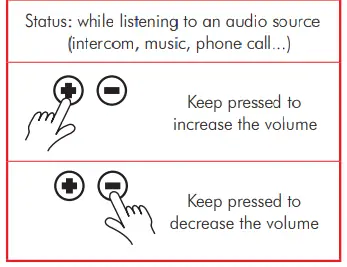
VOLUMEJUSTERING
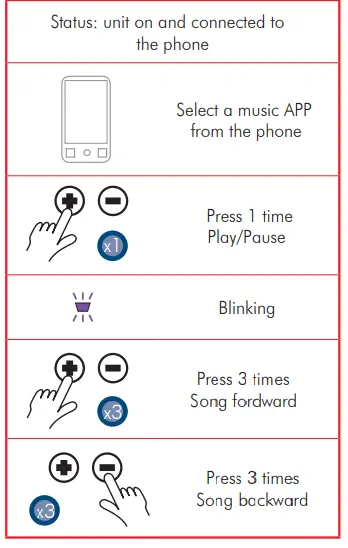
MUSIK
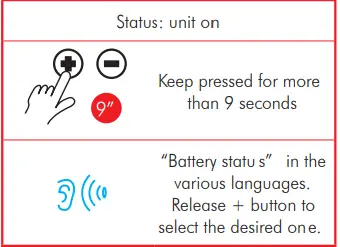
SKIFT SPROG
- Frekvens 2.4 GHz
- Maks effekt IOOmW
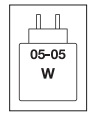
Strømmen fra opladeren skal være mellem min. 05 watt, som radioudstyret kræver, og maks. 05 watt for at opnå maksimal opladningshastighed.
For at downloade den komplette manual, besøg www.tucanourbano.com
Distribueret af:
- MANDELLI sri
- Via T.Grossi, 5 – 20841 Carate Brianza
- MB (Italien) – www.tucanourbano.com
Dokumenter/ressourcer
 | Smartcom Intercom |
Referencer
- Tucano Urbano | Shop Onlinewww.tucanourbano.com
- Brugermanualmanual.tools
Published: August 7, 2025