1. Introduktion
The iGPSPORT BiNavi Air is a smart wireless GPS cycle computer designed to enhance your cycling experience with advanced navigation and data tracking capabilities. It features a 3.0-inch touchscreen display, intelligent navigation with rerouting, and comprehensive data analysis for various riding conditions.
2. Hvad er der i æsken
- 1 x BiNavi Air Bike Computer
- 1 x ladekabel
- 1 x Simple Mount
- 1 x brugermanual
- 1 x skærmfilm
- 1 x snor
3. Opsætning
3.1 Enhed overview
The BiNavi Air features a 3.0-inch outdoor color screen with a 1.67:1 golden screen-to-body ratio. It has a slim profile with a body thickness of 13.8mm and weighs only 77g. Control is managed via both the touchscreen and physical buttons, ensuring usability in various conditions like rain or with gloves.
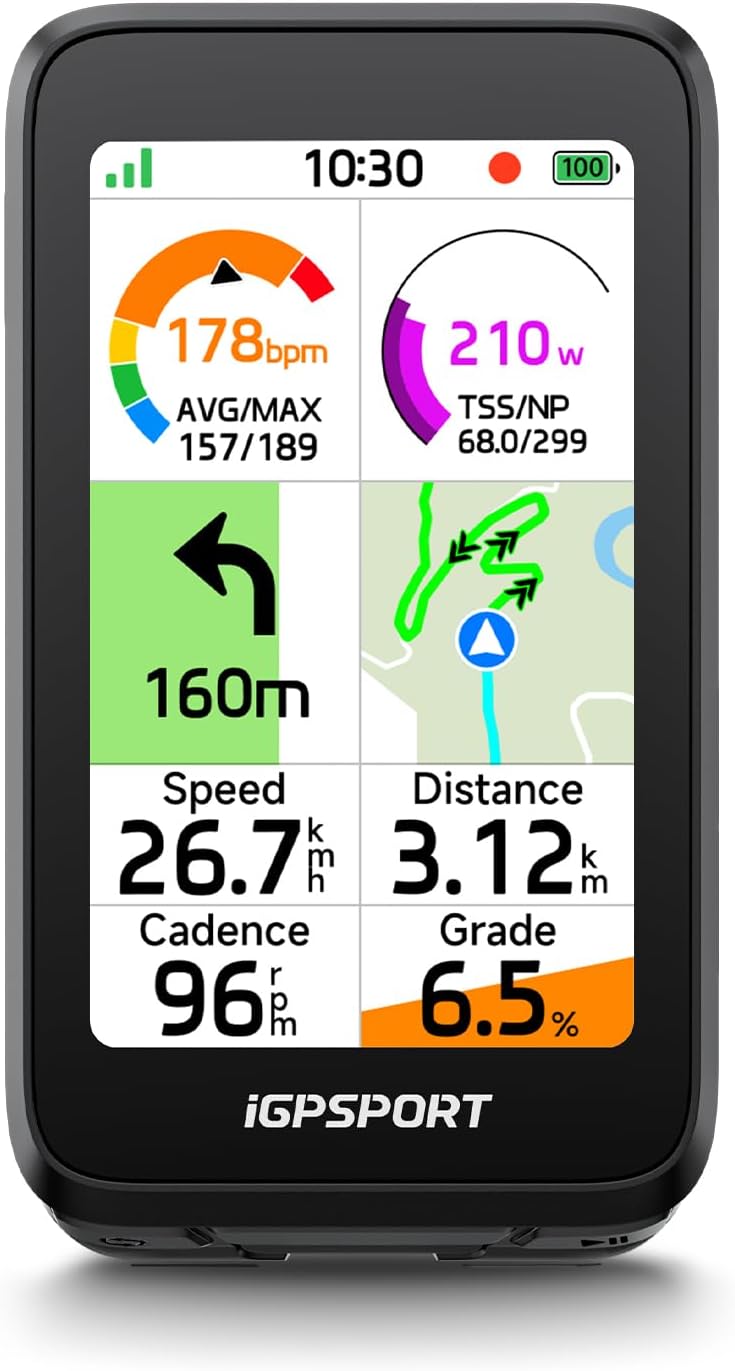
Image: iGPSPORT BiNavi Air Bike Computer mounted on a bicycle handlebar, displaying navigation and ride data.
3.2 Initial Power On & GPS Positioning
To power on the device, press and hold the power button. Once powered on, the device will begin acquiring a GPS signal. The top-left icon on the screen will flash during GPS acquisition and become solid once positioning is complete.
Video: Demonstrates the initial power-on sequence and GPS positioning process of the BiNavi Air bike computer.
3.3 App-parring
To unlock full functionality and manage routes, pair your BiNavi Air with the iGPSPORT app on your smartphone. Follow the on-screen instructions on both the device and the app to complete the pairing process. This enables features like one-tap destination navigation and route transfer.
Video: Illustrates the process of connecting the iGPSPORT BiNavi Air to a smartphone via the iGPSPORT app.
4. Betjeningsvejledning
4.1 Navigationsfunktioner
The BiNavi Air utilizes the flagship BiNavi navigation system, supporting both online and offline navigation. It offers rapid parsing of routes and precise turn-by-turn guidance.
- One-Tap Destination Navigation: Plan routes using the iGPSPORT app and transfer them to your device with a single tap. Navigate to saved locations, segment start points, or return to your starting point.
- Off-Course Rerouting 2.0: If you deviate from your planned route, the device will intelligently and swiftly guide you back to the correct path.
- Turn Prompts: Receive audio and visual turn alerts, including on-screen alerts, sound prompts, and light notifications, to enhance awareness during your ride.
Video: Demonstrates the turn-by-turn navigation and alert features of the BiNavi Air.
Video: Giver en overview of the iGPSPORT BiNavi Air's touchscreen GPS wireless bike computer features.
4.2 iClimb 3.0 Climb Features
The device incorporates Grand Tour–level climb algorithms to provide detailed information about upcoming climbs. It displays gradient, distance, and elevation data directly on the map, assisting riders in pacing their effort effectively on challenging terrain.

Image: iGPSPORT BiNavi Air Bike Computer displaying climb data with a cyclist in the background.
Video: Highlights the lightweight design and climb data features of the BiNavi Air cycling computer.
4.3 Accurate Elevation & Gradient Data
A multi-vent barometric altimeter and advanced slope algorithms ensure precise elevation gain and real-time gradient tracking. The gradient display uses color-coding for instant understanding of climb intensity, even in changing weather conditions.
4.4 Indoor Training Mode
The BiNavi Air supports indoor training, allowing you to simulate outdoor routes on compatible smart trainers. This feature aids in structured training and performance tracking.
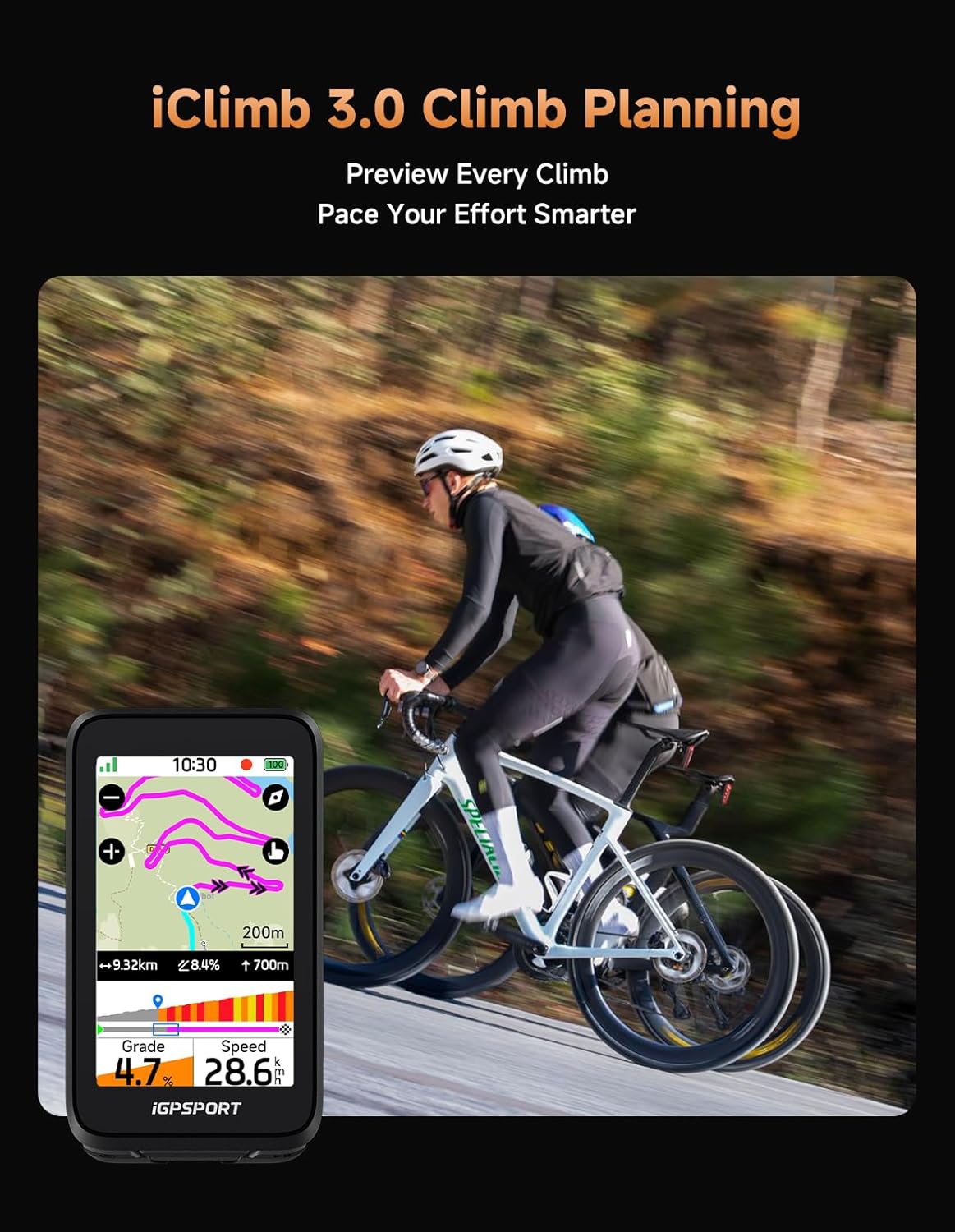
Image: iGPSPORT BiNavi Air Bike Computer showing indoor training mode with a cyclist on a smart trainer.
4.5 Smart Control & Notifications
The device offers smart control features to minimize distractions during your ride:
- Musik kontrol: Change tracks and adjust volume directly from your bike computer.
- Action Camera Control: Start and stop recording on compatible action cameras.
- Smarte meddelelser: Receive key alerts and weather updates at a glance.
- Shimano Di2 Control: Use Di2 buttons to control your bike computer.

Image: iGPSPORT BiNavi Air Bike Computer displaying music control interface.
5. Vedligeholdelse
5.1 Batterilevetid og opladning
The BiNavi Air provides a comprehensive battery life of up to 30+ hours and supports fast charging. Use the provided charging cable to recharge the device.
5.2 Rengøring
For at rengøre din enhed skal du tørre den af med en blød kludamp klud. Undgå at bruge skrappe kemikalier eller slibende materialer, der kan beskadige skærmen ellerasing.
5.3 Softwareopdateringer
Ensure your device's firmware is up to date by checking for updates through the iGPSPORT app. Regular updates provide performance improvements and new features.
6. Fejlfinding
6.1 Enheden reagerer ikke
If the device becomes unresponsive, try performing a soft reset by pressing and holding the power button for approximately 10-15 seconds until the device restarts.
6.2 Problemer med GPS-signalet
Sørg for at du er i et åbent område med klar view of the sky for optimal GPS signal acquisition. If issues persist, verify that the device's firmware is updated.
6.3 Pairing Problems
If you encounter difficulties pairing with the iGPSPORT app, ensure Bluetooth is enabled on your smartphone and the device is in pairing mode. Try restarting both the device and your phone, then attempt pairing again.
7. Specifikationer
| Feature | Detalje |
|---|---|
| Mærke | iGPSPORT |
| Modelnummer | BiNavi Air |
| Skærmstørrelse | 3 tommer |
| Batteritype | Lithium polymer |
| Human Interface Input | Knapper, berøringsskærm |
| Vægt | 77 g (ca.) |
| Tykkelse | 13.8 mm (ca.) |
8. Garanti og support
8.1 Garantioplysninger
The iGPSPORT BiNavi Air Bike Computer comes with a 2-year warranty from the date of purchase. Please retain your proof of purchase for warranty claims.
8.2 Kundesupport
For yderligere assistance, teknisk support eller garantiforespørgsler, besøg venligst den officielle iGPSPORT website or contact their customer service team. You can find contact details on the iGPSPORT Butik på Amazon or through the iGPSPORT app.