1. Introduktion
This manual provides essential information for the safe and efficient operation of your Denver DIR-200 Internet Radio. Please read it thoroughly before using the device and keep it for future reference.
2. Sikkerhedsoplysninger
- Udsæt ikke enheden for regn eller fugt.
- Skil ikke enheden ad. Overlad al service til kvalificeret personale.
- Undgå ekstreme temperaturer og direkte sollys.
- Brug kun den specificerede strømadapter eller batterier.
- Holdes væk fra stærke magnetiske felter.
3. Pakkens indhold
Sørg for, at alle varer er til stede:
- Denver DIR-200 Internet Radio
- Strømadapter (USB-C)
- Brugervejledning (dette dokument)
4. Produktet er slutview
The Denver DIR-200 is a versatile radio offering Internet Radio, DAB+, and FM reception. It features Bluetooth 5.0 for wireless streaming, a UPnP network player, a 2.4-inch color LCD, and dual alarm functions. It can be powered via USB-C or AA batteries for portable use.

Billede 1: Front view of the Denver DIR-200 Internet Radio, displaying the main screen with the 'Internet radio' selection. The controls for power, menu, alarm, favorites, volume/select, and navigation are visible below the screen.

Billede 2: Front view of the Denver DIR-200 Internet Radio, showing the screen tuned to 'Radio ABC'. This illustrates the modern display for easy navigation and station information.

Billede 3: Bag view of the Denver DIR-200 Internet Radio, highlighting the DC 5V (USB-C) power input, AUX IN port, headphone jack, and the telescopic antenna.
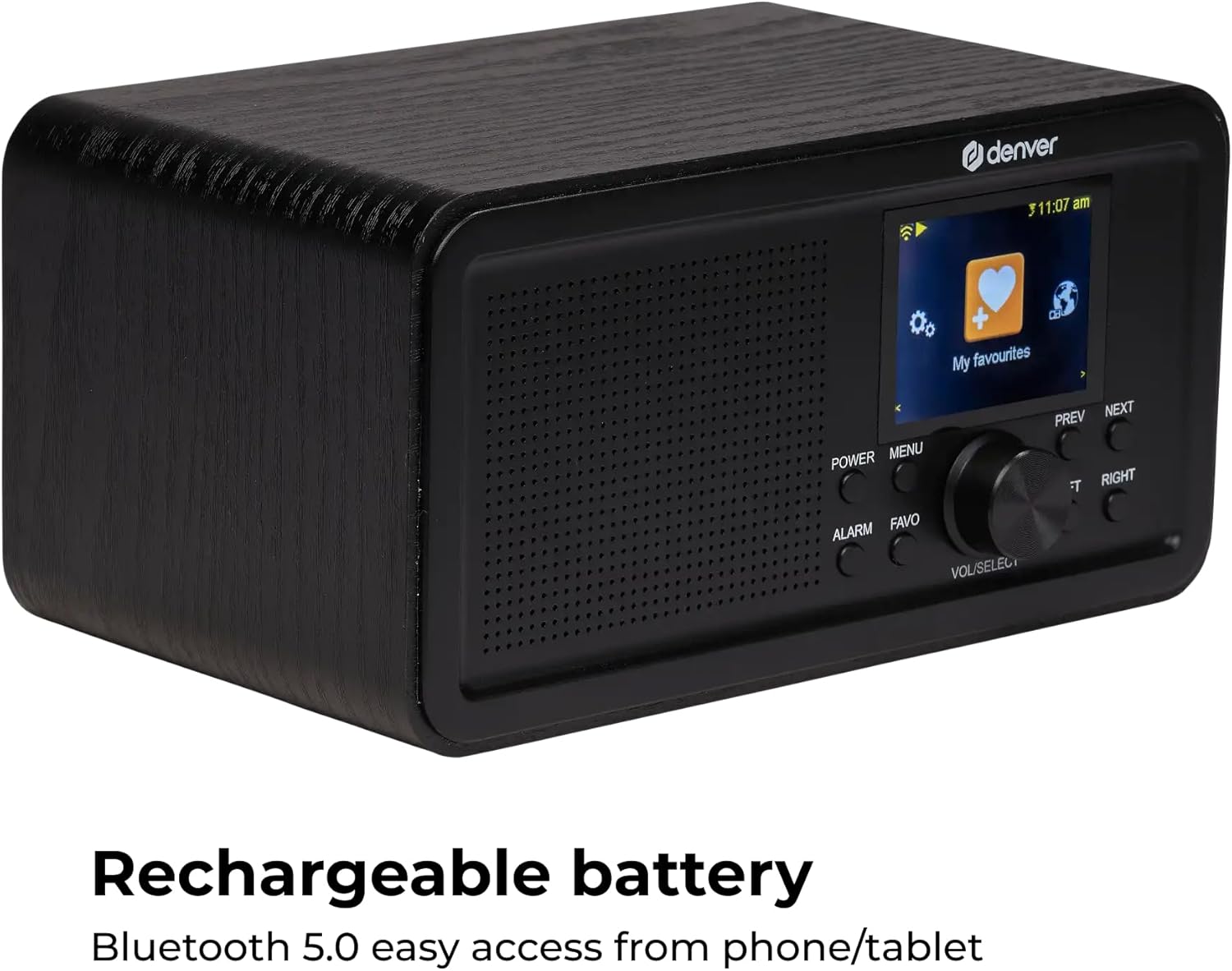
Billede 4: Vinklet front view of the Denver DIR-200 Internet Radio, with the screen displaying the 'My favourites' menu. This image also emphasizes the compact design and control layout.
5. Opsætning
5.1 Tænd
- AC strøm: Connect the supplied USB-C cable to the DC 5V port on the back of the radio and plug the adapter into a wall outlet.
- Batteristrøm: Open the battery compartment on the back and insert 4 x AA batteries (not included), ensuring correct polarity.
- Tryk på MAGT knappen for at tænde for radioen.
5.2 Første opsætning (første brug)
- Upon first power-on, the radio will guide you through initial setup.
- Sprogvalg: Brug VOL/SELECT knob to scroll and select your preferred language, then press the knob to confirm.
- Netværksopsætning: Radioen vil søge efter tilgængelige Wi-Fi-netværk. Vælg dit netværk fra listen.
- Indtast adgangskode: Brug VOL/SELECT knob to enter your Wi-Fi password. Press the knob to confirm each character and to finalize the entry.
- Once connected, the radio will display the main menu.
6. Betjeningsvejledning
6.1 Grundlæggende navigation
- MAGT: Tænder/slukker radioen.
- MENU: Accesses the main menu or goes back to the previous screen.
- VOL/SELECT Knob: Rotate to adjust volume or scroll through menus. Press to confirm a selection.
- FORRIGE NÆSTE: Navigates through tracks or stations.
- VENSTRE HØJRE: Navigates through menu options or settings.
- ALARM: Sets or manages alarms.
- FAVO: Accesses or saves favorite stations.
6.2 Internetradio
- Fra hovedmenuen skal du vælge Internet radio.
- You can browse stations by location, genre, or search.
- Brug VOL/SELECT knob to navigate and select a station.
- For at gemme en station som favorit skal du trykke på FAVO button while listening.
6.3 DAB+ radio
- Fra hovedmenuen skal du vælge DAB+ radio.
- The radio will perform a scan for available DAB+ stations.
- Brug VOL/SELECT knob to select a station from the list.
- For at gemme en station som favorit skal du trykke på FAVO button while listening.
6.4 FM radio
- Fra hovedmenuen skal du vælge FM radio.
- Brug FORRIGE NÆSTE buttons to manually tune or press and hold to auto-scan for the next available station.
- For at gemme en station som favorit skal du trykke på FAVO button while listening.
6.5 Bluetooth-streaming
- Fra hovedmenuen skal du vælge Bluetooth.
- Radioen vil gå i parringstilstand.
- On your smartphone or tablet, enable Bluetooth and search for "DIR-200".
- Select "DIR-200" to pair. Once connected, you can stream audio from your device to the radio.
6.6 UPnP Network Player
- Ensure your radio and media server (e.g., PC with media sharing enabled) are on the same Wi-Fi network.
- Fra hovedmenuen skal du vælge UPnP or Netværksafspiller.
- The radio will scan for available media servers. Select your server and browse your music library.
6.7 Vækkeur og sleeptimer
- Indstilling af alarmer: Tryk på ALARM knap. Brug VOL/SELECT knob to set alarm time, source (buzzer, internet radio, DAB+, FM), and frequency.
- Snooze-funktion: When an alarm sounds, press any button (except Power) to activate snooze.
- Sleep timer: Access the Sleep Timer option in the main menu or settings. Set a duration after which the radio will automatically turn off.
6.8 Lydjustering (Equalizer)
- Naviger til Indstillinger menu.
- Vælge Equalizer or Lydindstillinger.
- Adjust Bass and Treble levels using the VOL/SELECT knob to customize your audio experience.
7. Vedligeholdelse
- Rensning: Brug en blød, tør klud til at rengøre radioens overflade. Brug ikke flydende rengøringsmidler eller slibende materialer.
- Opbevaring: Hvis produktet opbevares i længere tid, skal batterierne fjernes for at forhindre lækage.
- Antenne: Håndter teleskopantennen forsigtigt for at undgå skader.
8. Fejlfinding
| Problem | Mulig årsag | Løsning |
|---|---|---|
| Ingen strøm | Strømadapteren er ikke tilsluttet; Batterierne er opbrugt eller isat forkert. | Kontroller strømtilslutningen; Udskift batterierne, eller sørg for korrekt polaritet. |
| Kan ikke oprette forbindelse til Wi-Fi | Forkert adgangskode; Router for langt væk; Netværksproblemer. | Indtast adgangskoden omhyggeligt igen; Flyt radioen tættere på routeren; Genstart routeren. |
| Dårlig radiomodtagelse (DAB+/FM) | Antennen ikke strakt ud; Område med svagt signal. | Fully extend the telescopic antenna; Reposition the radio. |
| Bluetooth-parring mislykkes | Device not in pairing mode; Radio too far from source device. | Ensure radio is in Bluetooth pairing mode; Move devices closer; Restart Bluetooth on both devices. |
9. Specifikationer
- Model: DIR 200
- Tuner: Internet Radio (WLAN), DAB+, FM-RDS
- Bluetooth: Version 5.0
- Netværksafspiller: UPnP compatible
- Vise: 2.4-inch Color LCD with backlight
- Foretrukne forudindstillinger: 20 per mode (DAB, FM, Internet)
- Højttaler output: 2 watt RMS
- Antenne: Teleskopisk
- Alarmfunktioner: Dual alarm, Snooze, Sleep Timer
- Forbindelse: Headphone Jack, AUX Input
- Strømforsyning: DC 5V (USB-C) or 4 x 1.5V AA batteries
- Dimensioner: Ca. 20 x 10.2 x 13.7 cm (længde x bredde x højde)
- Vægt: 1000 gram
10. Garanti og support
For garantioplysninger og teknisk support henvises til garantikortet, der følger med dit produkt, eller besøg den officielle Denver-side. webwebsted. Gem din købsbevis i tilfælde af garantikrav.
Fabrikant: Denver
Modelnummer: DIR 200


