Indledning
This manual provides detailed instructions for the safe and efficient use of your fishkeeper Automatic Fish Feeder, Model FK092-NEW. Please read this manual thoroughly before operating the device to ensure proper function and longevity.
Pakkens indhold
Bekræft, at alle nedenstående varer er inkluderet i din pakke:
- 1 x fishkeeper Automatic Fish Feeder (Model FK092-NEW)
- 1 x Desiccant Container
- 1 x Feed Outlet Chute
- 2 x fodstøtter
- 1 x 6.56ft/2m Power Cord (6V 1A)
- 3 x Feeding Reduction Clips
- 2 x negle
- 1 x brugermanual

Opsætning
1. Strømstyring
The fishkeeper Automatic Fish Feeder offers two power supply options:
- AC strøm: Use the included 6.56ft/2m power cord for direct connection to an AC outlet.
- Batteristrøm: For cordless operation, install 4 AAA batteries (not included). This provides approximately 1-6 months of battery life.

Video: Demonstrates the power options, weather resistance, and installation methods for the fishkeeper pond feeder.
2. Installationsmuligheder
The feeder offers two installation methods:
- Secure to the Pond:
- Install the foot supports outwards on the base of the feeder.
- Secure the foot supports with the provided nails to a hard surface next to your pond (e.g., solid ground, wooden flooring, or tile).
- Placed on the Aquarium Cover:
- Install the feed outlet chute onto the feeder.
- Place the feeder directly on top of your indoor aquarium cover, ensuring the feed chute is positioned over the water.

Video: Demonstrates the power options, weather resistance, and installation methods for the fishkeeper pond feeder.
3. Fyldning af foderautomaten
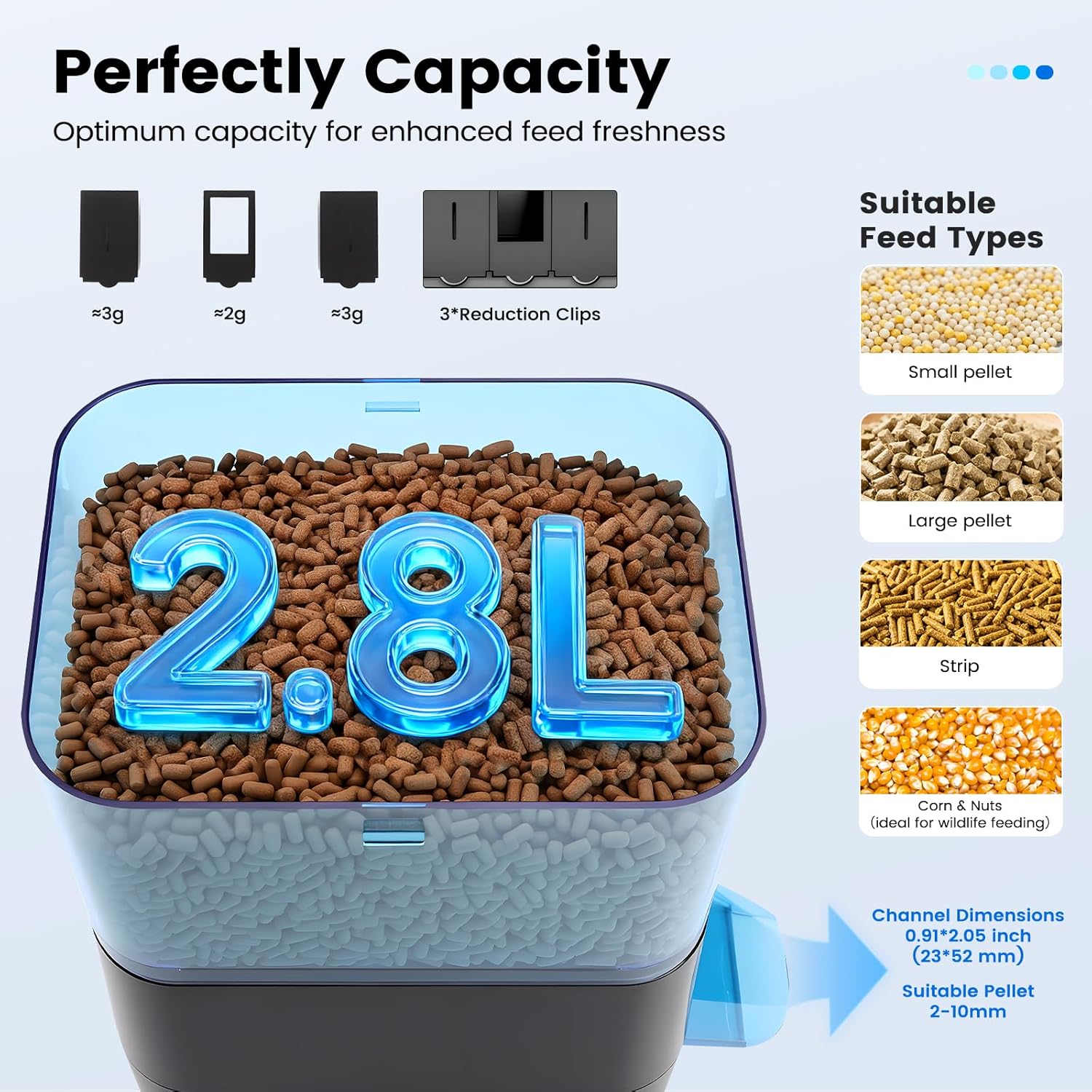
The feeder has a 2.8L capacity. To fill:
- Åbn det øverste låg på foderautomaten.
- Pour the desired fish food into the container. Ensure the food type is suitable (small pellet, large pellet, strip, corn & nuts).
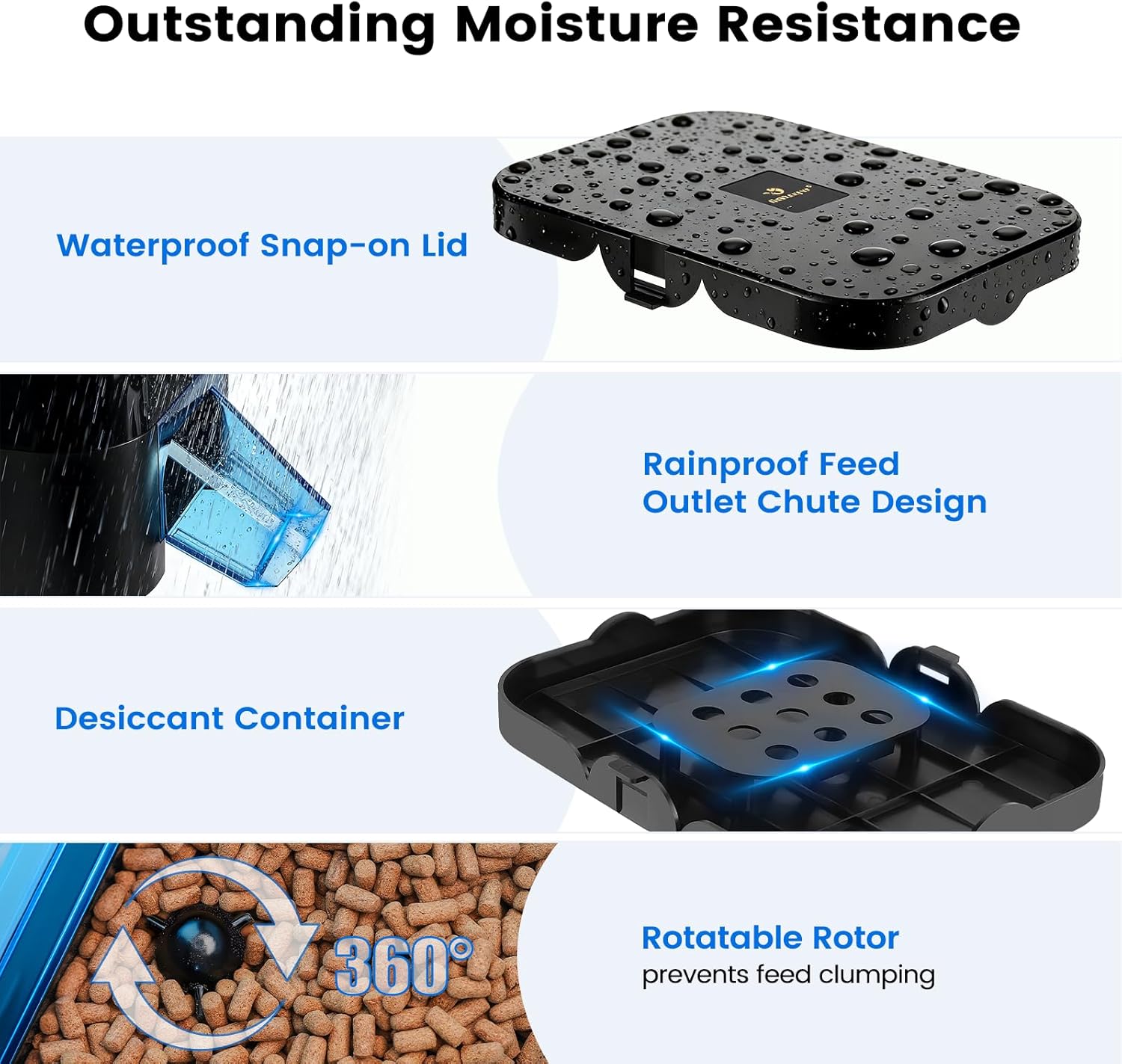
- Close the lid securely. The lid features a locking mechanism to prevent accidental spillage and a dedicated desiccant slot to keep food dry (desiccant not included).
Betjeningsvejledning
1. LCD-skærm overview
The feeder features an LCD display and control buttons for programming. Familiarize yourself with the display elements:
- KØRSELSVEJLEDNING: Button to switch between modes.
- SÆT: Button to confirm settings.
- +: Button to increase values or cycle through options.
- -: Button to decrease values or cycle through options.
- Nu: Indicates current time setting.
- Vol (Feeding Volume): Indicates the number of times the feeder dispenses food per feeding session (1-99 portions).
- Timing: Indicates specific feeding times (up to 6 meals per day in Custom Mode).
- Int (Precise Mode Feeding Interval): Sets the feeding interval (e.g., "0" for daily, "1" for every other day).

2. Current Time Calibration
To set the current time on your feeder:
- Tryk på MODE button to display the "Now" part.
- Tryk og hold på SÆT knappen i 3 sekunder.
- Brug + or - knapper for at justere timen.
- Trykke SÆT again to switch to minutes.
- Brug + or - knapper for at justere minutter.
- Trykke SÆT again to finish setting the time.
Video: Step-by-step guide on setting the current time on the feeder's LCD display.

3. Setting Up Lazy Mode (Preset Timer)
Lazy Mode offers 9 preset feeding schedules for convenience:
| Skema | Fodringstider |
|---|---|
| 1d8 (8 meals per day) | 6:00, 8:00, 10:00, 12:00, 14:00, 16:00, 18:00, 20:00 |
| 1d6 (6 meals per day) | 6:00, 8:00, 10:00, 12:00, 14:00, 16:00 |
| 1d4 (4 meals per day) | 8:00, 12:00, 16:00, 20:00 |
| 1d3 (3 meals per day) | 8:00, 12:00, 18:00 |
| 1d2 (2 meals per day) | 8:00, 18:00 |
| 1d1 (1 meal per day) | 8:00 |
| 2d1 (1 meal every 2 days) | 8:00 |
| 3d1 (1 meal every 3 days) | 8:00 |
| 4d1 (1 meal every 4 days) | 8:00 |
To activate Lazy Mode:
- Tryk og hold på MODE, SÆT, og + buttons simultaneously for 3 seconds to access the preset feeding schedules.
- Tryk på + button to cycle through and select your desired feeding schedule.
- Trykke SÆT to confirm the schedule. The display will automatically jump to "Vol" setting.
- Brug + og - buttons to adjust the portion size (number of dispenses, 1-99).
- Trykke SÆT to confirm the portion setting. A small "h" icon will appear in the lower-right corner of the time display, indicating Lazy Mode is active.
Video: Step-by-step guide on setting up the Lazy Mode (preset timer) for the feeder.


4. Setting Up Custom Timed Mode (Precise Mode)
Custom Mode allows you to set up to 6 specific feeding times per day:
- First, reset to factory settings by pressing and holding SÆT og - knapper i 3 sekunder.
- Tryk på MODE button twice to access the "Timing" settings.
- Tryk og hold på SÆT button for 3 seconds to start setting the first meal time.
- Brug + or - knapperne for at indstille timetallet, og tryk derefter på SÆT to switch to minutes. Repeat for minutes.
- Trykke SÆT again to set the second meal time, and continue this process for subsequent meals (up to 6).
- To exit without setting additional times, press the MODE button. This will automatically jump to the "Int" setting page.
- Tryk og hold SÆT for 3 seconds to enter "Int" settings. Use + or - to adjust the feeding interval (0 for daily, 1 for every other day, etc.). Press SÆT for at bekræfte.
- Finally, for "Vol" (Feeding Volume) setting: Press the MODE button until "Vol." appears. Then press and hold SÆT for 3 seconds to enter "Vol." settings. Use + or - to adjust the portion (number of dispenses, 1-99) and press SÆT for at bekræfte indstillingen.
Video: Step-by-step guide on setting up the Custom Timed Mode (Precise Mode) for the feeder.

5. Adjusting Food Portion Size (Using Reduction Clips)
The feeder includes 3 reduction clips to control the dispensed food portion, suitable for fish pellet sizes 2-10mm. These clips can be disassembled to achieve a larger discharge aperture if needed.


Video: Demonstrates how to adjust the food portion size using the feeder's settings and clips.
6. Removing the Reduction Clip
To remove a reduction clip for larger portions or cleaning:
- Tryk og hold på - button for 3 seconds. The display will show "OPEN".
- Gently shake the feeder to help release the clip.
- Use your finger to remove the clip from the feed outlet.
Note:
- It is recommended to adjust the "Vol" setting to achieve the desired feeding portion.
- It is recommended to remove the clip only when using large-sized pellets.

Video: Demonstrates how to adjust the food portion size using the feeder's settings and clips, including removal.
Opretholdelse
Regular maintenance ensures optimal performance and longevity of your fishkeeper Automatic Fish Feeder.
1. Preventing Moisture and Clumping
- The feeder features a waterproof snap-on lid and a rain-proof feed outlet chute design to protect food from moisture.
- Utilize the dedicated desiccant slot on the lid to insert a desiccant packet (not included) to further keep food dry and fresh.
- The internal rotatable rotor helps prevent food from clumping or getting stuck during dispensing.


2. Rensning
To clean the feeder:
- Ensure the feeder is powered off and disconnected from any power source.
- Remove any remaining food from the hopper.
- Disassemble the feed outlet chute and any reduction clips for thorough cleaning.
- Wipe down the interior and exterior of the feeder with a damp klud. Undgå at nedsænke hovedenheden i vand.
- Clean the feed outlet chute and reduction clips with mild soap and water, then rinse thoroughly and allow to air dry completely before reassembling.
- Ensure all parts are completely dry before refilling with food and resuming operation.
Fejlfinding
If you encounter issues with your fishkeeper Automatic Fish Feeder, refer to the following common problems and solutions:
| Problem | Mulig årsag | Løsning |
|---|---|---|
| Foderautomaten doserer ikke foder. |
|
|
| Feeder not turning on. |
|
|
| Incorrect feeding times. |
|
|
| Foderautomaten er ustabil eller vælter. |
|
|
Specifikationer
| Feature | Detalje |
|---|---|
| Modelnummer | FK092-NEW |
| Kapacitet | 2.8L |
| Dimensioner (L x B x H) | 12 x 9.64 x 7.48 tommer (30.48 x 24.48 x 18.99 cm) |
| Vægt | 3.25 pund (1.47 kg) |
| Materiale | PC |
| Strømindstillinger | AC (6V 1A) or 4 x AAA Batteries (not included) |
| Fodringsfrekvens | 0-99 times (programmable) |
| Portionsstørrelse | 2-8 grams per feeding (adjustable with clips) |
| Suitable Pellet Size | 2-10 mm |
| Særlige funktioner | Weather-Resistant, Tip-Proof Design, LCD Display, Two Timer Modes (Lazy/Custom), Rotatable Rotor, Desiccant Slot |
Garanti og support
For warranty information or technical support, please refer to the contact details provided with your purchase or visit the official fishkeeper webwebsted. Gem din købskvittering for garantikrav.
