Indledning
This manual provides essential information for the safe and efficient operation of your Blackview XPLORE 2 rugged smartphone. Please read this manual thoroughly before using the device to ensure proper functionality and longevity.

Billede: Forside og bagside view af den sorteview XPLORE 2 rugged smartphone, showcasing dens robuste design og kameramodul.
Opsætning
1. Udpakning og indledende inspektion
Fjern forsigtigt alle dele fra emballagen. Kontroller, at alle komponenter, der er anført i afsnittet "Hvad er der i æsken", er til stede og ubeskadigede.
Hvad er der i æsken:
- Sortview XPLORE 2 Smartphone
- USB kabel
2. Installation af SIM-kort og hukommelseskort
Locate the SIM card tray on the side of the device. Use the provided SIM ejector tool (if included) to open the tray. Insert your Nano-SIM card(s) and/or microSD card into the designated slots. Ensure the tray is securely closed to maintain water and dust resistance.
3. Oprindelig opkrævning
Before first use, fully charge the device using the provided USB cable and a compatible power adapter. The device supports 120W fast charging.

Billede: Den Sorteview XPLORE 2 smartphone connected to a charger, illustrating the charging process.
Betjening af din enhed
1. Tænd/sluk og genstart
To power on, press and hold the Power button until the Blackview logo appears. To power off, press and hold the Power button, then select "Power off" from the options. To restart, select "Restart".
2. Skærmfunktioner
The XPLORE 2 features a 6.73-inch 3.2K AMOLED display with a 120Hz dynamic refresh rate. Adjust brightness and display settings in the "Display" menu within Settings for optimal viewing.

Image: A visual representation of the Blackview XPLORE 2's display specifications, highlighting its 3.2K resolution and 120Hz refresh rate.
3. Kamerabrug
The device is equipped with a 50MP main camera and a 20MP night vision camera. Open the Camera app to access various modes including panorama, portrait, beauty, and night vision.
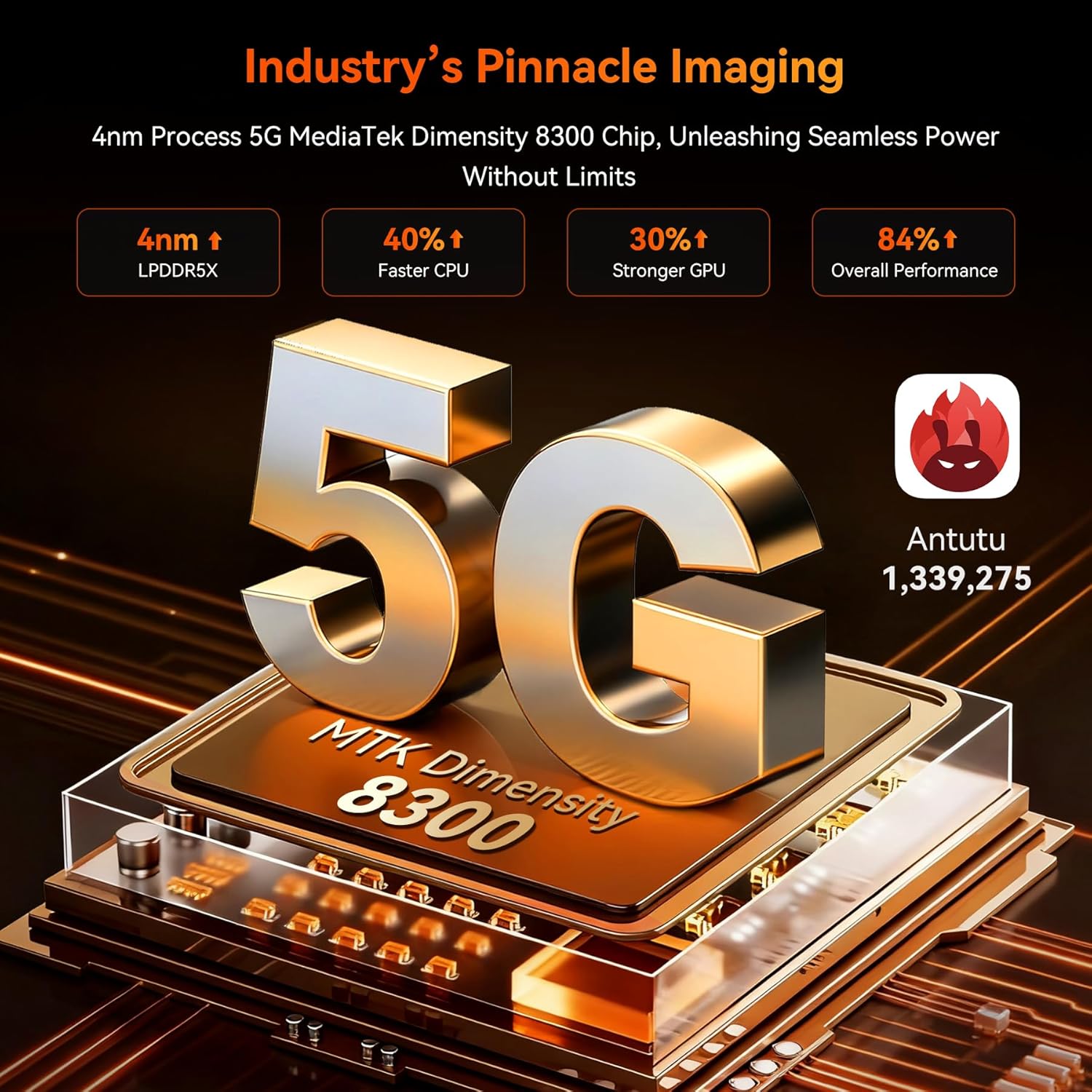
Image: Close-up of the Blackview XPLORE 2's rear camera module, detailing the 50MP main camera and 20MP night vision lens.
4. Doke AI Smart Assistant
Utilize the integrated Doke AI Smart Assistant for various tasks, including answering questions and providing information. Access it through the dedicated app or voice commands.
Video: A demonstration of the Doke AI Smart Assistant providing information on how to choose a campwebsted.
5. Projector Function
The XPLORE 2 features a built-in high-precision projector. To activate, locate the projector settings in the device menu. It supports up to 100-inch projection with 100-lumen brightness.
Video: A video showcasing the Blackview XPLORE 2's features, including its built-in projector, large battery, and ruggedness.
Opretholdelse
1. Rengøring af din enhed
Use a soft, lint-free cloth to clean the screen and body of the device. For stubborn dirt, a slightly damp klud kan bruges. Undgå barske kemikalier eller slibende materialer.
2. Softwareopdateringer
Tjek regelmæssigt for systemopdateringer for at sikre optimal ydeevne og sikkerhed. Naviger til Settings > System > System updates for at søge efter og installere tilgængelige opdateringer.
Video: A step-by-step guide on how to check for and install system updates on the device.
3. Hukommelsesudvidelse
The device supports RAM expansion technology. To expand virtual RAM, go to Settings > About phone > RAM and adjust the memory expansion size. A restart is required for changes to take effect.
Video: Instructions on how to expand the RAM memory of the device through the settings.
Fejlfinding
Fælles problemer og løsninger
- Device is slow or freezing: Close background applications, uninstall unused apps, and restart the device.
Video: A short video demonstrating steps to resolve device lagging or freezing issues, such as closing background apps and restarting.
- Intet netværkssignal: Ensure your SIM card is correctly inserted and activated. Check network settings or contact your carrier.
- Batteriet aflades hurtigt: Reduce screen brightness, disable unnecessary features (Wi-Fi, Bluetooth, GPS) when not in use, and close background apps.
- Water/Dust ingress: Ensure all port covers are securely closed. If water or dust enters, follow the cleaning instructions and allow the device to dry completely before use.
For yderligere assistance, se afsnittet "Garanti og support".
Specifikationer
- Model: XPLORE2
- Operativsystem: Android 15
- Processor: Dimensity 8300 AI 5G Octa-core CPU
- VÆDDER: Up to 36GB (12GB physical + 24GB virtual)
- Opbevaring: 256 GB ROM (kan udvides op til 2 TB via TF-kort)
- Vise: 6.73-inch 3.2K AMOLED, 120Hz dynamic refresh rate, 2600 nits peak brightness
- Batteri: 20000mAh, 120W Fast Charging, 10W Reverse Charging
- Bagkamera: 50MP Main Camera, 20MP Night Vision Camera
- Forreste kamera: 32 MP
- Holdbarhed: IP68/IP69K Waterproof, Dustproof, MIL-STD-810H Drop-proof
- Forbindelse: 5G, Wi-Fi 6E, Bluetooth 5.4, NFC, GPS (L1+L5 Dual-Frequency)
- Særlige funktioner: Built-in Projector (100-inch, 100-lumen), Doke AI Smart Assistant, Customized Shortcut Button, 467LM Camping lys
- Dimensioner: 186 × 87.8 × 29 mm
- Vægt: 645 g
Garanti og support
Din sorteview XPLORE 2 smartphone comes with a 2 års garanti. Sortview also offers lifetime technical support.
For warranty claims, technical assistance, or service inquiries, please contact Blackview customer support through their official webwebstedet eller de kontaktoplysninger, der er angivet med dit køb.
Netværkskompatibilitet
This device supports 5G networks and is compatible with GSM carriers such as T-Mobile, Speedtalk, Mint Mobile, BTC, MetroPCS, H2O, Movistar, Telcel, Tigo, Claro, Ultra Mobile, Tello, Bell Wireless, Rogers Wireless, Chatr, Telus, Fido, and FIZZ.
Important: Not compatible with CDMA carriers such as AT&T, Cricket Wireless, Verizon, Straight Talk, or U.S. Cellular.
Understøttede netværksbånd:
- 4G FDD: B2/B3/B4/B5/B7/B12/B13/B17/B26/B66/B28A/B28B
- 4G TDD: B40/B41
- 3G WCDMA: B2/B3/B4/B5
- 2G GSM: 850/900/1800/1900 (B2/B3/B5/B8)


