Indledning
Thank you for choosing the VONROC CH516AC 2500W WiFi Electric Convector Heater. This manual provides essential information for the safe and efficient operation, installation, and maintenance of your new heater. Please read these instructions carefully before use and retain them for future reference.
Vigtige sikkerhedsinstruktioner
Always observe basic safety precautions when using electrical appliances to reduce the risk of fire, electric shock, and injury to persons. This includes:
- Læs alle instruktioner, før du bruger denne varmeovn.
- Brug ikke denne varmeovn i umiddelbar nærhed af et badekar, en bruser eller en swimmingpool.
- Do not cover the heater. A warning label "DO NOT COVER" is present on the appliance.
- Sørg for, at voltage angivet på mærket svarer til netspændingentage i dit hjem.
- Hold børn og kæledyr væk fra varmeapparatet.
- Stik ikke genstande ind i varmelegemets åbninger.
- Træk stikket ud af varmelegemet, når det ikke er i brug.
- Hvis netledningen er beskadiget, skal den udskiftes af producenten, dennes serviceagent eller lignende kvalificerede personer for at undgå en fare.

Produktegenskaber
- 2500W heating power.
- Integrated WiFi for smart control via Tuya App.
- Adjustable thermostat (5-50 °C).
- Timer funktion.
- Multiple operating modes: Eco, Comfort, Anti-freeze.
- IP24 splash-proof rating.
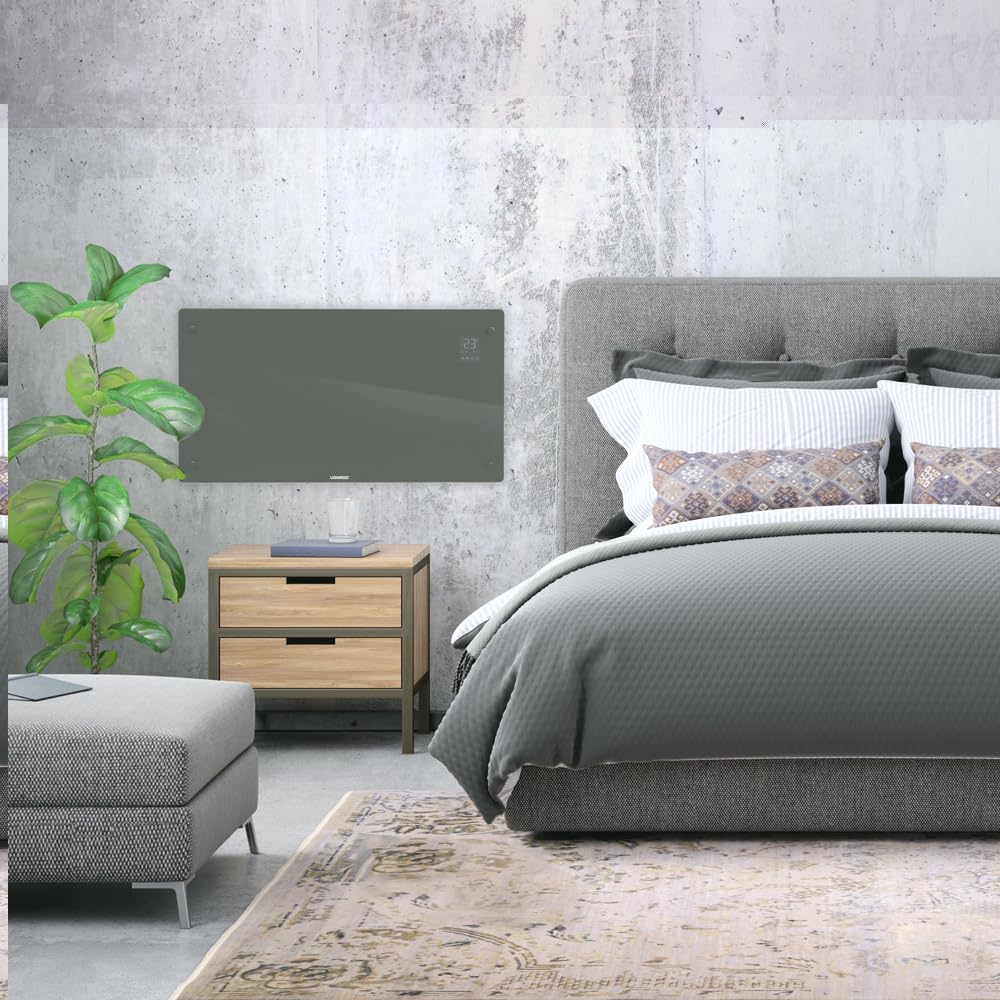
- Suitable for wall mounting or floor standing.
- Heats areas up to 30 m².
Pakkens indhold
Kontroller, at alle komponenter er til stede og ubeskadigede ved udpakning:
- VONROC CH516AC Konvektorvarmer
- Feet for floor standing (if applicable)
- Wall mounting kit (screws, anchors)
- Brugermanual
Opsætning og installation
1. Floor Standing Installation
- Pak forsigtigt varmeapparatet og alt tilbehør ud.
- Attach the provided feet to the bottom of the heater using the screws. Ensure they are securely fastened.
- Place the heater on a flat, stable surface, away from flammable materials and at least 1 meter from furniture or curtains.

2. Wall Mounting Installation
- Choose a suitable wall location, ensuring sufficient clearance around the heater (at least 15 cm from the floor and ceiling, and 30 cm from side walls).
- Mark the drilling points on the wall using the provided template or by measuring the mounting brackets on the back of the heater.
- Bor huller og indsæt vægankre.
- Fastgør vægmonteringsbeslagene til væggen med skruer.
- Hæng forsigtigt varmelegemet på vægbeslagene, og sørg for, at det sidder sikkert fast.

Betjeningsvejledning
1. Første opstart
Plug the heater into a suitable electrical outlet. The digital display will illuminate.

2. Manuel kontrol
- Power knap: Tryk for at tænde/slukke varmeren.
- Temperaturjustering: Use the '+' and '-' buttons on the control panel or app to set the desired temperature between 5°C and 50°C.
- Valg af tilstand: Cycle through Eco, Comfort, and Anti-freeze modes using the mode button.
- Timer: Indstil en timer til automatisk nedlukning.
3. WiFi and App Control (Tuya App)
- Download the "Tuya Smart" app from your smartphone's app store.
- Registrer dig eller log ind på din Tuya-konto.
- Ensure your heater is powered on and the WiFi indicator on the display is blinking (if not, press and hold the WiFi button on the heater for 5 seconds to enter pairing mode).
- In the Tuya app, tap '+' to add a device. Select "Heater" or "Convector Heater" from the list.
- Follow the on-screen instructions to connect the heater to your home WiFi network.
- Once connected, you can control the heater remotely, set schedules, and monitor its status via the app.
Opretholdelse
Regelmæssig vedligeholdelse sikrer optimal ydeevne og levetid for din varmeovn.
- Rensning: Disconnect the heater from the power supply before cleaning. Wipe the exterior with a soft, damp klæde. Brug ikke slibende rengøringsmidler eller opløsningsmidler.
- Opbevaring: If storing the heater for an extended period, unplug it, allow it to cool completely, and store it in a dry, dust-free location.
- Inspektion: Periodically check the power cord and plug for any signs of damage. If damaged, contact qualified personnel for repair.

Fejlfinding
| Problem | Mulig årsag | Løsning |
|---|---|---|
| Varmeapparatet tænder ikke. | Ingen strømforsyning; Tænd/sluk-knap ikke trykket ind; Overophedningsbeskyttelse aktiveret. | Kontroller strømforbindelsen; Tryk på tænd/sluk-knappen; Tag stikket ud, og lad det køle af i 30 minutter. |
| Varmeapparatet varmer ikke effektivt. | Temperature setting too low; Room size too large; Obstruction of air vents. | Increase temperature setting; Ensure heater is appropriate for room size; Clear any obstructions. |
| Problemer med WiFi-forbindelse. | Incorrect WiFi password; Heater too far from router; Router issues; Heater not in pairing mode. | Verify WiFi password; Move heater closer to router; Restart router; Put heater in pairing mode (long press WiFi button). |
| Usædvanlige lyde eller lugte. | Dust accumulation; Internal fault. | Unplug and clean the heater; If problem persists, discontinue use and contact customer support. |
Specifikationer
| Feature | Detalje |
|---|---|
| Mærke | VONROC |
| Modelnummer | CH516AC |
| Varmekraft | 2500 watt |
| Voltage | 230 volt |
| Termostatens temperaturområde | 5-50 °C |
| Maksimal temperaturindstilling | 35 °C |
| IP-vurdering | IP24 (stænksikker) |
| Kontrollere | Digital display, Buttons, Tuya App (WiFi) |
| Monteringsmuligheder | Wall-mounted or Floor standing |
| Anbefalet rumstørrelse | Op til 30 m² |
Garanti og support
VONROC products are manufactured to high quality standards. In the unlikely event of a defect, please contact your retailer or VONROC customer service for assistance. Keep your proof of purchase for warranty claims.
For further support, visit the official VONROC webwebsted eller kontakt deres kundeserviceafdeling.


