1. Introduktion
Welcome to the user manual for your new jumper J1 16-inch Convertible Laptop. This guide provides essential information for setting up, operating, maintaining, and troubleshooting your device. Please read this manual thoroughly to ensure optimal performance and longevity of your laptop.
The jumper J1 is a versatile 2-in-1 laptop featuring a 16-inch touchscreen display, a 360-degree hinge for multiple usage modes, a backlit keyboard, and a fingerprint reader for enhanced security. It comes equipped with Windows 11 Home and includes a 1-year subscription to Office 365.
2. Hvad er der i æsken
Kontroller venligst indholdet af din pakke. Hvis der mangler eller er beskadigede varer, skal du kontakte kundesupport.
- 1x jumper J1 16-inch Touchscreen Laptop
- 1x strømoplader
- 1x Brugermanual (dette dokument)
3. Indledende opsætning
3.1 Opladning af batteriet
Before first use, connect the laptop to the power adapter and charge it fully. The charging port is located on the side of the laptop. The battery indicator light will show the charging status.
3.2 Tænd
Press and hold the power button located on the side of the laptop until the screen illuminates. The laptop will boot into the Windows 11 setup process.
3.3 Windows 11-opsætning
Follow the on-screen instructions to complete the initial Windows 11 setup. This includes selecting your region, language, connecting to a Wi-Fi network, and creating a user account.
3.4 Office 365-aktivering
Your laptop includes a 1-year subscription to Office 365. Follow the instructions provided with your laptop or on the Microsoft webwebsted for at aktivere dit abonnement.
4. Betjening af din bærbare computer
4.1 2-i-1 konvertible tilstande
The jumper J1 features a 360-degree hinge, allowing it to transform into four distinct modes:
- Laptop-tilstand: Traditionel bærbar computerkonfiguration til skrivning og produktivitet.
- Standtilstand: Fold the keyboard back to prop up the screen, ideal for presentations or watching videos.
- Telttilstand: Position the laptop in an inverted 'V' shape, suitable for small spaces or touch-based interaction.
- Tablettilstand: Fold the keyboard completely behind the screen for a full tablet experience.

Image: The jumper J1 laptop demonstrating its four convertible modes: traditional laptop, stand mode, tent mode, and tablet mode, highlighting its 360-degree hinge flexibility.
4.2 Touchskærmens funktionalitet
The 16-inch IPS display supports ten-point touch input. Use gestures similar to a smartphone or tablet for navigation, zooming, and interaction with applications.

Image: A close-up of the jumper J1's 16-inch display, emphasizing its 1920x1200 resolution and touch screen capabilities for an immersive visual experience.
4.3" baggrundsbelyst tastatur
To activate or deactivate the keyboard backlight, press the Fn nøglen samtidig med Mellemrumstasten. This feature is useful for typing in low-light conditions.

Billede: En detaljeret view of the jumper J1's keyboard, showing the backlit keys, the integrated fingerprint reader on the side, and the hideable camera above the screen.
4.4 fingeraftrykslæser
The fingerprint reader is located on the side of the laptop. During Windows setup, you can configure your fingerprint for secure and fast login. To set up or manage fingerprints, navigate to Windows Settings > Accounts > Sign-in options.
4.5 Hideable Camera
The integrated camera features a physical toggle for privacy. Slide the switch to cover or uncover the camera lens as needed. This ensures your privacy when the camera is not in use.
4.6 Forbindelsesporte
Your laptop is equipped with various ports for external devices and connectivity:
- USB 3.0-porte: Til tilslutning af USB-enheder såsom eksterne drev, mus eller tastaturer.
- HDMI-port: Til tilslutning til eksterne skærme eller projektorer.
- Type-C port: A versatile port for data transfer, video output, and charging (check specific model for full functionality).
- Micro SD -kortplads: Til udvidelse af lagerplads eller overførsel af data fra hukommelseskort.
- Hovedtelefonstik: Til tilslutning af hovedtelefoner eller eksterne højttalere.

Image: An illustration detailing the various input/output ports available on the jumper J1 laptop, including Micro SD, USB 3.0, DC power, headphone jack, HDMI, and Type-C.
4.7 Trådløs forbindelse
The laptop supports Wi-Fi 6 (802.11ax) for fast and stable internet connections, and Bluetooth 5.2 for connecting wireless peripherals like headphones or speakers.
5. Vedligeholdelse
5.1 Rengøring
- Skærm: Brug en blød, fnugfri klud, der er specielt designet til elektronik.ampen the cloth slightly with water or a screen cleaner, then gently wipe the screen. Avoid harsh chemicals.
- Legeme: Tør ydersiden af med en blød, damp klud. Undgå at fugt kommer ind i portene.
- Tastatur: Brug trykluft til at fjerne støv og snavs mellem tasterne.
5.2 Pleje af batterier
- Undgå at aflade batteriet helt ofte.
- Opbevar den bærbare computer et køligt og tørt sted, hvis den ikke bruges i længere perioder.
- Use only the original charger provided with the laptop.
5.3 Kølesystem
The laptop includes a bottom fan for efficient cooling. Ensure the vents are not obstructed to prevent overheating, especially during intensive tasks. Operating the laptop on a hard, flat surface can improve airflow.
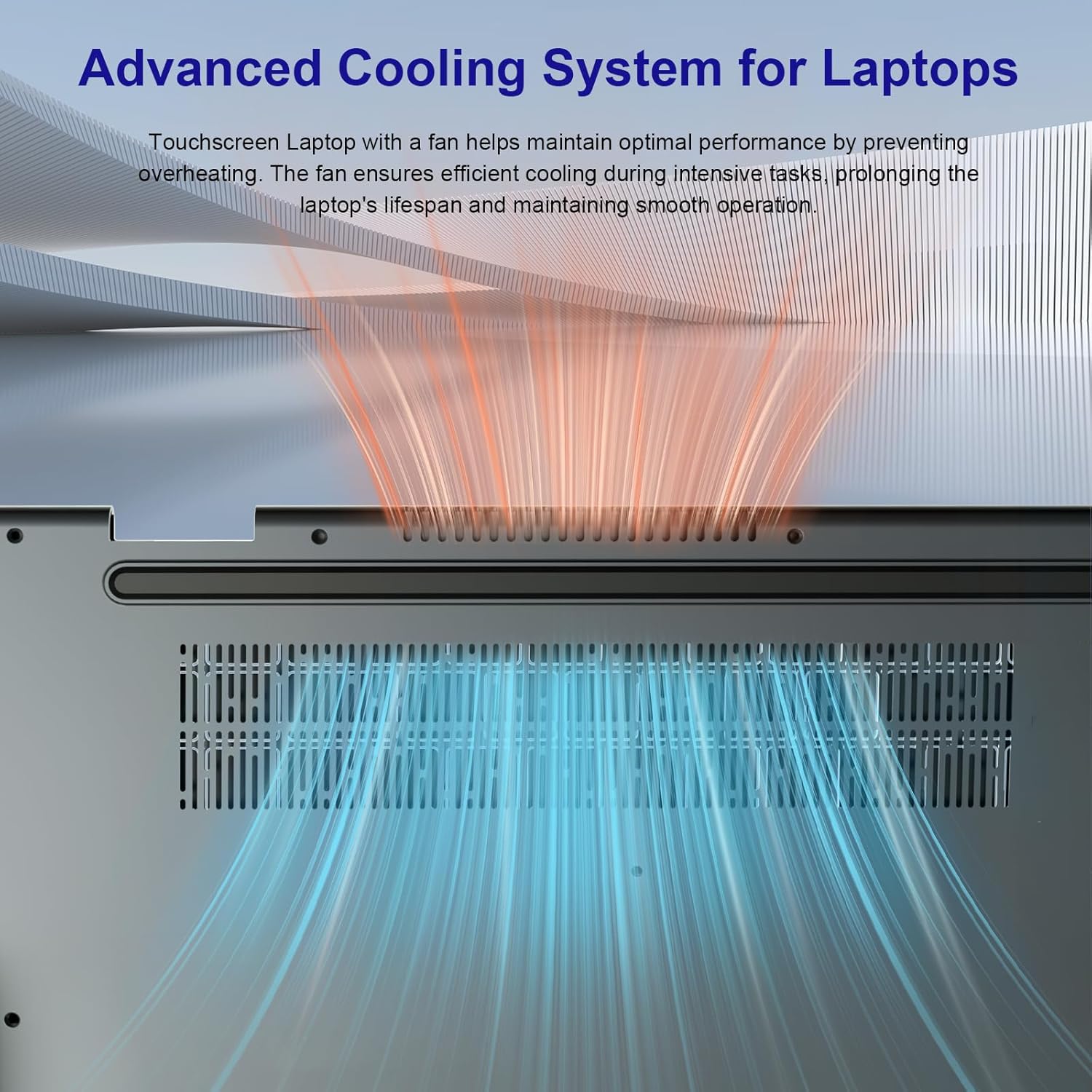
Image: An illustration demonstrating the advanced cooling system of the jumper J1 laptop, showing air intake and exhaust to maintain optimal operating temperatures.
5.4 Lagerudvidelse
The laptop comes with 128GB eMMC storage and a 512GB SSD. The SSD can be upgraded up to 2TB. Note that SSD upgrade requires removal of the bottom cover, which should be performed by a qualified technician to avoid voiding the warranty.

Image: A visual breakdown of the jumper J1's memory and storage configuration, showing 16GB RAM, 128GB eMMC, and a 512GB SSD, with a note about SSD upgrade potential.
6. Fejlfinding
This section addresses common issues you might encounter with your jumper J1 laptop.
| Problem | Mulig løsning |
|---|---|
| Den bærbare computer tænder ikke. | Ensure the charger is properly connected and the battery has sufficient charge. Try holding the power button for 10-15 seconds to force a restart. |
| Skærmen er tom eller reagerer ikke. | Check if the laptop is powered on. Try connecting an external monitor to see if there is display output. Restart the laptop. |
| Keyboard backlight is not working. | Trykke Fn + mellemrumstasten to toggle the backlight on/off. Ensure keyboard drivers are up to date. |
| Fingerprint reader not recognized. | Sørg for, at din finger er ren og tør. Registrer dit fingeraftryk igen i Windows-indstillinger > Konti > Log ind-indstillinger. |
| Problemer med Wi-Fi-forbindelse. | Restart your router and the laptop. Check Wi-Fi settings in Windows. Ensure Wi-Fi drivers are updated. |
| Langsom ydeevne. | Luk unødvendige programmer. Kontroller for baggrundsprocesser. Sørg for tilstrækkelig ledig lagerplads. Kør en systemscanning for malware. |
7. Specifikationer
Below are the key technical specifications for the jumper J1 16-inch Convertible Laptop:
| Feature | Detalje |
|---|---|
| Modelnavn | J1 |
| Skærmstørrelse | 16 tommer |
| Skærmopløsning | 1920 x 1200 pixels |
| Processor | Intel Celeron N (Quad Core, 1.7 GHz) |
| VÆDDER | 16 GB DDR DRAM |
| Opbevaring | 640 GB SSD (128GB eMMC + 512GB SSD, expandable up to 2TB) |
| Grafik coprocessor | Intel UHD-grafik |
| Operativsystem | Windows 11 Home |
| Trådløs type | 2.4 GHz Radio Frequency, 5 GHz Radio Frequency, 802.11ax (WiFi 6) |
| Bluetooth | Ja (version 5.2) |
| USB-porte | 3x USB 3.0 |
| Andre havne | HDMI, Type-C, Micro SD, Headphone Port, DC-in |
| Gennemsnitlig batterilevetid | 8 Hours (53.2WH) |
| Varens vægt | 5.05 pund |
| Produktdimensioner | 14.37 x 9.6 x 0.78 tommer |
| Særlige funktioner | 360 Degree Flip, Backlit Keyboard, Fingerprint Reader, Hideable Camera, 1 Year Office 365 |
8. Garanti og support
8.1 Garantioplysninger
The jumper J1 laptop comes with a 1-year limited warranty from the date of purchase. This warranty covers manufacturing defects and hardware malfunctions under normal use. It does not cover damage caused by misuse, accidents, unauthorized repairs, or normal wear and tear.
Gem venligst dit købsbevis for garantikrav.
8.2 Kundesupport
For technical assistance, warranty claims, or any questions regarding your jumper J1 laptop, please refer to the contact information provided on the jumper official webwebstedet eller din købsdokumentation.
When contacting support, please have your model number (J1) and purchase details ready.


