1. Introduktion
This manual provides detailed instructions for the setup, operation, and maintenance of your Gloryang 668BT Thermal Label Printer. Please read this manual thoroughly before using the printer to ensure proper function and to maximize its lifespan. The Gloryang 668BT is designed for efficient and reliable label printing, suitable for various applications including shipping and product labeling.
2. Pakkens indhold
Bekræft, at alle nedenstående varer er inkluderet i din pakke. Hvis der mangler eller er beskadigede varer, bedes du kontakte kundesupport.
- Gloryang 668BT Thermal Label Printer
- Fan-fold Thermal Labels (550 count)
- Strømadapter
- USB Cable for Windows
- USB Cable for Mac
- APP-guidekort
- Brugermanual

This image details the complete package contents for the Gloryang 668BT printer. It includes the printer unit, a stack of fan-fold labels, an APP Guide Card, a User Manual, a Power Adapter, a USB cable for Windows, and a USB cable for Mac.
3. Opsætning
3.1 Ilægning af etiketter
- Sørg for, at printeren er slukket.
- Åbn printerens topdæksel.
- Place the fan-fold labels into the label compartment, ensuring the printing side faces upwards and the labels feed smoothly into the printer mechanism.
- Juster etiketstyrene, så de passer perfekt til bredden på dine etiketter, uden at krølleasing dem.
- Luk topdækslet.

This image illustrates the Gloryang 668BT thermal label printer in operation, showing a shipping label being printed. A smartphone is connected, indicating mobile printing capabilities. A stack of 4x6 inch thermal labels is also visible, ready for use. Example tracking number: 1Z81RW830373586843.
3.2 Tilslutning af printeren
The Gloryang 668BT printer supports both USB and Bluetooth connectivity.
- USB-forbindelse: Connect one end of the provided USB cable to the printer and the other end to your computer (Windows or Mac).
- Bluetooth-forbindelse: Power on the printer. On your mobile device (iOS, Android, iPad), enable Bluetooth and search for available devices. Select 'Gloryang 668BT' to pair. Note: Bluetooth connection is not supported for Mac or Chromebook devices.

This image demonstrates the connectivity options for the Gloryang 668BT printer, including Bluetooth for mobile devices (iOS, Android, iPad) and USB cable for computers (Windows). It specifies that Bluetooth connectivity is not available for Mac or Chromebook systems. Example tracking number: 1Z81RW830373586843.
3.3 Driver and App Installation
For computer printing, install the appropriate driver for your operating system (Windows or Mac) from the official Gloryang website or the provided installation media. For mobile printing, download the dedicated Gloryang printing application from your device's app store (e.g., Apple App Store, Google Play Store) as indicated on the APP Guide Card.
4. Betjeningsvejledning
4.1 Udskrivning fra mobile enheder
- Ensure the printer is powered on and connected via Bluetooth to your mobile device.
- Open the Gloryang printing application.
- Select the document or image you wish to print.
- Adjust print settings such as label size and orientation within the app.
- Start udskrivningskommandoen.
4.2 Udskrivning fra computere
- Ensure the printer is powered on and connected via USB to your computer.
- Åbn dokumentet eller etiketten file you wish to print (e.g., PDF, image file).
- Gå til 'File' > 'Print' or use the print shortcut (Ctrl+P for Windows, Cmd+P for Mac).
- Select 'Gloryang 668BT' as your printer.
- Adjust print settings, including paper size (e.g., 4x6 inches), orientation, and density, in the printer preferences.
- Klik på 'Udskriv'.
4.3 Supported Label Types
The Gloryang 668BT printer is compatible with various thermal label types, including standard shipping labels, product labels, and other specialized thermal labels. The labels are designed for strong adhesion and water resistance, ensuring durability.

This image illustrates the versatility of the Gloryang 668BT printer, capable of printing various types of labels, including standard shipping labels, round product labels for items like perfume bottles, and rectangular labels for food containers.

This image emphasizes the quality of the thermal labels compatible with the Gloryang 668BT printer, showcasing their strong adhesive backing and water-resistant properties, ensuring durability and secure attachment.
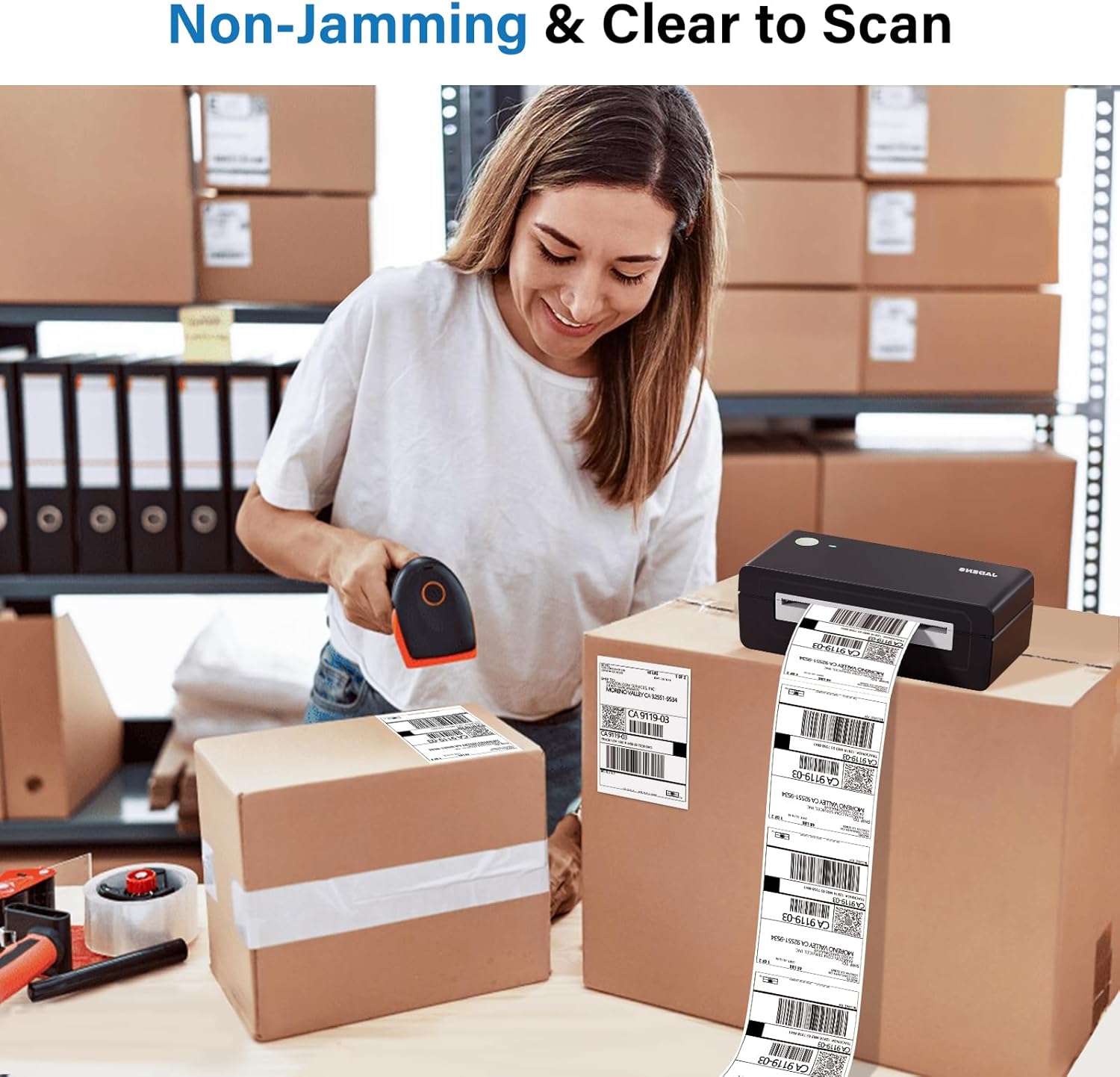
This image demonstrates the reliable performance of the Gloryang 668BT printer, highlighting its non-jamming mechanism and the clarity of the printed labels, which are easily scannable.

This image illustrates the convenience of the thermal labels, featuring a perforated line that allows for easy and clean tearing after printing, enhancing efficiency. Example address part: 420925519534. Eksample tracking number: 1Z81RW830373586843.

This image displays a stack of 500 4" x 6" fanfold thermal shipping labels, emphasizing their standard size and the fanfold design which facilitates easy tearing and continuous feeding.
5. Vedligeholdelse
Regelmæssig vedligeholdelse sikrer optimal ydeevne og forlænger printerens levetid.
- Rengøring af printhovedet: Brug en alkoholserviet eller en specialiseret pen til rengøring af printhovedet til forsigtigt at tørre printhovedet af. Sørg for, at printeren er slukket og afkølet, før du rengør den.
- Rengøring af pladevalsen: Use an alcohol swab to clean the rubber platen roller. Rotate the roller manually to clean the entire surface.
- Udvendig rengøring: Tør printerens yderside af med en blød, tør klud.amp klæde. Undgå at bruge skrappe kemikalier eller slibende rengøringsmidler.
- Fjernelse af støv: Periodically use compressed air to remove dust and debris from inside the label compartment.
6. Fejlfinding
Se tabellen nedenfor for almindelige problemer og deres løsninger.
| Problem | Mulig årsag | Løsning |
|---|---|---|
| Printeren svarer ikke | Power issue, loose cable, driver error | Check power connection. Reconnect USB/Bluetooth. Reinstall printer driver. |
| Dårlig printkvalitet | Dirty print head, incorrect label type, low print density | Clean print head. Ensure thermal labels are used. Adjust print density in settings. |
| Labels not feeding | Labels incorrectly loaded, label jam, empty roll | Reload labels correctly. Clear any jammed labels. Replace with new labels. |
| Bluetooth-forbindelse mislykkes | Device incompatibility, Bluetooth off, pairing issue | Verify device compatibility (Mac/Chromebook not supported). Ensure Bluetooth is enabled. Re-pair the device. |
7. Specifikationer
Key technical specifications for the Gloryang 668BT Thermal Label Printer.
| Feature | Detalje |
|---|---|
| Model | 668BT |
| Udskrivningsteknologi | Direkte termisk |
| Forbindelse | USB, Bluetooth |
| Understøttet OS | Windows, iOS, Android, iPad (Bluetooth not for Mac/Chromebook) |
| Etiketbredde | Variable (commonly 4x6 inches) |
| Dimensioner | Ca. 7.28 cm L x 2.36 cm B x 3.15 cm H |
| Vægt | Approx. 1.06 lbs (0.48 KG) |

This image highlights the compact and lightweight design of the Gloryang 668BT printer, making it suitable for on-the-go printing. It displays the printer's dimensions (7.28" x 2.36" x 3.15") and weight (1.06 lbs / 0.48 kg) in comparison to a standard desktop printer.
8. Garanti og support
The Gloryang 668BT Thermal Label Printer comes with a standard manufacturer's warranty. For specific warranty terms and conditions, please refer to the warranty card included in your package or visit the official Gloryang webwebsted.
For technical support, troubleshooting assistance, or any inquiries regarding your product, please contact Gloryang customer service through the contact information provided in your user manual or on the official Gloryang website. Please have your model number (668BT) and purchase details ready when contacting support.


