1. Introduktion
Tak for købetasing the ENUOSUMA Mini Projector ENU41. This portable projector is designed to provide a versatile and immersive viewing experience for home entertainment, outdoor movies, and presentations. Featuring 4K 1080P support, WiFi 6, Bluetooth 5.0, and a 270-degree rotatable design, it offers flexibility and high-quality projection.
This manual provides essential information for setting up, operating, and maintaining your projector. Please read it thoroughly before use to ensure proper function and longevity of the device.
2. Sikkerhedsoplysninger
- Se ikke direkte ind i projektorlinsen, når lamp er tændt.
- Sørg for korrekt ventilation omkring projektoren for at forhindre overophedning.
- Brug kun den strømadapter, der fulgte med enheden.
- Hold projektoren væk fra vand eller andre væsker.
- Undgå at placere projektoren på ustabile overflader.
- Forsøg ikke selv at skille projektoren ad eller reparere den. Kontakt kvalificeret servicepersonale.
- Opbevares utilgængeligt for børn.
3. Pakkens indhold
Bekræft at alle varer er til stede i din pakke:
- ENUOSUMA Mini Projector ENU41
- Fjernbetjening
- Strømadapter
- Brugermanual
4. Produktet er slutview
The ENUOSUMA Mini Projector ENU41 is a compact and versatile device. Below are key features and components.

Image: The ENUOSUMA Mini Projector ENU41, demonstrating its compact and portable design, easily held in one hand.
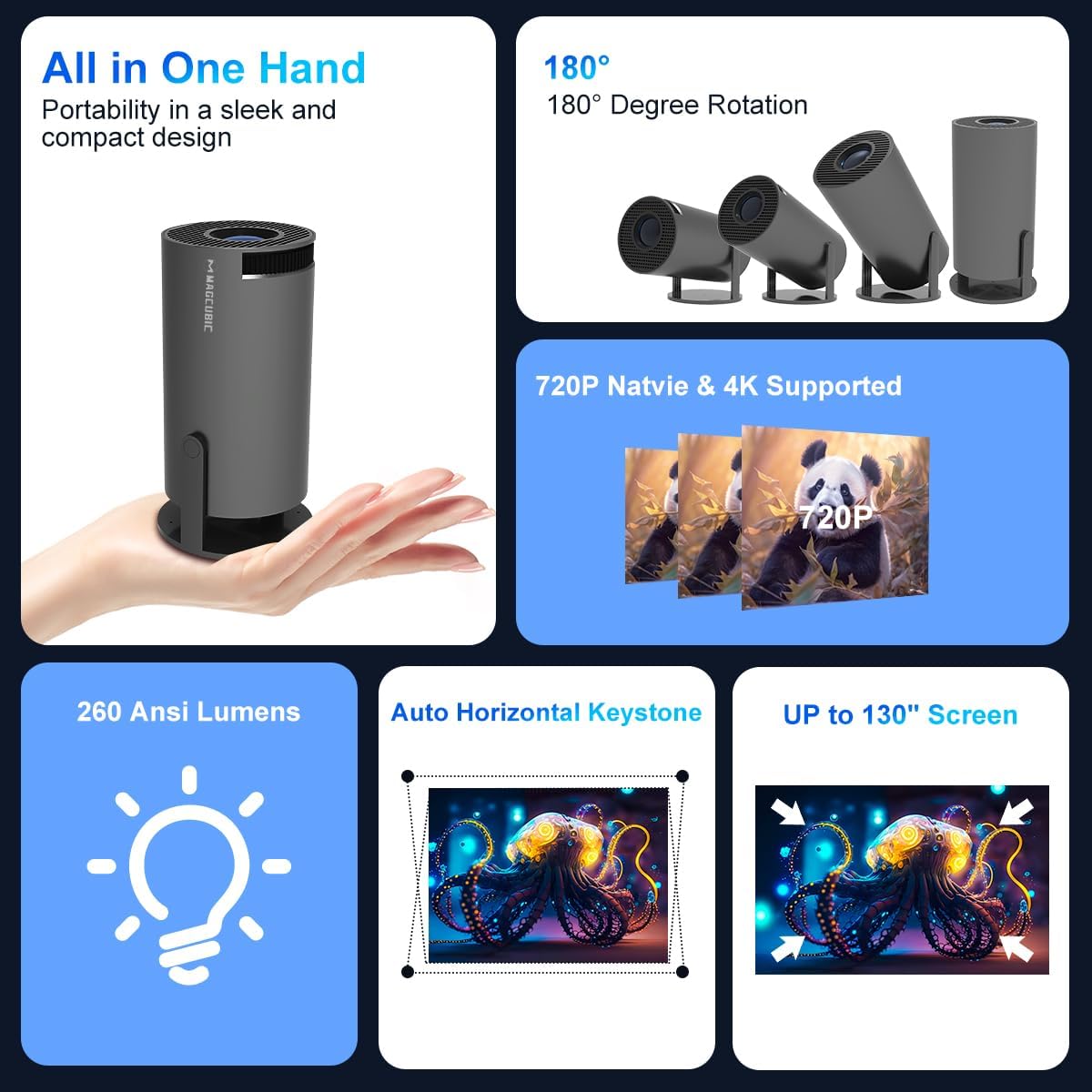
Billede: En overview of the projector's features, including its portability, 180-degree rotation capability, 720P native resolution with 4K support, 260 ANSI Lumens brightness, automatic horizontal keystone correction, and ability to project up to a 130-inch screen.
5. Opsætningsvejledning
5.1 Strømtilslutning
- Tilslut strømadapteren til projektorens strømindgang.
- Sæt strømadapteren i en stikkontakt.
- Tryk på tænd/sluk-knappen på projektoren eller fjernbetjeningen for at tænde for enheden.
5.2 Placering og projektion
The projector features a 270-degree rotatable design, allowing for flexible placement and projection onto walls, ceilings, or floors.
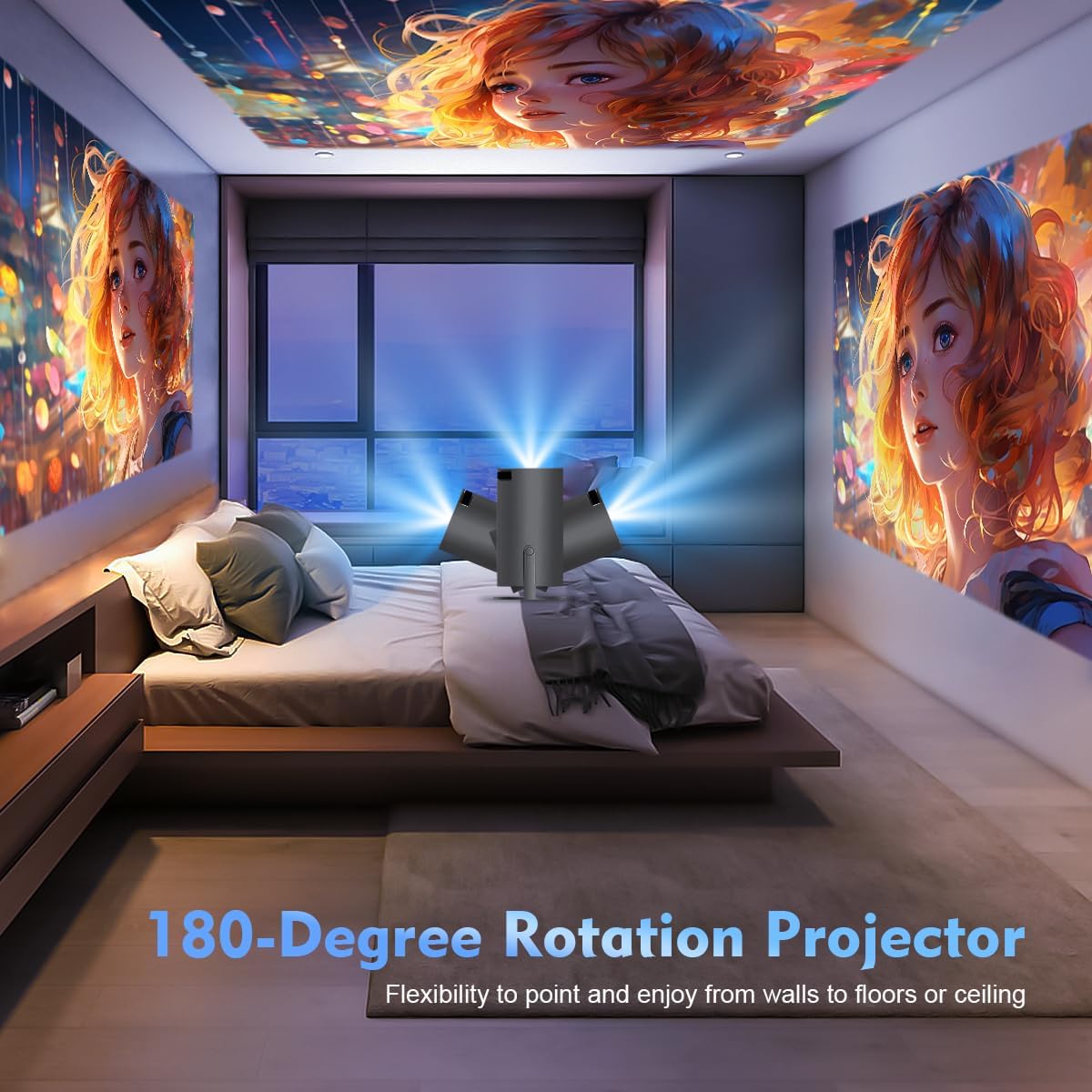
Image: The projector's 180-degree rotation feature, enabling projection onto various surfaces like walls, floors, or ceilings for versatile viewing.
For optimalt viewing, consider the projection distance and screen size:
- Idealet viewing distance for an 80-inch screen is approximately 1.6 meters.
- The projector supports screen sizes from 40 to 130 inches.

Image: A visual guide to projection distances and corresponding screen sizes, indicating an optimal projection distance of 1.6m for an 80-inch display.
5.3 Fokus- og Keystone-korrektion
The projector features automatic horizontal keystone correction and 4-point correction for a perfectly rectangular image.
- Automatic Keystone: The projector will automatically adjust the image shape horizontally.
- Manuel fokus: Rotate the focus ring on the projector lens to achieve a clear image.
- 4-punkts korrektion: Use the remote control to manually adjust each corner of the projected image for precise alignment if needed.

Image: Demonstration of the automatic horizontal keystone and 4-point correction features, ensuring a perfectly aligned and rectangular projection.
6. Betjeningsvejledning
6.1 Tilslutning af enheder
The ENUOSUMA Mini Projector ENU41 supports various connectivity options:
- WiFi 6: Connect to your home network for online streaming and screen mirroring. Navigate to the network settings in the projector's menu to connect to a WiFi network.
- Bluetooth 5.0: Connect external Bluetooth speakers or headphones for enhanced audio. Access Bluetooth settings in the menu to pair devices. The projector can also function as a Bluetooth speaker for your phone.
- HDMI: Connect devices such as laptops, gaming consoles (PS5), Blu-ray players, or TV sticks using an HDMI cable. Select the HDMI input source from the projector's menu.
- AV: Connect older devices using an AV cable. Select the AV input source from the projector's menu.
6.2 Skærmspejling
Mirror content from your smartphone or tablet wirelessly using Miracast, Airplay, or DLNA.

Image: The projector's screen mirroring capabilities, supporting DLNA, Airplay, and Miracast for seamless content sharing from mobile devices.
- Sørg for, at din mobilenhed og projektoren er forbundet til det samme WiFi-netværk.
- Select the appropriate screen mirroring option (Miracast for Android, Airplay for iOS) from the projector's menu.
- Follow the instructions on your mobile device to initiate screen mirroring.
6.3 Lydudgang
The projector has a built-in HiFi speaker. For a more immersive audio experience, connect external Bluetooth speakers.

Image: The projector's BT 5.0 and built-in HiFi speaker features, allowing convenient connection to external Bluetooth speakers for enhanced sound.
6.4 Zoomfunktion
The projector supports a 50% zoom function, allowing you to adjust the image size without moving the projector.
- Access the zoom settings in the projector's display menu.
- Adjust the zoom level using the remote control.
7. Vedligeholdelse
- Rengøring af linsen: Brug en blød, fnugfri klud, der er specielt designet til optiske linser. Brug ikke slibende rengøringsmidler.
- Rengøring af Casing: Wipe the projector's exterior with a soft, dry cloth. For stubborn marks, use a slightly damp klud og tør derefter grundigt.
- Ventilation: Regularly check that the ventilation openings are not blocked by dust or debris. Use a soft brush or compressed air to clean them.
- Opbevaring: Når projektoren ikke er i brug i længere perioder, skal den opbevares køligt og tørt, beskyttet mod støv og ekstreme temperaturer.
8. Fejlfinding
- Ingen strøm: Ensure the power adapter is securely connected to both the projector and the power outlet. Try a different outlet.
- Intet billede: Check the input source selection. Ensure the connected device is powered on and sending a signal. Verify all cables are securely connected.
- Sløret billede: Adjust the manual focus ring on the lens. Ensure the projector is placed within the recommended projection distance.
- Image is Crooked: The projector has automatic horizontal keystone. If further adjustment is needed, use the 4-point correction feature via the remote control.
- Ingen lyd: Check the volume settings on both the projector and the connected device. If using external speakers, ensure they are properly connected and powered on. Verify Bluetooth connection if applicable.
- Problemer med WiFi-forbindelse: Ensure the projector is within range of your WiFi router. Re-enter the WiFi password carefully. Restart both the projector and the router.
- Fjernbetjeningen virker ikke: Check the batteries in the remote control and replace if necessary. Ensure there are no obstructions between the remote and the projector's IR receiver.
9. Specifikationer
| Feature | Specifikation |
|---|---|
| Mærke | ENUOSUMA |
| Model | ENU41 |
| Produktdimensioner | 10 x 5 x 10 cm |
| Varens vægt | 300 g |
| Display Type | LCD |
| Indfødt opløsning | 1280 x 720 |
| Understøttet opløsning | 1920 x 1080 (4K understøttet) |
| Aspektforhold | 16:10 |
| Billedkontrastforhold | Høj |
| Forbindelsesteknologi | WiFi 6, Bluetooth 5.0, HDMI, AV |
| Kompatible enheder | Laptops, Smartphones, Gaming Consoles, Blu-ray Players, Media Players |
| Særlige funktioner | Wi-Fi 6, Bluetooth 5.0, Portable, Rotatable Design |
| Monteringstype | Bordplademontering |
| Opdateringshastighed | 600 Hz |
10. Garanti og support
ENUOSUMA products are manufactured to high-quality standards. For warranty information, please refer to the warranty card included in your product packaging or visit the official ENUOSUMA webwebsted.
For technical support, troubleshooting assistance, or service inquiries, please contact ENUOSUMA customer support through the contact information provided on our official webwebsted eller din købsplatform.
Please have your model number (ENU41) and purchase date ready when contacting support.