Indledning
This manual provides comprehensive instructions for the INPHIC Tri-Mode Wireless Mouse, Model B0FQCFSHPQ. It covers setup, operation, maintenance, and troubleshooting to ensure optimal performance and user experience. Please read this manual thoroughly before using the product.
Produkt overview
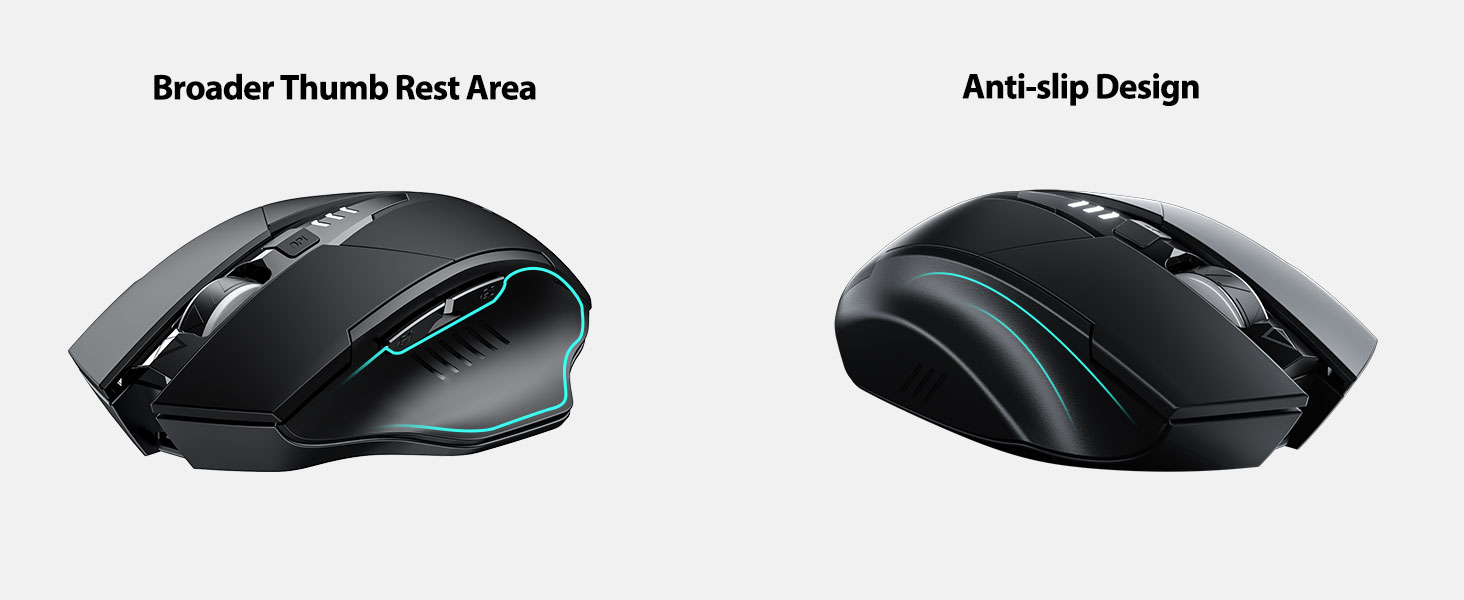
The INPHIC Tri-Mode Wireless Mouse offers versatile connectivity options (Bluetooth 5.0, Bluetooth 4.0, and 2.4G USB) and an ergonomic design for comfortable use. Key features include a visible battery indicator, silent click buttons, and adjustable DPI settings.
Pakkens indhold
- INPHIC Tri-Mode Wireless Mouse
- USB-modtager (opbevares i musen)
- USB-C ladekabel
- Brugervejledning (dette dokument)
Mus komponenter

- Venstre/højre klikknapper: Lydløs drift.
- Scrollhjul: Til lodret rulning.
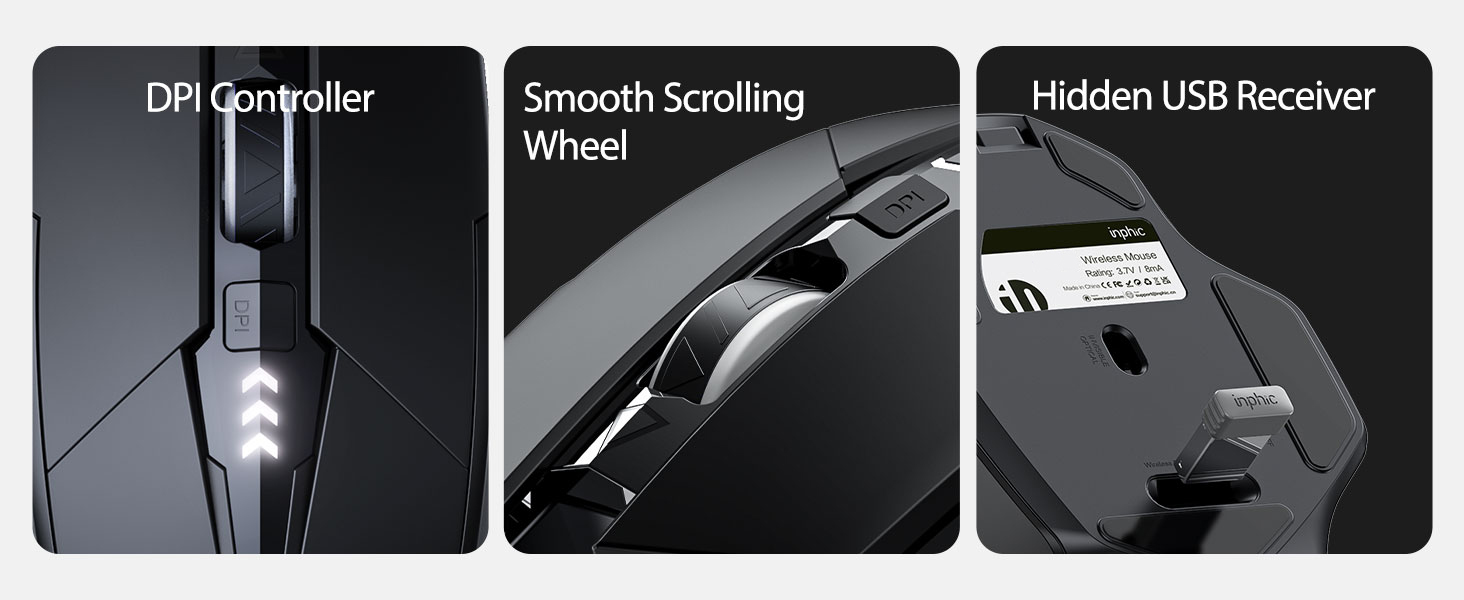
- DPI knap: Adjusts cursor speed (800/1200/1600/2000/2400 DPI).
- Forward/Backward Buttons (Side): For navigation in web browsere eller file opdagelsesrejsende.
- Batteriindikator: LED lights on top display remaining battery level.
- Connection Type Switch (Bottom): Toggles between 2.4G USB, Bluetooth 4.0, and Bluetooth 5.0 modes.
- Power Switch (Bottom): ON / OFF-knap.
- USB Receiver Slot (Bottom): Stores the 2.4G USB receiver.
- Charging Port (Front): USB-C-port til genopladning af det interne batteri.
Opsætning
Indledende opladning
Before first use, fully charge the mouse for approximately 1 hour. Connect the USB-C charging cable to the mouse's charging port and to a USB power source (e.g., computer USB port, USB wall adapter).

Tilslutning af musen
The mouse supports three connection modes: 2.4G USB, Bluetooth 4.0, and Bluetooth 5.0. Use the switch on the bottom of the mouse to select your desired mode.
2.4G USB-forbindelse
- Find USB-modtageren, der er opbevaret i åbningen i bunden af musen.
- Sæt USB-modtageren i en ledig USB-port på din computer.
- Switch the connection mode on the bottom of the mouse to "2.4G".
- Turn on the mouse using the power switch. The mouse should connect automatically.
Bluetooth Connection (BT 4.0 / BT 5.0)
- Switch the connection mode on the bottom of the mouse to "BT 4.0" or "BT 5.0".
- Tænd musen ved hjælp af tænd/sluk-knappen.
- On your device (laptop, tablet, etc.), open Bluetooth settings.
- Søg efter new Bluetooth devices. The mouse should appear as "INPHIC Mouse" or similar.
- Vælg den mus, der skal parres.
- Når musen er parret, er den klar til brug.
Note: Bluetooth 5.0 is compatible with Windows 8/10 (not Windows 7 or XP), Android, and Mac OS systems. iOS systems (iPad and iPhone) require iOS 14 or later for Bluetooth 5.0 compatibility.
Betjeningsvejledning
Tænd/sluk
Use the ON/OFF switch located on the bottom of the mouse to power the device. To conserve battery, turn off the mouse when not in use for extended periods.
Skift tilslutningstilstande
The mode switch button on the bottom of the mouse allows you to cycle between 2.4G USB, Bluetooth 4.0, and Bluetooth 5.0 connections. This enables seamless switching between multiple paired devices.

Justering af DPI (markørhastighed)
Press the DPI button located on the top of the mouse, below the scroll wheel, to cycle through 5 adjustable DPI levels: 800, 1200, 1600, 2000, and 2400. This allows you to customize cursor sensitivity to your preference.

Batteriindikator
The mouse features a visible battery indicator on its top surface. LED lights illuminate to show the remaining battery power, providing a clear visual cue for when recharging is needed.

Automatisk dvaletilstand
To conserve power, the mouse will automatically enter sleep mode after 5 minutes of inactivity. To wake the mouse, simply click any button.
Opretholdelse
Rensning
Wipe the mouse with a soft, dry cloth. For stubborn dirt, a slightly damp cloth can be used, ensuring no moisture enters the internal components. Avoid harsh chemicals or abrasive cleaners.
Batteripleje
- Recharge the mouse when the battery indicator shows low power.
- Undgå at aflade batteriet helt ofte for at forlænge dets levetid.
- Opbevar musen et køligt og tørt sted, når den ikke er i brug i længere perioder.
Fejlfinding
| Problem | Mulig årsag | Løsning |
|---|---|---|
| Musen reagerer ikke |
|
|
| Markørbevægelsen er uregelmæssig eller langsom |
|
|
| Problemer med Bluetooth-forbindelse |
|
|
Specifikationer
| Feature | Detalje |
|---|---|
| Model | B0FQCFSHPQ |
| Forbindelsesteknologi | Bluetooth 5.0 / Bluetooth 4.0 / 2.4G USB Wireless |
| DPI niveauer | 800 / 1200 / 1600 / 2000 / 2400 (Justerbar) |
| Knapper | 6 (Venstre, Højre, Scrollhjul, DPI, Frem, Bagud) |
| Batteritype | Rechargeable (400mAh built-in) |
| Opladningsport | USB-C |
| Driftsafstand | Op til 10 meter (33 fod) |
| Produktdimensioner | 4.7 x 3.1 x 0.04 tommer |
| Varens vægt | 3.36 ounce |
| Kompatibilitet | Windows 7/8/10/XP, Vista, Mac OS. Bluetooth 5.0: Windows 8/10, Android, Mac OS, iOS 14+ (iPad/iPhone). 2.4G USB: Any USB-enabled device. |

Garanti og support
INPHIC products are designed for reliability and performance. For warranty information and technical support, please refer to the official INPHIC webhjemmeside eller kontakt deres kundeservice direkte.
- Fabrikant: INPHIC
- Sælger: YingFeiTe (on Amazon)
- Returpolitik: Refer to Amazon's current return policy.
- Supportkontakt: For hjælp, besøg INPHIC Store on Amazon eller producentens officielle webwebsted.
Vigtige sikkerhedsoplysninger
- Udsæt ikke musen for ekstreme temperaturer eller fugtighed.
- Undgå at tabe eller udsætte musen for kraftige stød.
- Do not attempt to disassemble or repair the mouse yourself. This may void the warranty.
- Opbevares utilgængeligt for børn.
Produkt video
Videobeskrivelse: An official product video from INPHIC demonstrating the features and usage of the INPHIC Bluetooth Mouse. It shows the mouse being unboxed, its various components, connection methods, and ergonomic design in action.


