Indledning
This manual provides essential information for the safe and efficient use of your Thunderobot Zero 16 Pro Gaming Laptop. Please read this manual thoroughly before using the device and retain it for future reference. The Thunderobot Zero 16 Pro is designed for high-performance computing, featuring an Intel Core Ultra 9 275HX processor, NVIDIA GeForce RTX 5070 Ti graphics, a 16-inch QHD+ 360Hz display, 32GB DDR5 RAM, and a 2TB SSD.
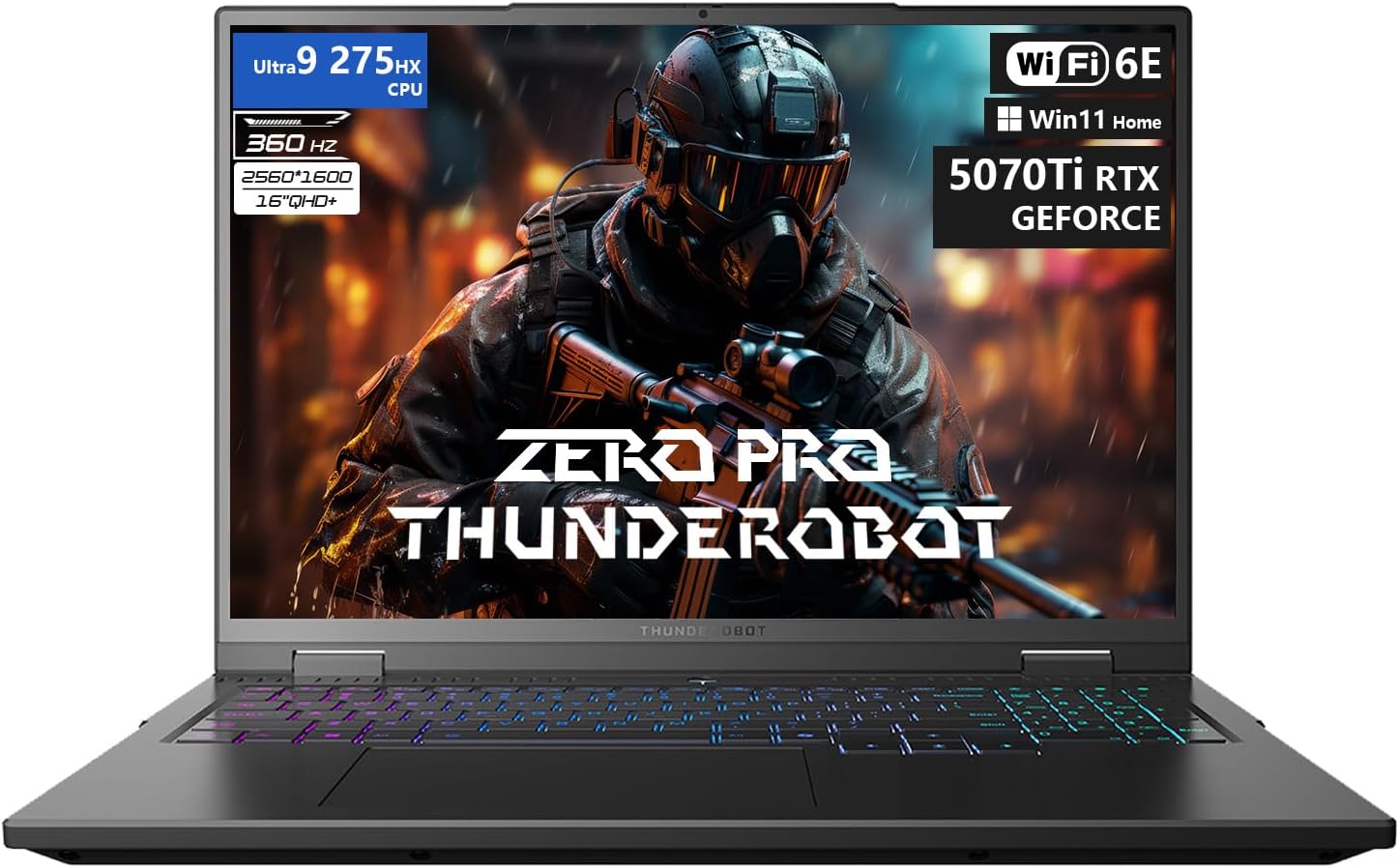
Figure 1: The Thunderobot Zero 16 Pro Gaming Laptop, showcasing its 16-inch QHD+ display and per-key RGB keyboard.
1. Opsætning
1.1 Indledende tænding
- Pak den bærbare computer og alt tilbehør ud af emballagen.
- Tilslut strømadapteren til den bærbare computers strømport og derefter til en stikkontakt.
- Open the laptop lid and press the power button to turn on the device.
- Følg instruktionerne på skærmen for at fuldføre den indledende Windows 11 Home-opsætning.
1.2 Driverinstallation og opdateringer
It is recommended to update all drivers after the initial setup to ensure optimal performance and compatibility. Visit the official Thunderobot support website to download the latest drivers for your Zero 16 Pro model. This process may take some time.
1.3 Tilslutning af periferiudstyr og eksterne enheder
The Thunderobot Zero 16 Pro offers a variety of ports for connecting external devices. Refer to the diagram below for port locations and types.
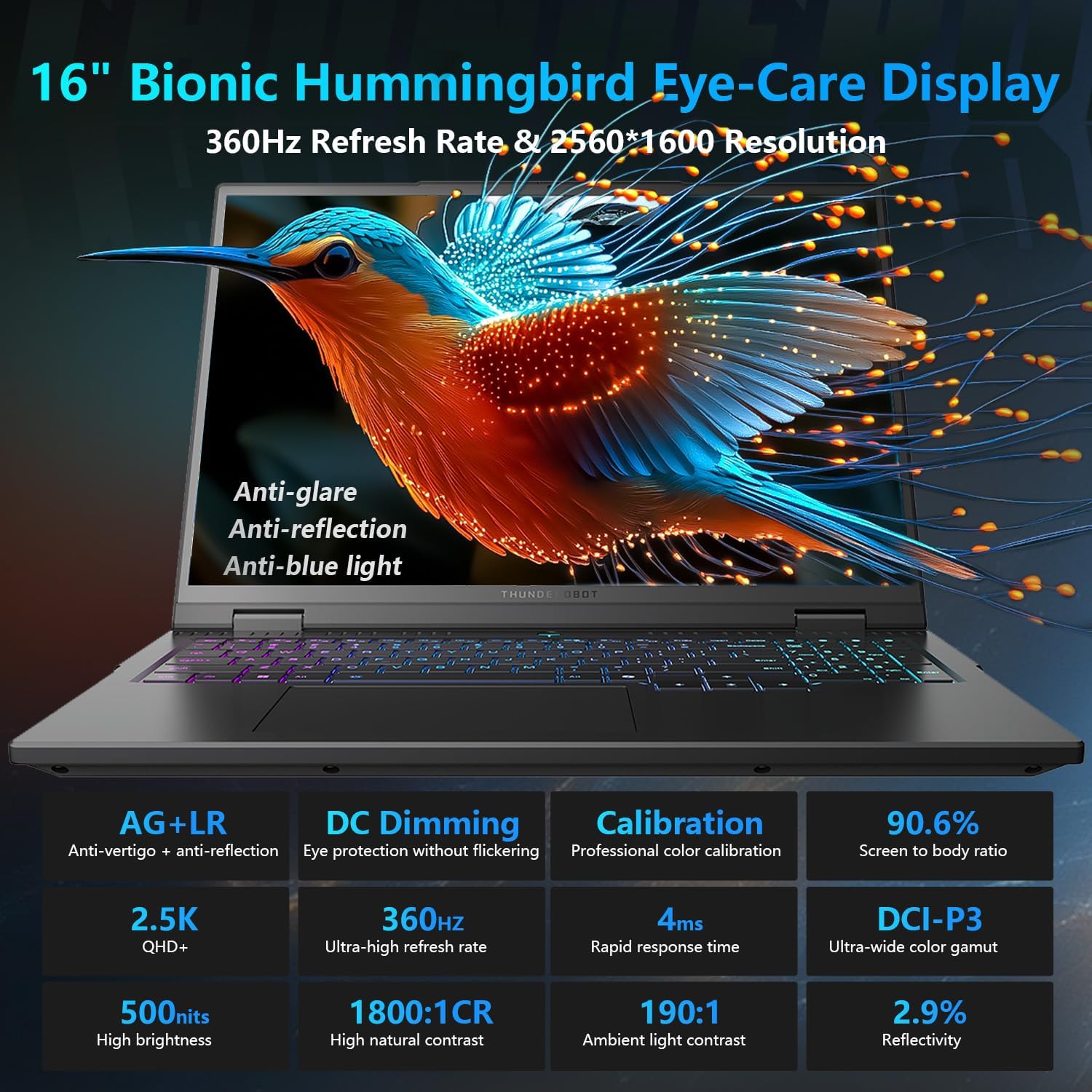
Figure 2: Diagram illustrating the various ports and connectivity options available on the Thunderobot Zero 16 Pro, such as USB-A, USB-C, HDMI, RJ-45, and audio jack.
- USB-A-porte (x3): For connecting USB devices like mice, keyboards, and external storage.
- USB-C Port (Thunderbolt 5): For high-speed data transfer, display output, and power delivery.
- HDMI 2.1 port: For connecting to external displays or TVs.
- RJ-45-port: For wired Ethernet network connection.
- 3.5mm Audio Jack: For connecting headphones or external speakers.
2. Betjening
2.1 Skærmfunktioner
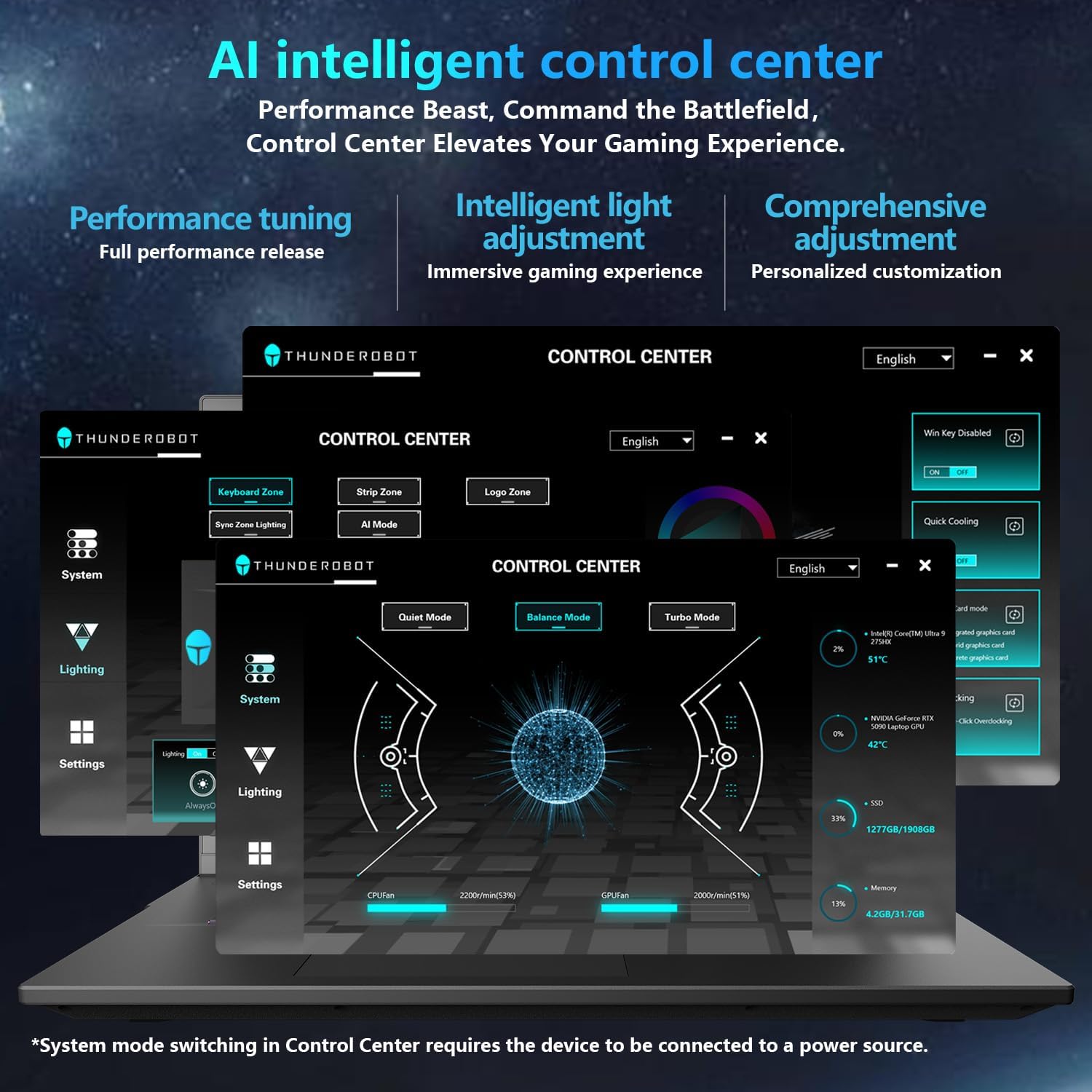
Figure 3: Detailed features of the 16-inch Bionic Eye-Care Display, including QHD+ resolution, 360Hz refresh rate, anti-glare, and anti-blue light technologies.
The 16-inch QHD+ (2560x1600) Bionic Eye-Care Display features a 360Hz refresh rate and 4ms response time for smooth visuals. It includes anti-glare, anti-reflection, and blue-light reduction technologies for comfortable viewing. To utilize the highest refresh rate, ensure the dedicated graphics direct connection mode is enabled in the control center.
2.2 Performance Modes and Cooling
The laptop features dedicated keys for quick switching between performance profiles and activating maximum cooling.
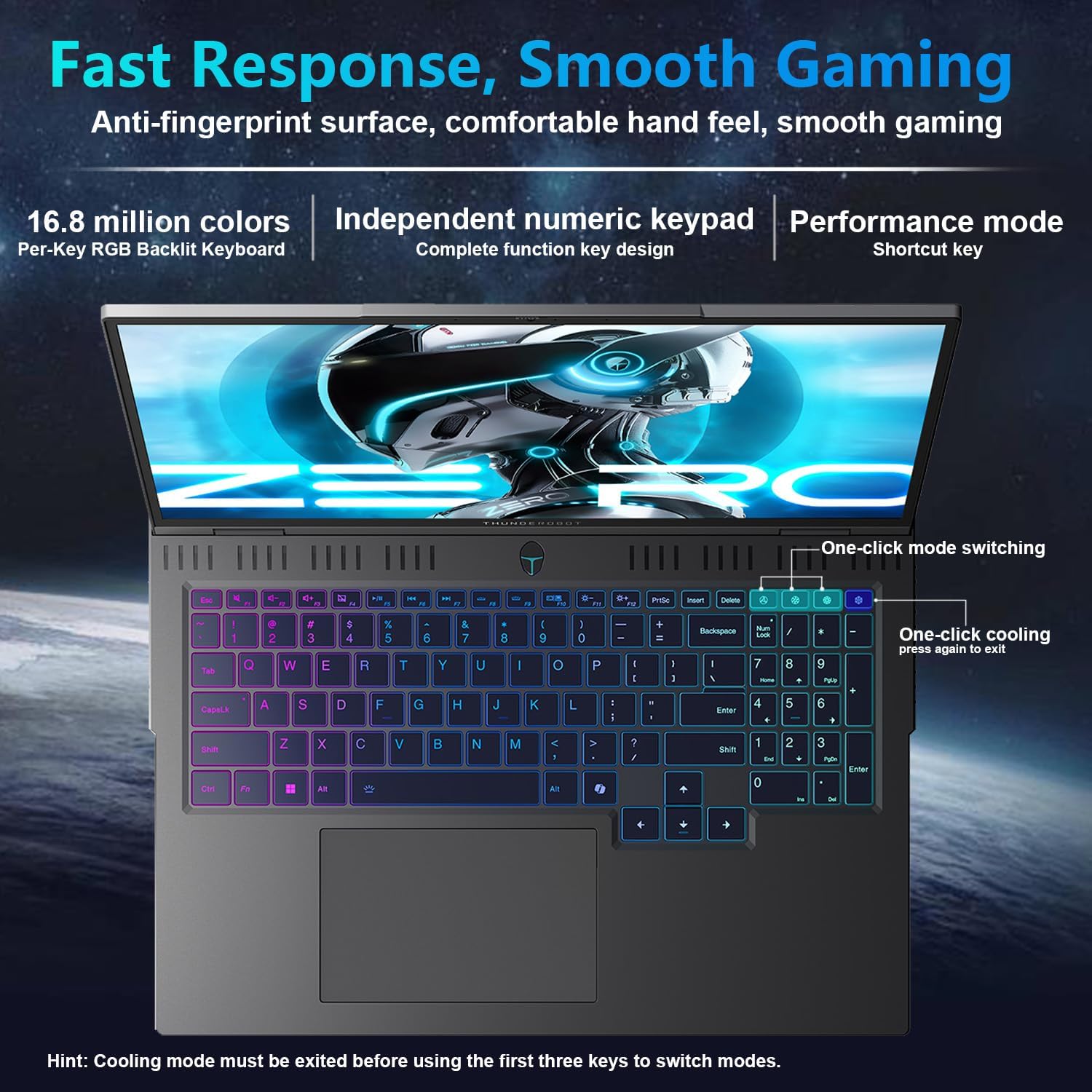
Figure 4: The laptop's per-key RGB backlit keyboard, along with dedicated keys for one-click mode switching and cooling control.
- One-click mode switching: Easily toggle between Quiet, Balance, and Turbo performance profiles.
- One-click cooling: Instantly activate maximum cooling for demanding tasks.
2.3 AI Intelligent Control Center
The AI Intelligent Control Center software allows for detailed customization of performance, lighting, and system settings.
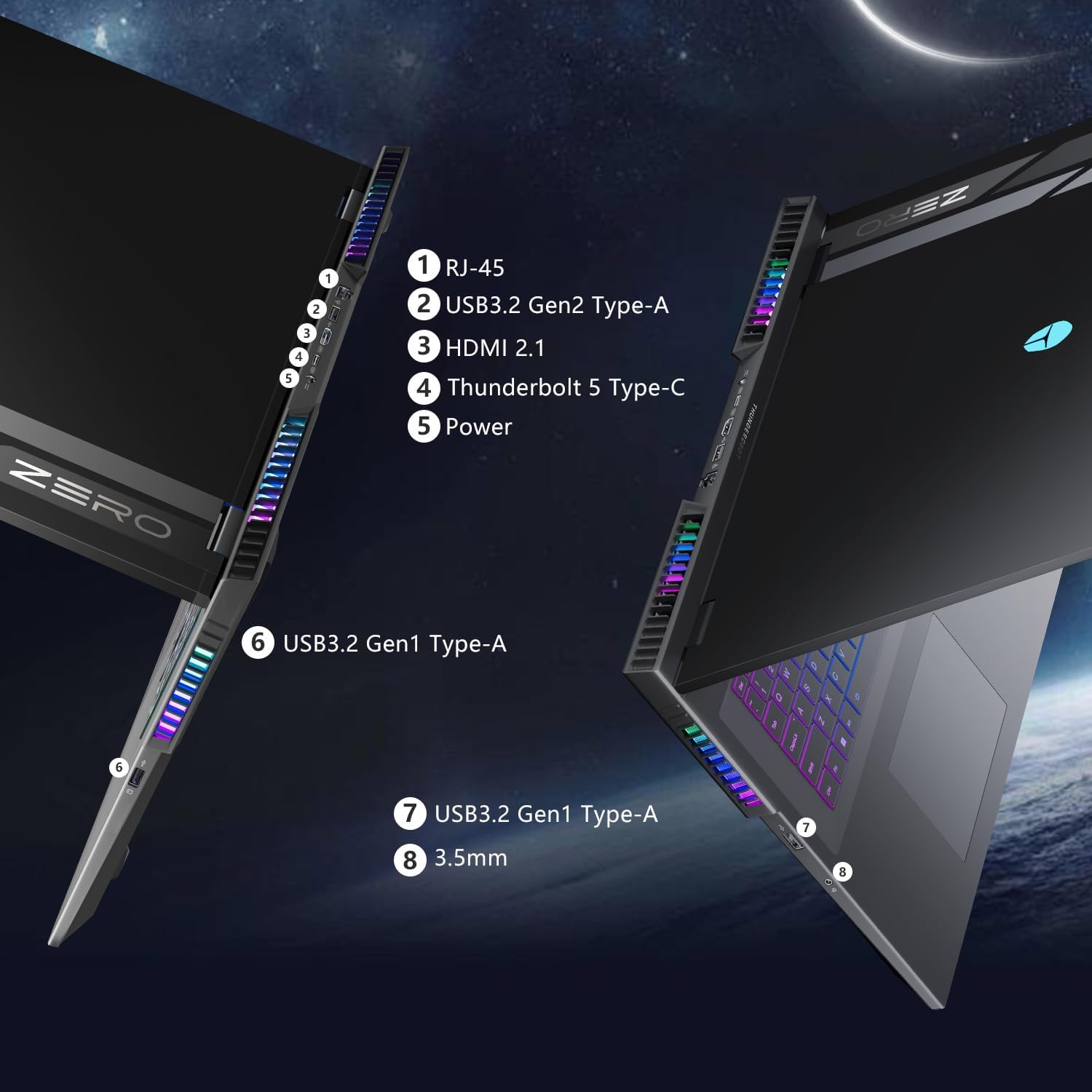
Figure 5: Screenshot of the AI Intelligent Control Center software, showing options for performance tuning, intelligent light adjustment, and comprehensive system customization. Note: System mode switching in Control Center requires the device to be connected to a power source.
- Tuning Performance: Adjust CPU and GPU settings for optimal performance or power saving.
- Intelligent Light Adjustment: Customize the "Spectra" RGB lighting system, including per-key RGB keyboard backlighting and chassis lighting.
- Systemovervågning: View real-time CPU and GPU temperatures and fan speeds.
2.4 Tastatur og input
The laptop features a full-size keyboard with per-key customizable RGB backlighting and an independent numeric keypad.
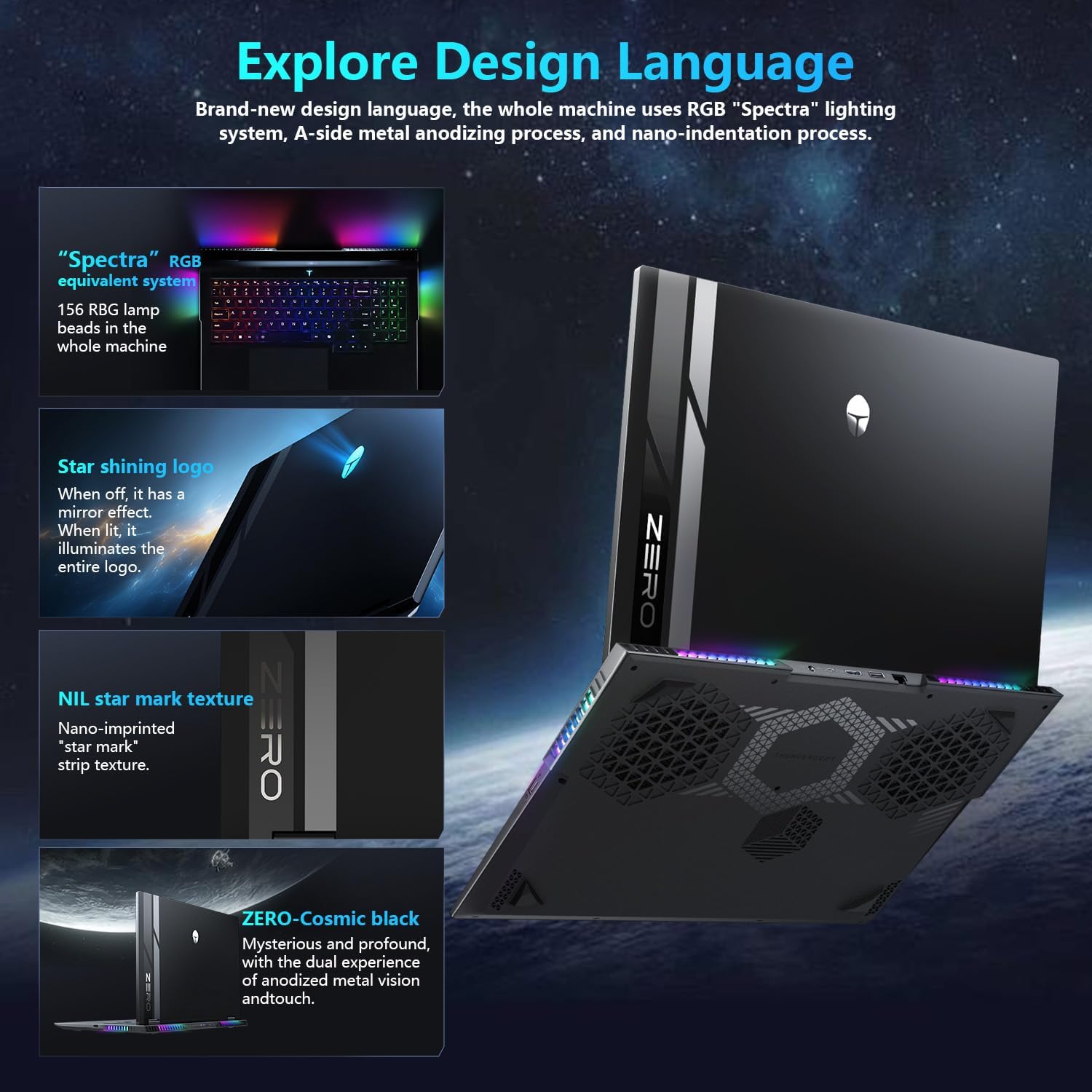
Figure 6: Close-up of the Thunderobot Zero 16 Pro's per-key RGB keyboard and chassis lighting.
2.5 Integreret kamera
The laptop is equipped with an FHD IR Camera, providing high-definition video capabilities and supporting Windows Hello for secure facial recognition login.
3. Vedligeholdelse
3.1 Cooling System Care
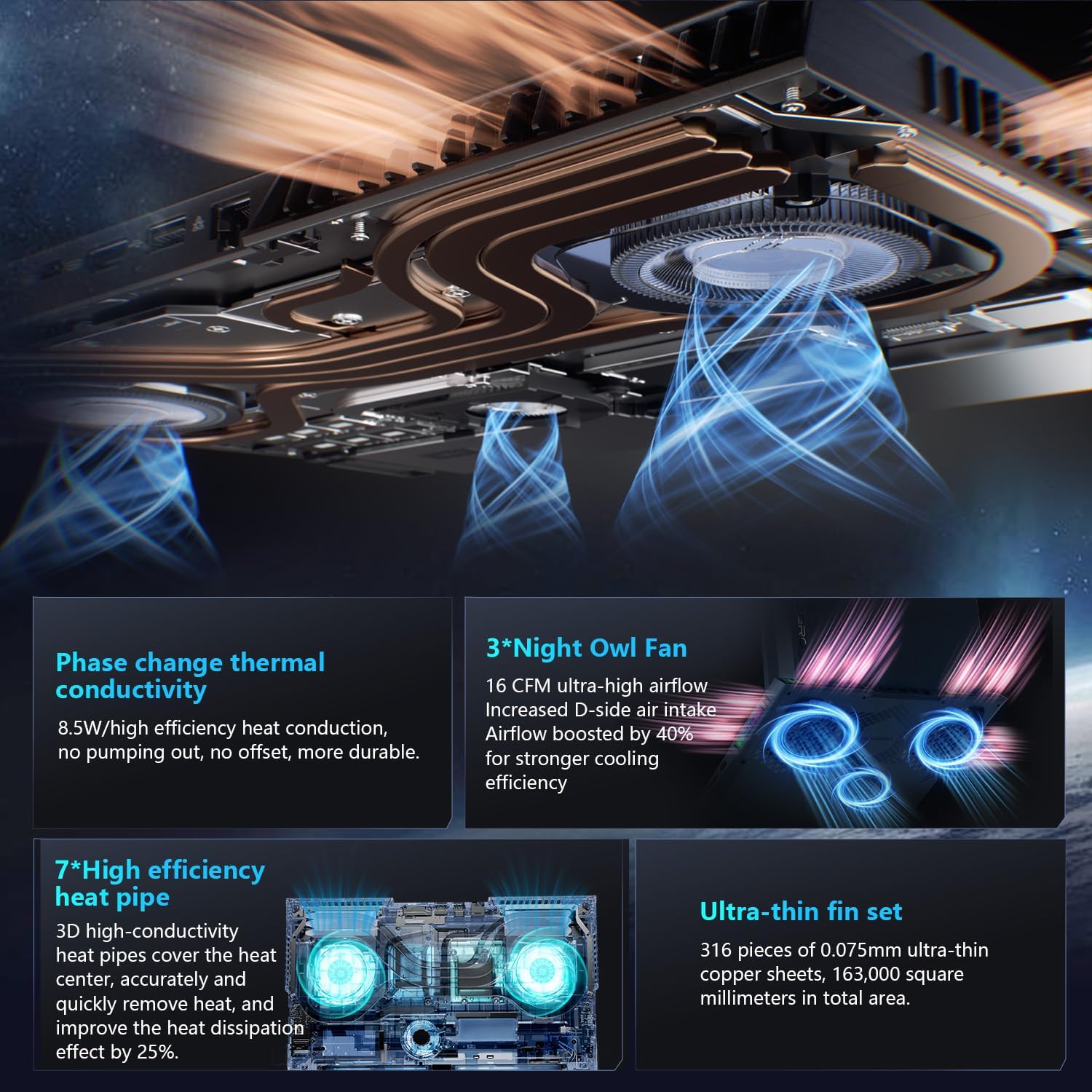
Figur 7: En intern view of the laptop's cooling system, featuring dual Night Owl fans, multiple heat pipes, and ultra-thin copper fins for efficient heat dissipation.
The Thunderobot Zero 16 Pro features a robust cooling system with dual Night Owl fans, 7 extended heat pipes, and 316 ultra-thin copper fins. To maintain optimal cooling performance:
- Sørg for, at den bærbare computers ventilationsåbninger er fri for blokeringer.
- Regularly clean dust from the fan vents using compressed air.
- Operate the laptop on a hard, flat surface to allow for proper airflow.
3.2 Generel rengøring
- Brug en blød, fnugfri klud til at rengøre skærmen og kabinettet.
- Undgå at bruge skrappe kemikalier eller slibende materialer.
- For genstridige pletter, tør letampRengør kluden med vand eller et skærmsikkert rengøringsmiddel.
4. Fejlfinding
4.1 Almindelige problemer og løsninger
- Høj ventilatorstøj: This is normal during high-performance tasks, especially when "one-click cooling" is activated. Ensure vents are clear and consider using the "Quiet Mode" for less demanding applications.
- Problemer relateret til føreren: If you experience unexpected behavior, ensure all system and component drivers are up-to-date. Visit the official Thunderobot support website for the latest driver downloads.
- Display Refresh Rate Not Max: Verify that the dedicated graphics direct connection mode is enabled in the AI Intelligent Control Center to achieve the highest refresh rate.
- Kort batterilevetid: High-performance gaming laptops typically have shorter battery life, especially under heavy load. For extended usage, keep the laptop connected to the power adapter. Adjust power settings in Windows or the AI Control Center to optimize battery usage.
5. Specifikationer
Below are the key technical specifications for the Thunderobot Zero 16 Pro Gaming Laptop (Model: ZERO 16 Pro).
| Feature | Detalje |
|---|---|
| Mærke | Thunderobot |
| Modelnavn | ZERO 16 Pro |
| Stående skærm displaystørrelse | 16 tommer |
| Max skærmopløsning | 2560x1600 pixels |
| Processor | Intel Core Ultra 9 275HX (5.4 GHz, 24 Cores) |
| VÆDDER | 32 GB DDR5 (4800 MHz) |
| Harddisk | 2 TB SSD (PCIE x 4) |
| Grafik coprocessor | GeForce RTX 5070 Ti |
| Operativsystem | Windows 11 Home |
| Trådløs type | 802.11ax (Wi-Fi 6E) |
| Antal USB 3.0-porte | 3 |
| Varens vægt | 12 pund |
| Produktdimensioner | 14.09 x 10.52 x 1.03 tommer |
| Farve | Sort |
| Speciel funktion | Numerisk tastatur |
6. Garanti og support
Hver Thunderobot bærbar computer inkluderer en 12 måneders garanti, der tilbyder ekspertsupport, grundig diagnosticering og originale reservedele, hvis en reparation er nødvendig. Derudover en 90 dages garanti is provided on all warranty replacement parts, ensuring hassle-free repairs. For technical assistance, driver downloads, or warranty claims, please visit the official Thunderobot support webwebsted eller kontakt kundeservice.
For further information, you may visit the Thunderobot Store on Amazon.


