1. Introduktion
This manual provides essential information for the setup, operation, maintenance, and troubleshooting of your Thunderobot Zero 16 Pro Gaming Laptop. Designed for high-performance computing, this laptop integrates advanced hardware and features to deliver a robust user experience.
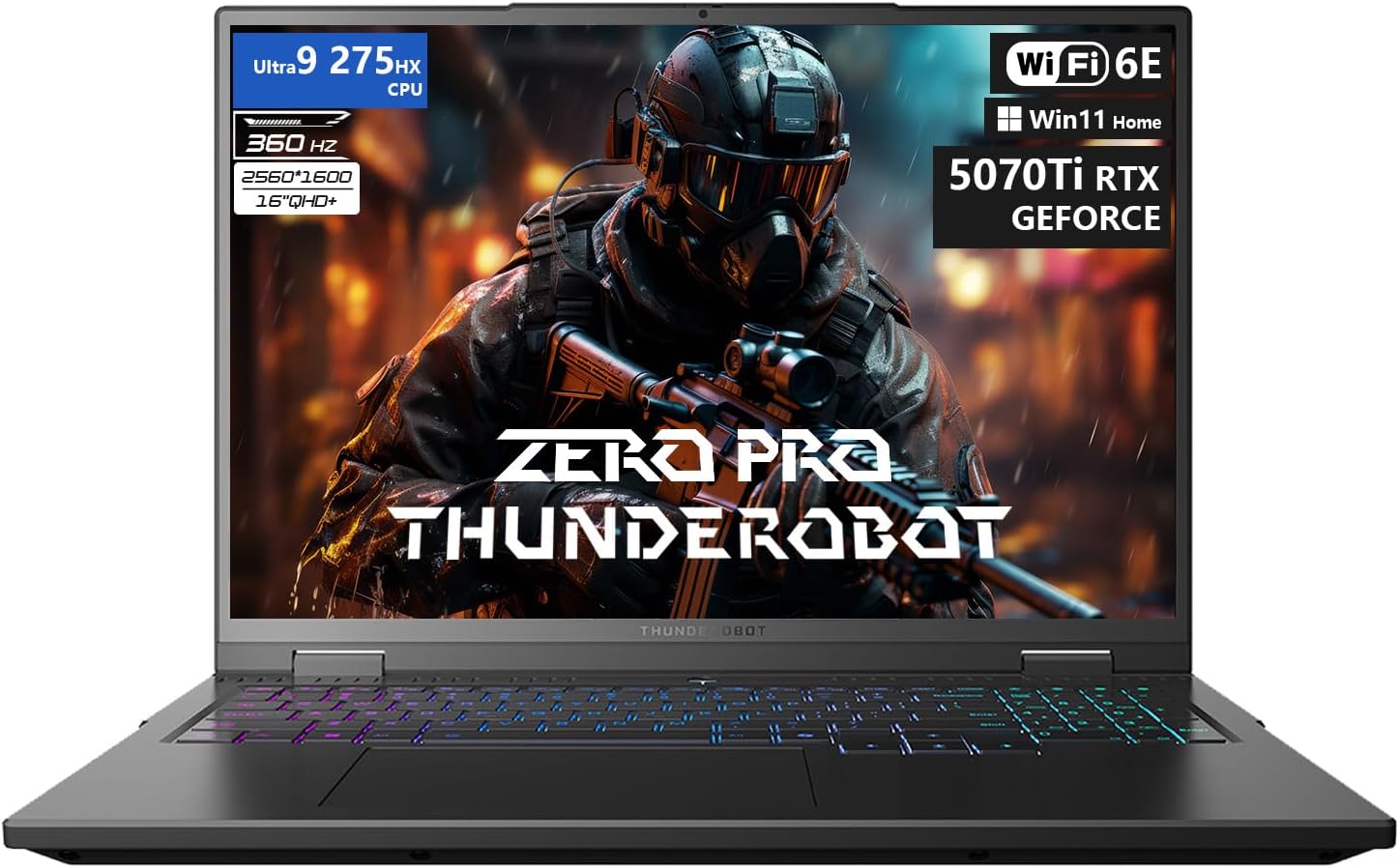
Billedbeskrivelse: En front view of the Thunderobot Zero 16 Pro Gaming Laptop, showcasing its 16-inch display with a game scene, the backlit keyboard, and the overall sleek design. Key specifications like Ultra 9 275HX CPU, 360Hz refresh rate, QHD+ resolution, Wi-Fi 6E, and RTX 5070 Ti GPU are visible on the screen.
2. Kom godt i gang (opsætning)
2.1 Udpakning og første tilslutning
Carefully remove the laptop and all accessories from the packaging. Connect the power adapter to the laptop's power port and then to a wall outlet. Ensure the battery is sufficiently charged before the first use.
2.2 Første opstart og opsætning af operativsystem
Press the power button to turn on the laptop. Follow the on-screen instructions to complete the Windows 11 Home operating system setup. This process typically involves selecting language, region, network connection, and creating a user account.
2.3 Driverinstallation og opdateringer
It is recommended to update all system drivers after the initial setup. Visit the official Thunderobot support website for your specific model (ZERO 16 Pro) to download and install the latest drivers for optimal performance and stability. This includes drivers for the graphics card, chipset, audio, and network adapters.
3. Betjening af din bærbare computer
3.1 Hardwarefunktioner
- Vise: The 16-inch QHD+ (2560x1600) display features a 360Hz refresh rate and eye-care technology, including anti-glare, anti-reflection, and blue-light reduction for comfortable viewing.
- Processor: Equipped with the Intel Core Ultra 9 275HX processor, featuring 24 cores and turbo speeds up to 5.40GHz for demanding tasks.
- Grafik: NVIDIA GeForce RTX 5070 Ti graphics card provides advanced rendering capabilities for gaming and creative applications.
- Hukommelse og opbevaring: 32GB DDR5 RAM and a 1TB PCIe M.2 SSD ensure fast data access and multitasking performance.
- Kølesystem: Features dual Night Owl fans, 7 extended heat pipes, and 316 ultra-thin copper fins for efficient heat dissipation.
- Tastatur: A per-key RGB backlit keyboard with an independent numeric keypad offers customizable lighting and full functionality.
- Forbindelse: Includes USB-A (x3), USB-C, HDMI, RJ-45, and an audio port. Wireless connectivity is provided by Wi-Fi 6E and Bluetooth.
- Kamera: An FHD IR Camera is integrated for video conferencing and secure login.
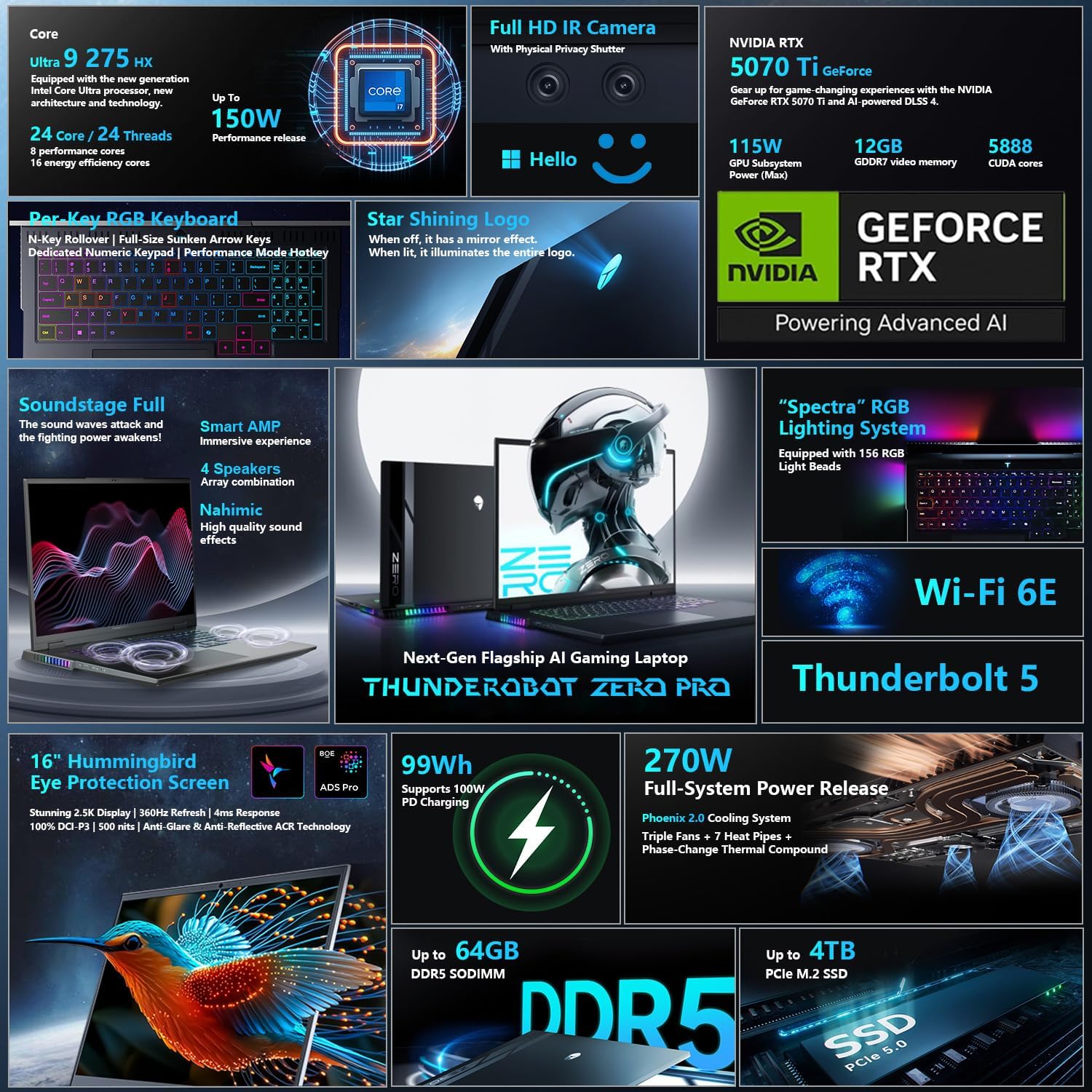
Billedbeskrivelse: A detailed graphic illustrating various features of the Thunderobot Zero 16 Pro, including the Intel Core Ultra 9 275HX CPU, NVIDIA RTX 5070 Ti GPU, Full HD IR Camera, Per-Key RGB keyboard, Star Shining Logo, Soundstage Full audio, Spectra RGB lighting, Wi-Fi 6E, Thunderbolt 5, 16-inch QHD+ 360Hz display, 99Wh battery, 270W power, DDR5 memory, and PCIe 5.0 SSD.
3.2 AI Intelligent Control Center
The AI Intelligent Control Center software allows for personalized customization and performance management. This includes:
- Performance Tuning: Select between Quiet Mode, Balance Mode, and Turbo Mode to optimize system performance, power saving, and fan noise.
- Intelligent Light Adjustment: Customize the RGB lighting effects for the keyboard, strip, and logo zones.
- Comprehensive Adjustment: Monitor CPU and GPU temperatures, fan speeds, and memory usage. Adjust display settings and other system parameters.
Note: System mode switching in the Control Center requires the device to be connected to a power source.
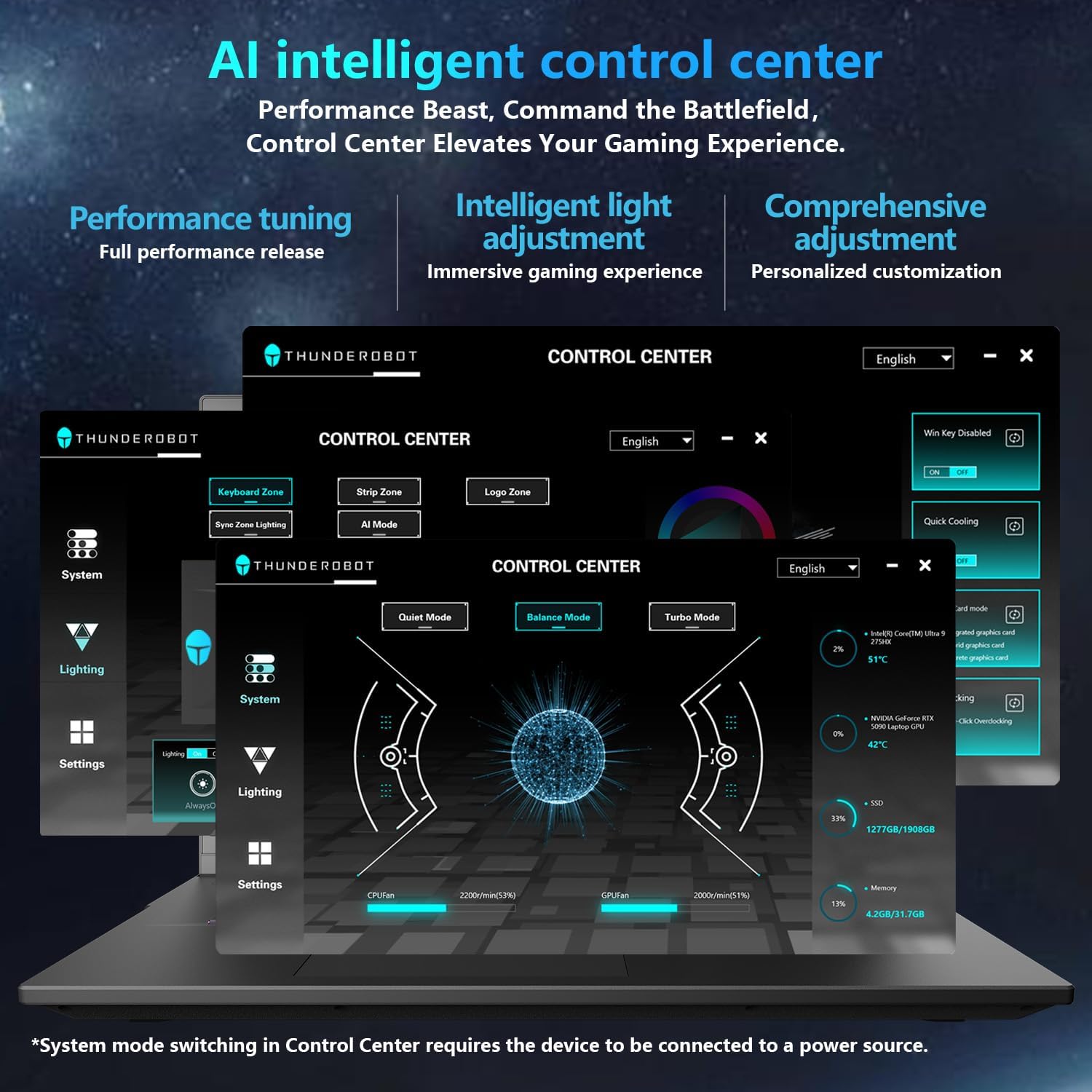
Billedbeskrivelse: A screenshot of the Thunderobot AI Intelligent Control Center software interface, showing options for performance tuning (Quiet, Balance, Turbo modes), lighting customization (keyboard, strip, logo), and system monitoring (CPU/GPU usage, fan speed, temperature). The interface is in English.
4. Vedligeholdelse og pleje
4.1 Rengøring
Regularly clean the laptop's exterior with a soft, dry, lint-free cloth. For the screen, use a specialized screen cleaner and a microfiber cloth. Ensure ventilation grilles are free from dust buildup to maintain optimal cooling performance.
4.2 Pleje af batterier
To prolong battery life, avoid fully discharging the battery frequently. If storing the laptop for an extended period, ensure the battery is charged to approximately 50-70% and store it in a cool, dry place.
4.3 Durability and Reliability
The Thunderobot Zero 16 Pro is engineered for reliability, having undergone various tests including 180G impacts, 74cm drops, 10kg palm stress, 20kg screen pressure, and operation in temperatures from -20°C to 60°C with 20-90% humidity. It has also passed 200,000 touchpad clicks, 40,000 power button presses, 500 charge cycles, 360 hours of stress tests, 21 hours of thermal shock, and 74 hours of environmental trials.
5. Fejlfinding
5.1 Almindelige problemer og løsninger
- Bærbar computer tænder ikke: Sørg for, at strømadapteren er korrekt tilsluttet både den bærbare computer og en fungerende stikkontakt. Kontroller, om stikkontakten fungerer.
- Høj ventilatorstøj: High fan noise is normal during intensive tasks (e.g., gaming) as the cooling system works to dissipate heat. Ensure ventilation grilles are not obstructed. Adjust performance modes in the AI Intelligent Control Center to a quieter setting if high performance is not required.
- Kort batterilevetid: Battery life can vary based on usage. For optimal battery performance, reduce screen brightness, close unnecessary applications, and use power-saving modes. Performance-intensive tasks will consume more power.
- Visningsproblemer: If the screen is blank or flickering, try connecting an external monitor to verify if the issue is with the laptop's display or the graphics output. Ensure graphics drivers are up to date.
- Driver-Related Problems: If experiencing unexpected behavior or performance issues, verify that all drivers are correctly installed and updated from the official Thunderobot support webwebsted.
5.2 Generelle fejlfindingstrin
- Restart the Laptop: En simpel genstart kan løse mange midlertidige softwarefejl.
- Tjek forbindelser: Sørg for, at alle kabler og eksterne enheder er korrekt tilsluttet.
- Opdater software: Keep your operating system and drivers updated.
- Consult Online Resources: Refer to the Thunderobot support website for FAQs and additional troubleshooting guides.
6. Tekniske specifikationer
| Feature | Specifikation |
|---|---|
| Mærke | Thunderobot |
| Modelnavn | ZERO 16 Pro |
| Skærmstørrelse | 16 tommer |
| Skærmopløsning | 2560 x 1600 pixels |
| Max skærmopløsning | 2560x1600 pixels |
| Processor | 5.4 GHz Intel Core Ultra 9 275HX |
| Antal processorer | 24 |
| VÆDDER | 32 GB DDR5 |
| Hukommelseshastighed | 4800 MHz |
| Harddisk | 1 TB SSD (PCIE x 4) |
| Grafik coprocessor | GeForce RTX 5070Ti |
| Kort beskrivelse | Dedikeret |
| Trådløs type | 802.11ax (Wi-Fi 6E) |
| Antal USB 3.0-porte | 3 |
| Operativsystem | Windows 11 Home |
| Varens vægt | 12 pund |
| Produktmål (LxBxH) | 14.09 x 10.52 x 1.03 tommer |
| Farve | Sort |
| Strømkilde | AC & batteri |
| Speciel funktion | Numerisk tastatur |
7. Garanti og support
Every Thunderobot laptop includes a 12 måneders garanti, offering expert support, thorough diagnostics, and genuine parts if a repair is needed. Additionally, a 90 dages garanti is provided on all warranty replacement parts, ensuring hassle-free repairs.
For technical assistance, driver downloads, or warranty claims, please visit the official Thunderobot support webwebstedet eller kontakt deres kundeservice. Se den dokumentation, der følger med dit produkt, for specifikke kontaktoplysninger.


