Indledning
Thank you for choosing the PINDOWS Digital Sports Watch, Model PDS-8021 (M8021N7 Series). This watch is designed for active individuals, featuring a clear transparent case and a bright LED backlight for excellent visibility in all lighting conditions. It combines functionality with a stylish design, offering essential features for daily use and sports activities.
Please read this manual carefully to understand the watch's functions and ensure proper use and maintenance.

Image: PINDOWS Digital Sports Watch in use, highlighting its design.
Produktegenskaber
- Clear Transparent Case: Unique design for a modern aesthetic.
- High-Brightness LED Backlight: Ensures clear readability day or night.
- 5 ATM vandmodstand: Suitable for splashes, rain, and shallow swimming. (Not for hot water showers, bathing, diving, or pressing buttons underwater.)
- Stopur funktion: Precise timing for sports and activities.
- Alarm with Countdown Timer: Customizable alerts and timing.
- Kalender: Displays date and day.
- Dobbelt tid: Spor tid i to forskellige tidszoner.
- Hourlog klokkespil: Valgfri hourly sound notification.
- 12/24 timers format: Select your preferred time display.
- Holdbar konstruktion: ABS case, mineral glass, and comfortable silicone band.
- Pålidelig kvartsbevægelse: Præcis tidtagning.
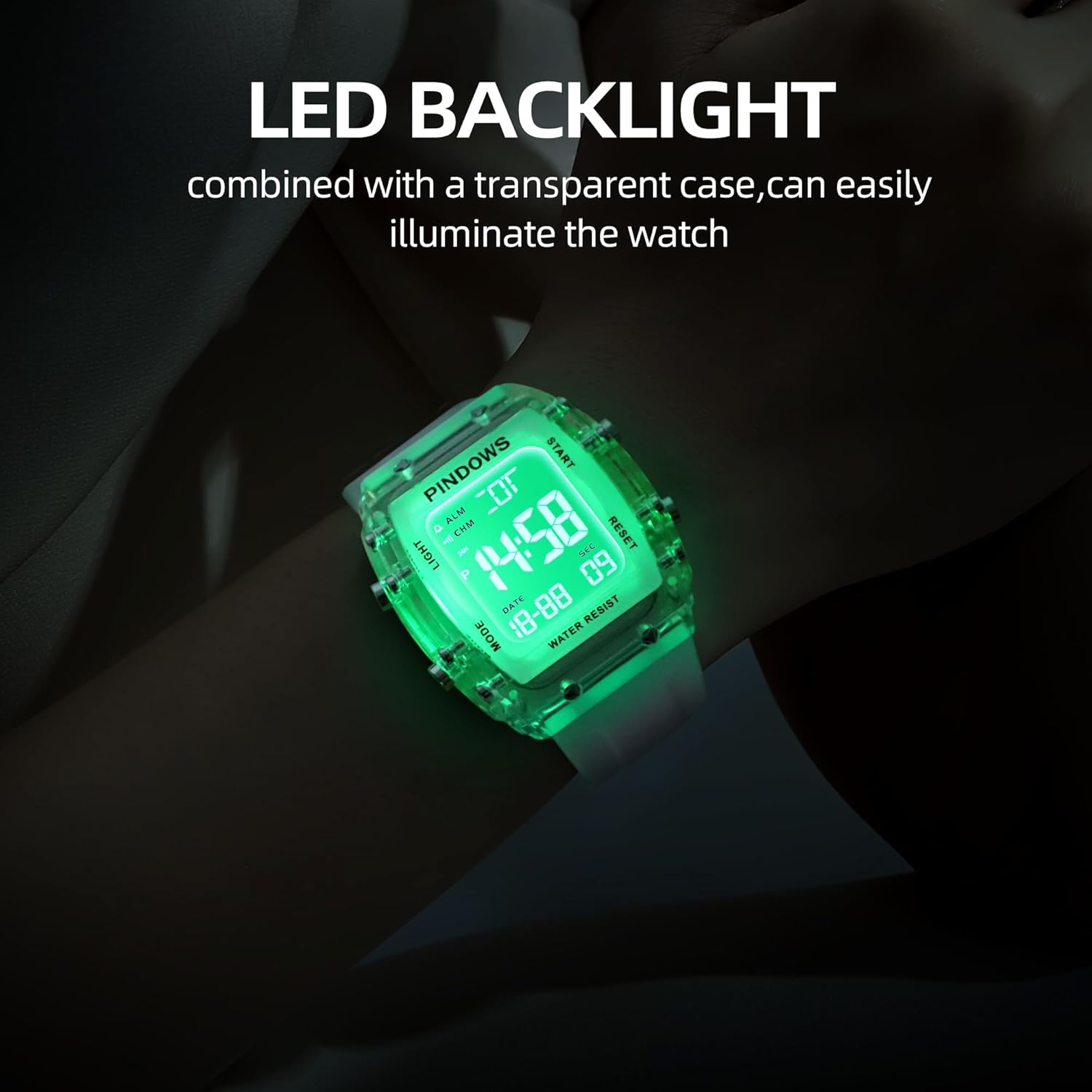
Image: The watch display with its bright LED backlight activated.
Knapfunktioner overview
Familiarize yourself with the watch buttons before proceeding with setup and operation.

Image: Diagram illustrating the 'Light', 'Mode', 'Start/Pause', and 'Adjustment' buttons.
- LYS-knap (øverst til venstre): Aktiverer LED-baggrundsbelysningen
- MODE-knap (nederst til venstre): Cycles through different modes (Time, Stopwatch, Alarm, Dual Time).
- START/PAUSE-knap (øverst til højre): Used to start/stop functions or increase values during setting.
- ADJUSTMENT Button (Bottom Right): Used to select items for adjustment or reset functions.
Setup: Initial Time and Date Setting
- I normal tidsvisningstilstand skal du trykke på MODE knappen gentagne gange, indtil du når tidsindstillingstilstanden (normalt angivet med blinkende cifre).
- Tryk på JUSTERING button to select the digit you wish to set (e.g., seconds, hour, minute, year, month, day). The selected digit will flash.
- Brug START/PAUSE button to increase the value of the flashing digit. Hold the button to advance rapidly.
- Fortsæt med at trykke på JUSTERING button to move to the next setting item and use the START/PAUSE knappen for at justere.
- Når alle indstillinger er færdige, skal du trykke på MODE knappen for at afslutte indstillingstilstanden og vende tilbage til normal tidsvisning.
- For at skifte mellem 12-timers og 24-timers format skal du trykke på START/PAUSE button while the hour digits are flashing in time setting mode.
Betjeningsvejledning
Brug af LED-baggrundsbelysning
Tryk på LYS knappen (øverst til venstre) for at oplyse displayet. Baggrundsbelysningen vil forblive tændt i et par sekunder.
Stopur funktion
- Fra normal tidsvisning, tryk på MODE button until "ST" or "STOPWATCH" appears.
- Tryk på START/PAUSE knappen for at starte stopuret.
- Tryk på START/PAUSE knappen igen for at sætte stopuret på pause.
- Tryk på knappen, mens du er på pause JUSTERING knappen for at nulstille stopuret.
- Tryk på MODE knappen for at afslutte stopurstilstand.
Alarm indstilling
- Fra normal tidsvisning, tryk på MODE button until "AL" or "ALARM" appears.
- Tryk på JUSTERING button to select the hour digits. The hour digits will flash.
- Brug START/PAUSE knappen for at indstille den ønskede alarmtime.
- Tryk på JUSTERING button again to select the minute digits and use the START/PAUSE knappen for at indstille det ønskede alarmminut.
- Tryk på MODE knappen for at afslutte alarmindstillingstilstand.
- For at tænde/slukke alarmen skal du trykke på START/PAUSE button while in alarm mode (not setting). An alarm icon will appear/disappear.
Dual Time-funktion
- Fra normal tidsvisning, tryk på MODE button until "DT" or "DUAL TIME" appears.
- Tryk på JUSTERING button to select the hour digits. The hour digits will flash.
- Brug START/PAUSE knappen for at indstille den ønskede time for den anden tidszone.
- Tryk på JUSTERING button again to select the minute digits and use the START/PAUSE button to set the desired minute.
- Tryk på MODE button to exit dual time setting mode.
Hourly Klokke
I normal tidsvisningstilstand skal du trykke på og holde nede JUSTERING knappen, og tryk derefter på MODE knappen for at skifte til hourly chime ON/OFF. A chime icon will indicate if it's active.
Water Resistance Guidelines (5 ATM)
Your PINDOWS Digital Sports Watch is rated for 5 ATM (50 meters) water resistance. This means it is suitable for:
- Skyl koldt vand
- Svømning i lavt vand
- Vask af hænder
- Exposure to rain and splashes
- Sved
Vigtige forholdsregler:
- GØR IKKE Tryk på en knap, mens uret er nedsænket i vand.
- GØR IKKE use the watch in hot water showers, baths, or saunas, as steam and hot water can damage the seals.
- GØR IKKE use for diving or high-speed water sports.
- Avoid exposing the watch to strong water currents or direct high-pressure water.

Image: The watch demonstrating its 5 ATM water resistance.
Opretholdelse
- Rensning: Tør uret regelmæssigt af med en blød, tør klud. Til genstridigt snavs skal du bruge en let tør klud.amp klud og tør derefter grundigt.
- Undgå kemikalier: Do not expose the watch to solvents, detergents, perfumes, or cosmetics, as these can damage the case, band, or seals.
- Ekstreme temperaturer: Undgå at udsætte uret for ekstreme temperaturer (varme eller kolde) eller pludselige temperaturændringer.
- Magnetiske felter: Keep the watch away from strong magnetic fields to prevent affecting time accuracy.
- Udskiftning af batteri: When the display dims or functions become erratic, it may be time to replace the battery. It is recommended to have this done by a professional to ensure water resistance is maintained.
Fejlfinding
| Problem | Mulig årsag | Løsning |
|---|---|---|
| Skærmen er tom eller svag. | Lavt batteri. | Udskift batteriet. |
| Tiden er unøjagtig. | Forkert indstilling eller eksponering for stærke magnetfelter. | Reset the time. Keep away from magnets. |
| Knapperne reagerer ikke. | Uret er muligvis i låst tilstand, eller der er et internt problem. | Try pressing all buttons to see if it unlocks. If not, contact support. |
| Vand inde i uret. | Water resistance compromised (e.g., buttons pressed underwater, hot water exposure). | Stop straks brugen og søg professionel reparation. |
Hvis du støder på problemer, der ikke er nævnt her, eller hvis de foreslåede løsninger ikke løser problemet, bedes du kontakte kundesupport.
Specifikationer
| Feature | Detalje |
|---|---|
| Modelnummer | PDS-8021 (M8021N7 Series) |
| Mærke | PINDOWS |
| Bevægelse | Japansk kvarts |
| Display Type | Digital |
| Etui materiale | ABS (Acrylonitril Butadien Styren) |
| Æske diameter | 42 mm |
| Sags tykkelse | 13 mm |
| Båndmateriale | Silikone |
| Båndbredde | 22 mm |
| Båndlængde | 220 mm (5.6 to 7.4 inches wearing size) |
| Spændetype | Spænde |
| Opkaldsvinduemateriale | Mineralglas |
| Vandmodstand | 5 ATM (50 meter) |
| Særlige funktioner | LED Backlight, Stopwatch, Alarm, Dual Time, Hourly Chime, Calendar |
| Strømkilde | Batteridrevet |
| Varens vægt | 120 g (Package size: 9.6 x 9 x 6.9 cm) |

Image: Product parameters and dimensions diagram.
Garanti og support
PINDOWS offers a 12 måneders garanti for dette produkt, der dækker fabrikationsfejl fra købsdatoen.
For any questions, concerns, or warranty claims, please contact our customer support. We are committed to providing the best product and service possible.
Please refer to your purchase documentation for specific contact details or visit the official PINDOWS store on Amazon.
Tak for din forståelse og samarbejde.


