1. Introduktion
This manual provides essential instructions for the setup, operation, and maintenance of your HUAWEI Watch GT 6 Pro Smart Watch. Please read this manual thoroughly before using the device to ensure proper function and safety.
Hvad er der i æsken:
- HUAWEI Watch GT 6 Pro Smart Watch
- Ladekabel
- Brugervejledning (dette dokument)
2. Produktet er slutview
The HUAWEI Watch GT 6 Pro features a 1.47-inch AMOLED display, a durable titanium alloy casing, and sapphire glass. It is designed for comprehensive health monitoring and advanced sports tracking.
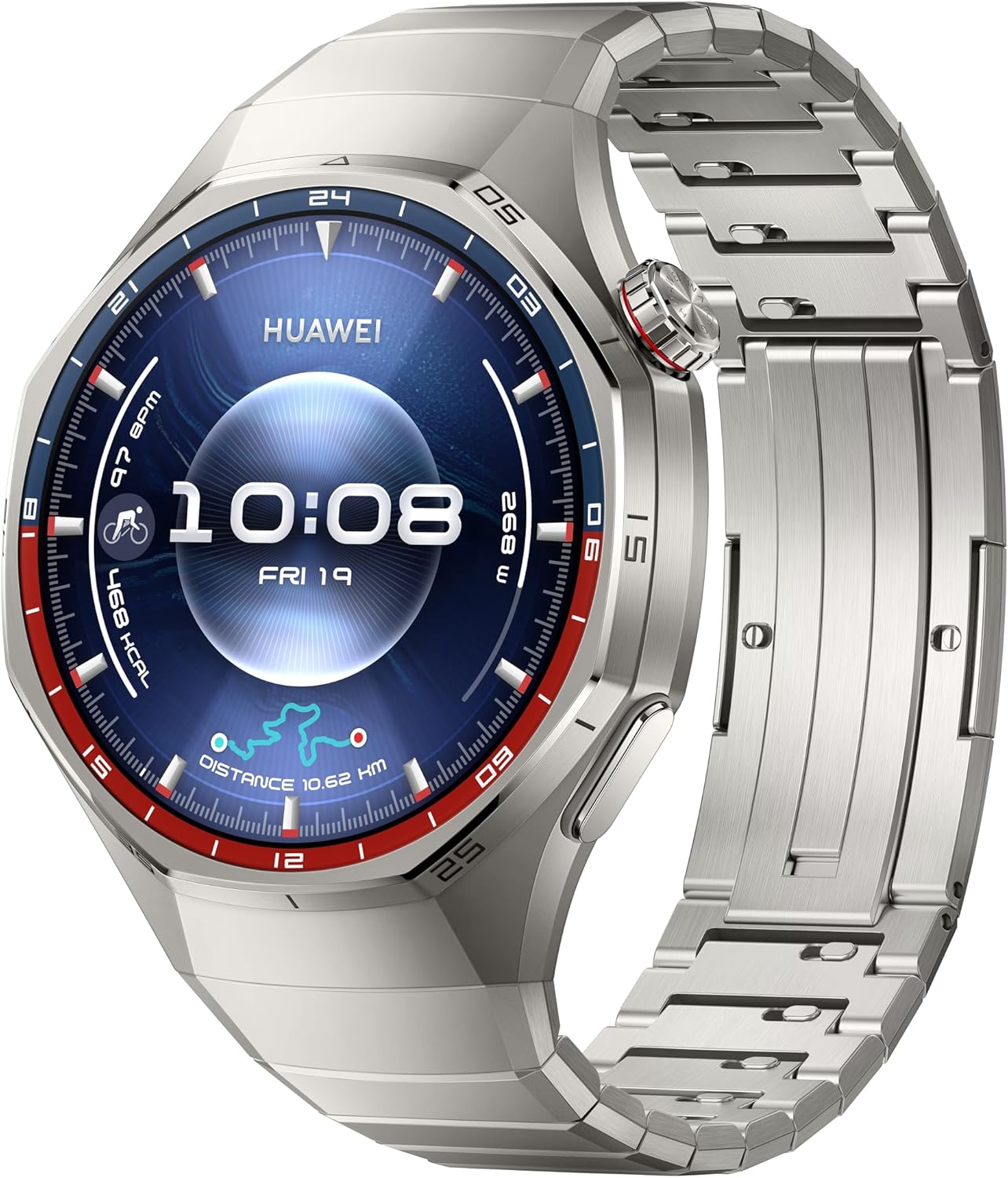
Figur 2.1: Front view of the HUAWEI Watch GT 6 Pro, displaying the watch face with time, date, and various health and activity metrics. The watch features a round display with a metallic bezel and a matching metal strap.
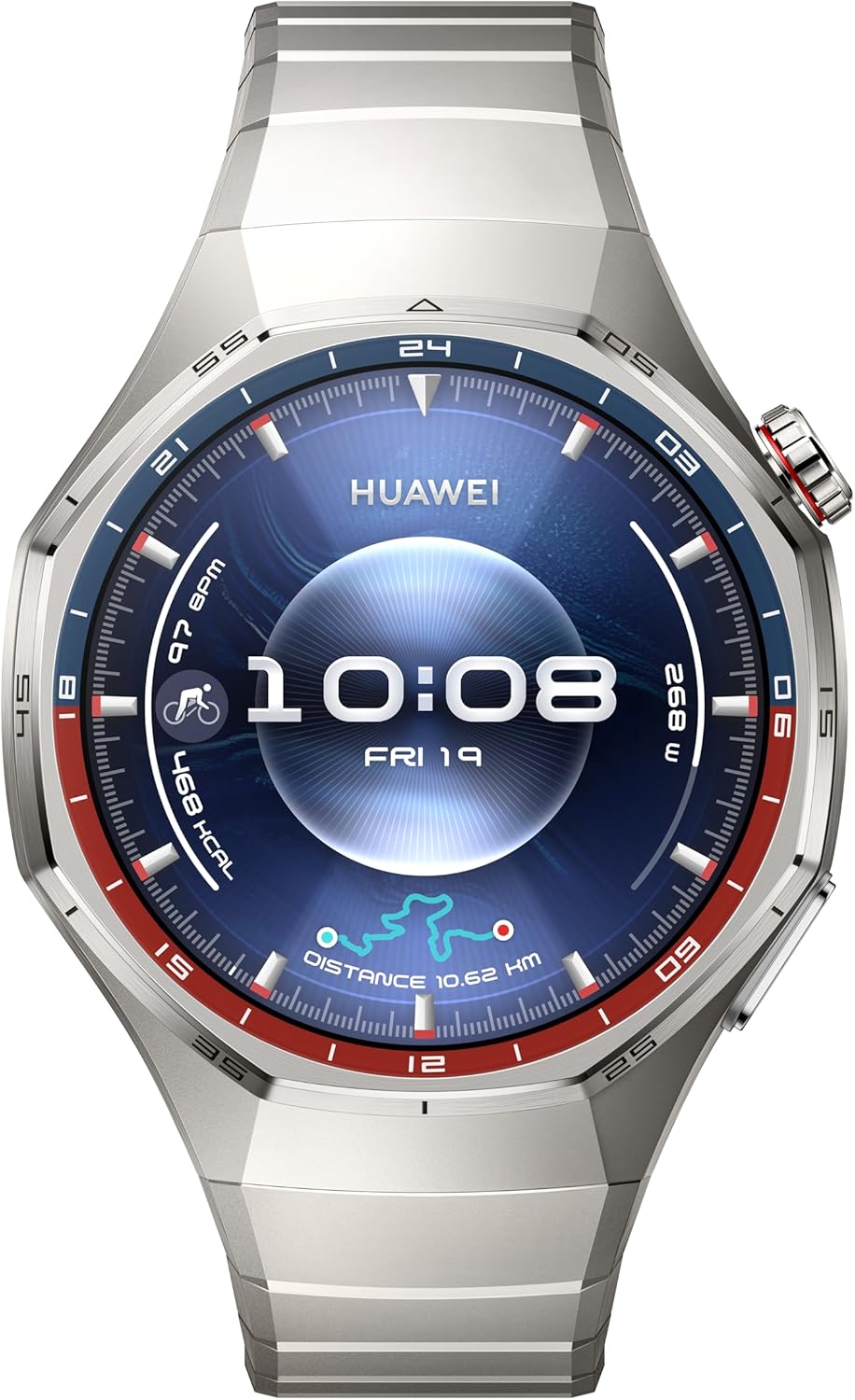
Figur 2.2: En anden front view of the HUAWEI Watch GT 6 Pro, showcasing a different watch face. This image highlights the watch's sleek design and the clarity of its AMOLED display.
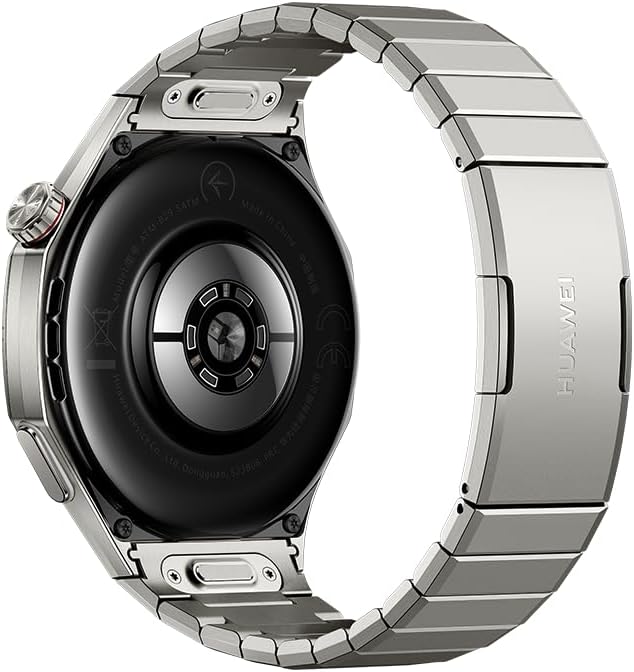
Figur 2.3: Bag view of the HUAWEI Watch GT 6 Pro, showing the advanced health sensors and charging contacts. The back casing is designed for comfortable wear and accurate data collection.
3. Opsætning
3.1 Indledende opladning
- Connect the charging cable to the charging port on the back of the watch.
- Connect the other end of the charging cable to a compatible USB power adapter (not included) or a computer's USB port.
- Allow the watch to charge fully before first use. A full charge can provide up to 21 days of battery life under typical usage.
3.2 Parring med din smartphone
- Download and install the HUAWEI Health app from your smartphone's app store (compatible with iOS and Android devices).
- Open the HUAWEI Health app and follow the on-screen instructions to create an account or log in.
- Sørg for, at Bluetooth er aktiveret på din smartphone.
- In the HUAWEI Health app, navigate to "Devices" and select "Add device."
- Select your HUAWEI Watch GT 6 Pro from the list of available devices.
- Bekræft parringsanmodningen på både dit ur og din smartphone.
4. Betjeningsvejledning
4.1 Grundlæggende navigation
- Touchskærm: Stryg op, ned, til venstre eller højre for at navigere gennem menuer og notifikationer. Tryk for at vælge elementer.
- Krone: Rotate the crown to scroll through lists or zoom in/out. Press the crown to return to the home screen or access the app list.
- Side knap: Press the side button to access customizable shortcuts or specific functions.
4.2 sportstilstande
The watch supports over 100 sports modes, including advanced tracking for trail running, cycling, and free diving. Integrated GPS provides accurate location and route tracking.
- From the app list, select the "Workout" app.
- Choose your desired sports mode (e.g., Outdoor Run, Cycling, Free Dive).
- Follow the on-screen prompts to start your workout. The watch will record relevant data such as duration, distance, heart rate, and calories burned.
- For free diving, ensure you understand the safety guidelines provided by the watch and consult a medical professional if necessary.
4.3 Sundhedsovervågning
Utilizing the HUAWEI TruSense System, the watch provides comprehensive health insights:
- Heart Rate Monitoring: Kontinuerlig pulsmåling med advarsler ved unormale aflæsninger.
- Søvnsporing: Overvåger søvntages, quality, and provides suggestions for improvement.
- Emotional Wellbeing: Tracks stress levels and offers breathing exercises.
- SpO2-overvågning: Måler blodets iltmætning.
Access health data through the respective apps on your watch or the HUAWEI Health app on your smartphone.
4.4 Meddelelser
Receive notifications from your paired smartphone directly on your watch. Manage notification settings through the HUAWEI Health app.
5. Vedligeholdelse
5.1 Rengøring af dit ur
- Tør urets skærm og kabinet af med en blød, fnugfri klud.
- Ved genstridige pletter, dampRengør kluden let med vand. Undgå at bruge skrappe kemikalier eller slibende materialer.
- Sørg for, at opladningskontakterne er rene og tørre, før du oplader.
5.2 Vandtæthed
The HUAWEI Watch GT 6 Pro is designed to be water-resistant. However, avoid exposing it to hot water, steam, or high-velocity water. After exposure to saltwater, rinse the watch with fresh water and dry it thoroughly.
6. Fejlfinding
| Spørgsmål | Mulig løsning |
|---|---|
| Uret tænder ikke | Sørg for, at uret er fuldt opladet. Tilslut det til opladeren i mindst 10 minutter. |
| Kan ikke parres med smartphone |
|
| Unøjagtige sundhedsdata | Ensure the watch is worn snugly on your wrist, not too loose or too tight. Clean the sensors regularly. |
| Kort batterilevetid | Reducer skærmens lysstyrke, deaktiver altid tændt skærm, begræns opdatering af baggrundsapps, og deaktiver unødvendige notifikationer. |
7. Specifikationer
| Feature | Detalje |
|---|---|
| Modelnummer | ATM-B29 |
| Vise | 1.47 tommer AMOLED-skærm |
| Batterilevetid | Op til 21 dage (typisk brug) |
| Batterikapacitet | 800 mioamp Timer (lithiumpolymer) |
| Operativsystem | HarmonyOS |
| Forbindelse | Bluetooth |
| GPS | Indbygget GPS |
| Særlige funktioner | Activity Tracker, Cycle Tracking, Health Monitoring (Heart Rate, Sleep, Emotional Wellbeing, SpO2), 100+ Sports Modes (including Free Diving, Trail Running, Cycling) |
| Materiale | Aerospace-grade Titanium Alloy, Sapphire Glass |
| Dimensioner | 0.47 x 0.47 x 0.26 inches (approximate watch body) |
| Vægt | 12.3 ounces / 0.35 Kilograms (approximate) |
8. Sikkerhedsoplysninger
- Consult your doctor before starting any new exercise regimen or if you have pre-existing health conditions.
- The watch is not a medical device and should not be used for medical diagnosis, treatment, or prevention.
- Opbevar enheden og dens tilbehør utilgængeligt for børn.
- Undgå ekstreme temperaturer, direkte sollys og høj luftfugtighed.
- Do not attempt to disassemble or repair the watch yourself. This may void the warranty and cause damage.
- Brug kun godkendte opladningskabler og adaptere.
9. Garanti og support
For warranty information, technical support, or service inquiries, please refer to the official HUAWEI website or contact HUAWEI customer service in your region. Keep your proof of purchase for warranty claims.
Official HUAWEI Support: consumer.huawei.com/en/support/


