1. Indledende opsætning
This section guides you through the initial setup of your DOOGEE Tab A9 Pro tablet.
1.1 Pakkens indhold
Bekræft at alle varer er til stede i pakken:
- 1x DOOGEE Tab A9 Pro Tablet
- 1x Type-C USB-kabel
- 1x oplader
- 1x Stylus (VIP Edition)
- 1x Tempered Film (VIP Edition)
- 1x Bluetooth Mouse (VIP Edition)
- 1x Leather Protective Cover (VIP Edition)
- 1x Bluetooth Keyboard (VIP Edition)
- 1x pakkeboks
- 1x brugermanual

Image: DOOGEE Tab A9 Pro tablet shown with its complete set of accessories, including a stylus, tempered film, Bluetooth mouse, leather protective cover, and Bluetooth keyboard.
1.2 Opladning af tabletten
Before first use, fully charge the tablet. Connect the Type-C USB cable to the tablet's USB port and the charger to a power outlet. The tablet supports a maximum charging current of 10W.
1.3 Tænd/sluk
- For at tænde: Tryk på tænd/sluk-knappen, og hold den nede, indtil DOOGEE-logoet vises.
- For at slukke: Press and hold the power button, then select "Power off" from the options on the screen.
1.4 Indledende konfiguration
Upon first power-on, follow the on-screen prompts to configure your tablet. This includes selecting your language, connecting to a Wi-Fi network, setting up your Google account, and configuring security options.

Billede: Forside og bagside view of the DOOGEE Tab A9 Pro tablet, highlighting its sleek design and camera placement.
2. Betjeningsvejledning
This section provides guidance on using the core features of your DOOGEE Tab A9 Pro tablet.
2.1 Navigering i Android 15-grænsefladen
The tablet runs on Android 15. Familiarize yourself with gestures and navigation:
- Stryg op: Access the app drawer.
- Stryg ned: Få adgang til hurtigindstillinger og notifikationer.
- Tryk på: Vælg elementer.
- Langt tryk: Få adgang til kontekstmenuer eller flyt ikoner.
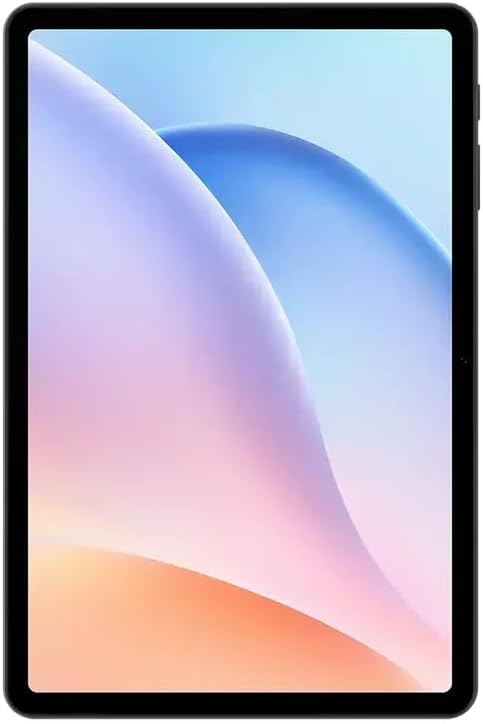
Billede: Forside view of the DOOGEE Tab A9 Pro tablet, showcasing its 10.1-inch IPS HD display.
2.2 Wi-Fi- og Bluetooth-forbindelse
Sådan opretter du forbindelse til Wi-Fi- eller Bluetooth-enheder:
- Gå til Indstillinger.
- Vælge Netværk og internet til Wi-Fi eller Tilsluttede enheder til Bluetooth.
- Toggle Wi-Fi or Bluetooth on and select the desired network or device to connect.
The tablet supports Wi-Fi 802.11 a/b/g/n/ac (2.4GHz/5GHz) and Bluetooth 5.0.
2.3 Brug af kameraet
The tablet features a 5MP front camera and an 8MP rear camera with flash. Open the Camera app to capture photos and videos. Video recording supports FHD 30fps.
2.4 External Storage (TF Card)
The tablet includes a TF card slot, supporting up to 2TB of external storage. Insert a compatible TF card to expand your device's memory for photos, videos, and documents.
2.5 Tilslutning af eksterne enheder
The VIP Edition includes a Bluetooth keyboard and mouse. Pair these devices via Bluetooth settings for enhanced productivity. The tablet also supports OTG (On-The-Go) functionality via its Type-C USB port for connecting other USB devices, and has a 3.5mm earphone jack.
3. Vedligeholdelse
Proper maintenance ensures the longevity and optimal performance of your DOOGEE Tab A9 Pro.
3.1 Rengøring af tabletten
- Brug en blød, fnugfri klud til at rengøre skærmen og kabinettet.
- Undgå at bruge skrappe kemikalier, slibende rengøringsmidler eller aerosolspray.
- Til genstridige pletter, let dampen klud med vand.
3.2 Pleje af batterier
The tablet is equipped with a 6580mAh battery. To maximize battery life:
- Undgå ekstreme temperaturer.
- Lad ikke batteriet aflades helt for ofte.
- Brug den medfølgende oplader for optimal opladning.

Image: Visual representation of the DOOGEE Tab A9 Pro's 6580mAh battery, highlighting its capacity and 10W fast charging capability.
3.3 Softwareopdateringer
Tjek regelmæssigt efter og installer softwareopdateringer for at sikre, at din tablet har de nyeste funktioner, sikkerhedsrettelser og forbedringer af ydeevnen. Gå til Indstillinger > System > Systemopdatering.
4. Fejlfinding
This section addresses common issues you might encounter with your DOOGEE Tab A9 Pro.
4.1 Tabletten tænder ikke
- Sørg for, at tabletten er tilstrækkeligt opladet. Tilslut den til opladeren i mindst 30 minutter.
- Try a forced restart by holding the power button for 10-15 seconds.
4.2 Problemer med Wi-Fi-forbindelse
- Tjek om Wi-Fi er aktiveret i Indstillinger.
- Genstart din Wi-Fi-router.
- Glem netværket i tabletindstillingerne, og genopret forbindelsen.
- Sørg for, at du er inden for Wi-Fi-signalets rækkevidde.
4.3 Langsom ydeevne
- Luk unødvendige baggrundsapplikationer.
- Ryd cachedata for apps.
- Sørg for, at der er tilstrækkelig opbevaringsplads.
- Genstart tabletten.
4.4 Skærmen reagerer ikke
- Perform a forced restart.
- If the issue persists, consider a factory reset (Advarsel: This will erase all data).
5. Tekniske specifikationer
Detailed specifications for the DOOGEE Tab A9 Pro tablet.

Image: Infographic detailing the 10.1-inch IPS HD display features, including 1280x800 resolution, 80.2% screen-to-body ratio, and 16.7 million screen colors.
| Feature | Specifikation |
|---|---|
| Model | DOOGEE Tab A9 Pro |
| Operativsystem | Android 15 |
| Dimensioner | 242.5 x 160.9 x 9.7 mm |
| Vægt | 512 g |
| Skærmstørrelse | 10.1 tommer |
| Display Type | IPS LCD HD Display |
| Opløsning | 1280 x 800 pixels |
| PPI | 149 |
| Screen-to-Body Ratio | 80.2 % |
| Processor (CPU) | Unisoc T310 Octa-core (1x Arm Cortex-A75 @2.0GHz, 3x Arm Cortex-A55 @1.8GHz) |
| Grafik (GPU) | Arm Mali-G52 |
| VÆDDER | 4GB LPDDR4 (with 16GB virtual RAM expansion, total 20GB) |
| Internt lager (ROM) | 128 GB eMMC |
| Udvidelig opbevaring | TF Card Slot, up to 2TB |
| Wi-Fi | 802.11 a / b / g / n / ac (2.4 GHz / 5 GHz) |
| Bluetooth | Bluetooth 5.0 |
| Forreste kamera | 5 MP |
| Bagkamera | 8MP med blitz |
| Batterikapacitet | 6580mAh |
| Opladning | 10W Max Charging Current, Type-C USB |
| Lydstik | 3.5 mm |
| Sensorer | G-sensor |
| Andre funktioner | OTG support, Bluetooth keyboard connection support |
6. Garanti og support
Your DOOGEE Tab A9 Pro comes with a warranty and access to customer support.
6.1 Garantioplysninger
The DOOGEE Tab A9 Pro includes a 12 måneders garanti fra købsdatoen. Denne garanti dækker fabrikationsfejl og funktionsfejl ved normal brug. Den dækker ikke skader forårsaget af misbrug, ulykker, uautoriserede reparationer eller normal slitage. Gem venligst din købsbevis i tilfælde af garantikrav.
6.2 Kundesupport
For technical assistance, warranty claims, or further inquiries, please contact DOOGEE customer support through their official website or the retailer where the product was purchased. Have your product model and purchase details ready when contacting support.


