1. Introduktion
Thank you for choosing the TOZO HT3 Hybrid Noise Cancelling Headphones. This manual provides detailed instructions for setting up, operating, and maintaining your headphones to ensure optimal performance and longevity. Please read this manual thoroughly before use.
Hvad er der i æsken
- TOZO HT3 Wireless Over-Ear Bluetooth Headphones
- 1 meter Type-C ladekabel
- AUX 3.5mm Analog Audio Cable
- Brugermanual
2. Produktet er slutview
Familiarize yourself with the components and controls of your TOZO HT3 headphones.
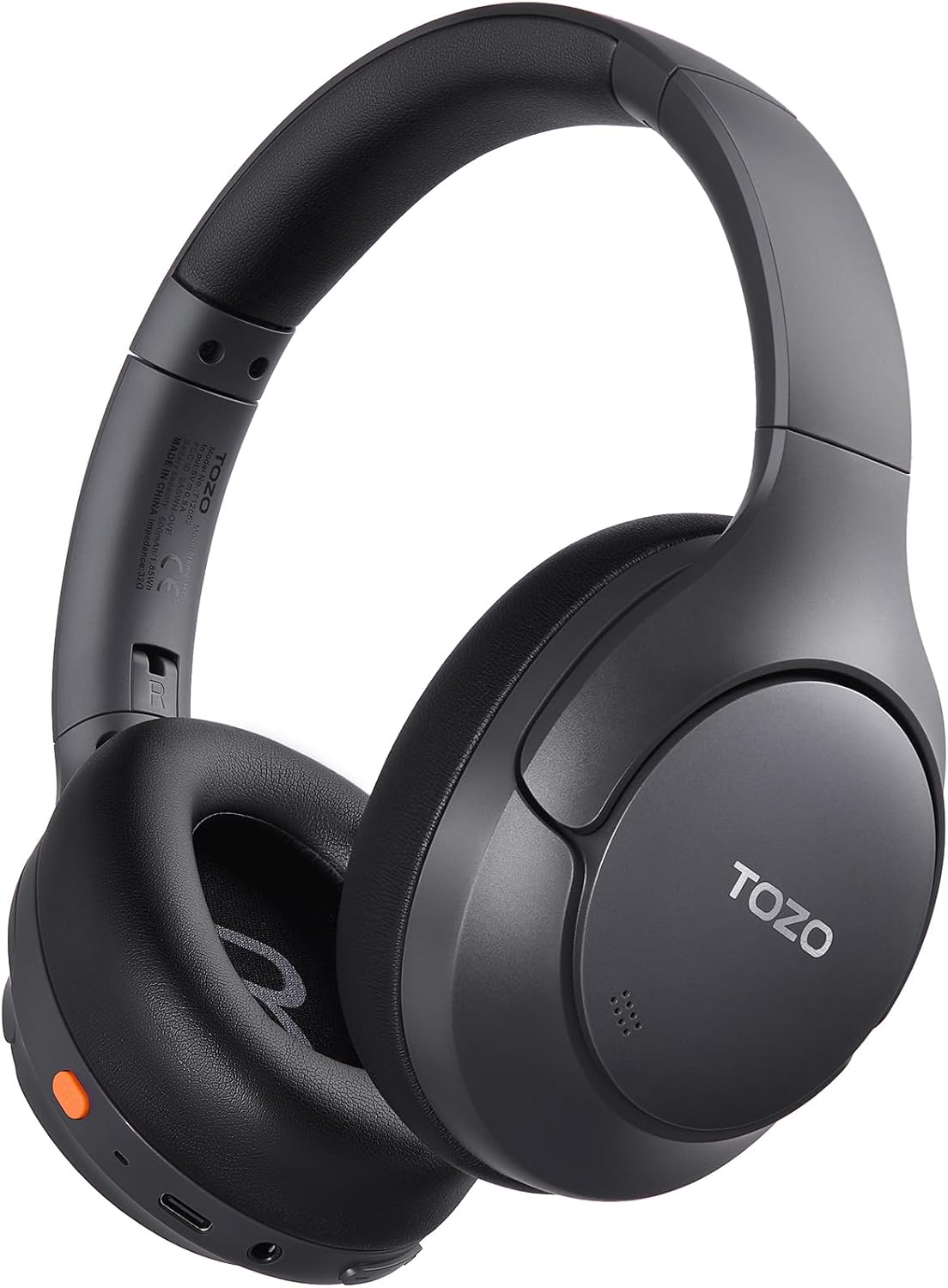
Billede: Forside view of the TOZO HT3 Hybrid Noise Cancelling Headphones in black, showcasing the over-ear design and branding.
Knapfunktionsvejledning

Image: Diagram illustrating the button layout and their functions on the TOZO HT3 headphones. Includes controls for Chat AI, Play/Pause, Answer/Hang up, Reject, On/off, Activate voice assistant, Volume up/down, Next/Previous song.
- Power knap: Press and hold to power on/off. Double press to activate voice assistant.
- Multifunktionsknap: Single press for Play/Pause, Answer/Hang up calls. Double press for Chat AI. Press and hold to reject calls.
- Lydstyrke op (+): Enkelt tryk for at øge lydstyrken.
- Skrue ned for lyden (-): Enkelt tryk for at sænke lydstyrken.
- Næste sang: Press and hold Volume Up.
- Forrige sang: Press and hold Volume Down.
- ANC knap: Single press to cycle through Noise Cancellation modes (ANC, Transparency, Normal).
3. Opsætning
3.1 Opladning af hovedtelefonerne
Oplad hovedtelefonerne helt før første brug. En fuld opladning tager cirka 2 timer.
- Tilslut det medfølgende USB-C-opladerkabel til opladningsporten på hovedtelefonerne.
- Tilslut den anden ende af kablet til en USB-strømadapter (medfølger ikke) eller en computers USB-port.
- Indikatorlampen viser opladningsstatus og slukker, når den er fuldt opladet.

Image: Close-up of the TOZO HT3 headphone's USB-C charging port with a cable connected, illustrating the charging process.
3.2 Tænd/sluk
- Tænd: Tryk på tænd/sluk-knappen, og hold den nede i cirka 3 sekunder, indtil indikatorlampen blinker.
- Sluk: Tryk på tænd/sluk-knappen og hold den nede i cirka 5 sekunder, indtil indikatorlampen slukker.
3.3 Bluetooth -parring
- Sørg for, at hovedtelefonerne er slukket.
- Press and hold the Power button for 5-7 seconds until the indicator light flashes red and blue alternately, indicating pairing mode.
- Aktiver Bluetooth på din enhed (smartphone, tablet, computer).
- Søg efter "TOZO HT3" in the list of available Bluetooth devices and select it to connect.
- Når der er oprettet forbindelse, lyser indikatorlampen konstant blåt eller blinker langsomt.
3.4 Wired Connection (3.5mm AUX)
Use the provided 3.5mm audio cable for a wired connection, which is useful when battery is low or for devices without Bluetooth.
- Plug one end of the 3.5mm audio cable into the AUX port on the headphones.
- Sæt den anden ende i 3.5 mm lydstikket på din enhed.
- Hovedtelefonerne skifter automatisk til kablet tilstand.

Image: The TOZO HT3 headphones connected via a 3.5mm AUX cable, demonstrating the wired listening option.
4. Betjeningsvejledning
4.1 Støjreduktionstilstande
The TOZO HT3 features adaptive noise cancellation. Press the dedicated ANC button to cycle through the following modes:
- Aktiv støjreduktion (ANC): Reduces external ambient noise by up to -45dB, ideal for travel or noisy environments.
- Gennemsigtighedstilstand: Allows you to hear your surroundings clearly without removing the headphones, useful for conversations or announcements.
- Normal tilstand: Standard lydafspilning uden aktiv støjreduktion eller gennemsigtighed.

Billede: Side view of the TOZO HT3 headphone highlighting the -45dB noise cancelling capability with a visual representation of sound wave reduction.
4.2 rumlig lyd
Experience immersive 360° spatial audio that creates a wider soundstage, making audio feel like it's coming from all around you.

Image: The TOZO HT3 headphones on a light background with circular sound wave graphics, illustrating the spatial audio feature.
4.3 AI Chat and Voice Assistant
The headphones support AI Chat and voice assistant functions for convenient control and interaction.
- Aktiver stemmeassistent: Dobbelttryk på tænd/sluk-knappen.
- AI-chat: Double press the Multi-function button. The integrated AI features include meeting minutes, instant translation, face-to-face translation, and AI chat.

Image: A visual representation of the TOZO HT3's AI Chat capabilities, showing icons for Meeting Minutes, Instant Translation, Face-to-Face Translation, and AI Chat.
4.4 Tilslutning af dobbelt enhed
The TOZO HT3 headphones can connect to two Bluetooth devices simultaneously, allowing for seamless switching between audio sources.
- Par hovedtelefonerne med den første enhed som beskrevet i afsnit 3.3.
- Frakobl hovedtelefonerne fra den første enheds Bluetooth-indstillinger.
- Sæt hovedtelefonerne tilbage i parringstilstand, og opret forbindelse til den anden enhed.
- Genopret forbindelse mellem hovedtelefonerne og den første enhed via Bluetooth-indstillingerne. Hovedtelefonerne burde nu være tilsluttet begge enheder.

Image: The TOZO HT3 headphones positioned between a smartphone and a tablet, illustrating simultaneous connection to two devices.
4.5 TOZO App Features
Download the TOZO App for enhanced control and customization options, including:
- 32 EQ Music Modes: Customize your audio experience with various equalizer presets.
- Noise Reduction Modes: Easily switch and manage ANC, Transparency, and Normal modes.
- Rumlig akustik: Fine-tune the spatial audio settings.
- Tilpassede berøringskontroller: Personalize button functions.
- Firmwareopdateringer: Keep your headphones updated with the latest features and improvements.
- Find Your Headphones: Locate misplaced headphones.
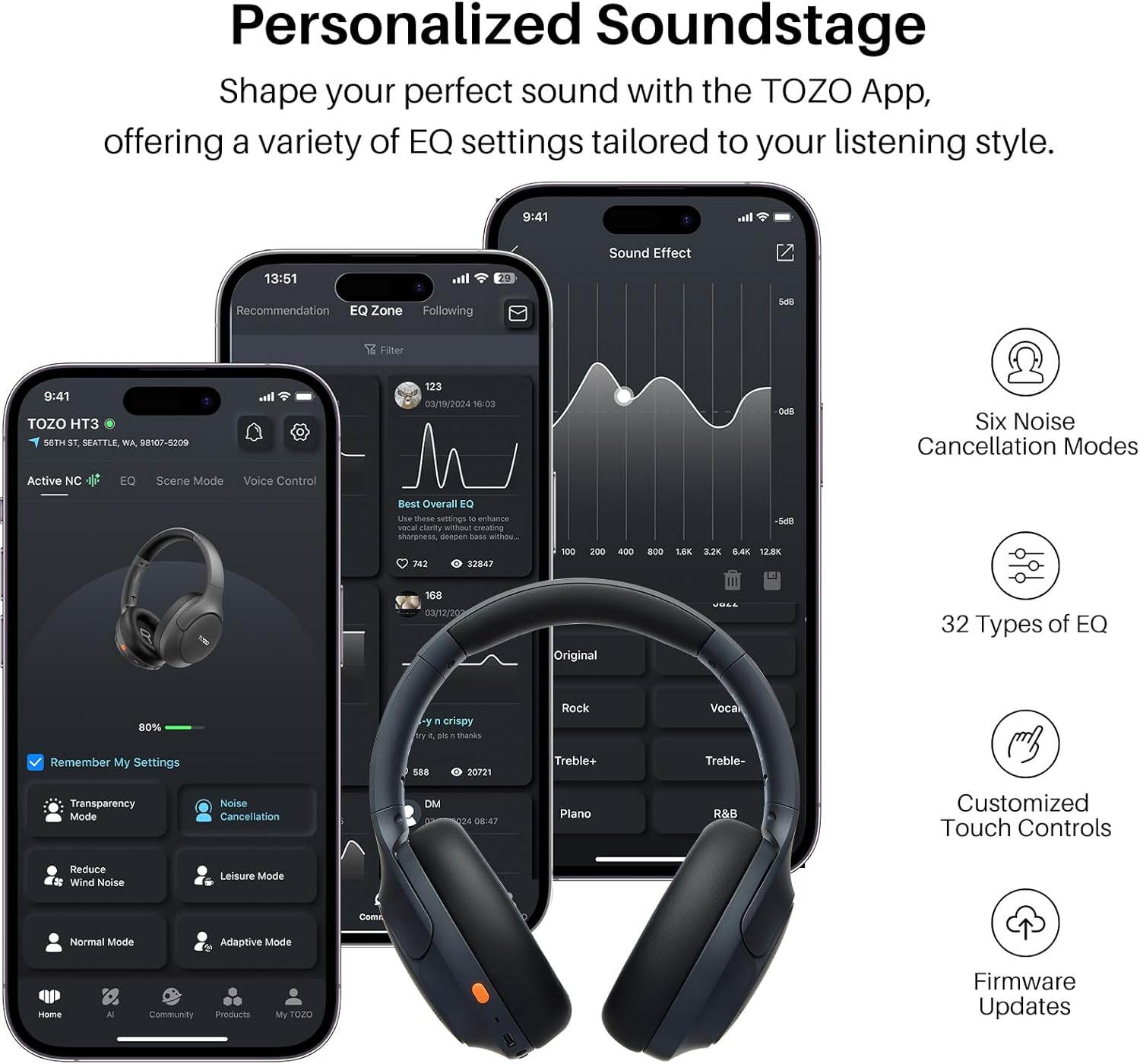
Image: Multiple smartphone screens displaying the TOZO App interface, showing options for EQ settings, noise cancellation modes, and other customizable features for the HT3 headphones.
5. Vedligeholdelse
5.1 Rengøring
- Brug en blød, tør og fnugfri klud til at rengøre hovedtelefonerne.
- Brug ikke slibende rengøringsmidler, opløsningsmidler eller sprayrengøringsmidler.
- The ear pads are removable and replaceable for hygiene and maintenance.
5.2 Opbevaring
- Opbevar hovedtelefonerne et køligt, tørt sted væk fra ekstreme temperaturer og direkte sollys.
- The headphones are foldable for compact storage and portability.
6. Fejlfinding
If you encounter issues with your TOZO HT3 headphones, refer to the following common problems and solutions:
| Problem | Mulig årsag | Løsning |
|---|---|---|
| Hovedtelefonerne tændes ikke. | Lavt batteri. | Oplad hovedtelefonerne helt. |
| Kan ikke parres med enheden. | Hovedtelefoner er ikke i parringstilstand; Bluetooth slukket på enheden; enheden er for langt væk. | Ensure headphones are in pairing mode (flashing red/blue). Turn on device Bluetooth. Move device closer (within 15 meters). Forget previous pairings and try again. |
| Ingen lyd eller lav lydstyrke. | Lydstyrken er for lav; forkert lydkilde; løst kabel (kablet tilstand). | Increase headphone and device volume. Check if the correct audio output is selected on your device. Ensure 3.5mm cable is securely connected. |
| Støjreduktion er ikke effektiv. | Incorrect ANC mode selected; improper fit. | Ensure ANC mode is active. Adjust headphones for a snug fit over your ears. |
| Intermitterende forbindelse. | Interferens; enhed for langt væk; lavt batteri. | Gå væk fra andre trådløse enheder. Reducer afstanden til den parrede enhed. Oplad hovedtelefoner. |
7. Specifikationer
| Feature | Detalje |
|---|---|
| Modelnavn | HT3 |
| Støjkontrol | Aktiv støjreduktion (op til -45 dB) |
| Forbindelsesteknologi | Wireless (Bluetooth), Wired (3.5mm AUX), USB-C Audio Input |
| Trådløs kommunikationsteknologi | Bluetooth 6.0 |
| Bluetooth rækkevidde | 15 meter |
| Audio driver type | Dynamisk Driver |
| Audio driver størrelse | 40 millimeter |
| Frekvensrespons | 20 Hz - 20,000 Hz |
| Følsomhed | 102 dB |
| Impedans | 32 Ohm |
| Batterilevetid | Op til 90 timer |
| Opladningstid | Cirka 2 timer |
| Opladningsport | USB-C |
| Varens vægt | 254 gram (9 ounce) |
| Produktdimensioner | 6.26 x 3.23 x 7.56 tommer |
| Vandmodstandsniveau | Ikke vandafvisende |
| Særlige funktioner | AI Chat, Left-Right Ear Balance Correction, Noise Cancellation, Spatial Audio, USB Audio + Charging, Dual Connection |
8. Sikkerhedsoplysninger
- Undgå at lytte ved høje lydstyrker i længere perioder for at forhindre høreskader.
- Brug ikke hovedtelefonerne i situationer, hvor det kan være farligt at høre omgivende lyde (f.eks. kørsel, cykling eller gang i trafikken).
- Keep the headphones away from water and moisture. This product is not water resistant.
- Forsøg ikke at skille hovedtelefonerne ad eller ændre dem. Dette kan ugyldiggøre garantien og forårsage skade.
- Opbevares utilgængeligt for børn.
9. Garanti og support
TOZO products typically come with a standard manufacturer's warranty. For specific warranty details, please refer to the warranty card included with your product or visit the official TOZO webwebsted.
Kundesupport
If you have any questions, require technical assistance, or need to report an issue, please contact TOZO customer support through their official webwebstedet eller kontaktoplysningerne på din produktemballage.
For yderligere ressourcer og produktinformation, besøg TOZO Butik på Amazon.


