Indledning
The Cooler Master MasterLiquid Atmos II Pixel LED brings FreeForm 2.0 flexibility to high-performance liquid cooling. This unit is designed for users who require top-tier thermal performance and customizable visual elements. It features a modular Pixel LED panel and supports open-source printable modifications. With swappable faceplates, this cooler allows for personalization without compromising cooling efficiency.
Pakkens indhold
- Atmos II 360 Pixel Liquid Cooler Unit
- SickleFlow 360 Fans (Pre-installed)
- Dual Pump Cover
- Brugermanual
- Installation Kit (for AMD and Intel sockets)

Image: All components included in the Cooler Master Atmos II 360 Pixel LED Liquid Cooler package.
Produktegenskaber
- Pixel LED for Custom Display: A programmable LED panel allows for displaying patterns, system statistics, and lighting effects. Customization is managed via MasterCTRL software, with ARGB lighting controlled by the motherboard.

Image: The Pixel LED pump head showcasing a customizable display.
- Optimized for High-Performance CPUs: The patented Dual-Chamber pump design enhances water pressure and flow to critical CPU hotspots, providing quiet and maintenance-free cooling for processors such as AMD Ryzen 9 and Intel Ultra i9.
- Holdbar konstruktion: Constructed with PPS and fiberglass, the Atmos II pump is engineered to withstand extreme temperatures up to 70°C for 3,000 hours and 120°C for 12 hours, ensuring long-term performance.
- Hurtig og nem installation: Features pre-installed customizable ARGB fans and a streamlined mounting system for simplified setup across AM5|4 and LGA 1851|1700 platforms.
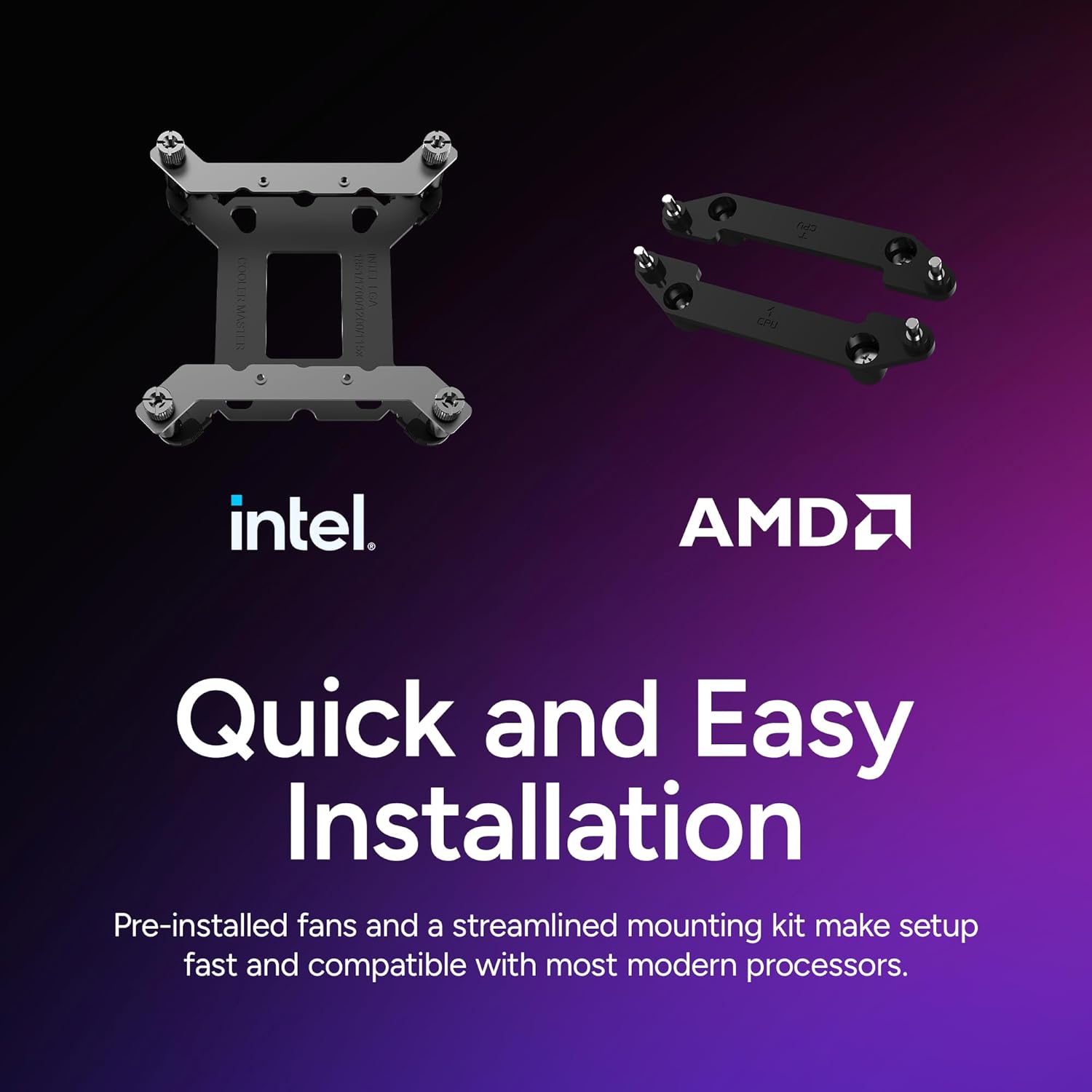
Image: Mounting hardware for Intel and AMD platforms, highlighting ease of installation.
- Offset Brackets for LGA 1851: Included offset brackets are provided for LGA 1851 platforms to optimize contact with varying CPU hotspot locations, potentially lowering core temperatures by up to 4°C.

Image: Thermal comparison between standard and offset mounting brackets for Intel LGA 1700 and 1851 CPUs.
- Streamlined Cable Management: Cables are routed internally through the tubes, and all fans connect with a single cable, contributing to a cleaner and more organized build.
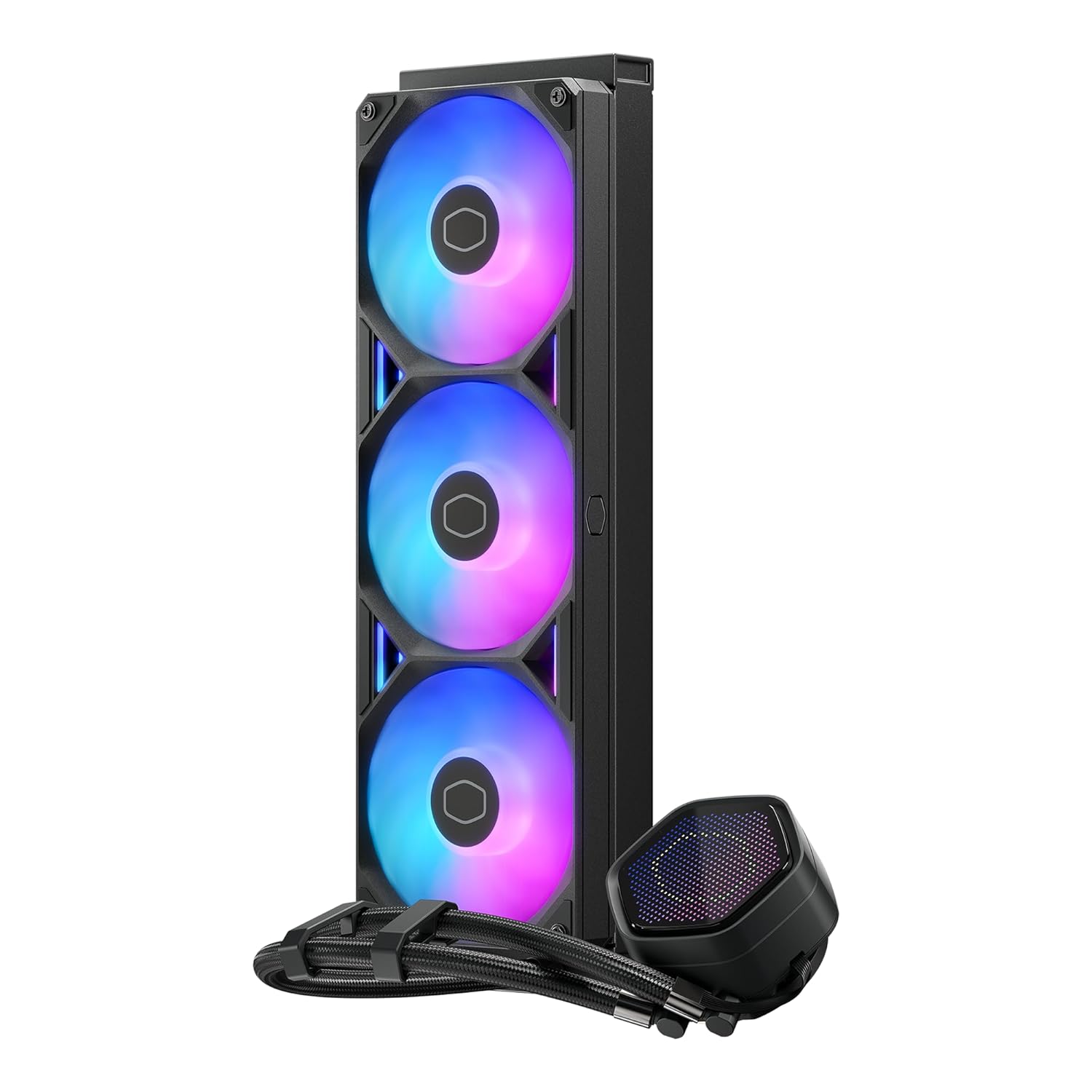
Image: Detail of the internal cable routing for a clean setup.
- Dual Cover Styles: Two decorative top covers are included and attach magnetically, allowing for quick style changes.

Image: The two interchangeable magnetic pump covers.
Opsætning og installation
Follow these steps for proper installation of your Cooler Master Atmos II 360 Pixel LED CPU Liquid Cooler.
1. Prepare Motherboard and CPU
Ensure your motherboard is compatible with the cooler's mounting system (AM5|4 or LGA 1851|1700). Install your CPU into the motherboard socket according to your motherboard's instructions.
Video: A general PC build guide demonstrating CPU and RAM installation on a motherboard. This video is provided by Cooler Master and is relevant for initial motherboard preparation.
2. Installer radiator og ventilatorer
The SickleFlow 360 fans come pre-installed on the radiator. Mount the radiator to an available 360mm mounting location in your PC case (typically top or front). Ensure proper airflow direction for optimal cooling.
Video: Udpakning og installation overståetview of a Cooler Master MasterLiquid 240 Core II, demonstrating radiator and fan mounting principles applicable to the Atmos II 360.
3. Påfør termisk pasta
Apply a small amount of thermal paste (included in the installation kit) to the center of your CPU's integrated heat spreader (IHS). A pea-sized dot or a thin line is generally sufficient. Do not spread the paste manually; the pressure from the cold plate will distribute it evenly.
4. Mount Pump/Cold Plate
Carefully remove the protective film from the cold plate. Align the cold plate with the CPU and the mounting brackets. Secure the cold plate using the appropriate screws from the installation kit. Tighten screws in a diagonal pattern until snug, ensuring even pressure.
5. Cable Management and Connections
Connect the pump and fan cables to the appropriate headers on your motherboard. Utilize the internal cable routing within the cooler's tubes for a clean aesthetic. Connect the Pixel LED panel's USB cable to an available USB header on your motherboard for software control.
Betjeningsvejledning
Pixel LED Customization
Download and install the Cooler Master MasterCTRL software from the official Cooler Master website. This software allows you to customize the display on the Pixel LED panel, including patterns, system statistics, and various lighting effects. Ensure the cooler's USB cable is connected to your motherboard for software communication.
ARGB-lysstyring
The aRGB lighting of the fans and pump can be controlled via your motherboard's aRGB software (e.g., ASUS Aura Sync, MSI Mystic Light, Gigabyte RGB Fusion, ASRock Polychrome Sync). Connect the cooler's aRGB cable to a compatible 3-pin 5V aRGB header on your motherboard.
Specifikationer
| Produktdimensioner | 14.2 x 4.8 x 1 tommer (36.07 x 12.19 x 2.54 cm) |
| Varemodelnummer | MLX-D36M-A25SZ-P1 |
| Mærke | Cooler Master |
| Strømstik type | 4-benet |
| Afkølingsmetode | Ventilator, vand |
| Kompatible enheder | CPU, Desktop (AMD Ryzen 9 AM5|4, Intel Ultra i9 LGA 1851|1700) |
| Støjniveau | 38.5 decibel |
| Materiale | Aluminium, kobber, plastik |
| Maksimal rotationshastighed | 2500 RPM |
| Luftmængde kapacitet | 190 kubikfod i minuttet |
| UPC | 884102131912 |


