1. Introduktion
This manual provides essential instructions for setting up, operating, maintaining, and troubleshooting your FIREBAT Android 15 Tablet. Please read this guide thoroughly to ensure optimal performance and longevity of your device.

Image: The FIREBAT Android 15 Tablet, showcasing its 10.95-inch In-Cell display, 1920x1200 resolution, 18W fast charging, and 8000mAh battery.
The FIREBAT Android 15 Tablet features a 10.95-inch In-Cell IPS touchscreen with a 1920x1200 resolution, powered by a UNISOC Spreadtrum T606 octa-core processor. It includes 12GB RAM (4GB physical + 8GB virtual) and 128GB internal storage, expandable via TF card up to 1TB. The tablet runs on the Android 15 operating system and is equipped with a 5MP front camera and a 13MP rear camera. An 8000mAh battery supports up to 10 hours of usage and 18W PD fast charging.
2. Hvad er der i æsken
Ved udpakning skal du kontrollere, at alle varer er til stede:
- 1 x FIREBAT AR1-tablet
- 1 x beskyttelsesfilm (forinstalleret)
- 1 x Protective Case (Pre-installed)
- 1 x 9V/2A 18W amerikansk strømoplader
- 1 x Brugermanual (dette dokument)
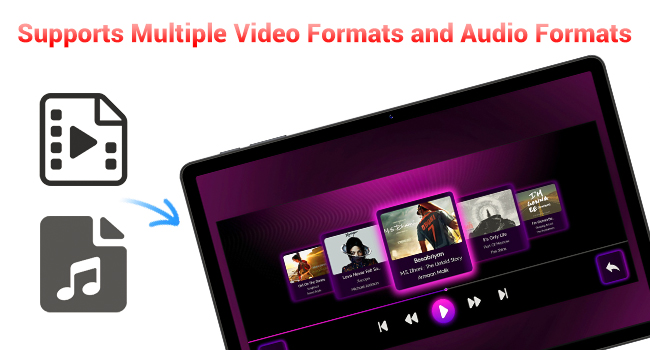
Image: A visual representation of the items included in the FIREBAT Tablet package: the tablet, power charger, and user manual.
Video: An unboxing video demonstrating the contents of the FIREBAT Android 15 Tablet package, including the tablet, protective case, charger, and user guide.
3. Opsætning
3.1 Indledende opladning
Before first use, fully charge your tablet using the provided USB-C cable and 18W power adapter. Connect the USB-C cable to the tablet's USB-C port and the power adapter to a wall outlet. The charging indicator will show the charging status.
3.2 Tænd/sluk
- For at tænde: Tryk og hold tænd/sluk-knappen på siden af tabletten nede, indtil FIREBAT-logoet vises.
- For at slukke: Tryk på tænd/sluk-knappen og hold den nede, indtil menuen med strømindstillinger vises. Vælg "Sluk", og bekræft.
- For at genstarte: Fra menuen med strømindstillinger skal du vælge "Genstart".
3.3 Indledende konfiguration
Når du tænder den første gang, skal du følge instruktionerne på skærmen for at:
- Vælg dit sprog.
- Connect to a Wi-Fi network (802.11ac supported).
- Log ind med din Google-konto, eller opret en ny.
- Konfigurer skærmlås (pinkode, mønster, adgangskode).
3.4 Protective Case and Film
Your tablet comes with a pre-installed protective film and a customized protective case. The case is designed to fully encase the tablet, offering protection for both the back and the screen when closed. It can also be folded to act as a stand for hands-free viewing.

Image: The FIREBAT Tablet featuring its delicate texture metal shell, designed for enhanced heat dissipation and improved protection.
4. Betjening af din tablet
4.1 Navigation med berøringsskærm
The 10.95-inch In-Cell IPS touchscreen offers sensitive and precise touch response. Use standard gestures such as tap, swipe, pinch-to-zoom, and long-press to navigate the interface and interact with applications.

Image: The tablet's In-Cell technology, which embeds touch sensors directly into LCD pixels for a thinner design and more sensitive touch response.
4.2 Android 15-operativsystem
Your tablet runs on the latest Android 15 operating system, providing enhanced privacy, security, and customization options. Enjoy wider application compatibility and faster response times.
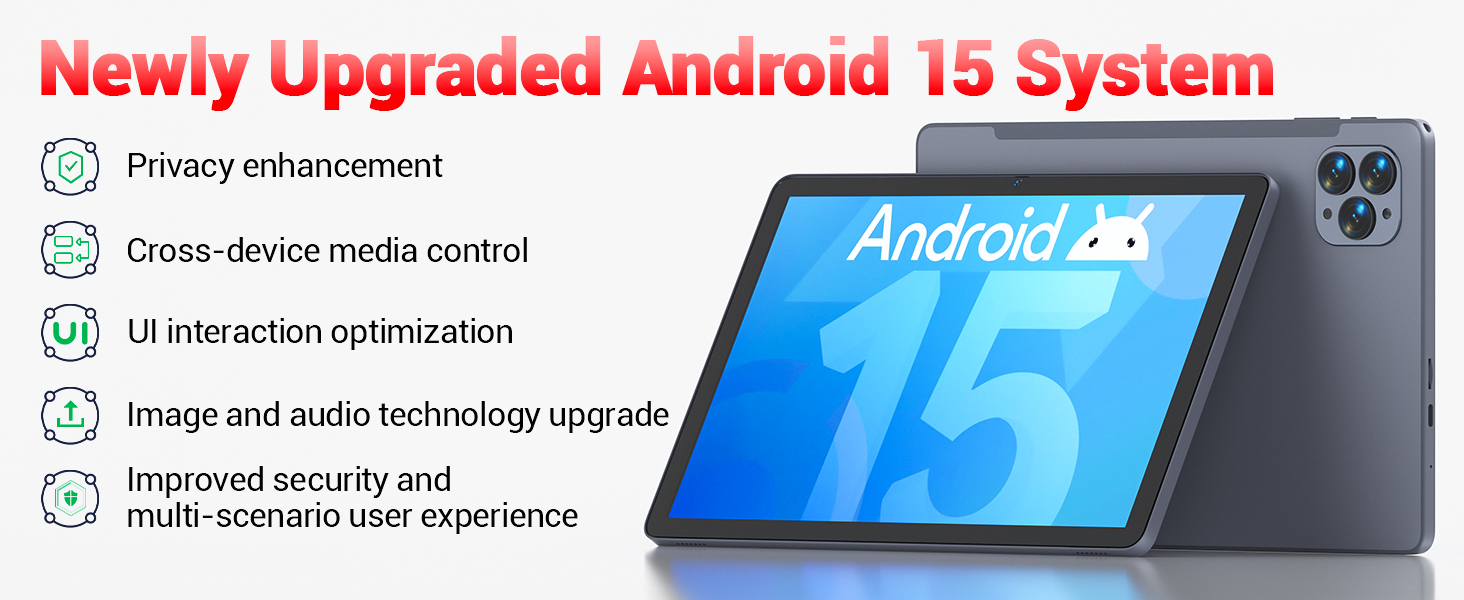
Image: The tablet's Android 15 system, highlighting features such as privacy enhancement, cross-device media control, UI optimization, and improved security.
4.3 Ydeevne og multitasking
The UNISOC Spreadtrum T606 octa-core processor (dual-core A75 1.6GHz + hexa-core A55 1.6GHz) and MediaTek Mali-G57-3EE-single-core 650MHz GPU ensure smooth operation for most applications and efficient multitasking. The 12GB LPDDR4x memory (4GB physical + 8GB virtual) further enhances performance.

Image: A detailed diagram illustrating the UNISOC Spreadtrum T606 octa-core processor, emphasizing its 2-core + 6-core design for balanced performance and power saving.
4.4 Kamerabrug
The tablet is equipped with a 5MP front camera and a 13MP rear camera. Open the Camera app to capture photos, record videos, and make video calls. Adjust settings within the app for optimal results.

Image: The tablet displaying a video call, highlighting the functionality of its 5MP front and 13MP rear cameras for clear communication and photography.
4.5 Lagerstyring
The tablet includes 128GB of high-speed internal storage. If more space is needed, you can expand it up to 1TB using a TF (microSD) card. Insert the TF card into the designated slot on the side of the tablet.
4.6 Forbindelse
- Wi-Fi 5: Opret forbindelse til 2.4G/5G Wi-Fi-netværk for at få internetadgang.
- Bluetooth 5.0: Pair with Bluetooth-enabled devices such as headphones, speakers, or keyboards.
- FM-radio: Utilize the built-in FM radio feature for listening to local broadcasts.
4.7 Media and Applications
The tablet supports various video and audio formats, and is compatible with a wide range of e-book and office software. Widevine L1 support ensures high-quality streaming from compatible services.
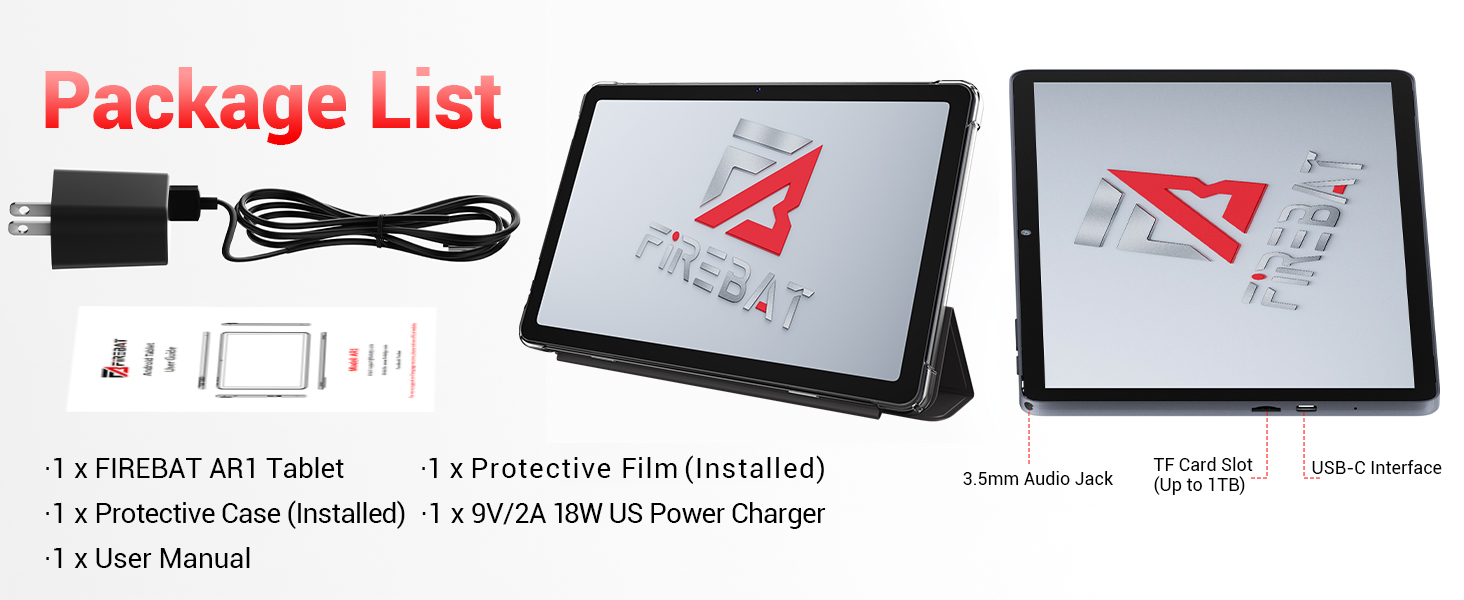
Image: The tablet's capability to support multiple video and audio formats, enhancing its multimedia functionality.
Image: The tablet displaying various e-book and office software applications, demonstrating its versatility for productivity and reading.
Video: A demonstration of the FIREBAT Android 15 Tablet's features, including its responsive touchscreen, protective case functionality, and overall performance for various applications.
5. Vedligeholdelse
5.1 Rengøring af din tablet
Brug en blød, fnugfri klud til at rengøre skærmen og tablettens kabinet. Tør let ved genstridige pletter.ampRengør kluden med vand eller et skærmsikkert rengøringsmiddel. Undgå at bruge skrappe kemikalier eller slibende materialer.
5.2 Softwareopdateringer
Tjek regelmæssigt for og installer systemopdateringer for at sikre, at din tablet har de nyeste funktioner, sikkerhedsrettelser og forbedringer af ydeevnen. Naviger til Indstillinger > System > Systemopdatering for at søge efter opdateringer.
5.3 Pleje af batterier
For at forlænge batterilevetiden:
- Undgå ekstreme temperaturer.
- Lad ikke tabletten være fuldt opladet eller helt afladet i længere perioder.
- Brug den medfølgende oplader for optimal opladning.
6. Fejlfinding
Hvis du støder på problemer med din tablet, kan du bruge følgende almindelige løsninger:
| Problem | Løsning |
|---|---|
| Tabletten tænder ikke | Sørg for, at batteriet er opladet. Tilslut det til opladeren i mindst 30 minutter, og prøv derefter at tænde det igen. |
| Langsom ydeevne | Close unused applications, clear cache, or restart the tablet. Consider uninstalling unnecessary apps. |
| Problemer med Wi-Fi-forbindelse | Genstart din Wi-Fi-router og tabletten. Glem netværket, og genopret forbindelsen. Sørg for, at du er inden for rækkevidde. |
| Touchscreen reagerer ikke | Restart the tablet. If the issue persists, perform a factory reset (data will be erased). |
| Apps går ned | Ensure apps are updated. Clear the app's cache and data (Settings > Apps > [App Name] > Storage). Reinstall if necessary. |
For persistent issues, contact customer support or refer to the official FIREBAT webwebsted for yderligere hjælp.
7. Specifikationer
| Feature | Detalje |
|---|---|
| Modelnavn | Tablet Android 15 |
| Operativsystem | Android 15 |
| Skærmstørrelse | 10.95 tommer |
| Skærmopløsning | 1920 x 1200 pixels (In-Cell IPS) |
| Processor | UNISOC Spreadtrum T606 Octa-Core (2x A75 1.6GHz, 6x A55 1.6GHz) |
| GPU | MediaTek Mali-G57-3EE-single-core 650MHz |
| VÆDDER | 12GB LPDDR4x (4GB physical + 8GB virtual) |
| Intern opbevaring | 128 GB |
| Udvidelig opbevaring | Op til 1 TB via TF-kort |
| Forreste kamera | 5 MP |
| Bagkamera | 13 MP |
| Batterikapacitet | 8000mAh |
| Opladning | 18W PD Fast Charging (USB-C) |
| Trådløs forbindelse | Wi-Fi 5 (802.11ac), Bluetooth 5.0 |
| Andre funktioner | FM Radio, Widevine L1, 3D G-sensor |
| Dimensioner | 10 x 6.6 x 0.3 tommer |
| Varens vægt | 1.1 pund |
8. Garanti og support
For warranty information and customer support, please refer to the documentation included with your purchase or visit the official FIREBAT webwebsted. Gem din købsbevis til garantikrav.


