1. Introduktion
This manual provides essential information for the safe and efficient operation of your CHiQ 40QA10 QLED 40 Inch Full HD Google TV. Please read it thoroughly before using the television and retain it for future reference.
1.1 Sikkerhedsoplysninger
- Ensure the television is placed on a stable surface to prevent tipping.
- Do not block ventilation openings. Maintain adequate space around the television for proper airflow.
- Avoid exposing the television to rain or moisture to prevent electric shock or fire.
- Åbn ikke fjernsynetasing. Overlad al service til kvalificeret personale.
- Tag netledningen ud under tordenvejr eller når den ikke bruges i længere perioder.
2. Produktet er slutview
The CHiQ 40QA10 is a 40-inch Full HD QLED Google TV, offering vibrant visuals and smart functionalities.
2.1 Nøglefunktioner
- Quantum Dot Color Technology: Delivers a wide color gamut for vibrant and realistic images.
- Full HD with HDR10: Provides sharp, detailed resolution with enhanced brightness and contrast.
- Google TV Smart Experience: Access streaming apps, integrated WiFi and Bluetooth, and Google Assistant for voice control.
- Dolby Audio and DBX-TV: Offers immersive sound with clear dialogues and rich effects.
- Chromecast indbygget: Allows content casting from compatible devices.
2.2 Pakkens indhold
Kontroller, at alle varer er til stede i emballagen:
- CHiQ 40QA10 QLED TV
- Fjernbetjening
- Strømadapter
- Brugervejledning (dette dokument)
- TV Stands and Screws

Figure 2.2.1: TV dimensions, remote control, and included accessories.
2.3 TV Ports and Connections
Familiarize yourself with the available ports on your television:

Figur 2.3.1: Tilslutninger på bagpanel.
- AV: For multimedia players or small projectors.
- FÆLLES interface: For digital multimedia players.
- HDMI 1.4 * 3: For Blu-ray players, game consoles, or AV receivers.
- ANT1: Antenneindgang.
- ANT2 SATELLITE: Satellite input.
- USB 2.0 * 2: Til afspilning af multimedier fra USB-drev.
- LAN: Til kablede netværksforbindelser.
- CUFFIE (Headphones): For headphones and external speakers.
- DIGITAL LYDUDGANG: Til digital lydudgang.
3. Opsætning
3.1 Montering af TV-stativer
- Placer forsigtigt tv'et med forsiden nedad på en blød, flad overflade for at forhindre, at skærmen beskadiges.
- Align the stands with the corresponding slots on the bottom of the TV.
- Fastgør stativerne med de medfølgende skruer.

Figur 3.1.1: Views of the TV, including stand installation area.
3.2 Vægmontering (valgfrit)
The TV supports VESA 200x200mm wall mounts. Ensure you use a compatible wall mount and follow the instructions provided with the mount. Professional installation is recommended.

Figur 3.2.1: Eksample of wall-mounted TV.
3.3 Første opstart og Google TV-opsætning
- Connect the power adapter to the TV and a power outlet.
- Tryk på tænd/sluk-knappen på fjernbetjeningen eller tv'et.
- Follow the on-screen instructions to complete the initial Google TV setup, including language selection, network connection (Wi-Fi or Ethernet), and Google account sign-in.
4. Betjening
4.1 Grundlæggende tv-funktioner
- Tænd/sluk: Brug tænd/sluk-knappen på fjernbetjeningen.
- Lydstyrkekontrol: Brug lydstyrkeknapperne +/-.
- Kanalvalg: Use the Channel +/- buttons or number pad.
- Inputkilde: Press the 'Source' button to select HDMI, AV, Tuner, etc.
4.2 Google TV-grænseflade
Navigate the Google TV home screen to access apps, streaming services, and settings.

Figur 4.2.1: Google TV-startskærm.
4.3 Google Assistent
Use the built-in Google Assistant for voice commands. Press the Google Assistant button on your remote and speak into the microphone.

Figure 4.3.1: Using Google Assistant with the remote control.
4.4 Lydindstillinger
The TV features Dolby Audio and dbx-tv for enhanced sound. Adjust audio settings in the TV menu to optimize your listening experience.

Figure 4.4.1: Dolby Audio experience.

Figure 4.4.2: dbx-tv audio customization.
5. Forbindelse
5.1 Wi-Fi og Bluetooth
The TV supports dual-band Wi-Fi for internet access and Bluetooth 5.0 for connecting wireless accessories like headphones or game controllers.
5.2 Chromecast Indbygget
Cast content directly from your Android, iOS, or Mac devices to the TV using Chromecast. Ensure your device and TV are on the same Wi-Fi network.
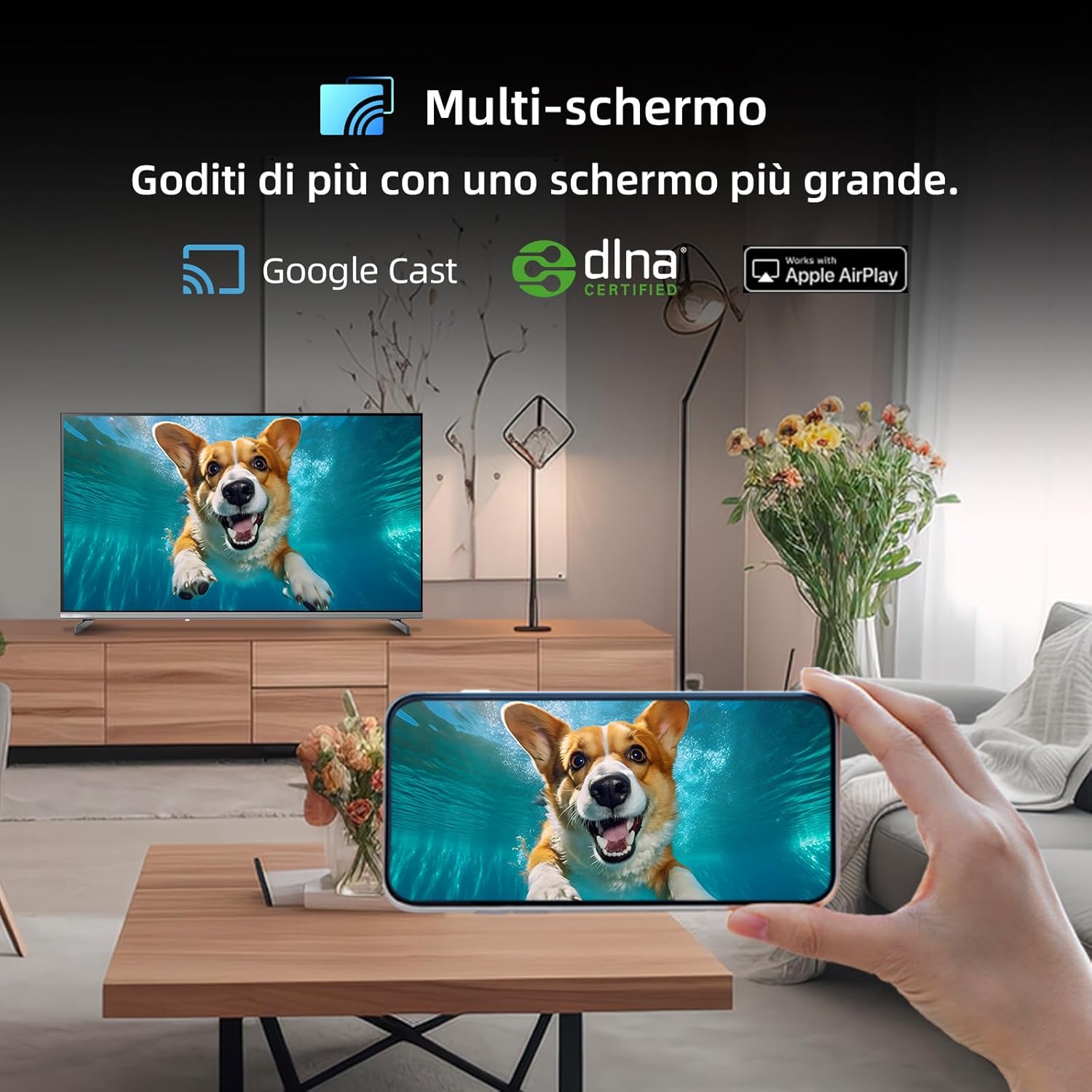
Figure 5.2.1: Multi-screen functionality with Google Cast.
6. Vedligeholdelse
6.1 Rengøring af skærmen
- Sluk for tv'et, og tag netledningen ud.
- Tør forsigtigt skærmen af med en blød, fnugfri klud.
- For genstridige mærker, gnid letampRengør kluden med vand eller en specialiseret skærmrens. Sprøjt ikke væske direkte på skærmen.
6.2 Rengøring af Casing
Tør fjernsynet afasinmed en blød, tør klud. Undgå at bruge slibende rengøringsmidler eller opløsningsmidler.
7. Fejlfinding
Hvis du støder på problemer med dit fjernsyn, kan du se følgende almindelige problemer og løsninger:
| Problem | Mulig årsag | Løsning |
|---|---|---|
| Ingen strøm | Netledning frakoblet, problem med stikkontakt | Kontroller netledningens tilslutning, prøv en anden stikkontakt. |
| Intet billede, men der er lyd | Forkert inputkilde, defekt kabel | Verify input source, check HDMI/AV cable connections. |
| Ingen lyd, men der er billede | Lydstyrke slået fra, problem med eksternt lydsystem | Unmute volume, check external audio connections. |
| Fjernbetjening virker ikke | Døde batterier, blokering | Replace batteries, remove obstructions between remote and TV. |
| Smart features slow or unresponsive | Network issue, temporary software glitch | Restart TV, check Wi-Fi connection, update software. |
8. Specifikationer
Detailed technical specifications for the CHiQ 40QA10 QLED TV:
| Feature | Specifikation |
|---|---|
| Model | 40QA10 |
| Skærmstørrelse | 40 tommer |
| Displayteknologi | QLED, IPS |
| Opløsning | 1080p fuld HD (1920 x 1080) |
| Opdateringshastighed | 60 Hz |
| HDR-understøttelse | HDR10 |
| Operativsystem | Google TV |
| Lydteknologi | Dolby Audio, dbx-tv |
| Forbindelse | Wi-Fi (Dual Band), Bluetooth 5.0, Ethernet, HDMI (x3), USB (x2) |
| Tuner-teknologi | DVB-C/T/T2/S/S2 |
| Yderligere funktioner | Chromecast Built-in, DLNA |
| Strømforbrug | 55 watt |
| Energieffektivitetsklasse | E |
| Produktdimensioner (BxDxH) | 89.18 x 7.07 x 50.86 cm (uden stativ) |
| Vægt | 5 kg |

Figure 8.1: Energy Efficiency Label. For more details, visit EPREL-database.

Figure 8.2: Detailed Product Information Sheet. For more details, visit EPREL-database.
9. Garanti og support
9.1 Garantioplysninger
The CHiQ 40QA10 TV typically comes with a manufacturer's warranty. Please refer to the warranty card included with your product for specific terms and conditions, including warranty duration and coverage details. Keep your proof of purchase for warranty claims.
9.2 Kundesupport
For technical assistance, troubleshooting beyond this manual, or warranty service, please contact CHiQ customer support. Contact information can usually be found on the official CHiQ webwebstedet eller i din produktdokumentation.
- Fabrikant: Changhong Europe Electric sro
- Adresse: Dělnická 213/12, 17000 Praha 7, Czech Republic
- Webwebsted: www.chiq.com
- E-mail: info@chiq.com
- Telefon: +420233325611


