1. Introduktion
Thank you for choosing the VBESTLIFE Smart Pan Tilt Security Camera. This manual provides essential information for setting up, operating, and maintaining your camera. Please read it carefully before use and retain it for future reference.
This camera offers 1080P HD video, 2.4GHz WiFi connectivity, and a dual-lens design for comprehensive indoor surveillance. Features include pan and tilt functionality, two-way audio, night vision, human detection, and flexible storage options.
2. Produktet er slutview
2.1 Nøglefunktioner
- 1080P HD-opløsning: Provides clear real-time video and images.
- 2.4 GHz WiFi-forbindelse: Ensures stable and uninterrupted video streaming.
- Pan & Vip-funktionalitet: 355° horizontal rotation and 90° vertical tilt for wide coverage.
- Dobbelt linsedesign: Tillader samtidig viewing of two different areas.
- To-vejs intercom: Muliggør kommunikation via kameraet.
- Fuld farve nattesyn: Forbedret synlighed under forhold med svagt lys.
- Menneskelig detektion: Advanced motion detection for relevant alerts.
- Cloud Storage & TF Card Storage: Flexible recording options.
- Alarmtryk: Instant notifications for detected events.

Billede: Overview of the VBESTLIFE Smart Pan Tilt Security Camera highlighting its key features such as 360° Pan Tilt Head, Two-way intercom, Dual mirror, Full colour night vision, Human Detection, Wi-Fi Connection, Cloud Storage, and Alarm Push.
2.2 Kamerakomponenter
Billede: Detaljeret view of the camera showing labeled components including Camera 1 (upper lens), Infrared light, White light, Photosensitive sensor, Camera 2 (lower lens), Reset key, and Card slot.
- Upper Lens (Camera 1): Main surveillance lens with infrared and white lights for night vision.
- Lower Lens (Camera 2): Secondary fixed lens for broader coverage.
- Infrarødt lys: Til sort-hvid nattesyn.
- Hvidt lys: Til fuldfarvet nattesyn.
- Lysfølsom sensor: Registrerer omgivende lys for automatisk skift af tilstand.
- Nulstil nøgle: Bruges til at nulstille kameraet til fabriksindstillingerne.
- Kortplads: For inserting a TF (MicroSD) card for local storage.
3. Opsætning
3.1 Hvad er der i æsken
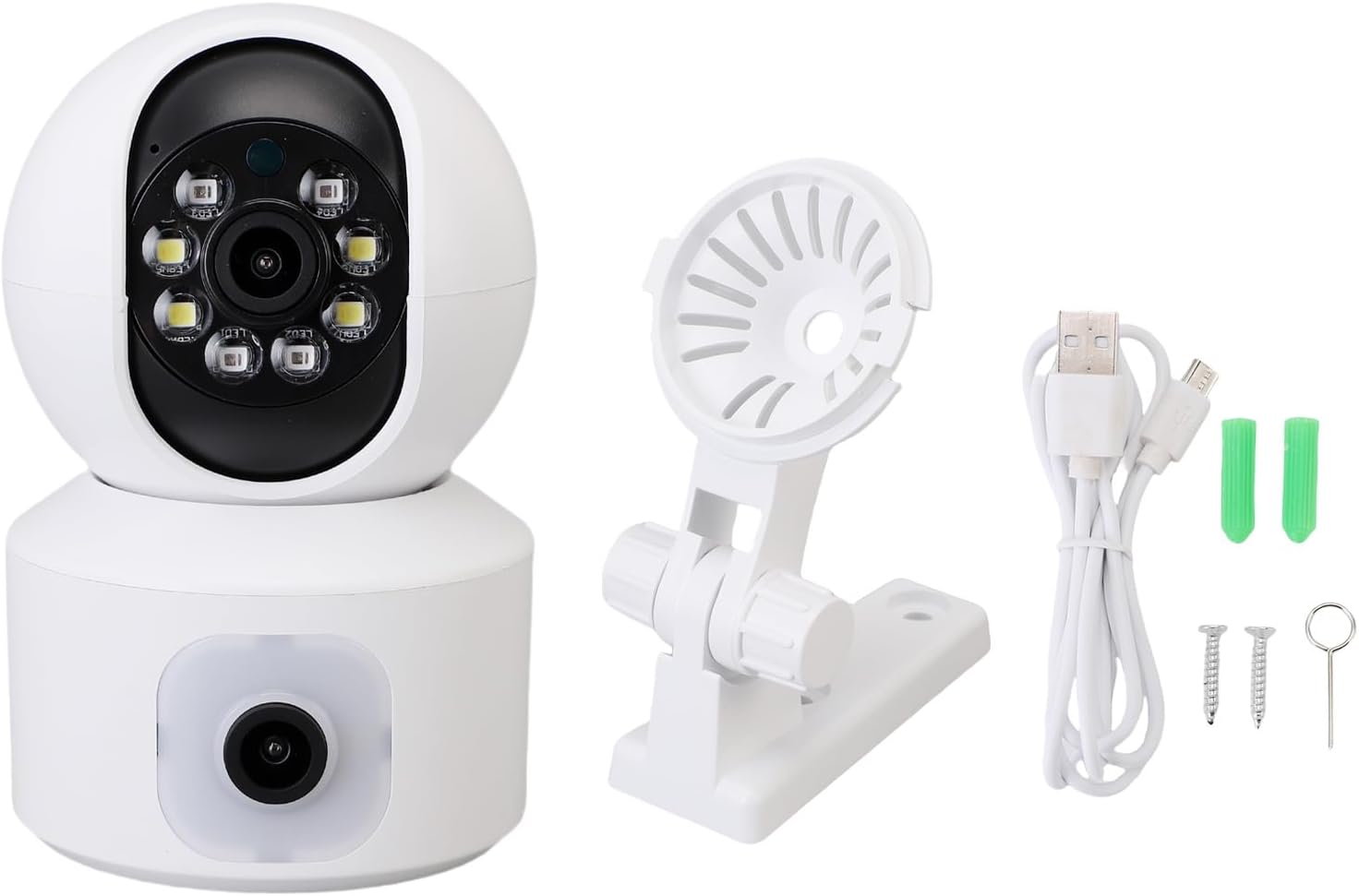
Image: Contents of the product package, including the VBESTLIFE security camera, a mounting bracket, a USB power cable, wall plugs, screws, and a reset pin.
Bekræft at alle komponenter er til stede:
- VBESTLIFE Smart Pan Tilt Security Camera
- Strømadapter (ikke eksplicit angivet, men underforstået til drift)
- USB strømkabel
- Monteringsbeslag
- Skruer og vægpropper
- Nulstil pin
- Brugervejledning (dette dokument)
3.2 Appinstallation og kontooprettelse
- Download O-Kam Pro app fra din smartphones appbutik (iOS App Store eller Google Play Store).
- Open the O-Kam Pro app and follow the on-screen instructions to create a new account or log in if you already have one.
3.3 Netværksforbindelse
- Power on the camera by connecting it to a power source using the provided USB cable and power adapter.
- Wait for the camera to initialize. You may hear a voice prompt indicating it's ready for connection.
- Open the O-Kam Pro app, tap the '+' icon to add a new device.
- Vælg din kameramodel, eller scan QR-koden på kameraet (hvis tilgængelig).
- Følg appens instruktioner for at forbinde kameraet til din 2.4 GHz WiFi-netværk. Ensure your smartphone is also connected to the same 2.4GHz network during setup. Note: This camera does not support 5GHz WiFi networks.
- Once connected, the camera's indicator light will change, and you will receive a confirmation in the app.
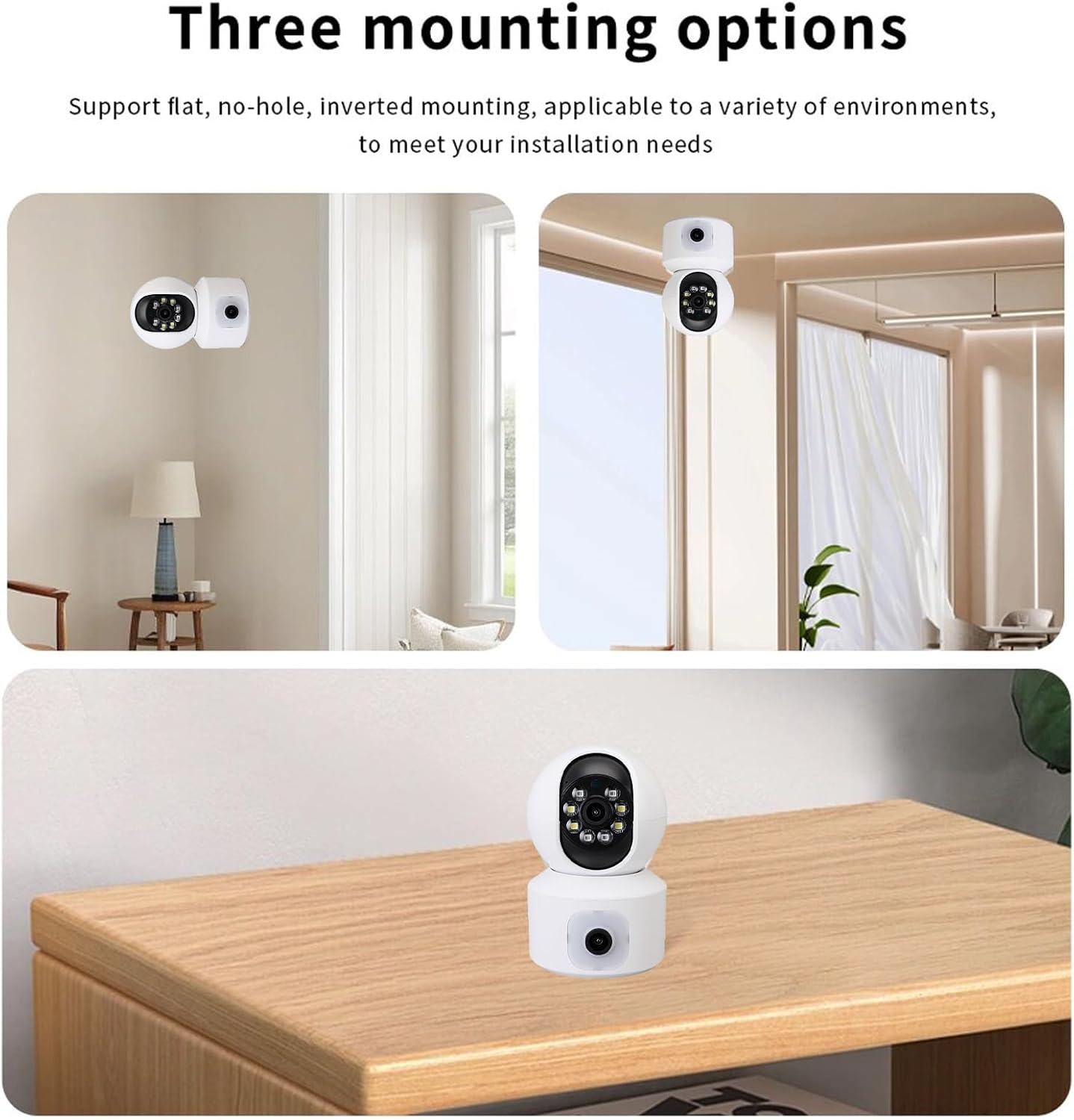
3.4 Monteringsmuligheder

Billede: Eksamples of the three mounting options: flat surface placement (e.g., on a table), wall mounting, and inverted ceiling mounting.
The camera supports multiple installation methods to suit various environments:
- Flad overfladeplacering: Simply place the camera on a stable, flat surface like a table or shelf.
- Vægmontering: Use the provided mounting bracket, screws, and wall plugs to secure the camera to a wall.
- Inverted Ceiling Mounting: Attach the mounting bracket to the ceiling and then secure the camera. Remember to adjust the image rotation setting in the O-Kam Pro app if mounted upside down.
4. Betjeningsvejledning
4.1 Live View og panorering/tilt-kontrol

Image: The camera demonstrating its 355° pan and 90° tilt capabilities, providing wide area coverage.
Once connected, open the O-Kam Pro app and select your camera to view the live feed. Use the on-screen controls to:
- Pande: Drej kameraet vandret op til 355°.
- Vip: Juster kameraet lodret op til 90°.
- Zoom: Pinch to zoom on the live feed for a closer look.
4.2 Tovejslyd
Tryk på mikrofonikonet i live-udsendelsen view interface to activate two-way audio. You can speak through your phone, and your voice will be transmitted through the camera's speaker. Similarly, you can hear audio from the camera's environment through your phone.
4.3 Nattesyn

Image: A visual comparison demonstrating the superior clarity of 1080P HD video quality compared to 720P.
The camera automatically switches to night vision mode in low-light conditions. It supports both infrared (black and white) and full-color night vision, providing clear visibility even in near darkness (down to 0.01LX).
4.4 Bevægelsesdetektion og advarsler
Enable motion detection and human detection in the O-Kam Pro app settings. When motion or a human figure is detected, the camera will:
- Send an instant
Relaterede dokumenter - VBESTLIFE7ques9b1dy

Vbestlife IP12 PRO+ Brugermanual
Omfattende brugermanual til den ulåste Android-smartphone Vbestlife IP12 PRO+, der dækker telefonens layout, opsætning, grundlæggende funktioner, indstillinger, fejlfinding og sikkerhedsoplysninger.
Vbestlife håndholdt multifunktions termisk kamera - Specifikationer og mereview
Oplev Vbestlife håndholdte multifunktions termografikamera. Denne kompakte enhed har en 2.8-tommer skærm, et måleområde fra -40°C til +300°C og en opløsning på 32x24, hvilket gør den velegnet til industriel og hjemmebrug. Funktionerne omfatter USB-C-opladning, billedlagring og detaljerede specifikationer.
Vbestlife IP12 PRO+ brugermanual til ulåst Android-smartphone
Denne brugermanual indeholder omfattende instruktioner til Vbestlife IP12 PRO+ ulåst Android-smartphone, der dækker opsætning, funktioner, tilslutning, fejlfinding og sikkerhedsretningslinjer.
VBESTLIFE Mini Projektor LED HD HDMI - Tilbehør Multimedialny
Godkendt projektor LED VBESTLIFE HD HDMI. Idealny do kina domowego, podróży og kempingu. Tilbyder rozdzielczość HD 1080p, wbudowan głośniki stereo, liczne porty wejściowe (HDMI, AV, USB) og kompakt konstruktion. Zapewnia jasny obraz i wszechstronną rozrywkę.
Vbestlife Ręczna taca stabilizująca do podwodnej kamery - Opis i specyfikacja
Szczegółowy opis Vbestlife Ręcznej tacy stabilizującej ze stopu aluminium do fotografii podwodnej. Zawiera specyfikację techniczną, cechy produkter og zawartość opakowania.
Wizjer VBESTLIFE 11X Mini Director 37mm z filtrem gwintowanym - Akcesorium fotograficzne
Szczegółowy beskrivelse wizjera VBESTLIFE 11X Mini Director 37mm med filtre gwintowanym. Idealne akcesorium dla fotografów i filmowców, oferujące 11-krotne powiększenie i wysoką jakość obrazu.