1. Introduktion
This manual provides essential information and instructions for using your new vivo Y31 Pro 5G smartphone. Please read this manual thoroughly to ensure proper operation and to maximize your device's capabilities. Keep this manual for future reference.

Billede 1.1: Forside og bagside view of the vivo Y31 Pro 5G in Dreamy White.
The vivo Y31 Pro 5G is designed to offer a powerful and reliable mobile experience, featuring a high-resolution camera, long-lasting battery, and robust performance.
2. Hvad er der i æsken
Upon unboxing your vivo Y31 Pro 5G, verify that all the following items are included:
- vivo Y31 Pro 5G Smartphone
- Telefon etui
- Strømadapter (44W FlashCharge-kompatibel)
- USB-kabel (Type-C)
- SIM-bakkeudkaster
- Skærmbeskytter (forudpåsat)
- Quick Start Guide (denne manual)
3. Enhedslayout
Familiarize yourself with the physical components of your vivo Y31 Pro 5G.

Billede 3.1: Forside view of the vivo Y31 Pro 5G, highlighting the display and front camera.

Billede 3.2: Top og bund views of the device, illustrating the USB-C port, speaker grille, and microphone.
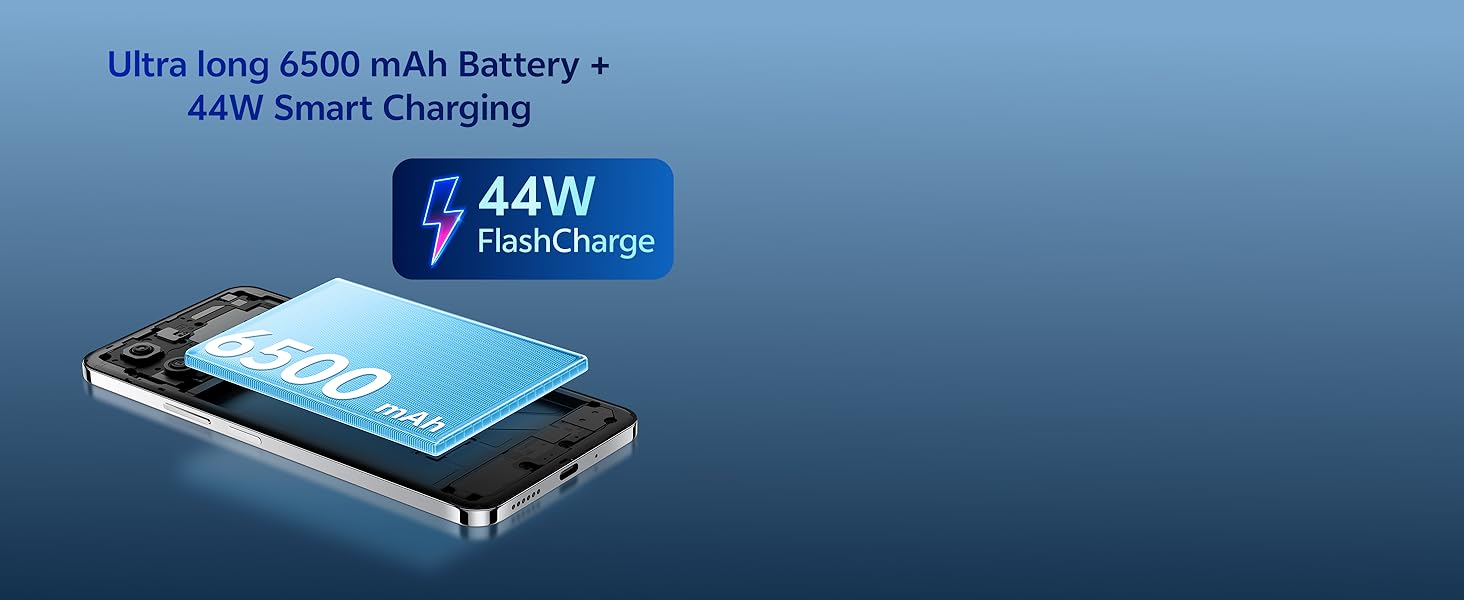
Image 3.3: The vivo Y31 Pro 5G is available in Dreamy White and Mocha Brown.
- Forreste kamera: Placeret øverst i midten af displayet.
- Lydstyrkeknapper: On the right side, used to adjust media and call volume.
- Tænd/sluk-knap/fingeraftrykssensor: On the right side, below the volume buttons. Used to power on/off the device and for fingerprint authentication.
- USB Type-C-port: Nederst, til opladning og dataoverførsel.
- Højttalergitter: At the bottom, for audio output.
- SIM-kortbakke: On the left side, for inserting Nano-SIM cards.
- Bagkameraer: Placeret øverst til venstre på bagpanelet.
4. Opsætning
4.1. Isætning af SIM-kortet
- Find SIM-kortbakken på venstre side af telefonen.
- Sæt SIM-kortbakkens udløserværktøj ind i det lille hul ved siden af bakken, og tryk godt ned, indtil bakken springer ud.
- Placer dit/dine Nano-SIM-kort i bakken med guldkontakterne nedad. Sørg for, at de sidder korrekt.
- Sæt forsigtigt bakken tilbage i telefonen, indtil den klikker på plads.
4.2. Første opstart og opsætning
- Tryk og hold tænd/sluk-knappen nede, indtil vivo-logoet vises.
- Følg vejledningen på skærmen for at vælge dit sprog og din region og oprette forbindelse til et Wi-Fi-netværk.
- Log ind med din Google-konto, eller opret en ny.
- Opsæt en skærmlås (pinkode, mønster, adgangskode, fingeraftryk eller ansigtslåsning) for at sikre sikkerheden.
- Review og accepter vilkårene og betingelserne for at fuldføre opsætningen.
5. Betjeningsvejledning
5.1. Tænd/sluk og genstart
- Tænd: Press and hold the Power button until the device vibrates and the vivo logo appears.
- Sluk: Press and hold the Power button for a few seconds, then tap "Power off" on the screen.
- Genstart: Press and hold the Power button for a few seconds, then tap "Restart" on the screen.
5.2. Grundlæggende navigation
- Tryk på: Tryk på et ikon eller en indstilling for at åbne eller vælge den.
- Stryg: Træk fingeren hen over skærmen for at rulle eller navigere mellem skærme.
- At klemme: Brug to fingre til at zoome ind eller ud på billeder og web sider.
- Startskærm: Swipe up from the bottom of the screen (if using gesture navigation) or tap the Home button to return to the main screen.
- Seneste apps: Swipe up from the bottom and hold (if using gesture navigation) or tap the Recent Apps button to view og skifte mellem åbne programmer.
5.3. Sikkerhedsfunktioner
- Lås op med fingeraftryk: Registrer dine fingeraftryk i Indstillinger > Sikkerhed > Fingeraftryk. Place your registered finger on the power button to unlock.
- Ansigtslås: Register your face in Settings > Security > Face. Lift the phone to your face to unlock.

Image 5.1: The vivo Y31 Pro 5G is powered by the MediaTek Dimensity 7300 Processor.
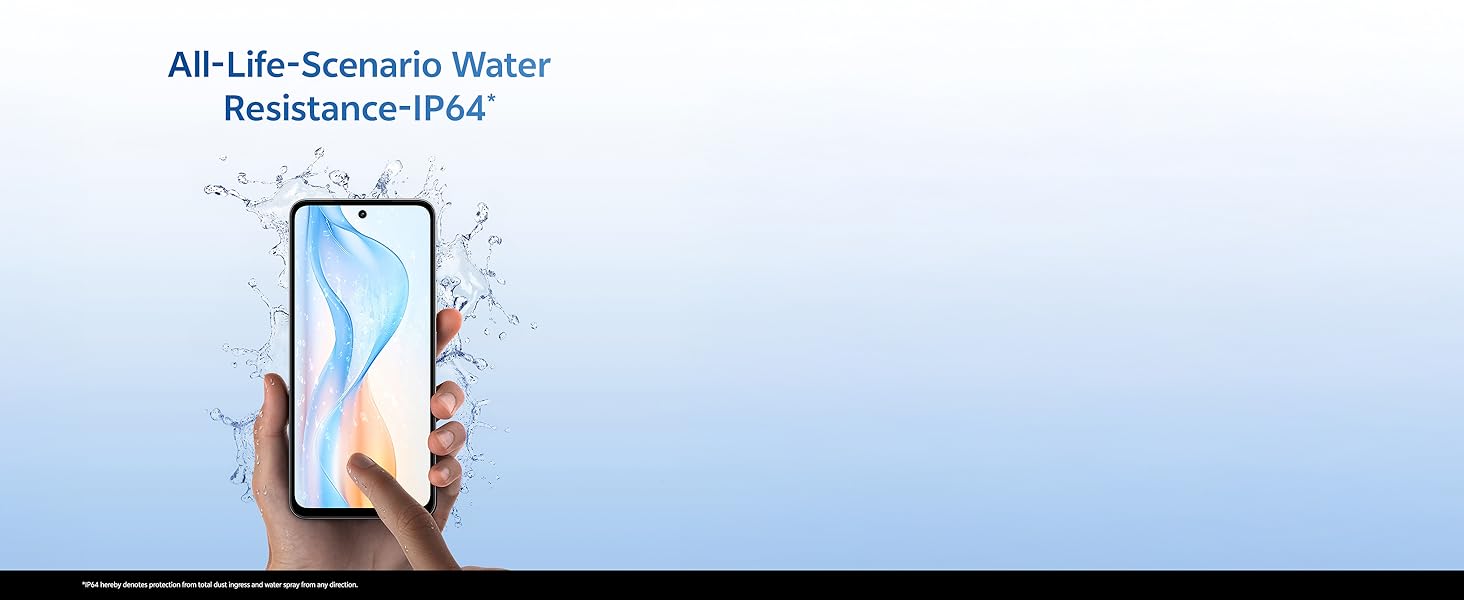
Image 5.2: The device features Dual Stereo Speakers for enhanced audio experience.
6. Kamerafunktioner
The vivo Y31 Pro 5G is equipped with a versatile camera system to capture your moments.
- Bagkamera: 50 MP Main Camera + 2 MP Bokeh Camera.
- Forreste kamera: 8 MP Selfie Camera.
- Videooptagelse: Understøtter 4K videooptagelse.
6.1. Using the Camera App
- Åbn Kamera-appen fra din startskærm eller appskuffe.
- Swipe left or right to switch between modes (Photo, Portrait, Video, Night, Pro, etc.).
- Tryk på udløserknappen for at tage et billede eller starte/stoppe videooptagelse.
- Tryk på ikonet for kameraskift for at skifte mellem forreste og bageste kamera.
6.2. AI Suite Features
Enhance your photos with built-in AI tools:
- AI Erase: Remove unwanted objects or people from your photos.
- AI Photo Enhance: Automatically optimize photo quality for better colors and details.

Image 6.1: Detail of the 50MP HD Main Camera and 2MP Bokeh Camera.

Image 6.2: The vivo Y31 Pro 5G supports 4K video recording.
7. Batteri og opladning
Your vivo Y31 Pro 5G is equipped with a large 6500 mAh battery and supports 44W FlashCharge for quick power-ups.
7.1. Opladning af din enhed
- Connect the USB cable to the Power Adapter.
- Sæt strømadapteren i en stikkontakt.
- Connect the USB Type-C end of the cable to the phone's charging port.
- The charging indicator will appear on the screen. Use only vivo-approved chargers and cables for optimal performance and safety.
7.2. Battery Optimization Tips
- Reducer skærmens lysstyrke.
- Aktivér mørk tilstand.
- Luk ubrugte apps, der kører i baggrunden.
- Slå Wi-Fi, Bluetooth og GPS fra, når de ikke er i brug.
- Utilize the phone's built-in battery saver modes.

Image 7.1: The vivo Y31 Pro 5G features a 6500 mAh battery with 44W FlashCharge.
8. Skærmfunktioner
Experience vibrant visuals on the vivo Y31 Pro 5G's advanced display.
- Størrelse: 17.06 cm (6.72 tommer)
- Opløsning: 2408 x 1080 (FHD)
- Lysstyrke: Up to 1050 Nits in High Brightness Mode.
- Opdateringshastighed: 120 Hz for smooth scrolling and animations.
- Øjenbeskyttelse: TÜV Rheinland Low Blue Light Certification for reduced eye strain.
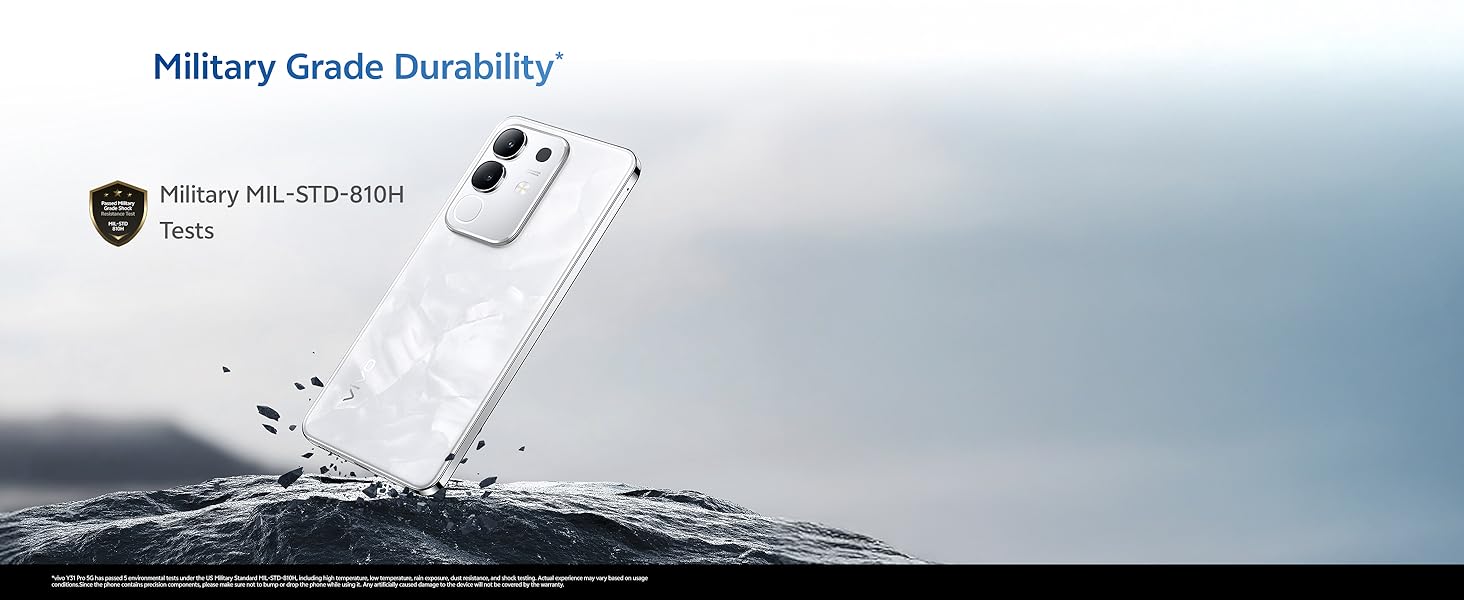
Image 8.1: The vivo Y31 Pro 5G features a High Brightness FHD Display with a 120 Hz refresh rate.
9. Holdbarhed og vandafvisende
The vivo Y31 Pro 5G is built to withstand daily challenges.
- Military Grade Durability: Tested to MIL-STD-810H standards for enhanced resilience against drops and environmental factors.
- IP64 Vandtæthed: Provides protection against dust ingress and splashes of water from any direction. This rating does not imply full waterproofing; avoid submerging the device.
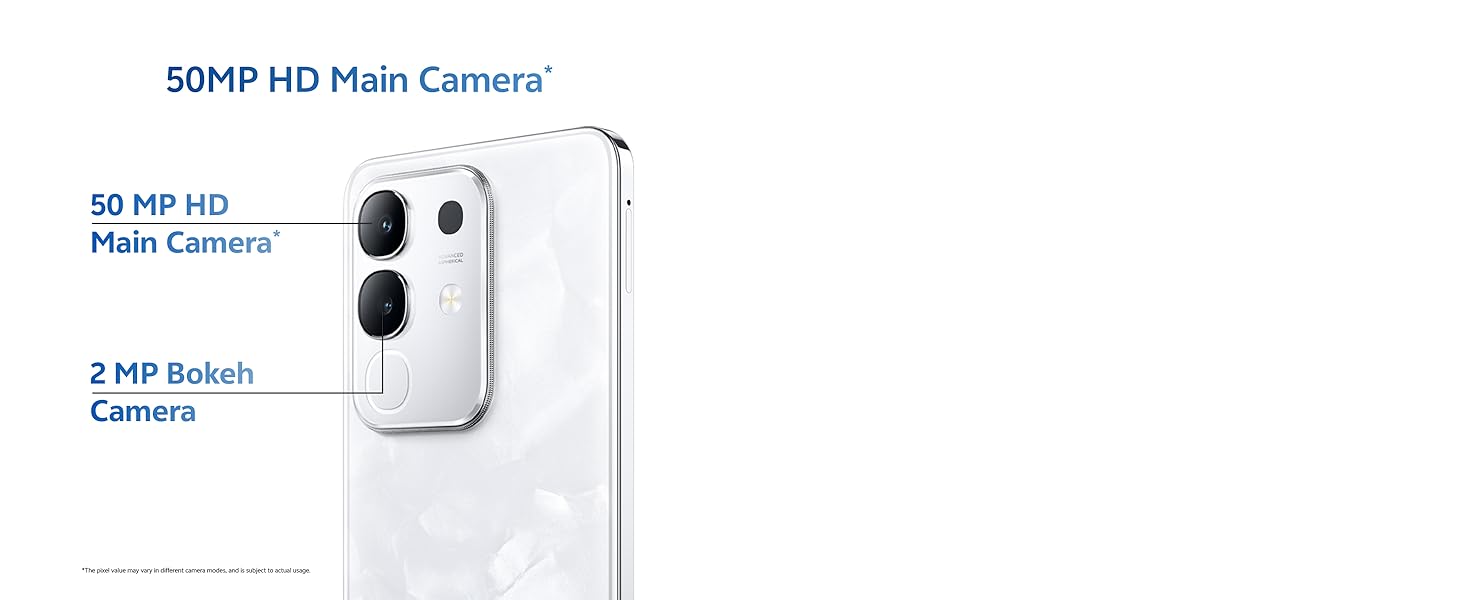
Image 9.1: The vivo Y31 Pro 5G undergoes Military Grade Durability testing.

Image 9.2: The device offers IP64 water resistance for protection against splashes.
10. Vedligeholdelse
Korrekt vedligeholdelse sikrer din enheds levetid og optimale ydeevne.
10.1. Rengøring af enheden
- Brug en blød, fnugfri klud til at tørre skærmen og kabinettet af.
- Undgå at bruge skrappe kemikalier, slibende materialer eller aerosolspray.
- Gently clean ports with a soft brush if dust accumulates.
10.2. Softwareopdateringer
Tjek regelmæssigt efter og installer softwareopdateringer for at sikre, at din enhed har de nyeste funktioner, sikkerhedsrettelser og forbedringer af ydeevnen. Gå til Settings > System update for at søge efter opdateringer.
10.3. Lagerstyring
To maintain optimal performance, periodically manage your device's storage:
- Slet unødvendigt files, fotos og videoer.
- Afinstaller ubrugte programmer.
- Ryd cachedata for apps i Indstillinger > Apps > [Appnavn] > Lagerplads og cache.
11. Fejlfinding
This section addresses common issues you might encounter with your vivo Y31 Pro 5G.
11.1. Almindelige problemer og løsninger
| Spørgsmål | Løsning |
|---|---|
| Enheden tænder ikke | Ensure the battery is charged. Connect to the charger for at least 10 minutes, then try powering on. If it still doesn't turn on, perform a forced restart by holding the Power button for 10-15 seconds. |
| Apps går ned eller fryser | Ryd appens cache (Indstillinger > Apps > [Appnavn] > Lagerplads og cache > Ryd cache). If the issue persists, uninstall and reinstall the app. Ensure your phone's software is up to date. |
| Dårligt netværkssignal | Check if your SIM card is properly inserted. Try restarting the phone. Ensure you are in an area with network coverage. Reset network settings (Indstillinger > System > Nulstillingsindstillinger > Nulstil Wi-Fi, mobil og Bluetooth). |
| Batteriet aflades hurtigt | Review batteriforbrug i Indstillinger > Batteri to identify power-hungry apps. Reduce screen brightness, disable unnecessary features (GPS, Bluetooth, Wi-Fi), and close background apps. |
11.2. Fabriksindstilling
Hvis du støder på vedvarende softwareproblemer, kan en fabriksnulstilling muligvis løse dem. Advarsel: Dette vil slette alle data på din telefon. Sikkerhedskopier vigtige data, før du fortsætter.
- Gå til Indstillinger > System > Nulstillingsindstillinger.
- Vælge Slet alle data (gendan fabriksindstillinger).
- Bekræft din beslutning, og indtast din pinkode/adgangskode, hvis du bliver bedt om det.
- Telefonen genstarter og starter nulstillingsprocessen.
12. Specifikationer
Detailed technical specifications for the vivo Y31 Pro 5G.
| Feature | Detalje |
|---|---|
| Modelnavn | Y31 pro |
| Operativsystem | Funtouch OS 15 |
| Processor | MediaTek Dimensity 7300 (CPU-hastighed: 2, 2.5 GHz) |
| VÆDDER | 8 GB |
| Intern opbevaring | 256 GB (variantspecifik) |
| Skærmstørrelse | 17.06 cm (6.72 tommer) |
| Skærmopløsning | 2408 x 1080 (FHD) |
| Vis opdateringshastighed | 120 Hz |
| Bagkamera | 50 MP + 2 MP |
| Forreste kamera | 8 MP |
| Batterikapacitet | 6500 mAh |
| Opladning | 44W FlashCharge |
| Forbindelse | 5G, Bluetooth, Wi-Fi, GPS |
| Dimensioner (LxBxH) | 16.6 x 7.6 x 0.8 cm |
| Vægt | 208 g |
| Vandmodstand | IP64 |
| Holdbarhed | Military MIL-STD-810H Tested |
| Farve | Dreamy White (variant specific) |
13. Garanti og support
13.1. Garantioplysninger
Your vivo Y31 Pro 5G comes with a standard manufacturer's warranty. Please refer to the warranty card included in your product packaging for specific terms, conditions, and duration. Keep your proof of purchase for warranty claims.
13.2. Kundesupport
For further assistance, technical support, or service inquiries, please contact vivo customer support through their official website or authorized service centers. You can find contact details on the vivo official webwebstedet eller i din garantidokumentation.
Online resources and FAQs may also be available on the official vivo support page: vivo India Support


