Indledning
This manual provides detailed instructions for the setup, operation, and maintenance of your DAREU EK60 HE 60% Rapid Trigger Gaming Keyboard and DAREU A950 PRO Lightweight Wireless Gaming Mouse Combo. Please read this manual thoroughly before use to ensure optimal performance and longevity of your devices.

Image: The DAREU EK60 HE 60% gaming keyboard and DAREU A950 PRO wireless gaming mouse, presented together as a combo.
Opsætningsvejledning
Keyboard (DAREU EK60 HE)
- Tilslut tastaturet: Connect the provided USB-C cable to the keyboard and then to an available USB port on your computer. The keyboard is plug-and-play.
- Install Software/Web Chauffør: For advanced customization (Rapid Trigger settings, key remapping, macros, RGB lighting), download the official DAREU software or access the web driver from the DAREU official webwebsted. Det web driver supports macOS.
Mouse (DAREU A950 PRO)
- Opladning: Before first use, fully charge the mouse using the provided Type-C cable. A full charge takes approximately 30-40 minutes. A 15-minute charge can provide up to 90% battery.
- Forbindelsestilstande:
- 2.4G trådløs: Insert the 4KHz wireless receiver into a USB port on your computer. Turn on the mouse. The mouse will automatically connect.
- Bluetooth (BT): Turn on the mouse and activate Bluetooth pairing mode (refer to mouse specific button/switch if available). On your computer, search for Bluetooth devices and select "DAREU A950 PRO" to pair.
- Type-C kablet: Connect the mouse directly to your computer using the Type-C cable. This also charges the mouse.
Betjening og funktioner
DAREU EK60 HE Keyboard Features

Billede: En overview highlighting key features of the DAREU EK60 HE keyboard, including magnetic switches, custom software, 8000Hz polling rate, DKS support, 0.01mm rapid trigger, 60% compact layout, 16 million RGB colors, hot-swappable design, USB-C wired connection, and programmable macros.
- Rapid Trigger-teknologi: The EK60 HE features DAREU's proprietary D.H.A+ algorithm for rapid trigger functionality. This allows for instant key actuation and reset based on movement rather than a fixed actuation point.
- Justerbar aktivering: Customize the rapid trigger actuation range from 0.2mm to 3.5mm via the software. This allows for precise control over keystroke sensitivity.
- Præcision: Equipped with Hall Effect magnetic switches, offering 0.01mm accuracy for consistent and reliable input.

Image: Visual representation comparing a regular switch to a rapid trigger switch, demonstrating the instant reset capability of rapid trigger technology, with examples from games like Valorant, CSGO, Osu!, and Apex Legends.
- 8000Hz pollinghastighed: Experience ultra-low latency with an 8000Hz polling rate, providing a 0.125ms response time.
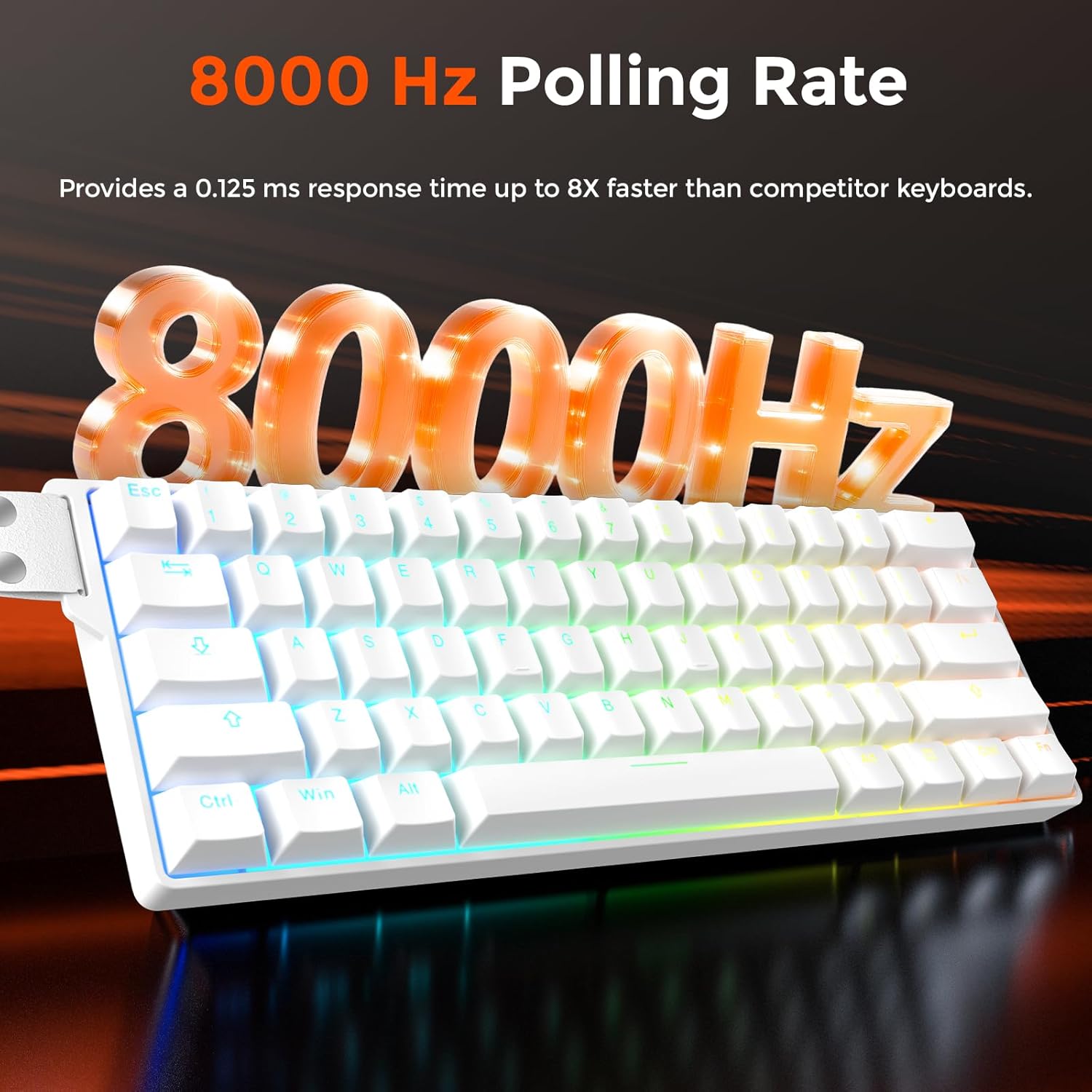
Image: A visual emphasizing the 8000Hz polling rate of the keyboard, indicating a 0.125ms response time.
- Customization Software/Web Chauffør: Utilize the DAREU software or web driver to:
- Configure DKS (Dynamic Key Stroke), MT (Mod-Tap), TGL (Toggle), and SOCD (Simultaneous Opposite Cardinal Directions) settings.
- Remap keys and program custom macros.
- Customize RGB lighting with 16.8 million colors and 15 preloaded effects.
- 60% kompakt design: The compact layout saves desk space while retaining essential keys for gaming.

Image: The DAREU EK60 HE keyboard showcasing its 60% compact design on a desk, illustrating how it saves space.
DAREU A950 PRO Mouse Features
- PAW3395 Optisk sensor: Equipped with a high-performance PAW3395 optical sensor for accurate tracking.

Billede: En detaljeret view of the DAREU A950 PRO mouse highlighting the PAW3395 optical sensor and its specifications: 26000 DPI, 650 IPS, and 50G acceleration.
- 4000Hz pollinghastighed: The mouse supports a 4000Hz polling rate with its 4KHz receiver, sending signals to the computer every 0.25ms.

Image: The DAREU A950 PRO mouse connected to its 4KHz wireless receiver, illustrating the 4000Hz report rate.
- Letvægtsdesign: Weighing only 55g, the mouse is designed for agile movement and comfortable handling.

Billede: En eksploderet view of the DAREU A950 PRO mouse, demonstrating its internal components and lightweight construction, emphasizing its 55g weight.
- Kailh Black GM8.0 Switches: Equipped with durable Kailh Black GM8.0 mouse switches for reliable clicks.
- Flere tilslutningsmuligheder: Supports 2.4G wireless, Bluetooth, and Type-C wired connections for versatility.
Opretholdelse
- Rensning: Brug en blød, tør klud til at rengøre overfladerne på tastaturet og musen. Ved genstridigt snavs kan du bruge en let tør klud.amp en klud med mild sæbe kan bruges, så det sikres, at der ikke kommer væske ind i enhederne.
- Undgå væsker: Keep both devices away from liquids to prevent damage.
- Opbevaring: Opbevar apparaterne et køligt og tørt sted, når de ikke er i brug i længere perioder.
- Kabelpleje: Undgå at bøje eller vride kablerne for meget for at forhindre indvendige skader.
Fejlfinding
Problemer med tastaturet
- Tastaturet reagerer ikke:
- Sørg for, at USB-C-kablet er korrekt tilsluttet til både tastaturet og computeren.
- Prøv at tilslutte til en anden USB-port på din computer.
- Genstart din computer.
- RGB-belysning virker ikke:
- Check the software/web driver settings to ensure RGB lighting is enabled and configured correctly.
- Sørg for, at tastaturet får tilstrækkelig strøm.
- Rapid Trigger Not Functioning as Expected:
- Verify that the DAREU software/web driver is installed and updated to the latest version.
- Adjust the actuation point settings within the software.
Musproblemer
- Mouse Not Responding (Wireless):
- Sørg for, at musen er opladet.
- Verify the 2.4G receiver is properly inserted into a USB port.
- If using Bluetooth, ensure the mouse is in pairing mode and correctly paired with your computer.
- Try connecting the mouse via the Type-C cable to check if it works in wired mode.
- Inkonsekvent sporing:
- Rengør den optiske sensor på undersiden af musen.
- Sørg for at bruge musen på en passende overflade (f.eks. en musemåtte).
- Kontroller for eventuelle forhindringer omkring sensoren.
- Batteriet aflades hurtigt:
- Sørg for, at musen er fuldt opladet før brug.
- Reduce the polling rate if possible through software, as higher polling rates consume more power.
Specifikationer
DAREU EK60 HE Keyboard
| Feature | Detalje |
|---|---|
| Switch Type | Hall-effekt magnetiske afbrydere |
| Aktiveringsområde | 0.2 - 3.5 mm (Adjustable) |
| Afstemningsfrekvens | 8000 Hz |
| Layout | 60% kompakt |
| Forbindelse | USB-C-kablet |
| RGB belysning | 16.8 millioner farver, 15 effekter |
| Software support | DAREU Software / Web Driver (macOS compatible) |
| Nøglefunktioner | Rapid Trigger, DKS, MT, TGL, SOCD, Programmable Macros |

Image: Detailed specifications for the DAREU Fire Magnetic Switch, including initial pressure (38±5 gf), bottom pressure (45±5 gf), bottoming flux (475±50 Gs), actuation range (0.2-3.5 mm), clicks lifespan (100 million cycles), initial flux (80±20 Gs), and a force-travel diagram.
DAREU A950 PRO Mouse
| Feature | Detalje |
|---|---|
| Sensor | PAW3395 Optisk Sensor |
| DPI | Op til 26000 DPI |
| Sporingshastighed | 650 IPS |
| Acceleration | 50G |
| Afstemningsfrekvens | 4000 Hz (with 4KHz receiver) |
| Afbrydere | Kailh Black GM8.0 |
| Vægt | 55 g |
| Forbindelse | 2.4G Wireless, Bluetooth, Type-C Wired |
| Opladningstid | Approx. 30-40 minutes for full charge |
Garanti og support
For warranty information and technical support, please refer to the official DAREU website or contact DAREU customer service directly. Keep your proof of purchase for warranty claims.
Official DAREU Webwebsted: www.dareu.com


