1. Introduktion
The JBL BAR-300-MK2 is a 5.0 All-in-One Dolby Atmos Soundbar designed to deliver an immersive audio experience for your home entertainment. Featuring MultiBeam 3.0 technology for room-filling sound, PureVoice 2.0 for crystal-clear dialogue, and powerful built-in bass, this soundbar enhances movies, music, and gaming without the need for a separate subwoofer. This manual provides detailed instructions to help you set up, operate, and maintain your soundbar for optimal performance.
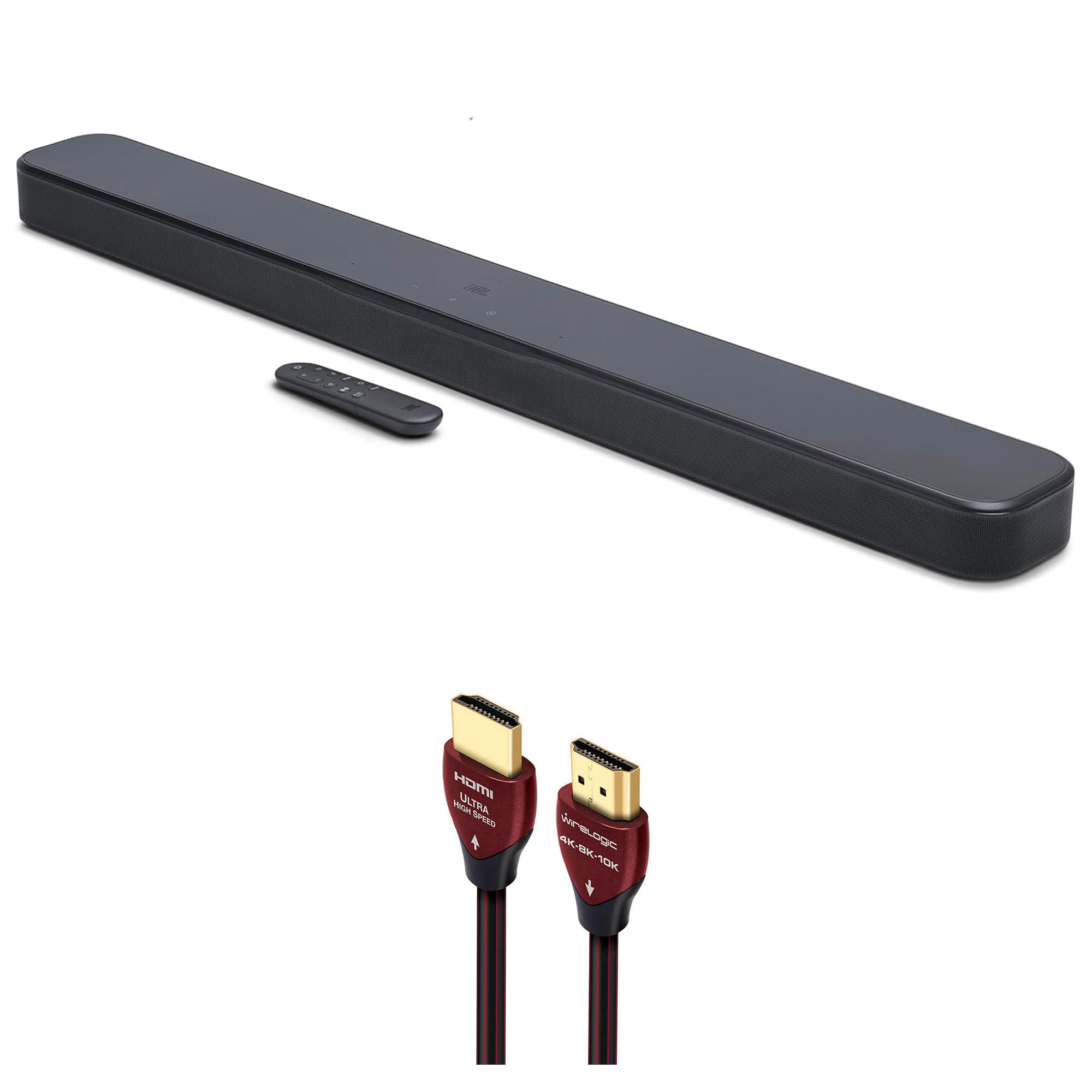
Figure 1: JBL BAR-300-MK2 5.0 All-in-One Dolby Atmos Soundbar with included remote control.
2. Hvad er der i æsken
Kontroller venligst, at alle komponenter er til stede i emballagen:
- JBL BAR-300-MK2 5.0 All-in-One Dolby Atmos Soundbar
- WireLogic Ruby 8ft Ultra High Speed 4K-8K-10K HDMI Cable w/UHD, HDR, VRR & eARC
- Fjernbetjening med batterier
- Strømkabel
- Wall-mount bracket kit
- Hurtig start guide
- Sikkerhedsblad

Figure 2: Contents of the JBL BAR-300-MK2 package, including the soundbar and WireLogic HDMI cable.
3. Produktet er slutview
Kontrolpaneler på øverste panel
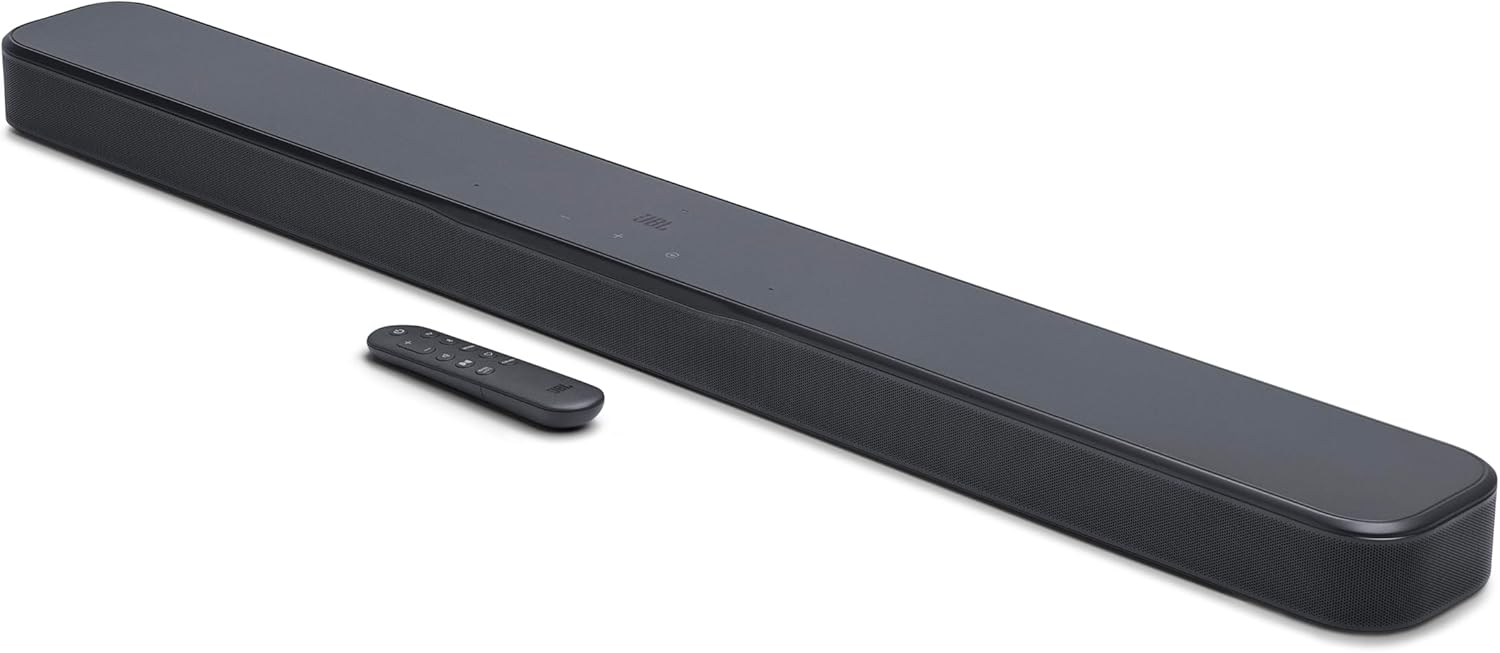
Figure 3: Top panel of the soundbar showing power, volume, and source selection buttons.
- Power knap: Tænder eller slukker for soundbaren.
- Lydstyrkeknapper (+/-): Justerer lydstyrken.
- Kildeknap: Cycles through available audio input sources (TV, HDMI, Bluetooth).
Bagpaneltilslutninger

Figure 4: Rear panel connections of the soundbar.
- MAGT: Tilsluttes til AC-strømforsyningen.
- OPTISK: Digital audio input for connecting to a TV or other device.
- USB (SERVICE ONLY): For service and software updates.
- HDMI IN: HDMI input for connecting external devices like a Blu-ray player or game console.
- HDMI OUT (TV ARC/TV eARC): HDMI output for connecting to your TV's HDMI ARC/eARC port.
Fjernbetjening

Figure 5: The included remote control for the soundbar.
The remote control provides full functionality for the soundbar, including power, volume, source selection, bass adjustment, and sound calibration.
4. Opsætning
Placering
Place the soundbar on a stable, flat surface directly in front of your TV. Ensure there are no obstructions in front of the soundbar to allow for optimal sound dispersion. For wall mounting, use the included wall-mount bracket kit and follow the separate instructions provided with the kit.
Forbindelser
- Tilslut strøm: Plug the power cable into the POWER port on the soundbar's rear panel, then plug the other end into an AC power outlet.
- Connect to TV (HDMI eARC Recommended): Use the provided WireLogic Ruby 8ft Ultra High Speed HDMI Cable to connect the HDMI OUT (TV ARC/TV eARC) port on the soundbar to the HDMI ARC/eARC port on your TV. This connection supports the highest quality audio formats, including Dolby Atmos.
- Connect to TV (Optical - Alternative): If your TV does not have an HDMI ARC/eARC port, connect an optical cable (not included) from the OPTICAL port on the soundbar to the optical output on your TV.
- Connect External Devices (HDMI IN): For devices like Blu-ray players or game consoles, connect an HDMI cable (not included) from the device's HDMI output to the HDMI IN port on the soundbar.

Figure 6: The WireLogic Ruby HDMI cable for high-quality audio and video transmission.
Trådløs opsætning
- Bluetooth-parring: Press the Bluetooth button on the remote or soundbar. The soundbar will enter pairing mode. Select "JBL BAR-300-MK2" from your device's Bluetooth settings to connect.
- Wi-Fi Connection (JBL One App): Download the JBL One App from your app store. Follow the in-app instructions to connect your soundbar to your home Wi-Fi network. This enables features like AirPlay, Chromecast built-in, and multi-room audio.

Figure 7: The JBL One App provides comprehensive control over your soundbar.
5. Betjeningsvejledning
Tænd/sluk
Press the Power button on the soundbar's top panel or the remote control to turn the soundbar on or off. The soundbar will automatically turn on when your TV is powered on if connected via HDMI eARC.
Valg af kilde
Press the Source button on the soundbar or the corresponding source button (TV, HDMI, Bluetooth) on the remote control to switch between audio input sources.
Lydstyrkekontrol
Adjust the volume using the Volume +/- buttons on the soundbar's top panel or the remote control.
Lydtilstande og -funktioner
- Dolby Atmos: Experience three-dimensional audio that moves around you, providing an immersive cinematic sound.
- MultiBeam 3.0: JBL's exclusive technology projects sound to every corner of your room, creating a wide soundstage uden ekstra højttalere.
- PureVoice 2.0: Enhances dialogue clarity, ensuring you hear every word clearly, even during intense action scenes.
- Basjustering: Use the 'BASS' button on the remote to cycle through different bass levels (Low, Mid, High) to suit your preference.
Lydkalibrering
For the best audio performance tailored to your room, perform sound calibration. Press the 'CALIBR' button on the remote control and follow the on-screen or app instructions. The soundbar will analyze your room's acoustics and optimize its sound output.
6. Vedligeholdelse
To keep your JBL BAR-300-MK2 soundbar in optimal condition:
- Rengør overfladen med en blød, tør klud.
- Brug ikke flydende rengøringsmidler eller aerosolspray.
- Avoid exposing the soundbar to excessive moisture or direct sunlight.
7. Fejlfinding
If you encounter any issues with your soundbar, refer to the following common solutions:
- Ingen strøm: Ensure the power cable is securely connected to both the soundbar and the power outlet.
- Ingen lyd: Check that the correct input source is selected. Verify that the volume is not muted or set too low on both the soundbar and your TV. Ensure all audio cables are securely connected.
- Dårlig lydkvalitet: Perform sound calibration. Check the audio settings on your TV and connected devices. Ensure the soundbar is placed optimally without obstructions.
- Problemer med Bluetooth-forbindelse: Ensure the soundbar is in Bluetooth pairing mode. Move your Bluetooth device closer to the soundbar. Try unpairing and re-pairing the device.
8. Specifikationer
| Feature | Specifikation |
|---|---|
| Modelnavn | JBLBAR300M2BLKAM |
| Højttaler type | Soundbar |
| Surround Sound Kanalkonfiguration | 5.0 kanal |
| Særlige funktioner | MultiBeam 3.0, Dolby Atmos, PureVoice 2.0, SmartDetails, Easy Sound Calibration, JBL One App, HDMI eARC with 4K Dolby Vision passthrough |
| Strømforsyning | 100-240V AC, 50/60Hz |
| Soundbar Transducer | 5x (42x80)mm racetrack drivers, 4x 0.75” tweeters |
| HDMI videoindgang | 1 |
| HDMI videoudgang | 1 (TV ARC/eARC) |
| HDMI HDCP-version | 2.3 |
| HDR Pass Through | HDR10+, Dolby Vision |
| Frekvensrespons | 50Hz - 20kHz (-6dB) |
| Lydindgange | Optical, Bluetooth, USB |
| Bluetooth version | v5.3 |
| Trådløs kommunikationsteknologi | Bluetooth, WiFi |
| Produktmål (B x H x D) | 37 cm x 2 cm x 4.1 cm |
| Varens vægt | 6.5 pund |
| Kontrolmetode | Fjern |
9. Officiel produktvideo
Video 1: En kort gennemgangview of the JBL BAR-300-MK2 soundbar, highlighting its features and connectivity options.
10. Garanti og support
Your JBL BAR-300-MK2 soundbar comes with a limited warranty. For detailed warranty information, product support, or to download the full user manual, please visit the official JBL webwebstedet eller kontakt kundeservice. Gem din købsbevis til garantikrav.