1. Introduktion
This manual provides instructions for the operation and maintenance of your Edillas Square Digital Sport Watch, Model 461D. Please read this manual thoroughly to ensure proper use and to maximize the lifespan of your watch.
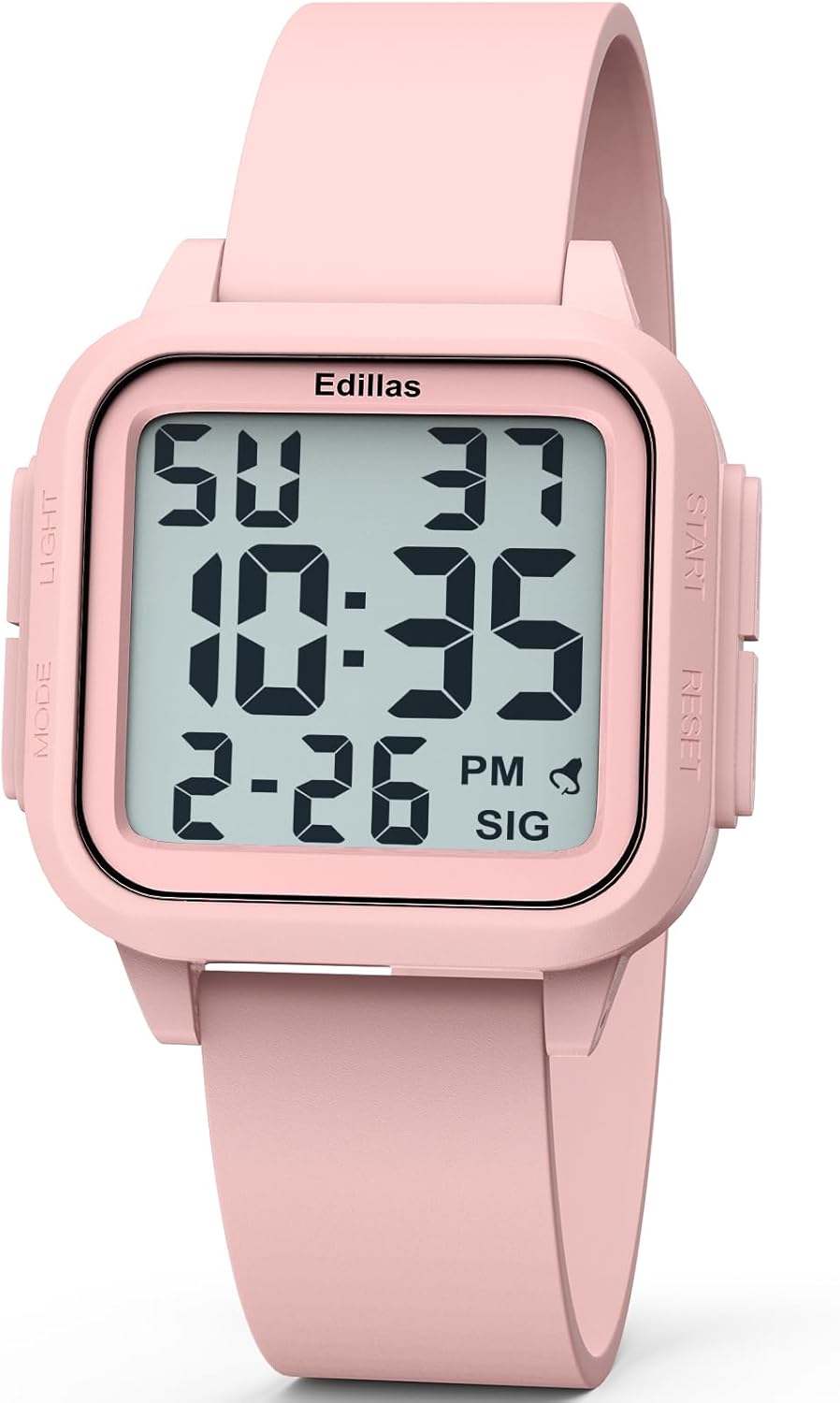
Image 1.1: Edillas Square Digital Sport Watch Model 461D (Light Pink)
2. Produktfunktioner
- 1.5-inch large digital display for clear readability of time, date, and day of the week.
- Supports both 12-hour and 24-hour time formats.
- Equipped with an LED backlight for visibility in low-light conditions.
- Integreret alarmfunktion.
- Stopursfunktion til tidtagning af aktiviteter.
- 5ATM water resistance, suitable for shallow-water swimming and cold showers.
- Durable construction with a soft silicone strap and scratch-resistant resin crystal lens.
- Lightweight design (40g) with an adjustable band fitting wrist sizes from 14.2cm (5.6") to 22.5cm (8.9").
3. Hold øjeview og knapfunktioner

Image 3.1: Watch Display and Button Layout
The Edillas Square Digital Sport Watch features four buttons:
- LYS-knap (øverst til venstre): Aktiverer LED-baggrundsbelysningen
- MODE-knap (nederst til venstre): Skifter gennem forskellige tilstande (tid, stopur, alarm).
- START-knap (øverst til højre): Used to adjust settings (increment values), start/pause the stopwatch, or turn the alarm/hourly ringetone til/fra.
- RESET-knap (nederst til højre): Used to select flashing digits in setting mode, reset the stopwatch, or confirm settings.
4. Opsætnings- og betjeningsvejledning
4.1. Indstilling af tid og dato
- I normal tidsvisningstilstand skal du trykke på MODE button three times to enter time setting mode. The seconds digits will begin to flash.
- Tryk på NULSTIL button to advance to the next setting (hours, minutes, month, date, day of week).
- Mens et ciffer blinker, skal du trykke på STARTE knappen for at justere dens værdi.
- Når du har indstillet alle ønskede værdier, skal du trykke på MODE knappen for at afslutte indstillingstilstanden og vende tilbage til normal tidsvisning.
4.2. Baggrundsbelysningsfunktion
Tryk på LYS button (top left) to activate the LED backlight for approximately 3 seconds. This enhances visibility in dark environments.

Image 4.1: Backlight in use
4.3. Alarm funktion
To use the alarm function, follow these steps:
- Tryk på MODE button twice to enter the alarm mode.
- To turn the alarm and hourly chime on or off, press the STARTE button. A displayed bell icon indicates the alarm is on. A displayed "SIG" icon indicates the hourly chime is active. If the icon is not visible, the corresponding function is turned off.
- For at indstille alarmtidspunktet skal du trykke på NULSTIL button. The hours digits will flash. Press the STARTE button to adjust the hour setting.
- Efter indstilling af timen skal du trykke på NULSTIL button to switch to minute setting. Similarly, press the STARTE knappen for at justere minutterne.
- Når du har indstillet minutterne, skal du trykke på NULSTIL for at bekræfte, og tryk derefter på MODE for at afslutte alarmindstillingstilstanden.
Video 4.2: Instructions for using the alarm function on the Edillas 461D watch.
4.4. Stopur-funktion
To use the stopwatch function, follow these steps:
- Tryk på MODE knappen én gang for at aktivere stopurstilstand.
- Tryk på STARTE knappen for at starte tidtagningen.
- Tryk på STARTE knappen igen for at sætte stopuret på pause.
- Tryk på knappen, mens du er på pause STARTE knappen igen for at genoptage tidtagningen.
- To activate the SPL (Split) mode while the stopwatch is running, press the NULSTIL button. The current timing data will be frozen and displayed, while the stopwatch continues running in the background. This function is useful for recording lap times.
- Ved at trykke på NULSTIL button again will exit SPL mode.
- To return the stopwatch to its initial state (00:00:00), press the STARTE button to pause it, then press the NULSTIL knap.
- Tryk på MODE button once to exit the stopwatch mode.
Video 4.3: Instructions for using the stopwatch function on the Edillas 461D watch.
5. Retningslinjer for vandtæthed
The Edillas Square Digital Sport Watch is rated for 5ATM (50 meters) water resistance. This means it is suitable for:
- Daily water resistance (splashes, rain).
- Shallow-water swimming.
- Cold showers.
Vigtige forholdsregler:
- Tryk IKKE på nogen knapper, mens uret er nedsænket i vand.
- Avoid exposure to hot water and steam, as this can compromise the watch's water resistance.
- Not suitable for surfing, diving, or high-pressure water activities.

Image 5.1: Water Resistance Capabilities
6. Battery and Materials
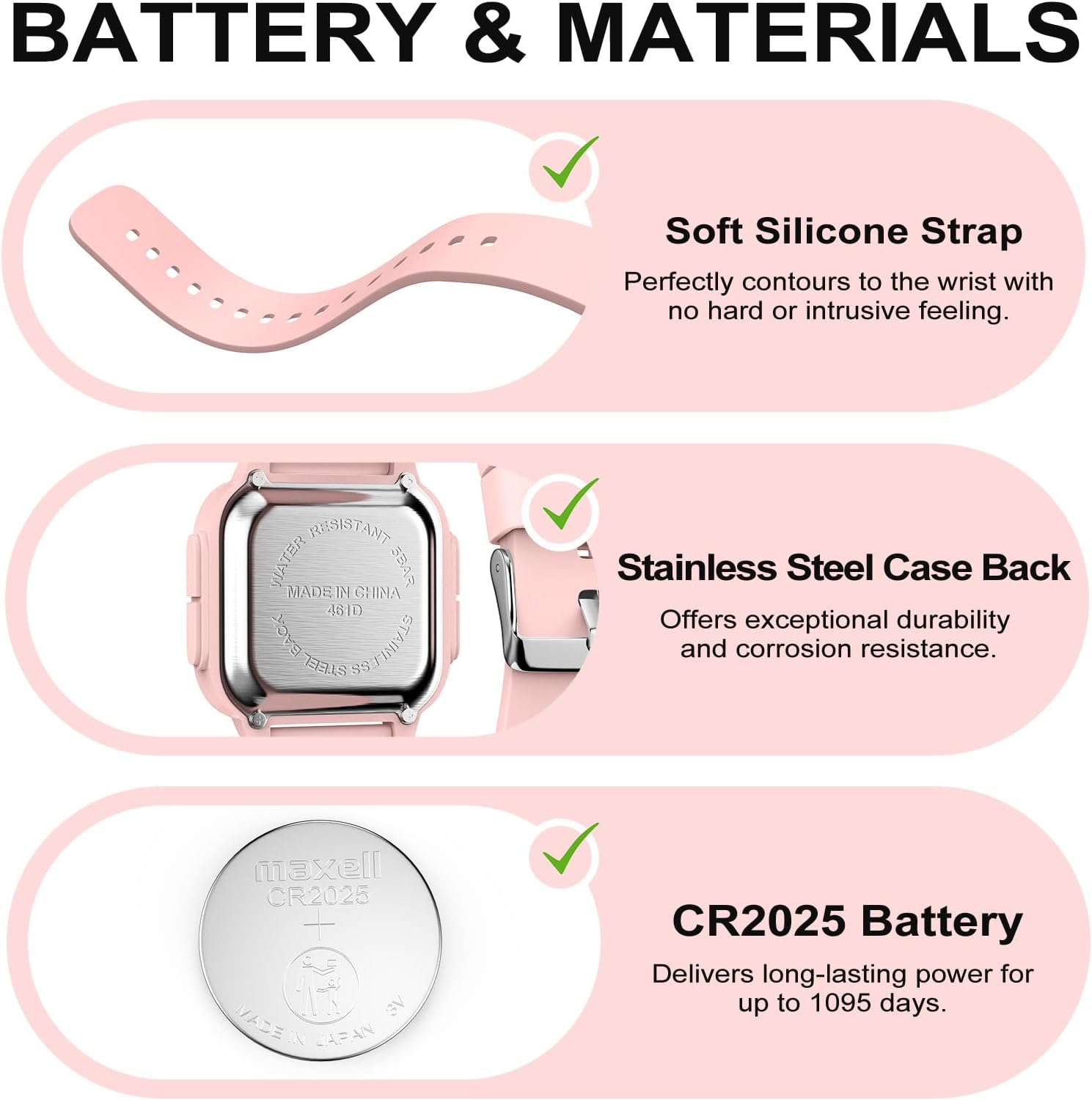
Image 6.1: Watch Components
- Rem: Soft silicone, designed for comfort and durability.
- Bagside af sagen: Stainless steel, offering durability and corrosion resistance.
- Batteri: CR2025 (included), providing long-lasting power for up to 1095 days.
- Krystal: Scratch-resistant resin.
7. Pleje og vedligeholdelse
- Rengør uret regelmæssigt med en blød,amp klud. Undgå barske kemikalier eller slibende materialer.
- Undgå ekstreme temperaturer og direkte sollys i længere perioder.
- Do not attempt to open the watch case or replace the battery yourself, as this may void the warranty and compromise water resistance. Seek professional service for battery replacement.
- Opbevar uret et køligt og tørt sted, når det ikke er i brug.

Image 7.1: Durability Features
8. Specifikationer
| Feature | Detalje |
|---|---|
| Modelnummer | 461D |
| Pakkedimensioner | 5.98 x 2.32 x 0.75 tommer |
| Varens vægt | 2.4 ounce (40 g) |
| Vandmodstand | 5ATM (50 meter) |
| Batteritype | 1 C battery (CR2025) |
| Remmateriale | Silikone |
| Etui materiale | ABS |
| Krystal materiale | Harpiks |

Image 8.1: Watch Dimensions
9. Fejlfinding
If you encounter any issues with your Edillas Square Digital Sport Watch, please consider the following:
- Skærmen er tom eller svag: Batteriet skal muligvis udskiftes.
- Tidspunktet er forkert: Re-adjust the time settings as described in Section 4.1.
- Knapperne reagerer ikke: Ensure the watch is not in a locked mode (if applicable, though not specified for this model) or that no debris is obstructing the buttons.
For yderligere assistance, kontakt venligst kundesupport.
10. Garanti og support
For information regarding warranty coverage and customer support, please refer to the product packaging or contact the retailer where the watch was purchased. Keep your proof of purchase for warranty claims.
Manufacturer: Yadelai

