1. Introduktion
This manual provides comprehensive instructions for the FIDECO HCA64 10-Port 10Gbps USB 3.2 Gen 2 Powered Hub. It covers setup, operation, maintenance, troubleshooting, and product specifications to ensure optimal performance and longevity of your device. Please read this manual thoroughly before using the product.
2. Pakkens indhold
Please verify that all items listed below are included in your package. If any items are missing or damaged, please contact FIDECO support.
- FIDECO HCA64 10-Port USB 3.2 Gen 2 Powered Hub
- 12V 5A strømadapter
- USB-C to USB-C Cable with USB-A Adapter
- Brugermanual
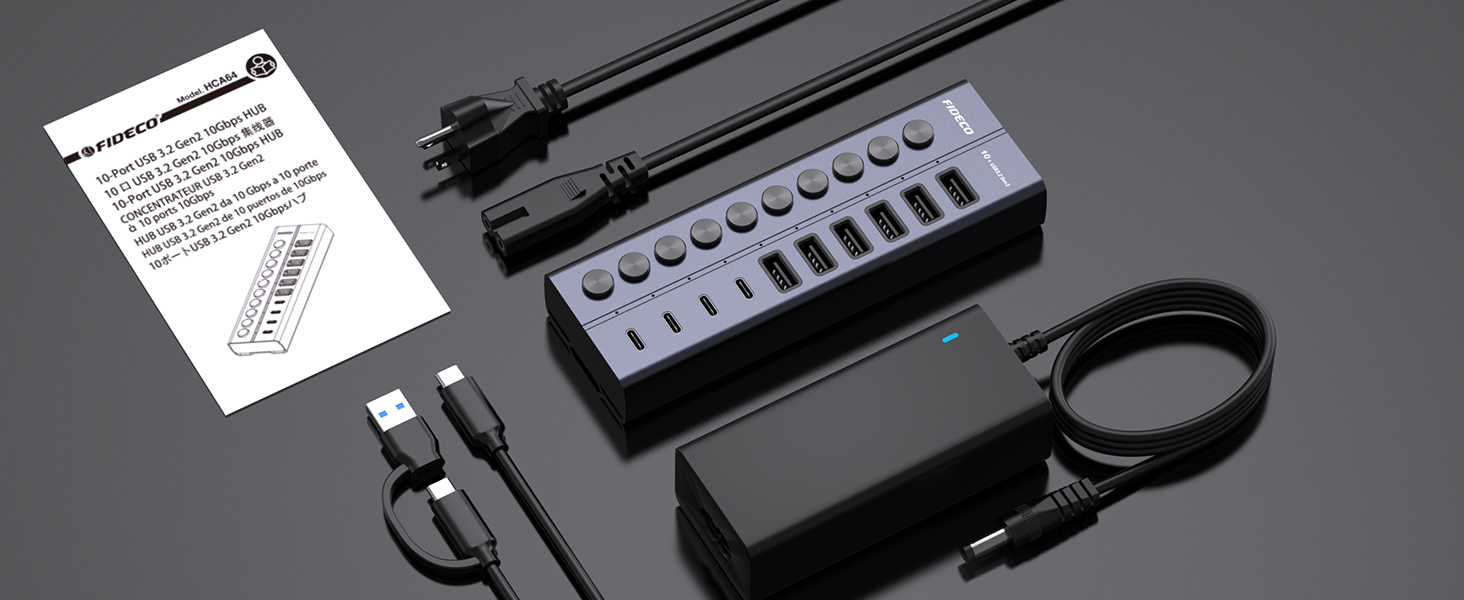
Image: Contents of the FIDECO HCA64 package, including the hub, power adapter, USB cable, and manual.
3. Produktet er slutview
The FIDECO HCA64 is a high-performance 10-port USB hub designed to expand connectivity for your laptop or PC. It features a robust aluminum alloy casing for efficient heat dissipation and includes individual on/off switches for each port.
Nøglefunktioner:
- 10Gbps Super Speed: USB 3.2 Gen 2 standard for rapid data transfer.
- 60W Powered Hub: Includes a 12V 5A power adapter for stable operation and charging.
- BC1.2 Charging Support: All 10 ports support BC1.2 charging (5V/1.5A max).
- Independent On/Off Switches: Control power to individual ports.
- Aluminum Design: Durable and aids in heat dissipation.
- Alsidige porte: 6 USB-A ports and 4 USB-C ports.

Billede: Forside view of the FIDECO HCA64 USB Hub, illustrating the layout of 6 USB-A (10Gbps) and 4 USB-C (10Gbps) ports, along with individual power buttons.
4. Opsætning
Follow these steps to set up your FIDECO HCA64 USB Hub:
- Tilslut strømadapteren: Plug the 12V 5A power adapter into the DC IN port on the back of the USB hub. Then, plug the power adapter into a wall outlet. The hub requires external power for stable operation and charging capabilities.
- Opret forbindelse til din computer: Use the provided USB-C to USB-C cable (with the attached USB-A adapter if needed) to connect the hub to an available USB-C or USB-A port on your laptop or PC.
- Tænd: The hub is plug-and-play; no drivers are required. Once connected, the hub will be ready for use. Individual port power can be controlled using the dedicated on/off switches.

Billede: Et nærbillede view showing the 60W power adapter being connected to the FIDECO USB Hub, ensuring stable power for multiple devices.

Image: Demonstrates the flexibility of the included USB-C cable with an attached USB-A adapter, allowing connection to both USB-C and USB-A host ports on laptops.
5. Betjeningsvejledning
5.1 Dataoverførsel
The FIDECO HCA64 hub supports USB 3.2 Gen 2, offering data transfer speeds up to 10Gbps. Connect your USB devices such as external hard drives, USB flash drives, or other peripherals to the available USB-A or USB-C ports on the hub. Ensure the individual port switch is turned on for the connected device.

Image: Illustrates the 10Gbps data transfer capability of both USB-C and USB-A ports on the hub, significantly faster than USB 3.0's 5Gbps.
5.2 Enhedsopladning
All 10 USB ports on the FIDECO HCA64 support BC1.2 charging, providing a maximum power output of 5V/1.5A per port. This is suitable for charging smartphones, tablets, and other USB-powered devices. The hub can simultaneously transfer data and charge devices.

Image: A smartphone and tablet are shown charging simultaneously through the FIDECO USB Hub, demonstrating its BC1.2 fast charging capability.

Image: A laptop connected to the FIDECO USB Hub, which is simultaneously transferring data from a USB drive and charging a smartphone, highlighting multitasking efficiency.
5.3 Using Individual On/Off Switches
Each port on the hub has an independent on/off switch and an LED indicator. Press the button to toggle the power for the corresponding port. The LED will illuminate when the port is active. This feature allows you to manage connected devices without frequent plugging and unplugging, conserving power and extending device lifespan.
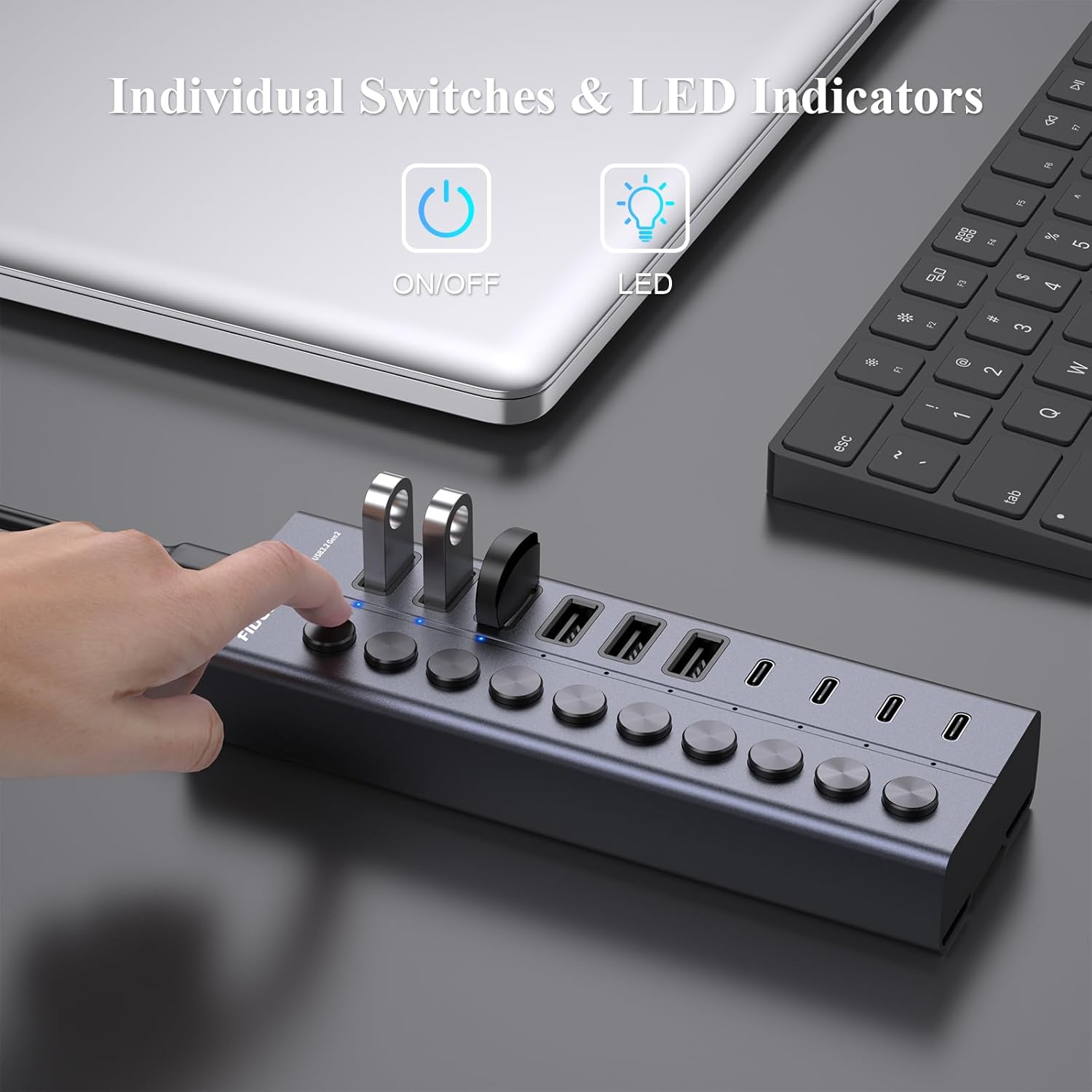
Image: A hand is shown pressing one of the individual on/off switches on the FIDECO USB Hub, with multiple USB drives connected, demonstrating selective power control.

Image: A close-up of the FIDECO USB Hub highlighting the individual on/off switches and their corresponding LED indicators, allowing users to control each device separately.
5.4 Kompatibilitet
The FIDECO HCA64 USB Hub is widely compatible with various operating systems, including Windows, Mac OS, and Linux. It supports a broad range of devices such as card readers, dashcams, desktops, gaming consoles, and laptops.
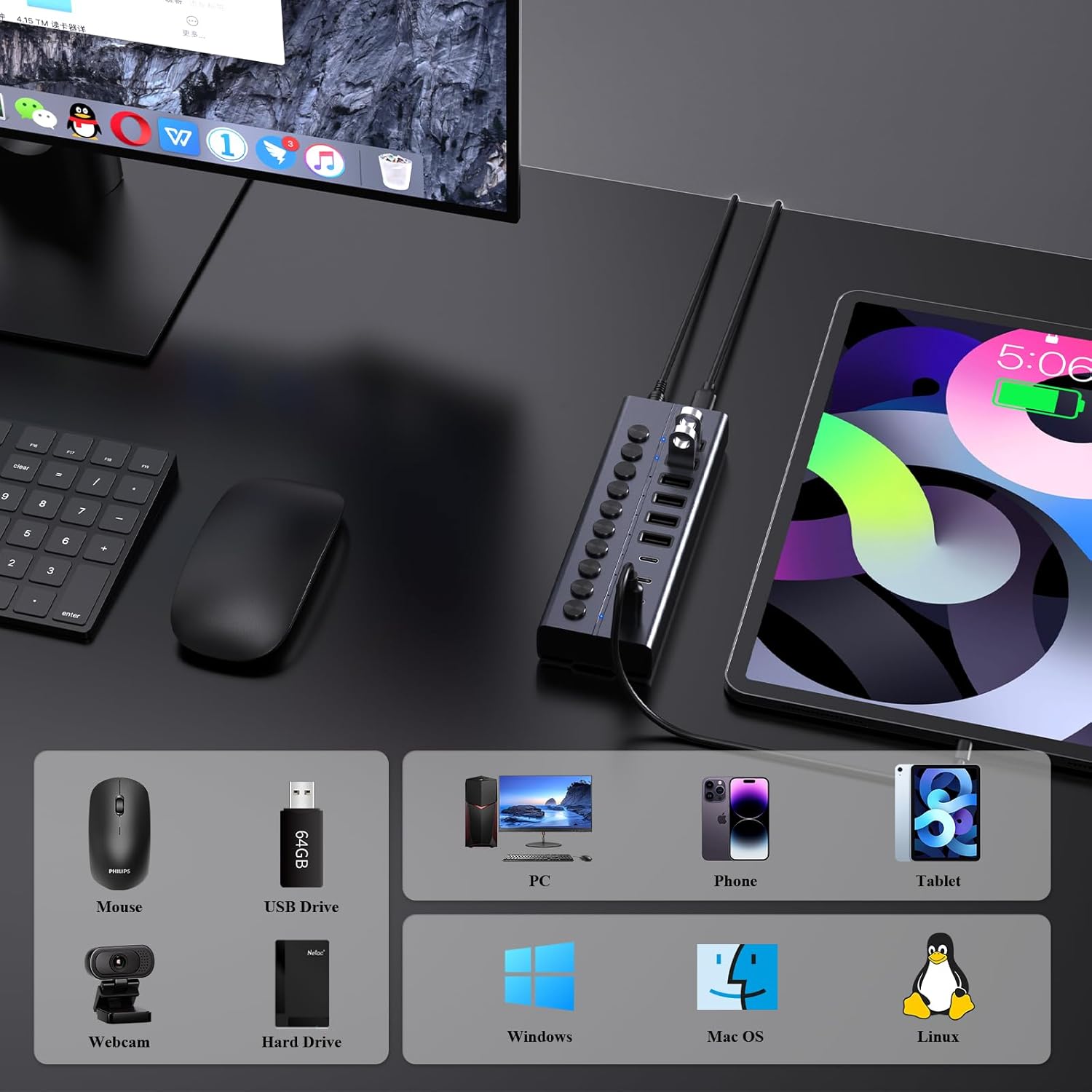
Image: An illustration showing the FIDECO USB Hub connected to a laptop, with icons representing compatible devices like mice, USB drives, webcams, hard drives, phones, tablets, and PCs, as well as operating systems like Windows, Mac OS, and Linux.
5.5 Produktdemonstrationsvideo
Watch this video for a visual guide on setting up and using the FIDECO 10Gbps 60W Powered USB Hub.
Video: A demonstration of the FIDECO 10Gbps 60W Powered USB Hub, showcasing its features, connectivity, and high-speed data transfer capabilities.
6. Vedligeholdelse
To ensure the longevity and optimal performance of your FIDECO HCA64 USB Hub, follow these maintenance guidelines:
- Rensning: Brug en blød, tør klud til at tørre overfladen af navet af. Undgå at bruge flydende rengøringsmidler eller slibende materialer, da de kan beskadige overfladen eller de indvendige komponenter.
- Opbevaring: Opbevar hubben et køligt, tørt sted væk fra direkte sollys og ekstreme temperaturer.
- Håndtering: Håndter enheden forsigtigt. Undgå at tabe den eller udsætte den for hårde stød.
- Ventilation: Ensure the hub is placed in an area with adequate ventilation to prevent overheating, especially during prolonged use with multiple devices.
7. Fejlfinding
If you encounter issues with your FIDECO HCA64 USB Hub, please refer to the following common problems and solutions:
- Enhed ikke genkendt:
- Ensure the individual on/off switch for the specific port is activated.
- Verify that the hub is properly connected to your computer and the power adapter is securely plugged in.
- Prøv at tilslutte enheden direkte til din computer for at bekræfte, at den fungerer uafhængigt.
- Genstart din computer.
- Langsom dataoverførselshastighed:
- Ensure both the hub and your connected device support USB 3.2 Gen 2 (10Gbps) for maximum speed. Older USB standards will operate at their respective lower speeds.
- Avoid connecting too many high-bandwidth devices simultaneously.
- Check the quality of the USB cable used to connect your device to the hub.
- Enheder oplader ikke eller oplader langsomt:
- Confirm the power adapter is connected and functioning. The hub requires external power for charging.
- Note that each port provides a maximum of 5V/1.5A (BC1.2). This may not be sufficient for devices requiring higher power input, such as some portable monitors or high-power laptops.
- Ensure the charging cable is functional and properly connected.
- Overophedning af nav:
- While the aluminum design aids in heat dissipation, ensure the hub is in a well-ventilated area.
- Reduce the number of high-power devices connected if overheating persists.
8. Specifikationer
| Feature | Detalje |
|---|---|
| Modelnummer | HCA64 |
| Produktdimensioner | 6 x 2 x 1.1 tommer |
| Varens vægt | 1.32 pund |
| Hardware-interface | USB Type C (Host Connection) |
| USB-porte | 6 x USB-A (10Gbps), 4 x USB-C (10Gbps) |
| Dataoverførselshastighed | Op til 10 Gbps (USB 3.2 Gen 2) |
| Strømindgang | 12V 5A (60W) Power Adapter |
| Opladningsudgang | BC1.2 (5V/1.5A max per port) |
| Særlige funktioner | Anti-Slip, Fast Charging, Fast Data Transfer, Plug and Play, Powered, Individual On/Off Switches |
| Kompatible enheder | Card Readers, Dashcams, Desktops, Gaming Consoles, Laptops |
| Operativsystemer | Windows, Mac OS, Linux |
9. Garanti og support
9.1 Garantioplysninger
FIDECO products are designed for reliability and performance. Specific warranty details may vary by region and retailer. Please retain your proof of purchase for any warranty claims.
9.2 Teknisk support
For technical assistance, troubleshooting, or any other inquiries regarding your FIDECO HCA64 USB Hub, please contact our support team:
- E-mail: support@fideco.cn
When contacting support, please provide your product model (HCA64) and a detailed description of the issue.


