1. Introduktion
This manual provides detailed instructions for the installation, operation, and maintenance of your 70mai Dash Cam T800+4G Hardwire Kit UP05. This advanced 3-channel dash cam system offers comprehensive vehicle surveillance with front, rear, and interior recording capabilities, enhanced night vision, and 24/7 parking protection.

Image: The 70mai Dash Cam T800 main unit, the 4G Hardwire Kit, and a smartphone displaying the 70mai app interface with live view og indstillinger.
2. Pakkens indhold
Kontroller venligst, at alle varer er til stede i din pakke:
- 70mai Dash Cam T800 (Front Camera)
- Bagkamera
- Indvendigt kamera
- 70mai 4G Hardwire Kit UP05
- 512 GB Micro SD-kort
- Strømkabel
- USB Billader
- Elektrostatisk mærkat
- Varmebestandigt klæbemiddel
- Brugermanual
3. Produktet er slutview
3.1. 70mai Dash Cam T800 Main Unit
The main unit houses the front-facing camera, display screen, control buttons, and various ports for connecting the rear camera, interior camera, and power supply. It features dual Sony IMX678 STARVIS 2 sensors for superior image quality.
3.2. Rear and Interior Cameras
These auxiliary cameras provide additional recording angles, capturing footage from the rear of your vehicle and inside the cabin. The interior camera includes 940nm infrared lights for clear recording in low-light conditions.
3.3. 70mai 4G Hardwire Kit UP05
The 4G Hardwire Kit enables 24/7 parking surveillance and remote connectivity features. It connects directly to your vehicle's fuse box to provide continuous power to the dash cam, even when the engine is off. This kit facilitates AI motion detection, collision detection, time-lapse recording, and instant alerts via the 70mai app.

Image: The 70mai 4G Hardwire Kit UP05, showing the main module and connecting cables.
4. Opsætning og installation
4.1. Mounting the Dash Cam and Cameras
- Forreste kamera: Clean the windshield area behind the rearview mirror. Apply the electrostatic sticker, then attach the front dash cam using the heat-resistant adhesive. Ensure the camera has a clear view af vejen.
- Bagkamera: Mount the rear camera on the rear windshield, ensuring it captures a clear view of the road behind. Route the cable discreetly along the headliner and pillars to the front unit.
- Interiørkamera: Mount the interior camera on the front windshield, typically near the main unit, to capture the cabin view. Route its cable to the main unit.

Image: Visual representation of the optimal placement for the front, rear, and interior cameras to achieve 3-channel recording.
4.2. Installing the 4G Hardwire Kit UP05
The 4G Hardwire Kit is essential for enabling 24/7 parking surveillance and remote features. Professional installation is recommended.
- Identificér sikringsboks: Find din bils sikringsboks.
- Connect ACC Wire: Connect the ACC (Accessory) wire of the hardwire kit to a fuse that is only powered when the ignition is on.
- Connect VCC+ Wire: Connect the VCC+ (Constant Power) wire to a fuse that provides continuous power, even when the ignition is off.
- Connect GND Wire: Securely connect the GND (Ground) wire to a metal part of the vehicle chassis.
- Opret forbindelse til Dash Cam: Plug the hardwire kit's output cable into the dash cam's power input.

Billede: Detaljeret view of the 70mai 4G Hardwire Kit components, illustrating the ACC, VCC+, and GND wires with fuse taps for vehicle integration.
4.3. Første opsætning og app-forbindelse
- Tænd: Start dit køretøj for at tænde dashcam'et.
- Formater SD-kort: On the dash cam screen, navigate to settings and format the included 512GB Micro SD card.
- Download 70mai App: Download the 70mai app from the App Store or Google Play.
- Opret forbindelse via Wi-Fi: Follow the in-app instructions to connect your smartphone to the dash cam's Wi-Fi network. This allows for live view, video downloads, and settings adjustments.
5. Betjening
5.1. Grundlæggende optagelse
Once powered on, the dash cam automatically begins loop recording. Older footage will be overwritten by new recordings when the SD card is full, unless the footage is locked by an event.
5.2. Parkeringsovervågning døgnet rundt
With the 4G Hardwire Kit UP05 installed, the dash cam provides continuous parking protection:
- AI-bevægelsesdetektion: Detects suspicious movement around your parked vehicle.
- Kollisionsdetektion (G-sensor): Optager og låser automatisk madtage ved detektering af en påvirkning.
- Time-lapse-optagelse: Compresses long periods of parking into short videos, saving storage space.
- 4G Alerts: Sends instant notifications to your smartphone via the 70mai app if an event is detected.
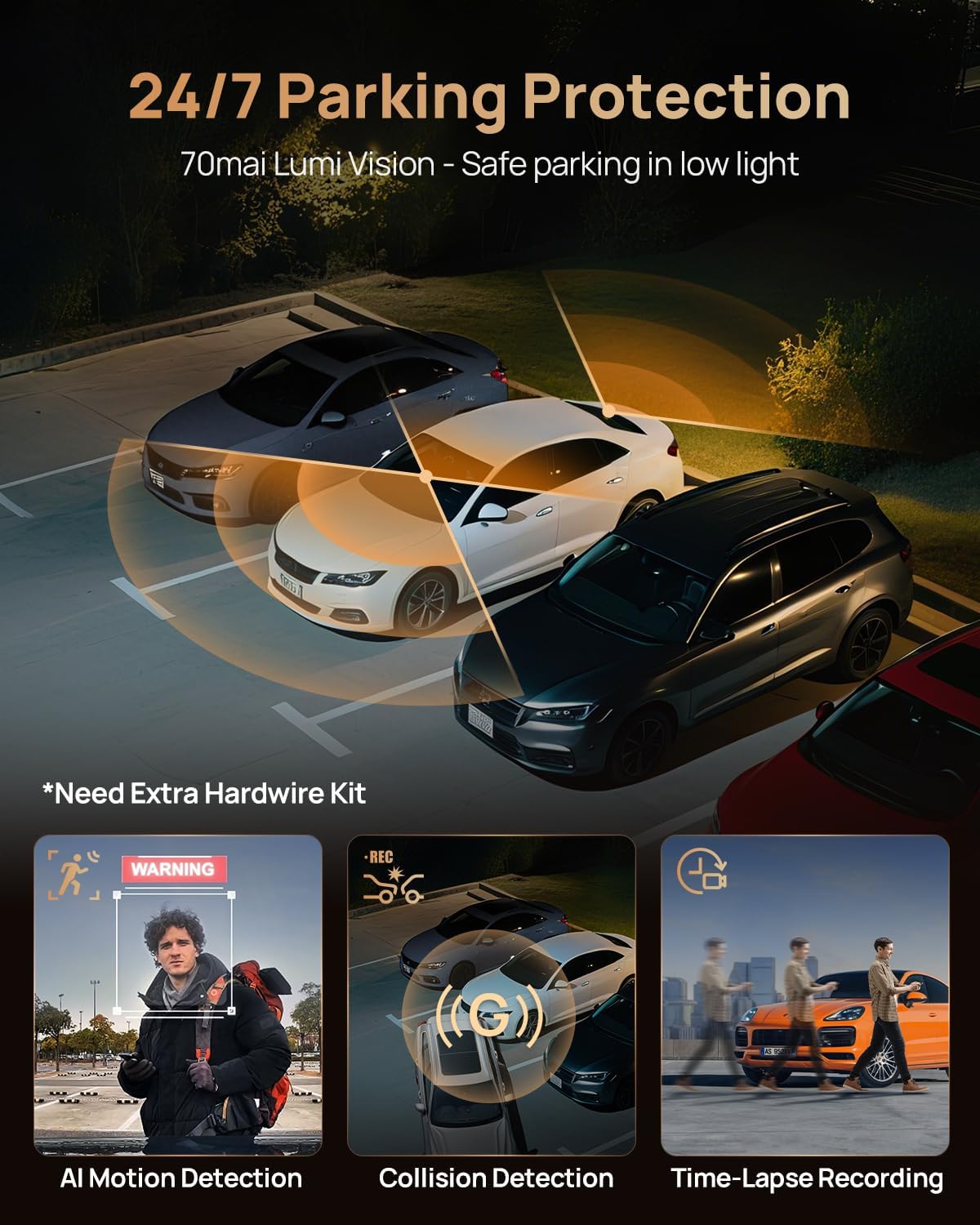
Image: An illustration depicting the 70mai dash cam's 24/7 parking protection, showcasing AI motion detection, collision detection, and time-lapse recording capabilities in a parking lot scenario.
5.3. Nattesyn
The 70mai T800 features 'Night Owl Vision' and HDR technology for enhanced clarity in low-light conditions. The interior camera utilizes four 940nm infrared lights to capture clear details inside the cabin even in complete darkness.

Image: A visual comparison demonstrating the superior clarity and detail captured by the 70mai T800's 'Ultimate Night Vision' compared to standard dash cams in dark environments.
5.4. Smart APP-kontrol
The 70mai app provides comprehensive control and access to your dash cam footage:
- Levende View: Stream foo i realtidtage from all three cameras to your phone.
- Quick Download: Download recorded videos directly to your smartphone via Wi-Fi 6 5GHz.
- Instant Share: Del madtage directly from the app to social media or other platforms.
- Indstillingsstyring: Adjust dash cam settings, including recording resolution, G-sensor sensitivity, and parking mode options.

Image: A smartphone displaying the 70mai app, illustrating features like live view, quick video download, and instant sharing options for recorded footage.
6. Vedligeholdelse
- Rene linser: Rengør kameralinserne regelmæssigt med en blød, fnugfri klud for at sikre klare optagelser.
- SD-kortadministration: Periodically back up important footage and format the SD card every few months to maintain optimal performance and prevent data corruption.
- Firmwareopdateringer: Check the 70mai app for available firmware updates to ensure your dash cam has the latest features and bug fixes.
- Temperatur: Avoid exposing the dash cam to extreme temperatures for prolonged periods. The supercapacitor design offers improved temperature resistance compared to traditional batteries.
7. Fejlfinding
- Dash Cam tænder ikke: Check the power connection. If using the hardwire kit, ensure all connections to the fuse box are secure and fuses are intact.
- Optagelsesproblemer: Ensure the SD card is properly inserted and formatted. If issues persist, try a different high-speed SD card.
- Problemer med appforbindelse: Ensure your phone's Wi-Fi is connected to the dash cam's network. Restart both the dash cam and your phone.
- Parkeringstilstand virker ikke: Verify that the 4G Hardwire Kit UP05 is correctly installed and receiving constant power. Check parking mode settings in the app.
- Dårlig videokvalitet: Clean camera lenses. Ensure the protective film has been removed. Check resolution settings in the app.
8. Specifikationer
- Model: 70mai Dash Cam T800+4G Hardwire Kit UP05
- Recording Channels: 3 (Front, Rear, Interior)
- Front/Rear Resolution: Dual 4K (3840×2160P)
- Interior Resolution: 1080P
- Billedsensorer: Dual Sony IMX678 STARVIS 2
- Nattesyn: 70mai Night Owl Vision, 3-channel HDR, 4x 940nm IR lights (interior camera)
- Opbevaring: Supports up to 512GB Micro SD Card (512GB card included)
- Forbindelse: Wi-Fi 6 5GHz, 4G (via UP05 Hardwire Kit)
- Strømkilde: superkondensator
- Parkeringstilstand: AI Motion Detection, Collision Detection, Time-Lapse Recording, 4G Remote Alerts
- Yderligere funktioner: GPS, MaiColor Vivid+ Solution

Image: An infographic highlighting key features of the 70mai T800 dash cam, including Wi-Fi 6 5GHz, supercapacitor, dual STARVIS 2 IMX678 sensors, built-in GPS, and the included 512GB SD card.
9. Garanti og support
For warranty information, please refer to the warranty card included in your product packaging or visit the official 70mai website. For technical support, troubleshooting assistance, or service inquiries, please contact 70mai customer support through their official channels.


