1. Introduktion
Thank you for choosing the KTC H32S5 31.5-inch QHD Curved Gaming Monitor. This manual provides essential information for setting up, operating, and maintaining your monitor to ensure optimal performance and longevity. Please read this manual thoroughly before using the product.
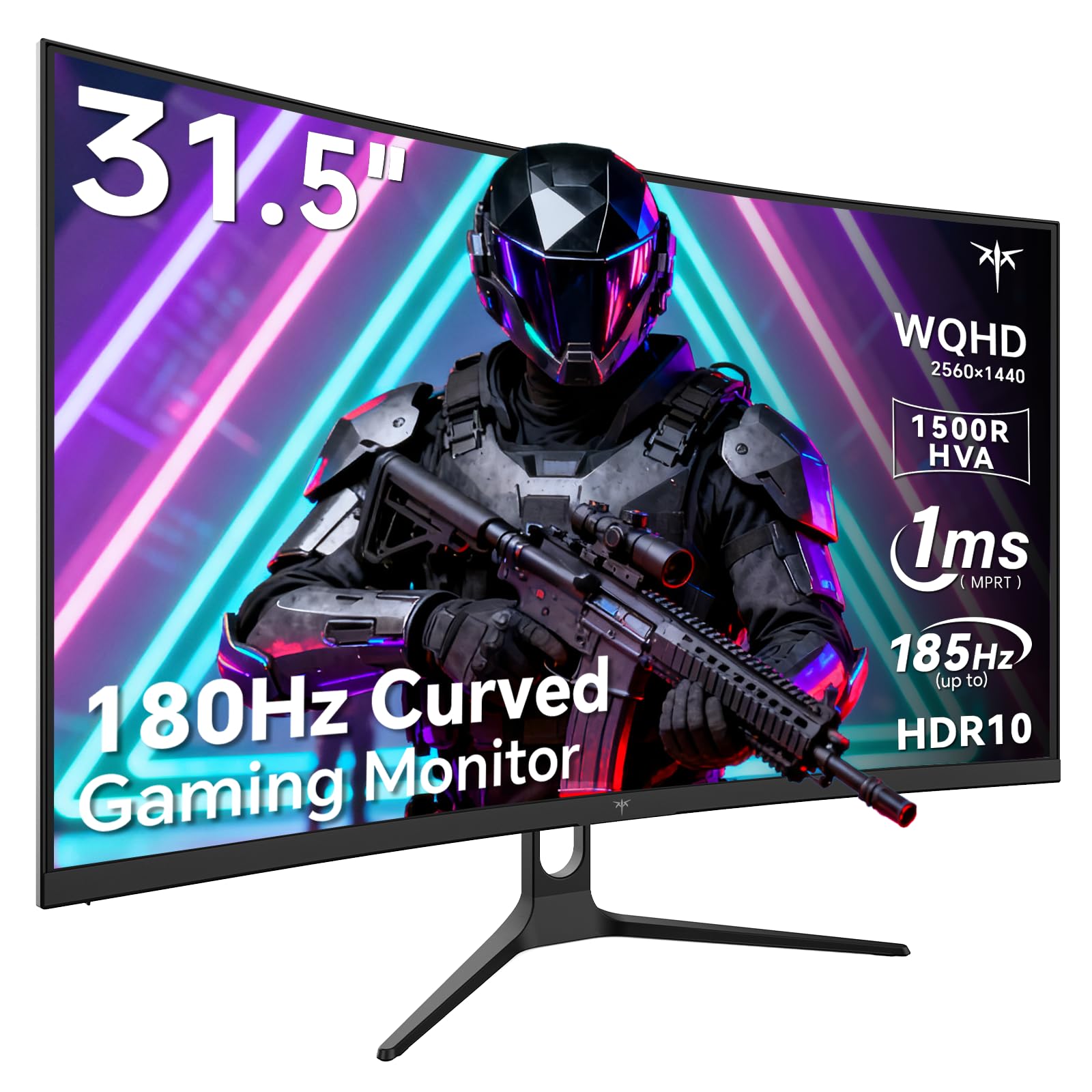
Image 1: KTC H32S5 31.5-inch QHD Curved Gaming Monitor.
2. Pakkens indhold
Bekræft at alle varer er til stede i pakken:
- 31.5" 2K Curved Monitor x1
- Monitor Stand x1
- Lynstartguide (QSG) x1
- DP kabel x1
- Strømadapter x1
3. Opsætning af skærm
3.1 Montering af stativet
Carefully attach the monitor stand to the back of the monitor following the instructions in the Quick Start Guide. Ensure all screws are tightened securely.
3.2 VESA Wall Mount Installation
The monitor supports VESA 100mm x 100mm mounting. If you prefer to wall-mount the monitor, remove the stand and attach a compatible VESA mount (not included) to the designated holes on the back of the monitor. Ensure the wall mount can support the monitor's weight (approximately 16.87 pounds).

Billede 2: Bagside view of the monitor showing connectivity ports and VESA mount area.
3.3 Tilslutning til enheder
Connect your devices using the available ports:
- DisplayPort 1.4 (x2): For connecting to PCs and other devices supporting up to 185Hz refresh rate.
- HDMI 2.0 (x2): For connecting to gaming consoles, laptops, and desktops supporting up to 144Hz refresh rate.
- USB 2.0 (x2): For connecting peripherals (upgrade only).
- Hovedtelefonstik: Til lydudgang.
- DC strømindgang: Tilslut den medfølgende strømadapter.
3.4 Indledende tænding
After connecting all necessary cables, press the power button to turn on the monitor. The monitor will automatically detect the input signal. If no signal is detected, ensure your device is powered on and the correct input source is selected on the monitor.
4. Betjeningsvejledning
4.1 On-Screen Display (OSD) menu
The OSD menu allows you to adjust various monitor settings. Refer to the Quick Start Guide for detailed instructions on navigating the OSD menu using the monitor's control buttons.
4.2 Skærmindstillinger
- Opløsning: The monitor features WQHD (2560 x 1440) resolution for sharp and detailed images.
- Opdateringshastighed: Enjoy a smooth visual experience with a 180Hz refresh rate, overclockable to 185Hz via DisplayPort.
- Svartid: A 1ms MPRT response time minimizes motion blur, ideal for fast-paced gaming.
- Adaptiv synkronisering: Adaptive FreeSync technology eliminates screen tearing and stuttering for fluid gameplay.
- Farveskala: Experience vivid and realistic colors with 99% sRGB color gamut coverage, 126% sRGB color volume, and a 5000:1 contrast ratio. HDR10 support provides enhanced contrast and a wider color palette.
- Øjenpleje: Features like Low Blue Light and Flicker-Free technology help reduce eye strain during extended use.

Image 3: Visual representation of the monitor's high refresh rate for smoother gaming.

Image 4: Demonstration of Adaptive Sync technology eliminating screen tearing.

Image 5: Illustration of the 1500R curved display for an immersive viewoplevelse.
4.3 GamePlus Mode
Activate GamePlus mode for in-game enhancements such as a customizable crosshair, on-screen timer, and display modes optimized for FPS (First-Person Shooter) and RTS (Real-Time Strategy) games.

Billede 6: Overview of GamePlus features including Crosshair, Timer, FPS, and RTS modes.
5. Vedligeholdelse
To ensure the longevity and optimal performance of your KTC H32S5 monitor, follow these maintenance guidelines:
- Rengøring af skærmen: Tør forsigtigt skærmen af med en blød, fnugfri klud. Tør forsigtigt genstridige mærker afampen the cloth with water or a mild, non-abrasive screen cleaner. Avoid using alcohol, ammonia, or abrasive cleaners.
- Rengøring af ydersiden: Brug en blød, tør klud til at rengøre skærmenasing.
- Håndtering: Avoid touching the screen directly with your fingers or sharp objects. Do not place heavy objects on the monitor.
- Ventilation: Ensure adequate ventilation around the monitor to prevent overheating. Do not block the ventilation openings.
- Sluk: Sluk altid skærmen, og tag stikket ud af stikkontakten, før du rengør den, eller hvis den ikke skal bruges i længere tid.
6. Fejlfinding
Hvis du støder på problemer med din skærm, kan du se følgende almindelige fejlfindingstrin:
- Ingen skærm/sort skærm:
- Sørg for, at strømkablet er korrekt tilsluttet til både skærmen og stikkontakten.
- Kontroller, at videokablet (DP eller HDMI) er korrekt tilsluttet til både skærmen og din computer/enhed.
- Kontrollér, om den korrekte inputkilde er valgt på skærmen via OSD-menuen.
- Genstart din computer/enhed.
- Flimrende eller forvrænget billede:
- Kontrollér videokablet for eventuelle skader eller løse forbindelser. Prøv et andet kabel, hvis det er muligt.
- Juster opdateringshastigheden i din computers skærmindstillinger.
- Ensure Adaptive Sync is enabled in both the monitor's OSD and your graphics card settings.
- Farveproblemer:
- Nulstil skærmens farveindstillinger til fabriksindstillingerne via OSD-menuen.
- Juster farvetemperatur- eller gammaindstillinger i OSD.
- Ingen lyd:
- Ensure headphones are properly connected to the headphone jack.
- Check audio settings on your connected device and the monitor's OSD.
Hvis problemet fortsætter efter at have prøvet disse trin, bedes du kontakte kundesupport.
7. Produktspecifikationer
| Feature | Specifikation |
|---|---|
| Mærke | KTC |
| Modelnummer | H32S5 |
| Skærmstørrelse | 31.5 tommer |
| Opløsning | 2560 x 1440 pixels (QHD bred 1440p) |
| Aspektforhold | 16:9 |
| Krumning | 1500R |
| Opdateringshastighed | 180Hz (up to 185Hz via DP) |
| Svartid | 1ms MPRT |
| Paneltype | HVA |
| Farveskala | 99% sRGB coverage, 126% sRGB volume |
| Kontrastforhold | 5000:1 |
| Billedlysstyrke | 300 Candela |
| HDR-understøttelse | HDR10 |
| Forbindelse | DisplayPort 1.4 x2, HDMI 2.0 x2, USB 2.0 x2 |
| Lyd | Hovedtelefonstik |
| Justerbarhed | Tilt adjustment (-5° to 20°) |
| VESA Mount | 100 mm x 100 mm |
| Produktdimensioner | 5.8 x 27.9 x 20.4 tommer |
| Varens vægt | 16.87 pund |
| Voltage | 19 volt (DC) |
8. Garantioplysninger
This product is subject to a 30-day return/replacement policy. For detailed warranty terms and conditions, please refer to the documentation provided with your purchase or contact the seller directly.
9. Kundesupport
For any questions, technical assistance, or support regarding your KTC H32S5 monitor, please contact the seller, KTC-Official, through the Amazon messaging system. They are available to assist you with product inquiries and troubleshooting.
Du kan også besøge KTC Store on Amazon for mere information og produkter.
10. Officiel produktvideo
Watch this official product video from KTC-Official for a closer look at the KTC 32 Inch 2K 180Hz Curved Gaming Monitor.


