1. Introduktion
This manual provides essential information for the safe and efficient use of your DOOGEE U13 Android 16 Tablet. Please read this manual thoroughly before operating the device and retain it for future reference.
The DOOGEE U13 is a high-performance tablet designed for various tasks, from productivity to entertainment, featuring a large display, powerful processor, and extended battery life.

Image 1.1: DOOGEE U13 Tablet highlighting its main features.
2. Pakkens indhold
Når du åbner pakken, skal du kontrollere, at alle varer er til stede og i god stand:
- DOOGEE U13-tablet
- USB-C ladekabel
- Strømadapter
- SIM-udkastningsværktøj (hvis relevant)
- Hurtig startvejledning
- Garantikort
3. Enhedslayout
Familiarize yourself with the physical components of your DOOGEE U13 tablet.

Billede 3.1: Overview of DOOGEE U13 Tablet features and design.
3.1 Porte og knapper
- Power knap: Placeret på siden, bruges til at tænde/slukke eller vække/slukke enheden.
- Lydstyrkeknapper: Adjust media and notification volume.
- USB-C-port: Til opladning og dataoverførsel.
- 3.5 mm hovedtelefonstik: Til kablet lydudgang.
- MicroSD -kortplads: For expandable storage (up to 2TB).
3.2 kameraer
- Bagkamera: 13MP main camera for capturing photos and videos.
- Forreste kamera: 5MP camera for video calls and selfies.
4. Opsætning
4.1 Indledende tænding
- Press and hold the Power Button until the DOOGEE logo appears.
- Følg vejledningen på skærmen for at vælge dit sprog og din region og oprette forbindelse til et Wi-Fi-netværk.
- Sign in with your Google account or create a new one to access the Google Play Store and other services.
4.2 Opladning af batteriet
Before first use, fully charge the tablet. Connect the USB-C cable to the tablet's charging port and the power adapter to a wall outlet. The charging indicator will show the battery status.

Image 4.1: Battery specifications and charging capabilities.
4.3 Indsættelse af et MicroSD-kort
- Find kortåbningen på siden af tabletten.
- Use the provided SIM eject tool to open the tray.
- Place the MicroSD card into the designated slot on the tray.
- Sæt forsigtigt bakken tilbage i tabletten.
5. Betjeningsvejledning
5.1 Grundlæggende navigation
- Røre: Tryk på et ikon for at åbne en app eller vælge et element.
- Stryg: Move your finger across the screen to scroll through content or switch screens.
- Knib-for-at-zoome: Brug to fingre til at zoome ind eller ud på billeder og web sider.
5.2 Skærmindstillinger
Your tablet features a 13-inch FHD+ 90Hz display for a smooth visual experience.
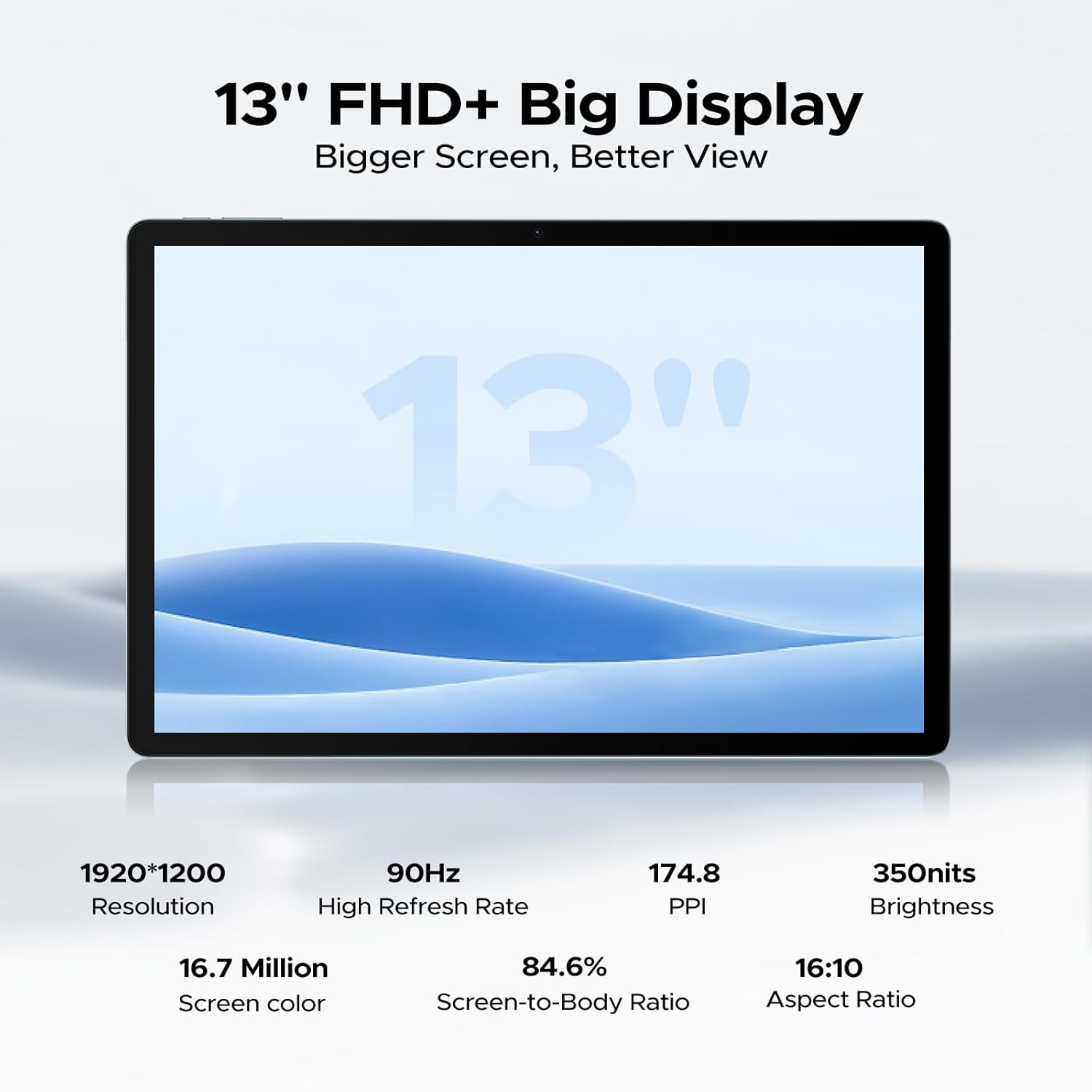
Image 5.1: Detailed specifications of the tablet's display.
Access display settings via Indstillinger > Skærm to adjust brightness, dark mode, eye comfort mode, and refresh rate.
5.3 Lyd
The tablet is equipped with quad speakers for immersive sound and supports a 3.5mm headphone jack.
5.4 Kamerabrug
Open the Camera app to capture photos and videos. The 13MP main camera offers various modes, while the 5MP front camera is ideal for video calls.

Image 5.2: Features of the 13MP main camera.

Image 5.3: The 5MP front camera in use for video calls.
5.5 Android 16 and Gemini AI
The DOOGEE U13 runs on Android 16, offering enhanced features and security. It integrates Gemini AI for intelligent task optimization and improved performance.

Image 5.4: Android 16 OS interface.

Image 5.5: Diverse Android 16 OS functions.

Image 5.6: Gemini AI capabilities.
6. Batteristyring
The DOOGEE U13 is equipped with an 11000mAh battery. To maximize battery life:
- Juster skærmens lysstyrke til et behageligt niveau.
- Luk ubrugte programmer, der kører i baggrunden.
- Slå Wi-Fi, Bluetooth og GPS fra, når de ikke er i brug.
- Utilize battery saver modes available in Android settings.
The tablet supports 18W fast charging and 5W reverse charging.
7. Lagerstyring
Your tablet comes with 256GB of internal storage and 32GB of RAM (6GB base + 26GB expansion). Storage can be expanded up to 2TB using a MicroSD card (purchased separately).

Image 7.1: RAM and ROM specifications.
To manage storage, go to Indstillinger > Lager. Her kan du view storage usage, free up space, and format your MicroSD card.
8. Forbindelse
8.1 WiFi
The tablet supports 2.4G/5G dual-band Wi-Fi for fast and stable internet connections. To connect, go to Indstillinger > Netværk og internet > Wi-Fi, vælg dit netværk, og indtast adgangskoden.
Bluetooth IKKE
Aktivér Bluetooth i Indstillinger > Forbundne enheder > Bluetooth to pair with wireless headphones, speakers, or other Bluetooth accessories.
8.3 Skærmspejling
Use the wireless screen mirroring feature to cast your tablet's display to compatible larger screens. This option is typically found in Settings > Connected devices > Connection preferences > Cast.
9. Sikkerhedsfunktioner
9.1 Ansigtslås
The DOOGEE U13 supports face unlock for quick and secure access to your device. Set up face unlock in Indstillinger > Sikkerhed og privatliv > Enhedsoplåsning > Ansigtslåsning.

Image 9.1: Security and connectivity features.
10. Vedligeholdelse
10.1 Rengøring
Brug en blød, fnugfri klud til at rengøre skærmen og tablettens kabinet. Undgå at bruge skrappe kemikalier eller slibende materialer.
10.2 Softwareopdateringer
Tjek regelmæssigt efter og installer softwareopdateringer for at sikre, at din tablet har de nyeste funktioner, sikkerhedsrettelser og forbedringer af ydeevnen. Gå til Indstillinger > System > Systemopdatering.
11. Fejlfinding
- Tabletten tænder ikke: Sørg for, at batteriet er opladet. Tilslut det til opladeren i mindst 30 minutter, før du forsøger at tænde det igen.
- Skærmen reagerer ikke: Try restarting the tablet by holding the Power Button for about 10-15 seconds.
- Problemer med Wi-Fi-forbindelse: Restart your Wi-Fi router and the tablet. Forget the network in Wi-Fi settings and reconnect.
- Apps der går ned: Ryd cachen for den problematiske app (Indstillinger > Apps > [Appnavn] > Lagerplads og cache > Ryd cacheHvis problemet fortsætter, skal du geninstallere appen.
- Langsom ydeevne: Close unnecessary background apps, clear cache, and ensure sufficient storage space. Consider a factory reset as a last resort (back up your data first).
12. Specifikationer
Below are the key technical specifications for the DOOGEE U13 Tablet:
| Feature | Specifikation |
|---|---|
| Model | U13 |
| Operativsystem | Android 16 |
| Processor | UNISOC T7280 Octa-Core (op til 2.2 GHz) |
| GPU | Mali-G57 |
| VÆDDER | 32 GB (6 GB fysisk + 26 GB virtuel) |
| Intern opbevaring | 256 GB |
| Udvidelig opbevaring | Op til 2 TB via MicroSD-kort |
| Skærmstørrelse | 13 tommer |
| Display Type | FHD+ IPS |
| Opløsning | 1920 x 1200 pixels |
| Opdateringshastighed | 90 Hz |
| Lysstyrke | 350 nits |
| Bagkamera | 13 MP |
| Forreste kamera | 5 MP |
| Batterikapacitet | 11000mAh |
| Opladning | 18W USB-PD Fast Charging, 5W Reverse Charging |
| Forbindelse | Wi-Fi 5 (802.11ac), Bluetooth 5.0 |
| Navigation | A-GPS, GPS, BeiDou, GLONASS, Galileo |
| Dimensioner | 11.88 x 7.76 x 0.29 inches (7.5mm ultra-thin) |
| Vægt | 1.48 pund (670 g) |

Image 12.1: DOOGEE U-series tablet comparison, highlighting U13 specifications.
13. Garanti og support
Your DOOGEE U13 Tablet comes with a standard warranty. Please refer to the included warranty card for specific terms and conditions.
For teknisk support, hjælp til fejlfinding eller garantikrav, kontakt venligst DOOGEE kundeservice via deres officielle webwebstedet eller kontaktoplysningerne på din produktemballage.

Image 13.1: DOOGEE customer service and warranty information.


