1. Introduktion
Thank you for choosing the Parsonver G01 GPS Smart Watch. This manual provides essential information for the proper setup, operation, and maintenance of your device. Please read it carefully to ensure optimal performance and longevity of your smartwatch.

Image: The Parsonver G01 Smart Watch displayed with various outdoor activity scenes, highlighting its versatile use.
2. Pakkens indhold
Når du åbner pakken, skal du kontrollere, at alle varer er til stede:
- 1x Parsonver G01 Smart Watch
- 1x magnetisk opladningskabel
- 1x brugermanual

Image: An illustration detailing the package contents, including the smartwatch, charging cable, and user manual.
3. Opsætningsvejledning
3.1 Opladning af smarturet
Before initial use, fully charge your Parsonver G01 Smart Watch. The device features a 520mAh battery, providing extended usage time.
- Tilslut det magnetiske opladningskabel til opladningskontakterne på bagsiden af uret.
- Plug the USB-A end of the cable into a standard USB power adapter (not included) or a computer's USB port.
- Urets display viser opladningsstatus. En fuld opladning tager typisk cirka 2 timer.

Billede: Smartwatchet er forbundet til sit magnetiske opladningskabel, hvilket illustrerer opladningsprocessen og batterilevetidsindikatorerne.
3.2 Appinstallation og parring
To unlock the full functionality of your smartwatch, download and install the companion application on your smartphone.
- Scan the QR code provided in the quick start guide or search for "Glory Fit" in your smartphone's app store (compatible with iOS 9.0/Android 5.0 or above).
- Install the "Glory Fit" application.
- Åbn appen og følg instruktionerne på skærmen for at oprette en konto eller logge ind.
- Sørg for, at Bluetooth er aktiveret på din smartphone.
- In the app, navigate to the device pairing section and select your Parsonver G01 Smart Watch from the list of available devices.
- Bekræft parringsanmodningen på både din smartphone og uret.
4. Betjeningsvejledning
4.1 Grundlæggende navigation
The Parsonver G01 features a 1.95-inch HD touchscreen for intuitive interaction.
- Stryg op/ned: Få adgang til hurtigindstillinger eller notifikationer.
- Stryg til venstre/højre: Navigate through widgets and main functions.
- Tryk på: Vælg et element eller bekræft en handling.
- Tryk på sideknappen: Gå tilbage til startskærmen eller tænd/sluk.
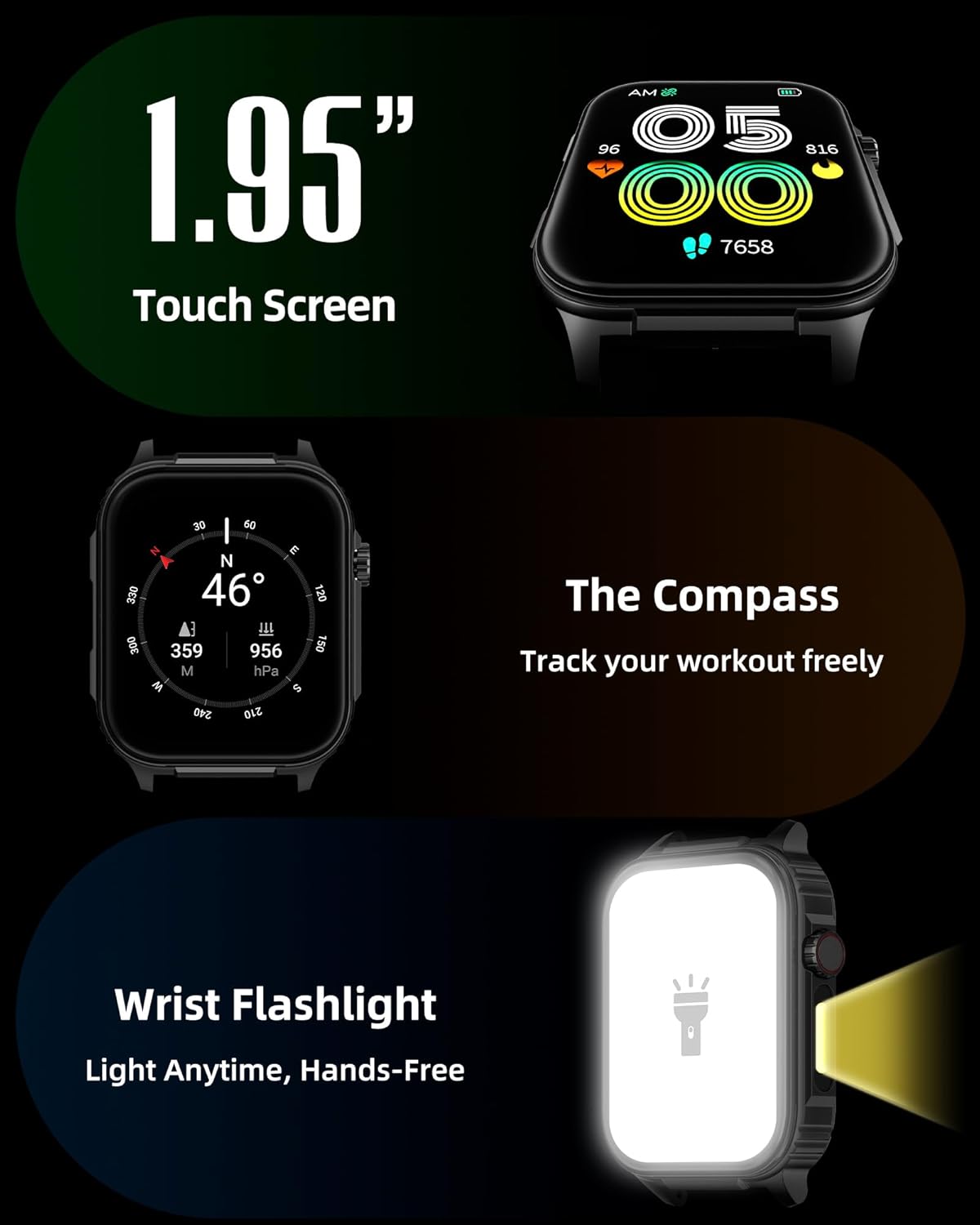
Billede: En detaljeret view of the smartwatch screen, illustrating its 1.95-inch size, along with icons for compass and flashlight functions.
4.2 Bluetooth-opkald og smarte notifikationer
Stay connected by making and receiving calls directly from your wrist and receiving instant notifications.
- Foretage opkald: Once paired via Bluetooth 5.3, access the call function on your watch to dial numbers or select contacts.
- Modtagelse af opkald: Incoming calls will display on the watch screen, allowing you to answer or reject them.
- Meddelelser: The watch provides vibration alerts for SMS, WhatsApp, Facebook, and other app notifications. Note: Direct replies from the watch are not supported.

Image: A man on a mountain trail interacting with his Parsonver G01 Smart Watch to manage a Bluetooth call, with notification icons floating above.

Image: The smartwatch screen showing incoming messages and app notifications, demonstrating its smart notification feature.
4.3 Urskiver
Personalize your watch with over 400 available watch faces or create your own custom designs.
- Access the watch face market through the "Glory Fit" app.
- Browse and download various styles, from classic to modern.
- Use the DIY function to upload custom photos and create unique watch faces.

Image: The smartwatch screen showcasing a variety of watch face designs, illustrating the customization options.
4.4 Built-in GPS and Compass
Track your outdoor activities and navigate with precision, even without your phone.
- GPS-sporing: The built-in GPS accurately records your route, distance, and pace during outdoor workouts like running, hiking, and cycling. Ensure you are in an open area for optimal GPS signal acquisition.
- Kompas: Utilize the integrated compass for navigation and orientation during your adventures.

Image: A cyclist wearing the Parsonver G01 Smart Watch, with the watch display showing GPS tracking data and a map.

Image: Hikers on a mountain trail, with the smartwatch displaying compass and GPS navigation features.
4.5 LED lommelygte
The integrated LED flashlight provides convenient illumination when needed.
- Access the flashlight function from the quick settings menu or a dedicated shortcut.
- The flashlight provides hands-free lighting for various situations.

Image: The smartwatch with its LED flashlight illuminated, demonstrating its utility in dark environments.
4.6 sportstilstande
The watch supports over 100 built-in sports modes to track your physical activities.
- Select your desired sport from the activity menu.
- The watch will track metrics such as calories burned, steps, distance, and heart rate in real-time.
- Examples include running, cycling, yoga, hiking, football, and more.

Image: An athlete tying shoelaces, with the smartwatch displaying various sports tracking metrics like steps, calories, distance, and heart rate.

Image: A visual representation of the smartwatch's extensive range of over 100 built-in sports modes, including running, football, and cycling.
4.7 Sundhedsovervågning
The Parsonver G01 provides comprehensive health monitoring features to help you maintain a healthy lifestyle.
- Heart Rate Monitoring: Continuous 24/7 heart rate tracking.
- Overvågning af blodilt (SpO2): Track your blood oxygen levels in real-time.
- Søvnovervågning: Analyserer søvntages (deep, light, awake) to provide insights into your sleep quality.
- Stress and Mood Monitoring: Hjælper dig med at forstå og håndtere dit stressniveau.
- Stillesiddende påmindelser: Beder dig om at bevæge dig efter perioder med inaktivitet.
- Åndedrætsøvelser: Guided breathing sessions to help reduce stress.
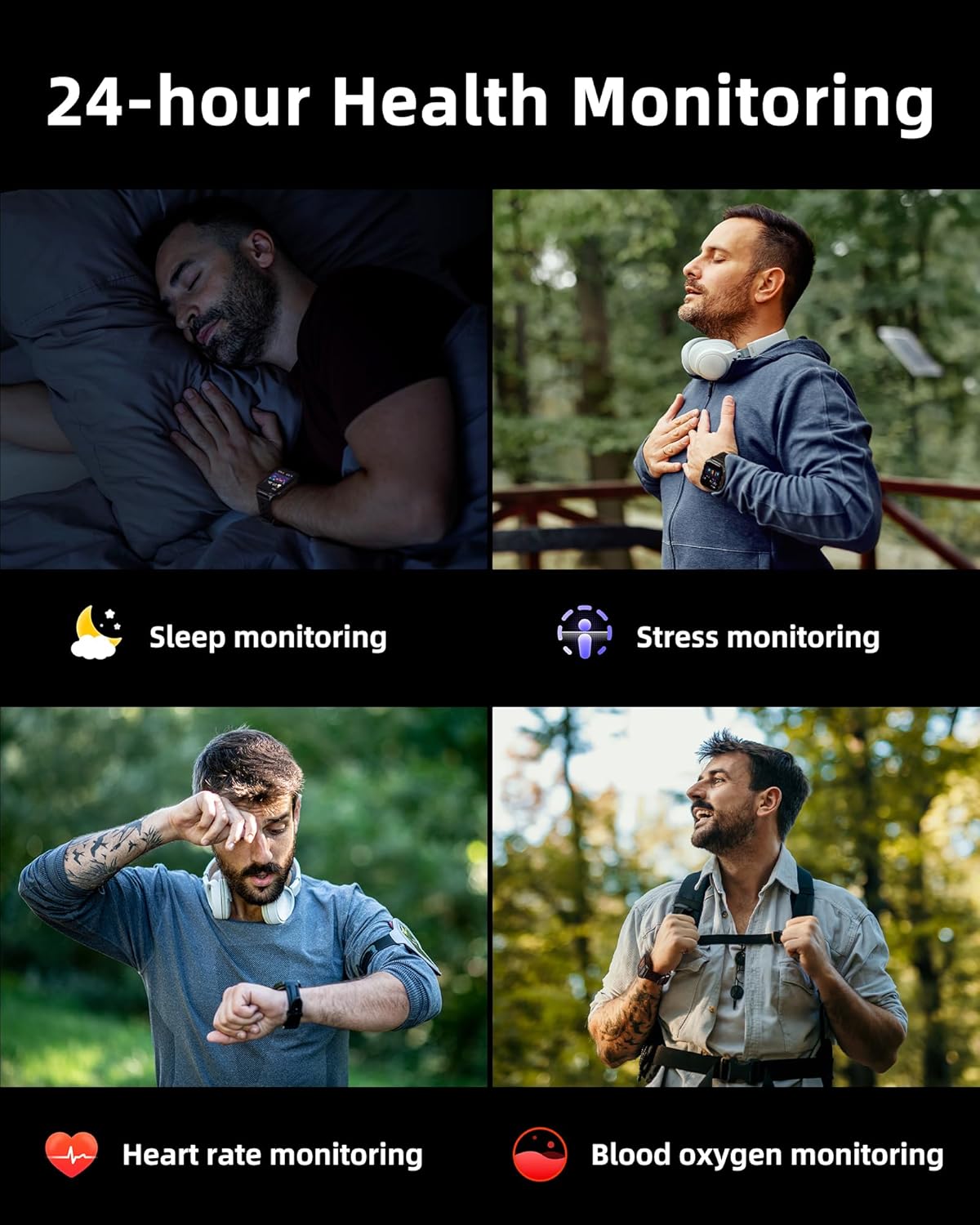
Image: A collage illustrating the smartwatch's 24-hour health monitoring capabilities, including sleep, stress, heart rate, and blood oxygen tracking.

Image: A man sleeping, with the smartwatch on his wrist, and a graphic showing detailed sleep analysis data.
4.8 Andre praktiske funktioner
The Parsonver G01 includes a variety of additional features to assist with daily tasks:
- Vækkeur: Indstil flere alarmer.
- Timer og stopur: For præcis timing.
- Lommeregner: Grundlæggende aritmetiske funktioner.
- Kalender: View dates and schedule.
- Musik kontrol: Play, pause, skip tracks on your connected phone.
- Vejrudsigt: Få vejropdateringer i realtid.
- Stemmeassistent: Interact with your phone's voice assistant.
- Fjernbetjening til kamera: Aktiver din telefons kamera eksternt.
- Find telefon: Find din forlagte smartphone.
- Løft-for-at-vågne: Automatically activate the screen when you raise your wrist.

Image: A display of various practical functions on the smartwatch, including alarm, timer, stopwatch, calculator, calendar, music control, and weather.
5. Vedligeholdelse
5.1 Vandtæthed
The Parsonver G01 Smart Watch has an IP68 waterproof rating, meaning it is resistant to dust and can withstand immersion in water up to 1.5 meters for 30 minutes. It is suitable for daily splashes, hand washing, and light rain.
Vigtig bemærkning:
- The IP68 rating does not make the watch suitable for swimming, showering, or sauna use. Exposure to hot water, steam, or high-pressure water jets may compromise the water resistance.
- Undgå at trykke på knapper under vandet.
- If the watch gets wet, dry it thoroughly before charging or using the touchscreen.

Image: A hand wearing the smartwatch under running water, illustrating its IP68 waterproof capabilities for everyday use.
5.2 Rengøring og pleje
- Regularly clean the watch and strap with a soft, dry cloth.
- Brug eventuelt en let damp klud med mild sæbe, skyl derefter og tør grundigt.
- Undgå at bruge skrappe kemikalier, slibende rengøringsmidler eller opløsningsmidler, da disse kan beskadige urets finish og komponenter.
- Hold opladningskontakterne rene og fri for snavs for at sikre korrekt opladning.
6. Fejlfinding
If you encounter issues with your Parsonver G01 Smart Watch, refer to the following common solutions:
- Uret tænder ikke: Sørg for, at uret er fuldt opladet. Tilslut det til opladeren i mindst 30 minutter.
- Kan ikke parres med smartphone:
- Sørg for, at Bluetooth er aktiveret på din telefon og uret.
- Sørg for, at uret er inden for din telefons Bluetooth-rækkevidde.
- Genstart både uret og din telefon.
- Check if the "Glory Fit" app has necessary permissions on your phone.
- Inaccurate GPS data:
- Sørg for at du befinder dig i et åbent udendørs område med klar view af himlen for bedre satellitmodtagelse.
- Allow sufficient time for the watch to acquire a GPS signal before starting an activity.
- Screen lights up during sleep: This can be caused by wrist movements activating the raise-to-wake feature. You may be able to disable or adjust the sensitivity of the raise-to-wake feature in the watch settings or the companion app.
- Kort batterilevetid:
- Frequent use of GPS, Bluetooth calls, and continuous health monitoring can consume more battery.
- Reduce screen brightness or shorten screen-on time.
- Deaktiver unødvendige notifikationer.
- Compass inaccuracy: Calibrate the compass if available in the watch settings or app. Ensure no strong magnetic fields are nearby.
If the issue persists, consult the FAQ section within the "Glory Fit" app or contact customer support.
7. Specifikationer
| Feature | Specifikation |
|---|---|
| Modelnummer | G01 |
| Skærmstørrelse | 1.95 tommer |
| Display Type | Full Touch Screen HD |
| Batterikapacitet | 520 mAh Lithium Polymer |
| Typisk brug Batterilevetid | 7-10 dage |
| Standby tid | Op til 40 dage |
| Opladningstid | Approx. 2 Hours (Magnetic Fast Charging) |
| Forbindelse | Bluetooth 5.3 |
| Operativsystemkompatibilitet | iOS 9.0 / Android 5.0 or above |
| Vandmodstandsvurdering | IP68 |
| Indbyggede funktioner | GPS, Compass, LED Flashlight |
| Sundhedsovervågning | Heart Rate, Blood Oxygen, Sleep, Stress, Mood |
| Sportstilstande | 100+ |
| Varens vægt | 47 gram (1.66 ounce) |
| Hukommelseslagringskapacitet | 256 MB |
8. Garanti og support
Parsonver is committed to providing reliable products and dedicated customer support. For any questions, technical assistance, or warranty inquiries, please refer to the contact information provided with your purchase or visit the official Parsonver webwebsted.


