1. Introduktion
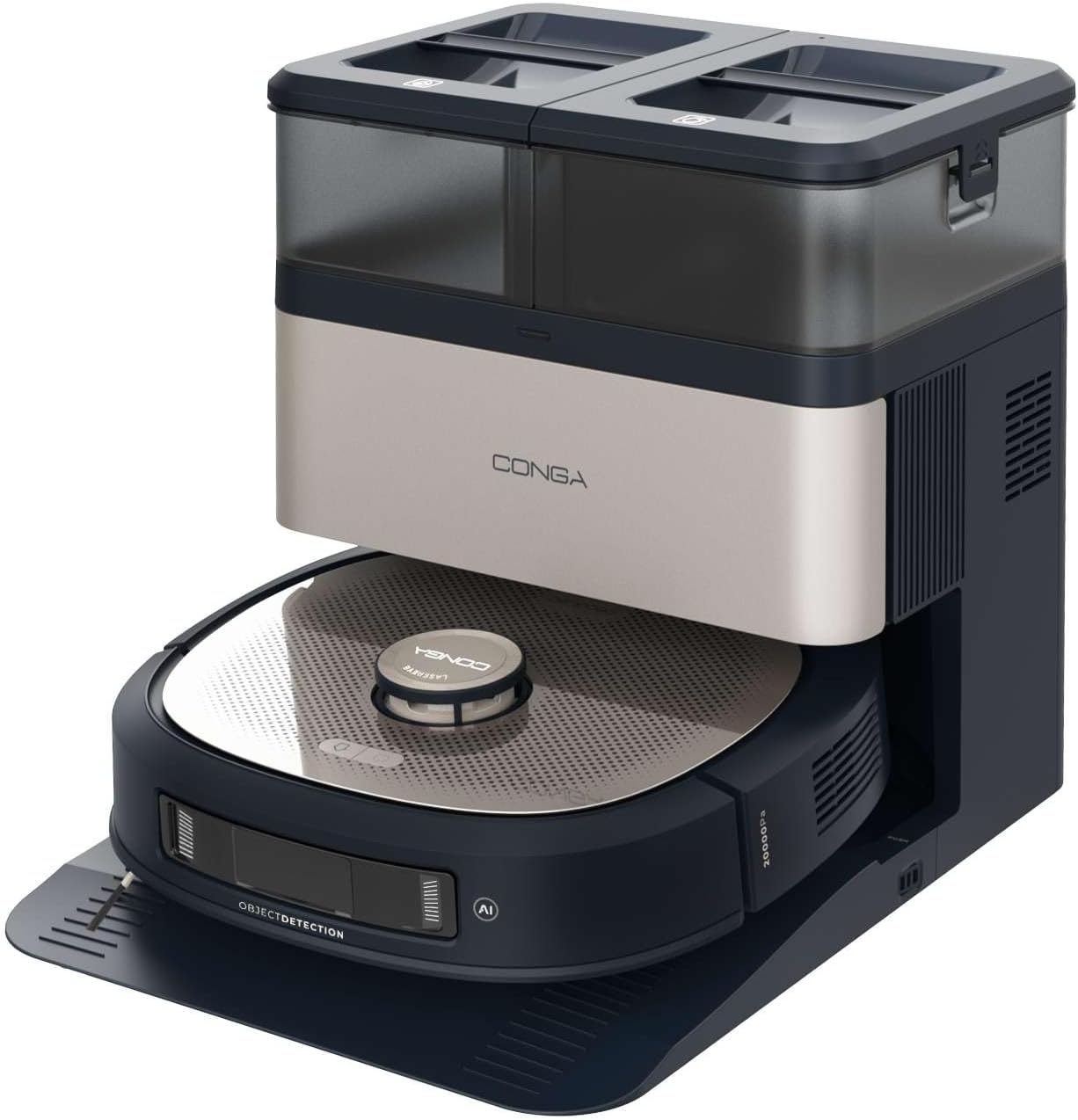
This manual provides essential instructions for the safe and efficient operation, maintenance, and troubleshooting of your Cecotec Conga Z100 X-Treme Robot Vacuum and Mop. This advanced cleaning device combines powerful vacuuming with professional mopping, intelligent navigation, and a convenient self-emptying and mop-cleaning station.
Læs venligst denne manual grundigt, inden du bruger produktet, og gem den til senere brug.
2. Produktkomponenter
The Cecotec Conga Z100 X-Treme package includes the following items:
- Robot Vacuum and Mop Unit
- Self-Emptying and Mop Cleaning Station
- Strømadapter
- Sidebørster (2 enheder)
- Main Brush (silicone)
- Bimaterial Mop Pad
- Disposable Dust Bag (pre-installed in station)
- Clean Water Tank (in station)
- Dirty Water Tank (in station)
- Brugervejledning (dette dokument)
3. Opsætning
3.1 Udpakning og klargøring
- Fjern forsigtigt alle komponenter fra emballagen.
- Remove any protective films, stickers, or foam inserts from the robot and the station.
- Sørg for, at alle komponenter, der er anført i afsnit 2, er til stede og ubeskadigede.
3.2 Placing the Self-Emptying and Mop Cleaning Station
- Place the station on a hard, level surface against a wall.
- Ensure there is at least 1 meter (3 feet) of clear space in front of the station and 0.5 meters (1.5 feet) on either side to allow the robot to dock properly.
- Keep the station away from direct sunlight, heat sources, and areas with high humidity.
- Sæt strømadapteren i stationen og derefter i en stikkontakt.
3.3 Fyldning af rentvandstanken
- Open the lid of the clean water tank on the station.
- Fill the tank with clean tap water up to the MAX line. Do not use detergents or cleaning solutions not approved by Cecotec.
- Close the tank lid securely.
3.4 Montering af sidebørster
- Vend robotten på hovedet.
- Align the side brushes with the corresponding posts (L for left, R for right) and press them down until they click into place.
3.5 Indledende opladning
- Place the robot onto the charging contacts of the station. Ensure the charging contacts on both the robot and the station are aligned.
- Robotten begynder at oplade automatisk. Lad den oplade helt, før den tages i brug første gang (ca. 4-6 timer).
3.6 Mobile Application Connection
- Download den officielle Cecotec Conga-app fra din smartphones appbutik.
- Follow the in-app instructions to register an account and connect your Conga Z100 X-Treme robot. This typically involves connecting to the robot's Wi-Fi network during the setup process.

4. Betjeningsvejledning
4.1 Tænd/sluk
- Tænd: Press and hold the power button on the robot until the indicator lights illuminate.
- Sluk: Tryk på tænd/sluk-knappen, og hold den nede, indtil indikatorlamperne slukker.
4.2 Start af en rengøringscyklus
- Ensure the robot is fully charged and the clean water tank is filled (for mopping).
- Press the clean button on the robot or use the mobile app to start a cleaning cycle. The robot will automatically leave the station and begin cleaning.
- To pause cleaning, press the clean button once. Press again to resume.
- To send the robot back to the station, press the home button on the robot or use the app.
4.3 Rengøringstilstande
The robot offers various cleaning modes accessible via the mobile application:
- Automatisk tilstand: Robotten rengør intelligent hele det kortlagte område.
- Spot-tilstand: Rengør et specifikt lille område med koncentreret indsats.
- Kanttilstand: Rengør langs vægge og møbelkanter.
- Zone rengøring: Giver dig mulighed for at definere specifikke områder på kortet til rengøring.
4.4 AI Navigation and Obstacle Avoidance
The Conga Z100 X-Treme utilizes AI with LaserEye technology for precise navigation. It identifies small objects, different floor types, and dirt levels, adapting its cleaning strategy accordingly. This allows it to navigate complex environments and avoid obstacles effectively.

4.5 AquaCycle Professional Mopping
The AquaCycle system ensures continuous mopping with clean water. The robot wets the bimaterial mop with clean water and wrings out dirty water into a separate tank, providing efficient and hygienic floor cleaning.

4.6 Wet&Protect Technology
The robot's intelligent mopping adapts to different surfaces. Its bimaterial mop provides deep cleaning with a super-absorbent side. When a carpet is detected, the robot activates CarpetCare mode and uses the smooth side of the mop to protect the carpet from moisture.

4.7 Sugekraft
With an Ungravity motor providing 20000 Pa of suction power, the robot effectively cleans hidden dirt, even from high-pile carpets and deep tile grout.

5. Vedligeholdelse
Regular maintenance ensures optimal performance and extends the lifespan of your robot vacuum and mop.
5.1 Self-Emptying Station Maintenance
- Udskiftning af støvpose: The station automatically empties the robot's dust bin into a disposable dust bag. Replace the dust bag when the indicator light on the station signals it is full (approximately every 12 weeks, depending on usage).
- Rent vandtank: Refill with clean water before each mopping cycle.
- Beholder til snavset vand: Empty and rinse the dirty water tank after each mopping cycle to prevent odors and bacterial growth.
- Moppetørring: The station dries the mop with hot air after cleaning. Ensure the mop is properly positioned for effective drying.

5.2 Rengøring af robotkomponenter
- Hovedbørste: Regularly remove hair and debris from the main silicone brush. Use the cleaning tool provided.
- Sidebørster: Check for tangled hair or debris and clean as needed. Replace if worn or damaged.
- Bimaterial Mop Pad: Remove the mop pad after each mopping cycle and wash it thoroughly. It can be hand-washed or machine-washed (follow care instructions).
- Sensorer: Tør klippesensorerne, vægsensorerne og opladningskontakterne af med en ren, tør klud for at sikre korrekt funktion.
- Hjul: Clean any hair or debris from the robot's wheels.

6. Fejlfinding
If you encounter issues with your Conga Z100 X-Treme, refer to the following common problems and solutions:
| Problem | Mulig årsag | Løsning |
|---|---|---|
| Robotten tænder ikke. | Lavt batteri; tænd/sluk-knappen er ikke trykket korrekt ind. | Place robot on charging station; press and hold power button for 3 seconds. |
| Robotten kan ikke finde ladestationen. | Station obstructed; robot too far from station. | Ensure clear space around station; manually place robot closer to station. |
| Dårlig rengøringsevne. | Brushes or filters dirty/worn; dust bin full. | Clean/replace brushes and filters; empty dust bin. |
| Robotten sidder ofte fast. | Obstacles (cables, small objects); uneven surfaces. | Clear the cleaning area of obstacles; use virtual walls/no-go zones in app. |
| Problemer med app-forbindelse. | Incorrect Wi-Fi password; router too far; app outdated. | Verify Wi-Fi credentials; move robot closer to router; update app; reset robot's Wi-Fi. |
| Mopping efterlader striber eller er ineffektiv. | Mop pad dirty/worn; clean water tank empty; dirty water tank full. | Clean/replace mop pad; refill clean water tank; empty dirty water tank. |
| Fejl i vandpumpen. | Pump malfunction; blockage in water lines. | Check for blockages; contact customer support if issue persists. |
For persistent issues not covered here, please refer to the official Cecotec support channels.
7. Specifikationer
| Feature | Detalje |
|---|---|
| Mærke | Cecotec |
| Modelnavn | Conga Z100 X-Treme |
| Modelnummer | A01_EU01_119672 |
| Sugekraft | 20000 Pa |
| Batterikapacitet | 5200 mAh |
| Navigationsteknologi | AI with LaserEye |
| Moppesystem | AquaCycle Professional Mopping, Wet&Protect Technology, Bimaterial XXL Mop |
| Selvtømmende station | Yes, with hot air mop drying |
| Støvposekapacitet | 3 liter |
| Renvandstankkapacitet | 3 liter |
| Kapacitet til snavset vandtank | 3 liter |
| Robotens dimensioner (L x B x H) | 35.2 x 35.2 x 10.5 cm |
| Robot vægt | 4.92 kg |
| Voltage | 240 volt |
| Kontroltype | App kontrol |
8. Garanti og support
Your Cecotec Conga Z100 X-Treme Robot Vacuum and Mop is covered by a manufacturer's warranty. Please refer to the warranty card included in your product packaging for specific terms and conditions, including the warranty period and coverage details.
For technical support, service, or to inquire about replacement parts and consumables, please contact Cecotec customer service through their official webwebstedet eller kontaktoplysningerne i din garantidokumentation.
Always ensure you have your product model number (A01_EU01_119672) and proof of purchase available when contacting support.


