Indledning
This manual provides essential instructions for setting up, operating, maintaining, and troubleshooting your DOOGEE Note 56 smartphone. Please read this guide thoroughly to ensure proper use and to maximize the device's capabilities.
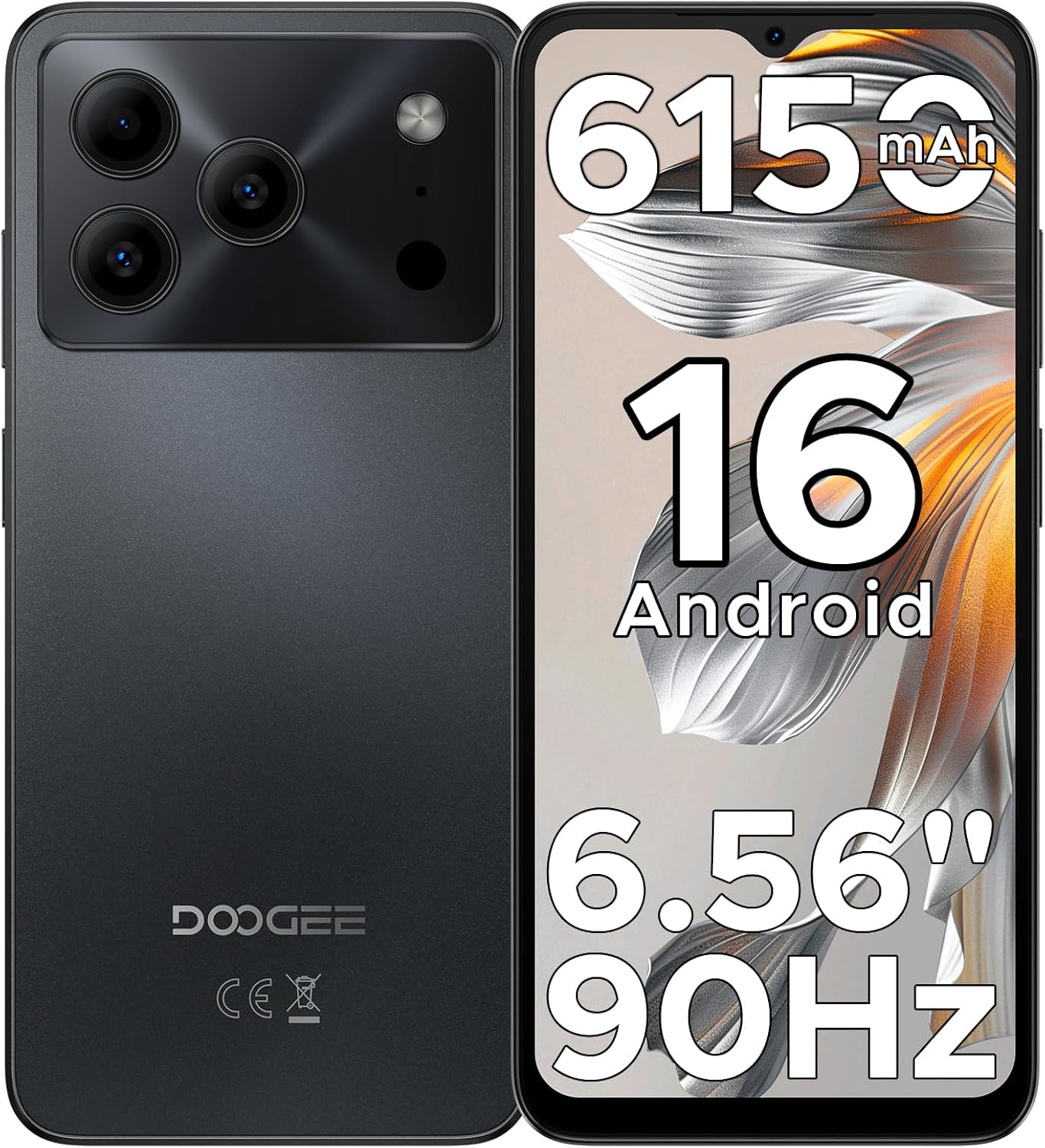
Figure 1: DOOGEE Note 56 Smartphone Overview
1. Opsætning
1.1 Pakkens indhold
Bekræft, at alle varer er til stede i din produktpakke:
- 1 x DOOGEE Note 56 Cellphone
- 1 x Type-C-portkabel
- 1 x oplader
- 1 x beskyttelsesfilm (forudpåsat)
- 1 x SIM-kort pinkode
- 1 x pakkeboks
- 1 x Manual (dette dokument)
- 1 x garantikort
- 1 x TPU-beskyttelsesetui
1.2 Isætning af SIM-kort og TF-kort
- Find SIM-kortbakken på siden af telefonen.
- Insert the SIM card pin into the small hole next to the tray to eject it.
- Place your Nano-SIM cards (up to two) and/or a TF card (microSD) into the designated slots on the tray. Ensure the gold contacts face downwards.
- Sæt forsigtigt bakken tilbage i telefonen.

Figure 2: SIM Card Tray Location (Illustrative)
1.3 Opladning af batteriet
Before first use, fully charge the phone's battery. Connect the Type-C cable to the phone's charging port and the charger to a power outlet.
- The phone features a 6150mAh Silicon-Carbon Battery.
- It supports 5W reverse charging, allowing you to charge other devices using your phone (requires an OTG cable, sold separately).

Figure 3: 6150mAh Battery Feature
1.4 Tænd/sluk
- Sådan tænder du: Tryk på tænd/sluk-knappen, og hold den nede, indtil DOOGEE-logoet vises.
- Sådan slukker du: Tryk på tænd/sluk-knappen og hold den nede, og vælg derefter "Sluk" fra indstillingerne på skærmen.
2. Betjeningsvejledning
2.1 Android 16-operativsystem
The DOOGEE Note 56 runs on the latest Android 16 OS, providing a secure and user-friendly experience. Navigate through the interface using gestures and on-screen controls.

Figur 4: Android 16 OS-grænseflade
2.2 Visning og interaktion
- Skærm: The device features a 6.56-inch HD+ IPS waterdrop screen with a 90Hz refresh rate for smooth visuals.
- Ansigtslås: Utilize the front camera for quick and secure access to your device.
- 3.5 mm hovedtelefonstik: Tilslut kablede hovedtelefoner til lydafspilning.

Figure 5: 6.56" HD+ 90Hz Display
2.3 Kamerafunktioner
The DOOGEE Note 56 is equipped with an 8MP main camera and a 5MP front camera. The camera app includes various modes to enhance your photography:
- AI-scenegenkendelse: Automatically detects 12 scenes and optimizes settings for improved photos.
- HDR: High Dynamic Range for balanced exposure in challenging lighting.
- Nattilstand: Forbedrer billeder taget under svagt lys.
- Skønhedstilstand: Applies enhancements for portraits.
- Portrættilstand: Creates a depth-of-field effect.
- Pro Mode: Manuel kontrol over kameraindstillinger.
- Smile Capture, Panoramas, Burst Shots, Fun Filters.

Figure 6: Camera Features and AI Scene Recognition
2.4 Forbindelse
- 4G dobbelt SIM-kort: Understøtter to SIM-kort for fleksibel netværksbrug.
- Wi-Fi: Opret forbindelse til trådløse netværk for at få internetadgang.
- Bluetooth 4.2: Pair with compatible accessories.
- GPS: Til navigations- og lokationstjenester.
- FM-radio: Listen to local radio stations.

Figure 7: Supported Network Connections
2.5 Lagring og ydeevne
- Processor: UNISOC SC9863A Octa-Core processor for efficient operation.
- VÆDDER: 24GB RAM (3GB physical + 21GB virtual expansion) for smooth multitasking.
- Intern opbevaring: 64GB for apps and media.
- Udvidelig lagerplads: Understøtter op til 2 TB via TF-kort (microSD) (sælges separat).

Figure 8: Storage and RAM Configuration
2.6 Smart OS Features
The Android 16 OS includes several smart features:
- Dobbelt systemtilstand: Allows for separate user profiles or environments.
- Super Udklipsholder: Forbedret udklipsholderfunktionalitet.
- Hukommelsesudvidelse: Software-based RAM expansion.
- Screen Optimization: Adjusts display settings for various content.
- Customize Screen Colors: Personalize your display's color profile.
- Smart kropsregistrering: (Details not specified, likely related to gestures or proximity).

Figure 9: Smart OS Features Overview
3. Vedligeholdelse
3.1 Pleje af batterier
- Undgå ekstreme temperaturer, da disse kan forringe batteriets levetid.
- Lad ikke telefonen være fuldt opladet eller helt afladet i længere perioder.
- Use only the provided charger and cable for optimal charging.
3.2 Softwareopdateringer
Regularly check for and install system updates to ensure your device has the latest security patches and features. You can usually find this option in Indstillinger > System > Systemopdatering.
3.3 Rengøring af enheden
- Brug en blød, fnugfri klud til at rengøre telefonens skærm og kabinet.
- Undgå at bruge skrappe kemikalier eller slibende materialer.
- Udsæt ikke telefonen for overdreven fugt.
3.4 Lagerstyring
For at opretholde optimal ydeevne skal du regelmæssigt administrere din telefons lagerplads. Slet unødvendige filer. files, uninstall unused apps, and utilize the TF card for additional storage.
4. Fejlfinding
If you encounter issues with your DOOGEE Note 56, try the following common troubleshooting steps:
| Problem | Løsning |
|---|---|
| Telefonen tænder ikke | Sørg for, at batteriet er opladet. Tilslut opladeren, og vent et par minutter, før du forsøger at tænde igen. |
| Batteriet aflades hurtigt | Close unused apps, reduce screen brightness, disable Wi-Fi/Bluetooth when not in use. Check battery usage in settings to identify power-consuming apps. |
| Apps er langsomme eller går ned | Clear app cache (Settings > Apps > [App Name] > Storage > Clear cache). Restart the phone. Ensure sufficient free storage space. |
| Kan ikke oprette forbindelse til Wi-Fi/mobildata | Toggle Wi-Fi/Mobile Data off and on. Restart the phone. Check router/network settings. Ensure SIM cards are correctly inserted and activated. |
| Ansigtslåsning virker ikke | Ensure your face is well-lit and clearly visible to the front camera. Re-register your face data in security settings if the issue persists. |
For more complex issues, refer to the DOOGEE support webwebsted eller kontakt kundeservice.
5. Specifikationer
| Feature | Detalje |
|---|---|
| Modelnavn | BEMÆRK56 |
| Operativsystem | Android 16 |
| CPU | UNISOC SC9863A Octa-Core, 1.6 GHz |
| VÆDDER | 24 GB (3 GB fysisk + 21 GB virtuel) |
| Intern opbevaring | 64 GB |
| Udvidelig opbevaring | Up to 2 TB via TF card (microSD) |
| Skærmstørrelse | 6.56 tommer |
| Display Type | HD+ IPS Waterdrop Screen, 90Hz Refresh Rate |
| Bagkamera | 8 MP |
| Forreste kamera | 5 MP |
| Batterikapacitet | 6150 mAh |
| Forbindelse | 4G Dual SIM, Wi-Fi, Bluetooth 4.2, GPS, USB Type-C |
| Lydstik | 3.5 mm |
| Særlige funktioner | Face Unlock, OTG Reverse Charging, Expandable Memory, Dual SIM |
| Dimensioner | 7.63 x 4.09 x 2 tommer (pakkemål) |
| Varens vægt | 14.6 ounce |
6. Garanti og support
Your DOOGEE Note 56 smartphone comes with a warranty. Please refer to the included Warranty Card in your package for detailed information regarding warranty terms, conditions, and duration.
For technical support or further assistance, please visit the official DOOGEE webwebstedet eller kontakt deres kundeserviceafdeling. Kontaktoplysninger kan typisk findes på garantikortet eller i producentens webwebsted.


