Indledning
This manual provides detailed instructions for the safe and efficient operation, maintenance, and troubleshooting of your HOTO PixelDrive Electric Screwdriver, Model QWLSD014. Please read this manual thoroughly before using the product and retain it for future reference.
Produkt overview

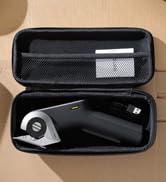
Figure 1: HOTO PixelDrive Electric Screwdriver with included 30-piece bit set and cylindrical storage case.
Nøglefunktioner:
- Smart skærm: Shows real-time torque levels and battery charge.
- Justerbart drejningsmoment: Six levels from 0.5 N·m to 6 N·m for various tasks.
- Dobbelt hastighedskontrol: 80 RPM for precision (half-press) and 200 RPM for efficiency (full-press).
- 30-Piece Bit Set: Includes 10 C6.3x25mm and 20 C6.3x50mm bits, organized in a triple-layer cylindrical case.
- Integreret LED lys: 360-degree illumination for dark or confined spaces.
- Genopladeligt batteri: 2000 mAh Lithium-Ion battery with USB-C charging.
Inkluderede komponenter:
- 1 x HOTO PixelDrive Cordless Screwdriver
- 1 x 30-Piece Screwdriver Bit Set (10 x C6.3x25mm, 20 x C6.3x50mm)
- 1 x USB-C Charging Cable (not explicitly listed but implied by USB-C charging)
Figur 2: Eksploderet view illustrating the screwdriver and its organized bit storage system.
Opsætning
1. Charging the Screwdriver:
Before first use, fully charge the HOTO PixelDrive Electric Screwdriver. Connect the provided USB-C cable to the charging port located at the bottom of the screwdriver and plug the other end into a compatible USB power adapter (not included). The smart display will indicate the battery charge status during charging.
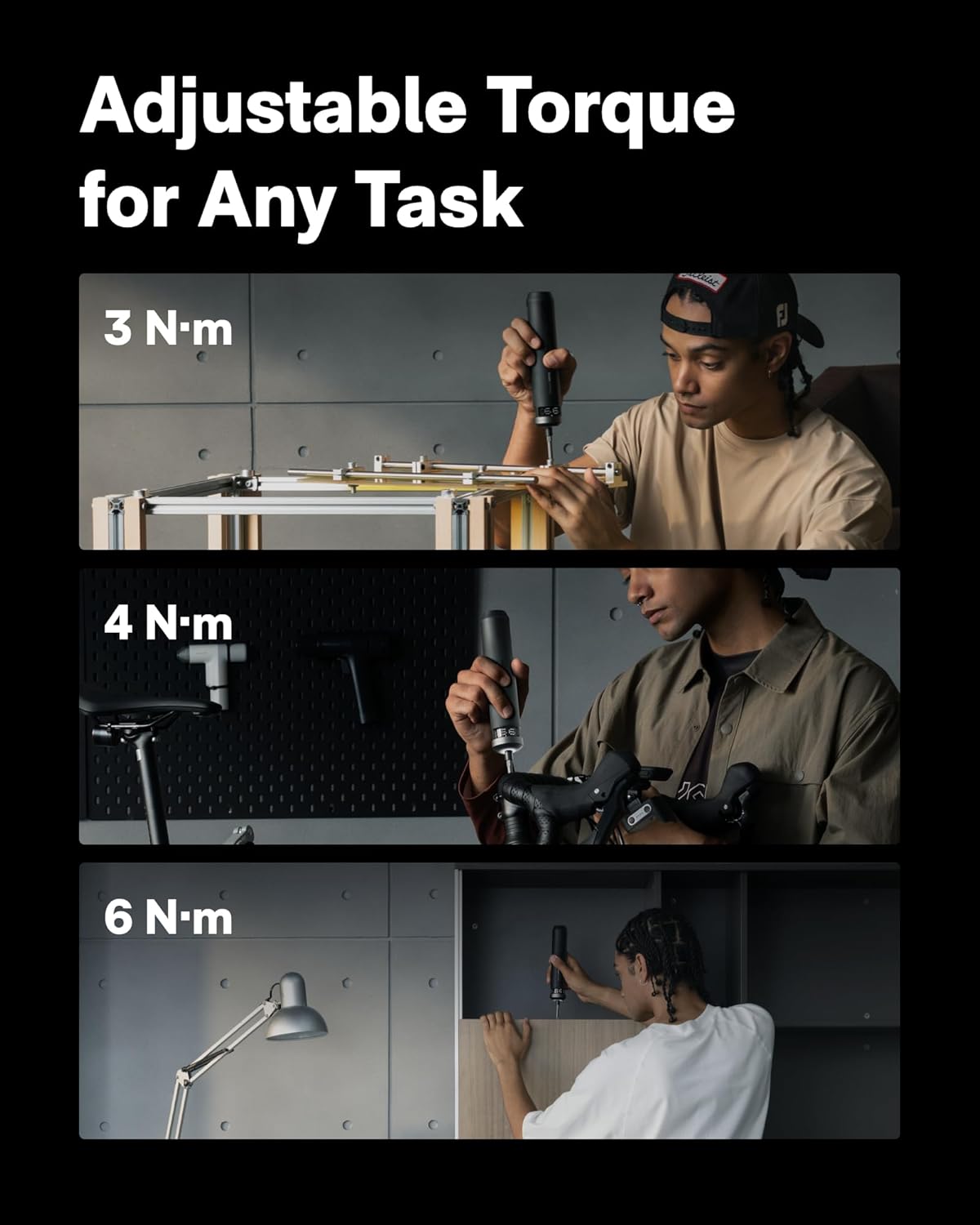
Figure 3: The screwdriver features a 2000 mAh battery and a convenient USB-C charging port.
2. Bit Installation:
- Open the cylindrical bit storage case by rotating the sections.
- Vælg den passende skruetrækkerbit til din opgave.
- Insert the chosen bit into the magnetic bit holder at the tip of the screwdriver. Ensure it is securely seated.
Figure 4: Visual guide for opening the bit cylinder, attaching a bit, and adjusting torque.
Betjeningsvejledning
1. Power On/Off and Torque Adjustment:
- Rotate the ring at the top of the screwdriver to select one of the six torque levels (0.5 N·m to 6 N·m). The smart display will show the selected torque.
- To turn off the screwdriver, rotate the ring to the "OFF" position.
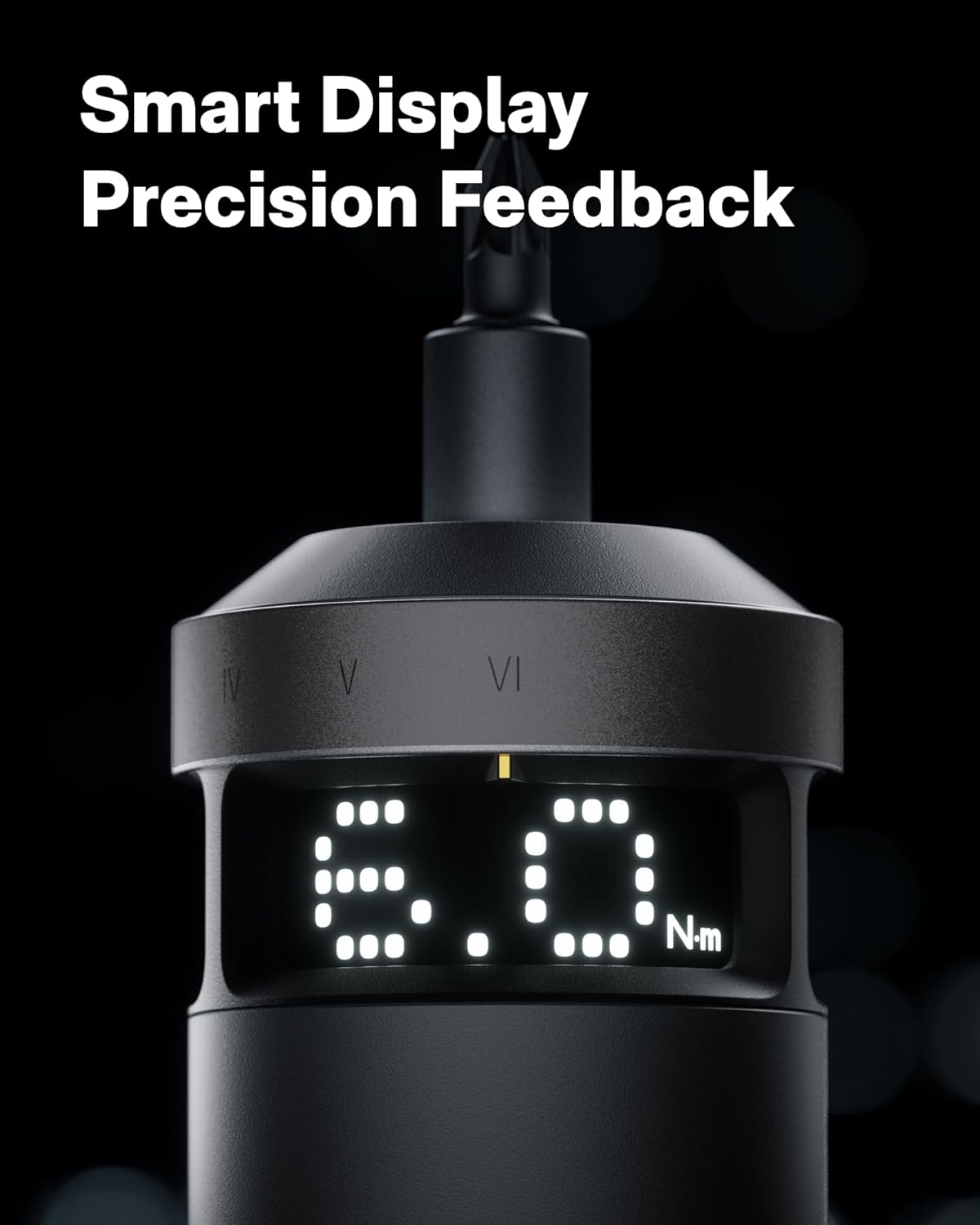
Figure 5: The smart display provides real-time feedback on torque and battery life.
2. Speed Control (Dual Speed):
- The screwdriver features a dual-speed trigger.
- Halvt tryk: Activates the low speed (80 RPM) for precision work.
- Fuld tryk: Activates the high speed (200 RPM) for faster operation and increased productivity.

Figure 6: Dual-speed control allows for precise or rapid operation based on trigger pressure.
3. Switching Torque Units (N·m / lb-in):
To switch between Newton-meters (N·m) and Inch-pounds (lb-in) on the smart display, press and hold both the forward and reverse buttons simultaneously for 3 seconds. Wake the screen with a forward/reverse press, then adjust torque.
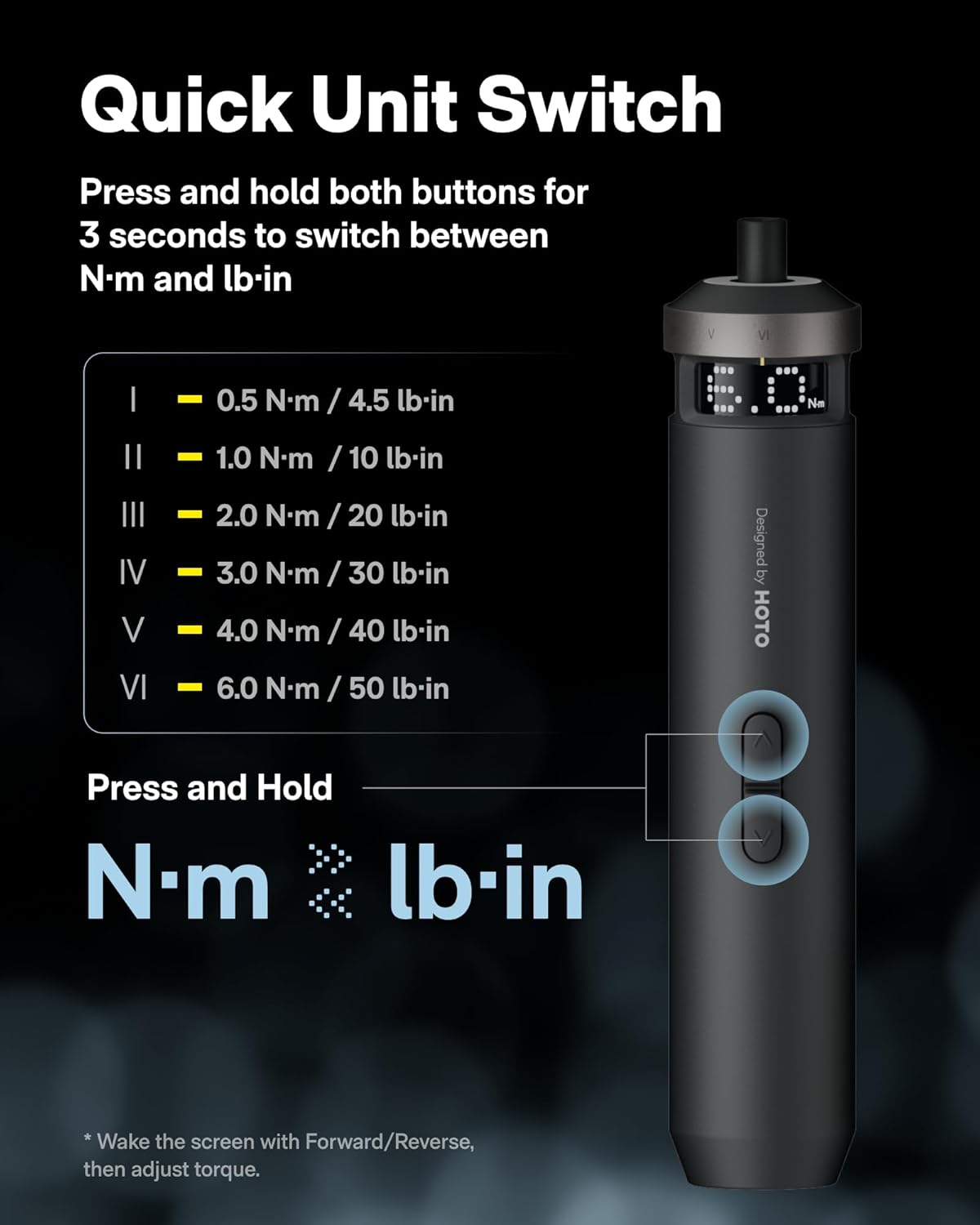
Figure 7: Instructions for switching between N·m and lb-in torque units on the smart display.
4. Recommended Torque Settings for Various Applications:
| Torque Level | Anvendelse | Example Bits |
|---|---|---|
| 0.5 N·m (4.5 lb-in) | Delicate electronics repairs, small appliances, thin plates, M1.2-M2 screws. | PH0, SL4, U2.6, Δ2.3 |
| 1 N·m (10 lb-in) | Light repairs, M2.5-M3 machine screws, printer/camera mounts. | PH1, SL6, T10H |
| 2 N·m (20 lb-in) | Everyday fixes, M3-M4 assembly, furniture fittings, 3D printers, plastic parts tightening. | S1, T15H, H3 |
| 3 N·m (30 lb-in) | Flat-pack assembly, M3.5-M4.5 mm wood screws, wall brackets, hardware joints. | PH2, PZ2, T20H, H4 |
| 4 N·m (40 lb-in) | Garage-to-mountain builds, M5-M6 furniture connectors, hinges. | PH3, S2, H5, T28H |
| 6 N·m (50 lb-in) | Heavy fixes, large-size pre-tightening (long wood screws, M6-M8 furniture). Final tightening with larger tools or a torque wrench is recommended. | T30H, H6 |

Figure 8: Torque level guide for various tasks and compatible bit types.
Opretholdelse
- Keep the screwdriver and bits clean and dry. Wipe with a soft, damp klæde.
- Store the screwdriver and bits in their original cylindrical case to prevent loss and damage.
- Undgå at udsætte enheden for ekstreme temperaturer, direkte sollys eller fugt.
- Regularly check the bits for wear and replace them if they become dull or damaged.
Fejlfinding
| Problem | Mulig årsag | Løsning |
|---|---|---|
| Screwdriver not turning on. | Lavt batteri. | Charge the screwdriver using the USB-C cable. |
| Bitten sidder ikke sikkert fast. | Bit not fully inserted or magnetic holder is dirty. | Ensure the bit is fully inserted. Clean the magnetic holder if necessary. |
| Insufficient torque for task. | Incorrect torque setting selected. | Increase the torque level using the rotary ring. Refer to the "Recommended Torque Settings" table. |
| Skruetrækkeren stopper uventet. | Overload protection activated or low battery. | Reduce pressure or check battery level. Allow the tool to cool down if overheated. |
Specifikationer
- Modelnavn: QWLSD014
- Mærke: Hoto
- Materiale: Aluminium
- Varens vægt: 11.2 ounces (317 gram)
- Produktdimensioner: 1.5 x 1.5 x 7.8 tommer
- Batteri: 1 litium-ion-batteri (inkluderet), 2000 mAh
- Strømkilde: Batteridrevet (USB-C genopladelig)
- Voltage: 4 volt
- Momentområde: 0.5 - 6 N·m (up to 50 Inch Pounds)
- Hastighed: Dual-speed (80 RPM / 200 RPM)
- Særlige funktioner: Adjustable Torque, Dual-Speed Control, LED Light, Smart Display
- Inkluderede komponenter: 1 × PixelDrive Cordless Screwdriver, 30-Piece Screwdriver Bit Set (10 × C6.3 × 25mm, 20 × C6.3 × 50mm)
Sikkerhedsoplysninger
- Always wear appropriate safety gear, such as safety glasses, when operating power tools.
- Hold arbejdsområdet rent og godt oplyst. Rodede eller mørke områder inviterer til ulykker.
- Brug ikke elværktøj i eksplosive atmosfærer, såsom i nærheden af brændbare væsker, gasser eller støv.
- Hold børn og omkringstående væk, mens du betjener et elværktøj. Distraktioner kan få dig til at miste kontrollen.
- Opbevar inaktivt elværktøj utilgængeligt for børn, og lad ikke personer, der ikke er bekendt med elværktøjet eller disse instruktioner, betjene elværktøjet.
- Use the correct bit for the application. Forcing the tool may cause damage or injury.
- Do not disassemble or modify the screwdriver. Repairs should only be performed by qualified personnel.
Officielle produktvideoer
HOTO PixelDrive - Precision Meets Smart Display
Video 1: En overview of the HOTO PixelDrive Electric Screwdriver, highlighting its precision features and smart display capabilities.
High-Tech Screwdriver - Power, Precision, Perfection
Video 2: Demonstrates the power and precision of the HOTO PixelDrive screwdriver in various applications.
First Look at the [PixelDrive] | Smart Electric Screwdriver
Video 3: A first look at the HOTO PixelDrive, showcasing its smart features and design.
Garanti og support
For warranty information and customer support, please refer to the official HOTO webwebstedet eller kontakt deres kundeservice direkte. Gem din købskvittering som købsbevis i tilfælde af garantikrav.
Manufacturer: HOTO


