1. Introduktion
This manual provides detailed instructions for the installation, operation, and maintenance of your ZOSI 1080P Pan Tilt Wired Analog HD TVI Security Camera. Please read this manual thoroughly before using the product to ensure proper setup and functionality. This camera is designed for both indoor and outdoor surveillance, offering a 360° view with pan and tilt capabilities, 65ft night vision, and one-way audio.
2. Pakkens indhold
Verify that all items listed below are included in your package. If any items are missing or damaged, please contact ZOSI customer support.

This image provides a visual list of the package contents, including two ZOSI cameras, one power adapter, one 1-to-2 power splitter, two 60ft BNC cables, a quick start guide, two mounting screw bags, two mounting templates, and two warning stickers.
- 2 x ZOSI 1080P Pan Tilt Security Cameras
- 2 x 60 fod BNC-kabler
- 1 x strømadapter
- 1 x 1 to 2 Power Splitter
- 2 x monteringsskrueposer
- 2 x Mounting Templates
- 2 x Advarselsklistermærker
- 1 x Quick Start Guide
3. Produktet er slutview
The ZOSI 1080P Pan Tilt Security Camera is designed to provide comprehensive surveillance with its advanced features.
Nøglefunktioner:
- 360° panorering og 90° hældning: Juster kameraets fjernbetjening viewing angle to cover every corner, eliminating blind spots.
- 1080P HD-opløsning: Optager klar og detaljeret videofootage.
- 65 fods nattesyn: Equipped with infrared lights for clear monitoring in low-light conditions up to 65 feet.
- Envejslyd: Built-in microphone captures clear audio from the camera's vicinity. Note: This camera does not support two-way communication.
- IP66 Vejrbestandig: Constructed with rust-resistant ABS material, suitable for outdoor use in various weather conditions (14°F to 131°F / -10°C to 55°C).
- Kompatibilitet: Exclusively designed for use with compatible ZOSI wired DVRs (2MP/5MP/4K models). Requires DVR firmware version 1.8.1 or higher.
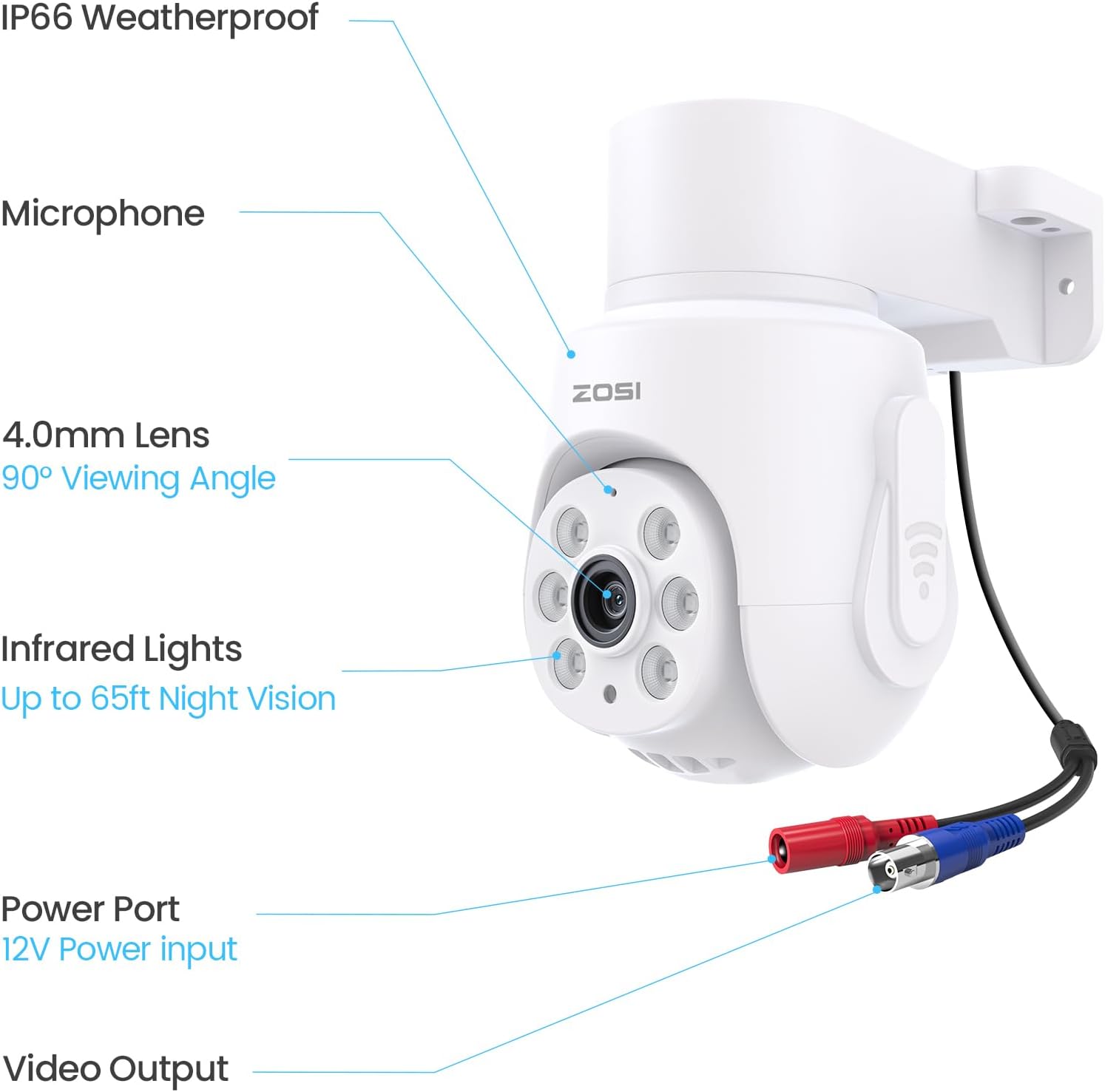
This detailed diagram labels the key components of the ZOSI camera, including the microphone, 4.0mm lens with a 90° viewing angle, infrared lights for up to 65ft night vision, the 12V power input port, and the video output.
4. Opsætning
4.1 Kompatibilitetskontrol
Before installation, ensure your ZOSI DVR is compatible. This camera works only with ZOSI wired DVRs (2MP/5MP/4K models) and requires DVR firmware version 1.8.1 or higher. This camera is not a standalone device and must be connected to a compatible DVR.
4.2 Tilslutningsdiagram
Follow the diagram below to connect your camera to the DVR system.
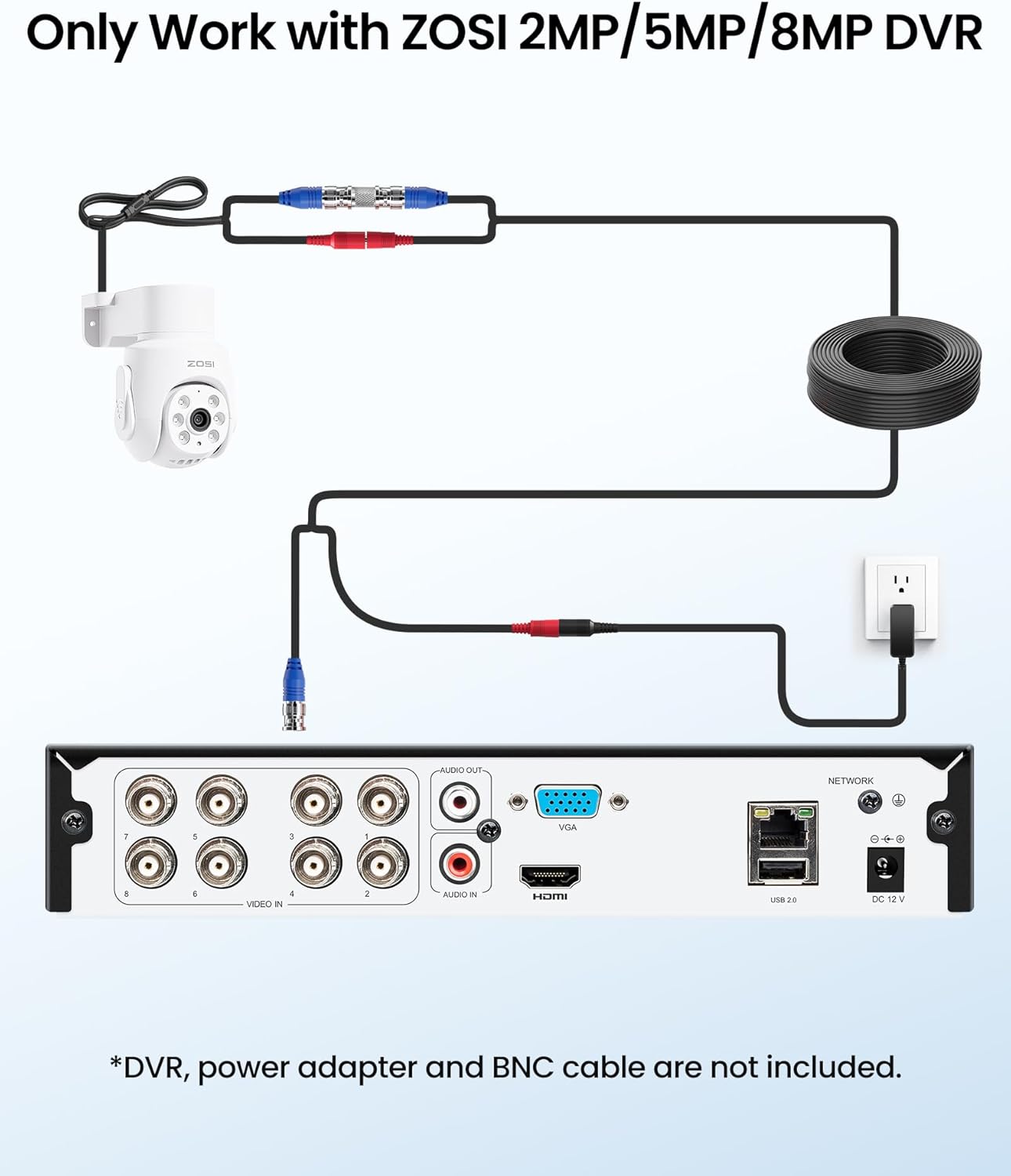
This diagram illustrates the connection setup for the ZOSI camera. It shows the camera connected to a ZOSI DVR via a BNC cable and powered by an adapter. This setup emphasizes that the camera is designed to work exclusively with compatible ZOSI DVR systems (2MP/5MP/8MP).
- Connect the BNC cable from the camera's video output to an available video input port on your ZOSI DVR.
- Connect the camera's power input to the provided power adapter.
- Sæt strømadapteren i en stikkontakt.
- Ensure your DVR is powered on and properly configured.
4.3 Montering af kameraet
The camera supports both ceiling and wall mounting. Use the included mounting template and screws for secure installation.
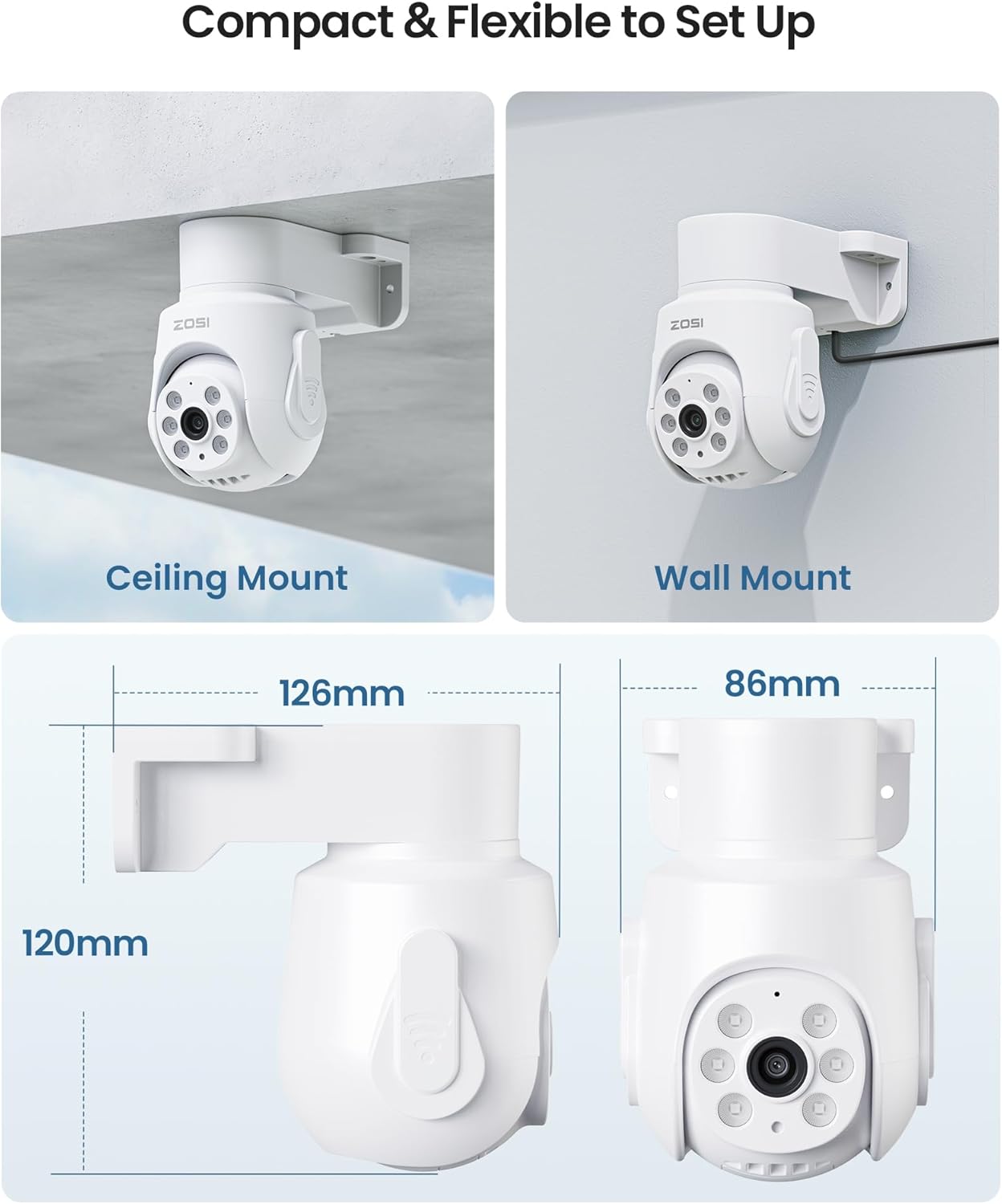
The image illustrates the versatile mounting options for the ZOSI camera, showing it installed on both a ceiling and a wall. Dimensions are provided for each mounting configuration, highlighting its compact and flexible design.
- Choose a suitable location for optimal coverage, considering the camera's pan and tilt range.
- Use the mounting template to mark the drill holes on the desired surface (wall or ceiling).
- Drill holes and insert the wall anchors if necessary.
- Secure the camera bracket to the surface using the provided screws.
- Adjust the camera's physical orientation if needed before final tightening.
5. Betjeningsvejledning
5.1 Remote Pan & Tilt Control
The camera's 360° pan and 90° tilt functions can be controlled remotely via your ZOSI DVR interface or the ZOSI mobile application.
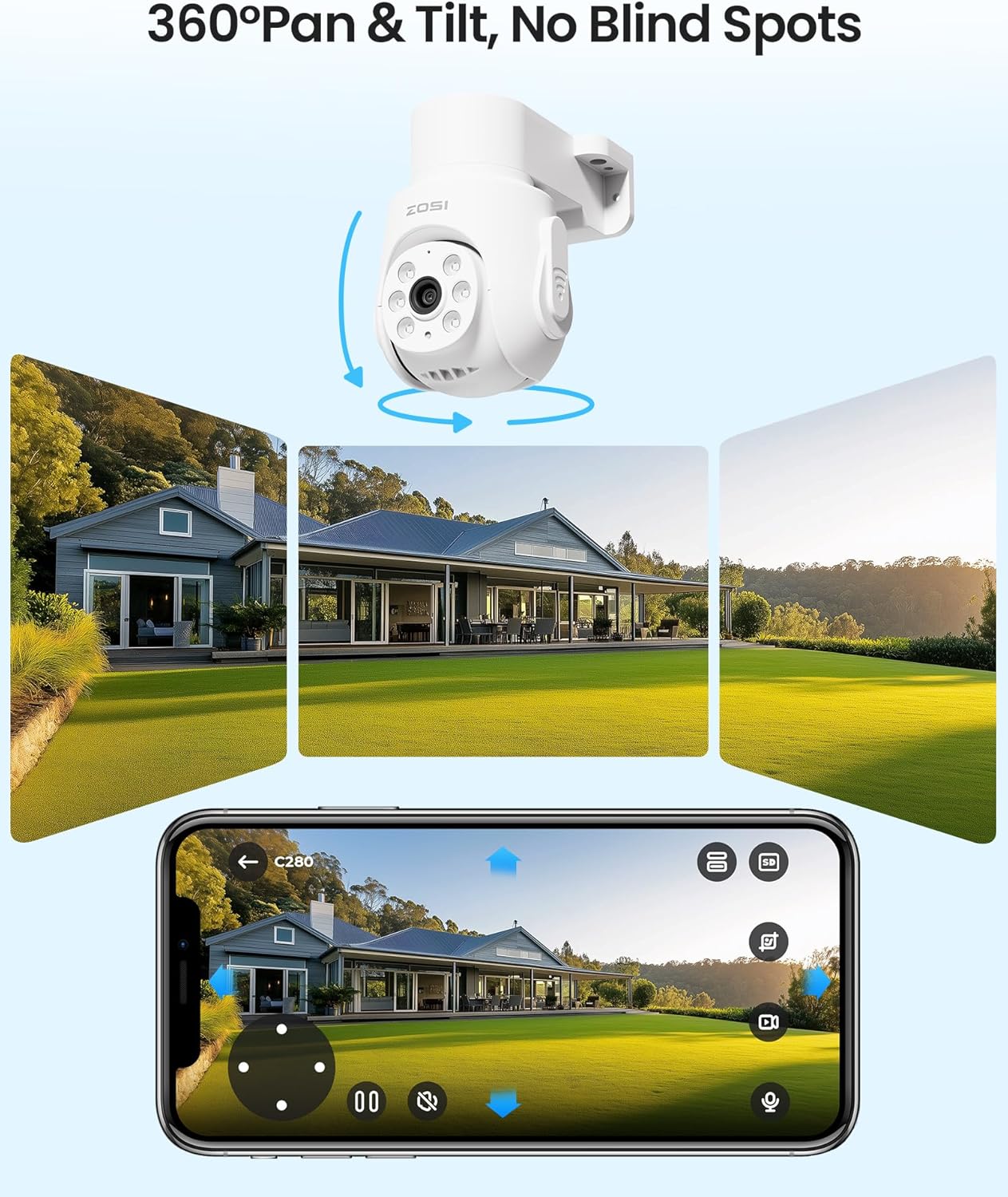
The image illustrates the 360° pan and tilt capabilities of the ZOSI camera, showing how it can cover a wide area without blind spots. A smartphone screen displays the live view from the camera, demonstrating remote control over its movement.
- Få adgang til live view of the camera through your DVR monitor or the ZOSI app.
- Use the on-screen controls (joystick or directional arrows) to pan (rotate horizontally) and tilt (rotate vertically) the camera to your desired viewvinkel.
5.2 One-Way Audio Monitoring
The built-in microphone allows you to listen to audio from the camera's location.
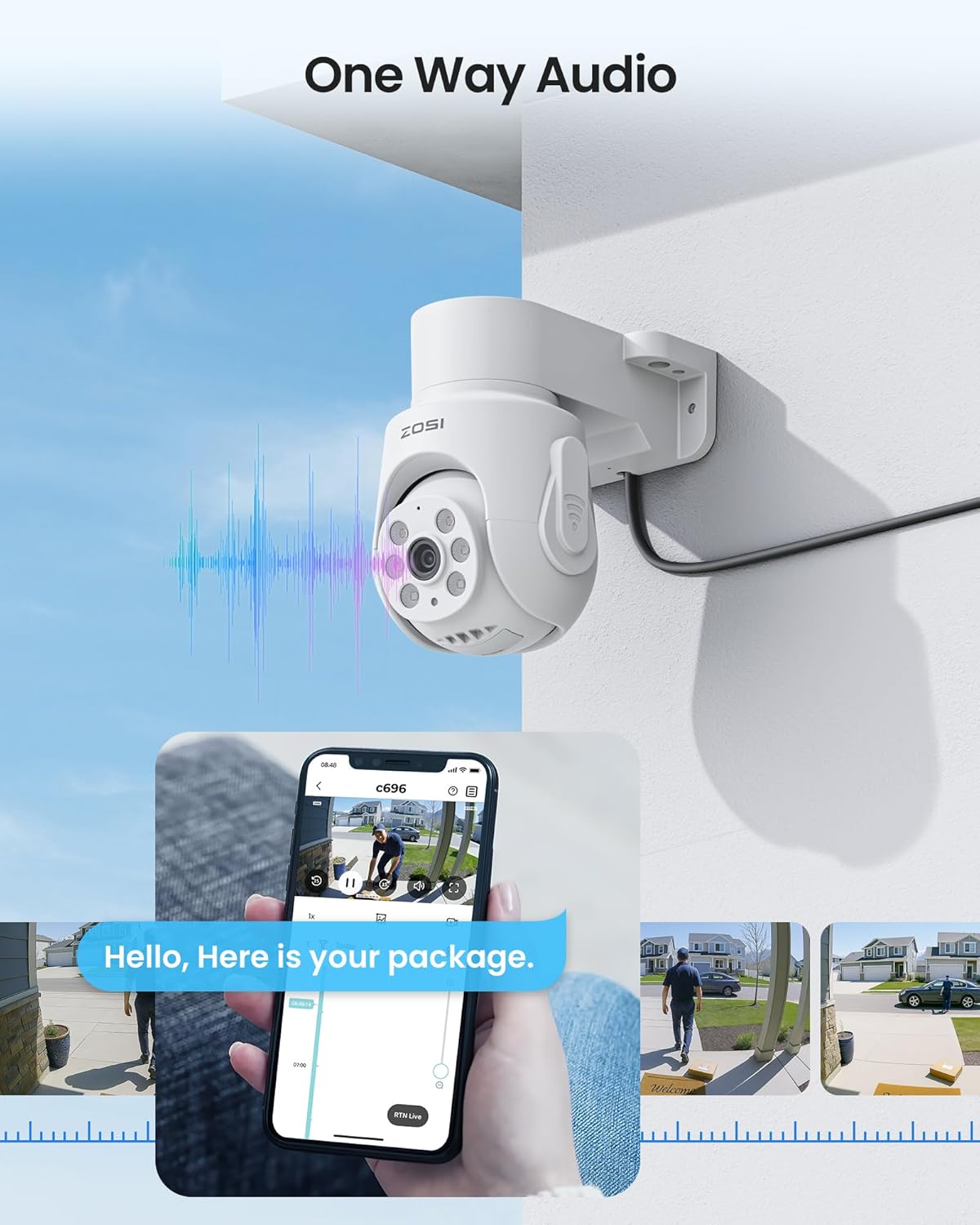
The image highlights the one-way audio feature of the ZOSI camera. A camera mounted on a wall is shown with sound waves, indicating its built-in microphone. A smartphone screen displays a live view of a person receiving a package, with an on-screen message demonstrating the audio capture.
- Ensure audio recording is enabled in your DVR settings.
- Når viewi live footage or playback, activate the audio function to hear sounds from the camera's environment.
5.3 Nattesyn
The camera automatically switches to infrared night vision mode in low-light conditions, providing clear black and white footage.
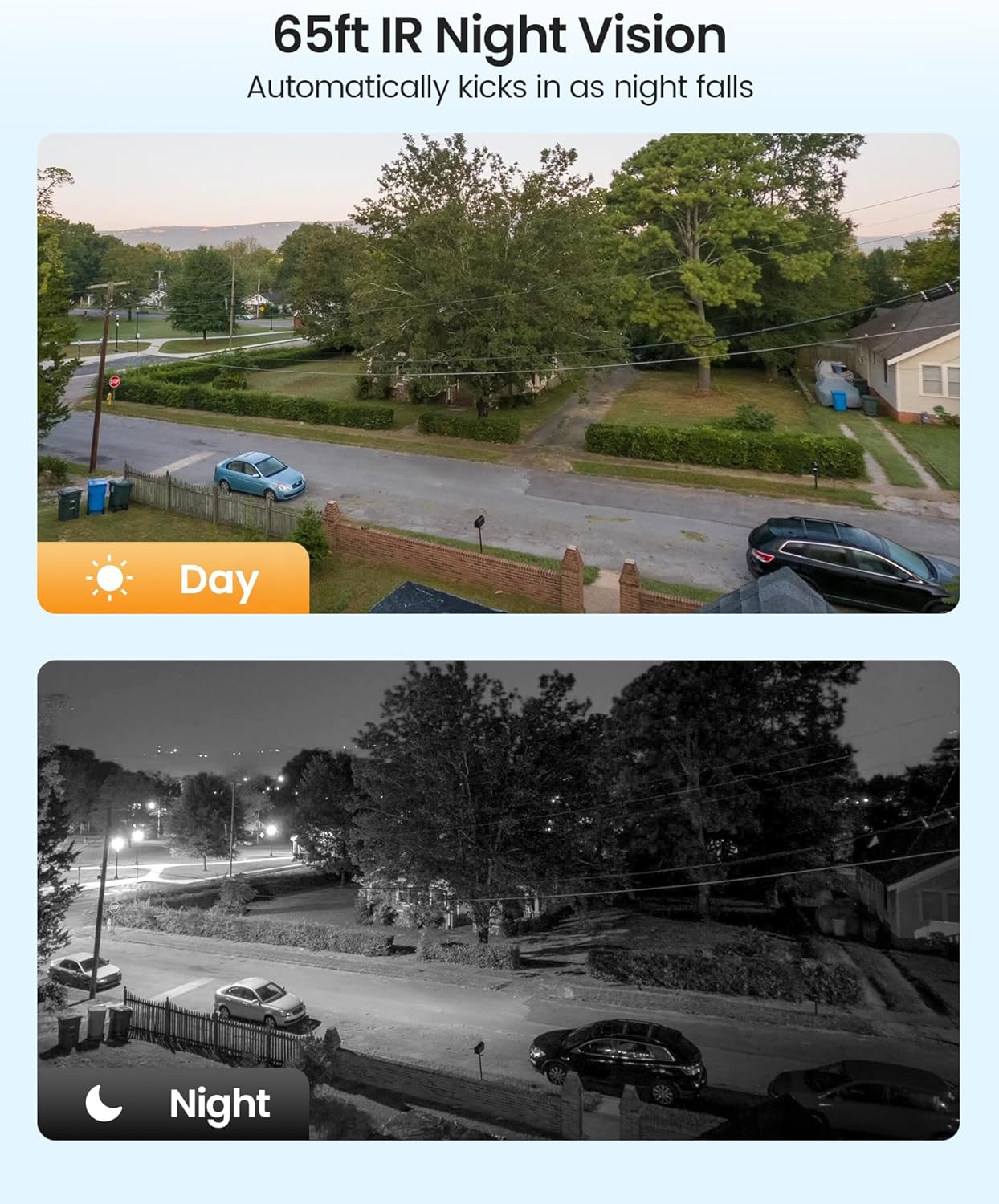
This image compares the camera's daytime and nighttime performance. The top half shows a clear, colored daytime view, while the bottom half displays a black and white night vision view, demonstrating the camera's ability to capture clear footage up to 65 feet in low-light conditions.
5.4 Fjernbetjening Viewing and Detection
Få adgang til live-feeds og optaget footage from your smartphone using the ZOSI mobile application. The system may also offer human and vehicle detection features, sending alerts to your device.
This video demonstrates the key features of the ZOSI 1080P Pan Tilt Wired Security Camera, including its 360° pan and tilt functionality, human and vehicle detection, one-way audio, and remote viewing capabilities via a mobile application.
6. Vedligeholdelse
Regelmæssig vedligeholdelse sikrer optimal ydeevne og levetid for dit sikkerhedskamera.
- Rengøring af linser: Gently clean the camera lens with a soft, damp cloth to remove dust or smudges. Avoid abrasive cleaners.
- Kabelinspektion: Kontrollér regelmæssigt alle kabler for tegn på slid, skader eller løse forbindelser.
- Firmwareopdateringer: Keep your DVR firmware updated to the latest version to ensure compatibility and access to new features. Refer to your DVR manual or ZOSI support for update procedures.
- Miljøbeskyttelse: While weatherproof, avoid directing high-pressure water jets directly at the camera. Ensure proper drainage around the installation area.
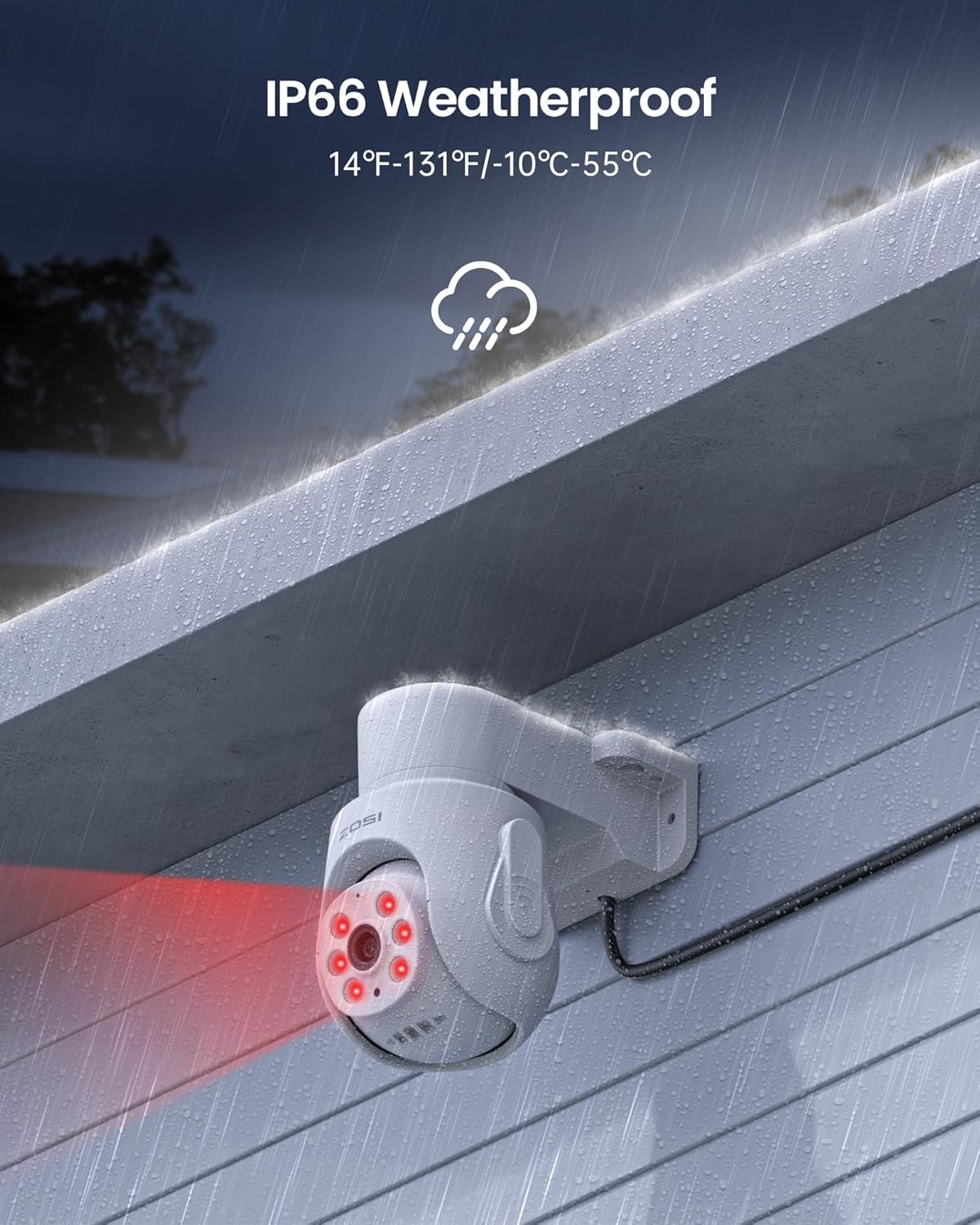
The image demonstrates the IP66 weatherproof rating of the ZOSI camera, showing it operating effectively outdoors during rainfall. The text indicates its ability to withstand temperatures from 14°F to 131°F (-10°C to 55°C).
7. Fejlfinding
If you encounter issues with your ZOSI camera, refer to the following common solutions:
- Intet videosignal:
- Sørg for, at kameraet er korrekt strømforsynet, og at strømadapteren fungerer.
- Check the BNC cable connection between the camera and the DVR. Ensure it is secure and not damaged.
- Verify that the camera is connected to a compatible ZOSI DVR (2MP/5MP/4K models).
- Confirm your DVR's firmware is version 1.8.1 or higher.
- Pan/Tilt Not Responding:
- Check the power supply to the camera. Insufficient power can affect motor functions.
- Ensure the camera is properly connected to the DVR and the control signals are being transmitted.
- Restart the DVR and the camera.
- Verify that you are using the correct controls on the DVR interface or mobile app.
- Dårligt nattesyn:
- Rengør kameralinsen for at fjerne eventuelle blokeringer.
- Ensure there are no reflective surfaces close to the camera that could interfere with the IR lights.
- Ingen lyd:
- Check DVR settings to ensure audio recording is enabled for the specific channel.
- Ensure the microphone port on the camera is not obstructed.
For further assistance, please contact ZOSI customer support.
8. Specifikationer
Detailed technical specifications for the ZOSI 1080P Pan Tilt Wired Analog HD TVI Security Camera.
| Feature | Specifikation |
|---|---|
| Modelnummer | 2AK-2802W-US |
| Videooptagelsesopløsning | 1080p |
| Indendørs/Udendørs brug | Indendørs, Udendørs |
| Forbindelsesteknologi | Kablet |
| Forbindelsesprotokol | Kablet |
| Strømkilde | Elektrisk med ledning |
| Monteringstype | Loftmontering |
| Viewi vinkel | 360 grader (panorering og vipning) |
| Night Vision Range | 65 fod |
| Materiale | Acrylonitril Butadien Styren (ABS) |
| Vandmodstandsniveau | Vandtæt (IP66) |
| Driftstemperatur | -10°C-55°C |
| Kontrolmetode | App |
| Produktdimensioner | 10 x 8 x 6 tommer |
| Varens vægt | 9 pund |
9. Garanti og support
ZOSI is committed to providing reliable products and excellent customer service.
- Kundesupport: ZOSI offers professional after-sales support and lifetime customer support for its products.
- Online ressourcer: For additional support, FAQs, and troubleshooting guides, please visit the official ZOSI store or support page.
For direct support, you can visit the ZOSI store: ZOSI Official Store
You may also find support resources at: ZOSI Support Page


