Indledning
This manual provides comprehensive instructions for setting up, operating, maintaining, and troubleshooting your HP OMEN Ultra Slim RTX 5070 Gaming Laptop. Please read this manual thoroughly to ensure optimal performance and longevity of your device. Keep this manual for future reference.
Opsætning
Follow these steps for the initial setup of your HP OMEN gaming laptop:
- Unboxing: Tag forsigtigt den bærbare computer og alt tilbehør ud af emballagen. Sørg for, at alle komponenter, der er anført i afsnittet 'Hvad er der i æsken', er til stede.
- Tilslut strøm: Plug the AC adapter into the laptop's power port and then into a wall outlet. The laptop may have some charge, but it is recommended to fully charge it before first use.
- Første boot: Open the laptop lid and press the power button. Follow the on-screen instructions to complete the Windows 11 Home setup, including language selection, network connection, and user account creation.
- Cooler Setup: If bundled with a PCO Notebook Fold Radiator, Cooler, position it beneath the laptop to enhance airflow and cooling during use.

Image: HP OMEN Ultra Slim RTX 5070 Gaming Laptop with included PCO Notebook Fold Radiator, ready for initial setup.
Video: En overview of the HP OMEN Slim laptop, demonstrating its design and features relevant to initial setup and daily use.
Drift
This section details the primary operational aspects of your laptop.
Vise
Your laptop features a 16-inch WQXGA (2560 x 1600) display with a 240 Hz refresh rate and 3ms response time. This IPS panel offers micro-edge design, anti-glare properties, Low Blue Light technology, 500 nits brightness, and 100% sRGB color accuracy for a clear and vibrant visual experience.

Image: Close-up of the 16-inch WQXGA display showcasing its 240Hz refresh rate.
Tastatur og touchpad
The laptop is equipped with an RGB backlit keyboard and a numeric keypad for enhanced usability and customization. The touchpad provides precise navigation and multi-touch gesture support.
Porte og tilslutningsmuligheder
The HP OMEN TPN-Q304 offers a variety of ports for connectivity:
- 3 x Superspeed USB Type-A
- 1 x Superspeed USB Type-C
- 1 x HDMI 2.1
- 1 x RJ-45 (Ethernet)
- 1 x Kombinationsstik til hovedtelefoner/mikrofon
- AC Smart Pin (Power Input)
Wireless connectivity includes Wi-Fi 6 and Bluetooth for high-speed internet and peripheral connections.

Billede: Side view of the HP OMEN laptop highlighting the available ports.
Funktioner
Key features of your HP OMEN laptop include:
- Processor: Intel Core Ultra 9 285H (16 Cores, 16 Threads, 24MB L3 Cache, up to 5.4GHz Max Turbo Frequency). This processor is designed for demanding applications and multitasking.
- Grafik: NVIDIA GeForce RTX 5070 (8GB GDDR7). This dedicated graphics card provides high-performance rendering for gaming and creative tasks.
- Hukommelse: 32GB DDR5 RAM for smooth multitasking and application performance.
- Opbevaring: 1TB PCIe NVMe M.2 Solid State Drive for fast boot-up times and rapid data access.
- Operativsystem: Windows 11 Home, offering a modern interface and enhanced features.

Billede: Detaljeret view of the Intel Core Ultra 9 285H processor specifications.
Image: Visual representation of the NVIDIA GeForce RTX 5070 graphics card.
Opretholdelse
Proper maintenance ensures the longevity and performance of your laptop.
- Rensning: Brug en blød, fnugfri klud til at rengøre skærmen og ydersiden. Fjern genstridige pletter ved atampRengør kluden med vand eller et skærmsikkert rengøringsmiddel. Undgå skrappe kemikalier.
- Ventilation: Keep the laptop's vents clear of obstructions to prevent overheating. Regularly clean dust from the vents using compressed air.
- Cooling Pad: Utilize the bundled PCO Notebook Fold Radiator, Cooler, especially during extended gaming or heavy workload sessions, to maintain optimal operating temperatures.
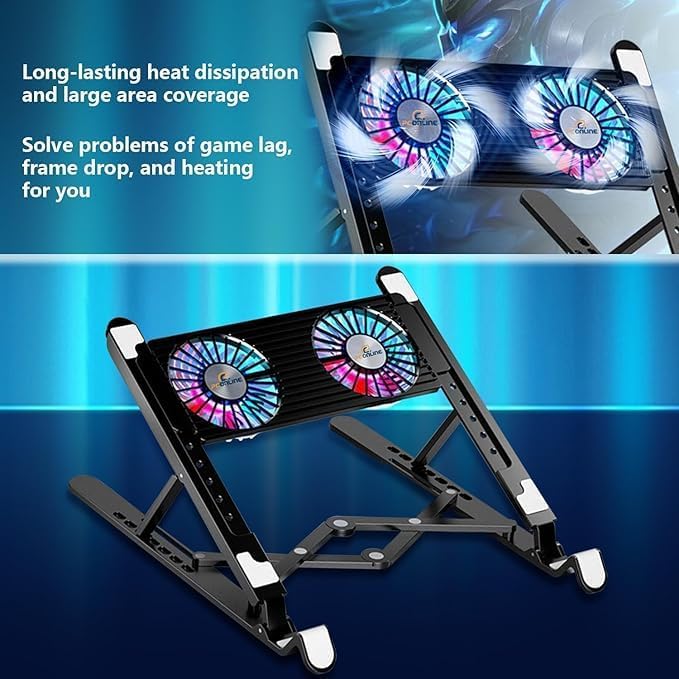
Image: The PCO Notebook Fold Radiator, Cooler, designed for long-lasting heat dissipation and large area coverage to prevent game lag, frame drop, and heating.
Fejlfinding
Her er løsninger på almindelige problemer, du kan støde på:
- Ingen strøm: Ensure the AC adapter is securely connected to both the laptop and a working power outlet. Try a different outlet if necessary.
- Visningsproblemer: Hvis skærmen er blank, kan du prøve at tilslutte en ekstern skærm for at kontrollere, om problemet skyldes den bærbare computers skærm. Genstart den bærbare computer.
- Ydeevneforsinkelse: Close unnecessary applications. Ensure the laptop is well-ventilated and consider using the cooling pad. Update graphics drivers.
- Forbindelsesproblemer: Genstart din router og den bærbare computer, hvis der er problemer med Wi-Fi. Kontroller Ethernet-kablet ved kabelforbindelser.
Specifikationer
| Feature | Specifikation |
|---|---|
| Mærke | HP |
| Modelnavn | TPN-Q304 |
| Skærmstørrelse | 16 tommer |
| Skærmopløsning | WQXGA (2560 x 1600) |
| Opdateringshastighed | 240 Hz |
| Svartid | 3 ms |
| Processor | Intel Core Ultra 9 285H (up to 5.4 GHz) |
| Grafik coprocessor | NVIDIA GeForce RTX 5070 (8 GB GDDR7) |
| VÆDDER | 32GB DDR5 |
| Harddisk | 1TB PCIe NVMe M.2 SSD |
| Operativsystem | Windows 11 Home |
| Trådløs type | 802.11ax (Wi-Fi 6) |
| Havne | 3x USB Type-A, 1x USB Type-C, 1x HDMI 2.1, 1x RJ-45, 1x Headphone/Mic Combo |
| Særlige funktioner | RGB-baggrundsbelyst tastatur, numerisk tastatur |
| Farve | Sort |
| Varens vægt | 49.8 pounds (Note: This weight seems unusually high for a laptop and may include packaging or accessories. Please refer to product packaging for accurate device weight.) |
| Produktdimensioner | 14.07 x 10.59 x 0.78 tommer |
Garanti og support
Your HP OMEN Ultra Slim RTX 5070 Gaming Laptop comes with standard manufacturer's warranty. For specific warranty terms and conditions, please refer to the documentation included with your product or visit the official HP support webUdvidede beskyttelsesplaner kan muligvis købes separat.
For technical support, driver downloads, or service inquiries, please visit the official HP support portal or contact HP customer service.