1. Introduktion
This manual provides essential information for the safe and efficient use of your Xiaomi 80 cm (32 inches) A Pro QLED Series Smart TV, model L32MB-APIN. Please read this manual thoroughly before operating the television and retain it for future reference.
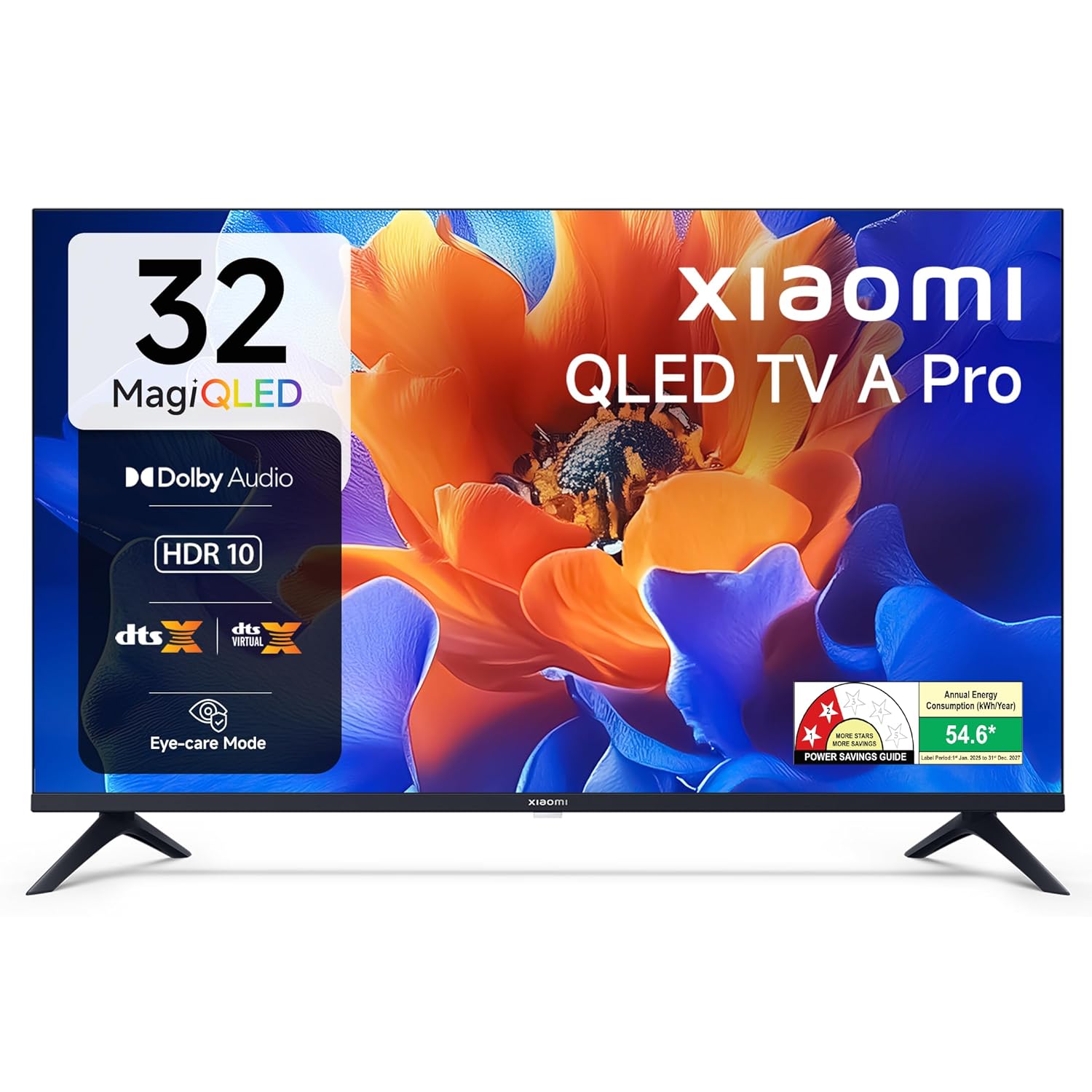
Billede 1.1: Forside view of the Xiaomi 32-inch A Pro QLED Smart TV.
2. Sikkerhedsoplysninger
Overhold følgende sikkerhedsforanstaltninger for at forhindre brand, elektrisk stød eller personskade:
- Udsæt ikke TV'et for regn eller fugt.
- Åbn ikke tv'etasing; overlad al service til kvalificeret personale.
- Sørg for korrekt ventilation omkring tv'et.
- Placer tv'et på en stabil, plan overflade, eller monter det sikkert på en væg.
- Hold tv'et væk fra varmekilder og direkte sollys.
- Tag stikket ud af tv'et under tordenvejr eller når det ikke bruges i længere perioder.
3. Pakkens indhold
Kontroller, at alle varer er til stede i emballagen:
- 1 x Xiaomi LED TV (L32MB-APIN)
- 1 x fjernbetjening
- 1 x Brugermanual (dette dokument)
- 2 x TV Stands Unit
- 4 x Screws for stand installation
- 2 x AAA Batteries for remote control
- 1 x strømkabel

Image 3.1: Illustration of the items included in the TV package.
4. Produktet er slutview
4.1 Nøglefunktioner
The Xiaomi A Pro QLED Series Smart TV offers a range of features for an enhanced viewoplevelse:
- Vise: 32-inch HD Ready (1366 x 768) QLED panel with HDR 10, HLG, Vivid Picture Engine 2, and Eye Comfort Mode.
- Lyd: 20 Watts output with Dolby Audio, DTS-X, and DTS Virtual:X for immersive sound.
- Smart TV: Powered by Android 14 OS and Google TV, featuring built-in Wi-Fi, screen mirroring, 1 GB RAM, 8 GB ROM, and support for popular streaming apps.
- Forbindelse: Dual Band Wi-Fi, 2 HDMI ports, 2 USB ports, Bluetooth, and Ethernet.

Billede 4.1: Overview of the TV's main features.
4.2 Forbindelsesporte
The TV provides various ports for connecting external devices:
- HDMI (x2): For connecting gaming consoles, set-top boxes, Blu-ray players.
- USB (x2): Til tilslutning af harddiske og andre USB-enheder.
- Ethernet: Til kabelbaseret netværksforbindelse.
- Antenne: Til tilslutning af en jordbaseret eller kabelbaseret antenne.
- AV-indgang: For older audio/video devices.
- 3.5 mm hovedtelefonstik: Til tilslutning af hovedtelefoner eller eksterne lydsystemer.

Billede 4.2: Bagside view showing the TV's connectivity ports.
4.3 Fjernbetjening
The included remote control allows for easy navigation and access to smart features:
- Dedicated buttons for popular streaming services like Netflix, Prime Video, YouTube, JioHotstar, and SonyLiv.
- Integrated Google Voice Assistant for voice commands.
- Dedicated Mute button for quick audio control.

Image 4.3: The TV's remote control with quick access buttons.
5. Opsætning
5.1 Montering af stativ
- Placer forsigtigt tv-skærmen med nedad på en blød, flad overflade for at forhindre skader.
- Align the two stand units with the corresponding slots on the bottom of the TV.
- Fastgør hver stativ med de medfølgende skruer.
- Løft forsigtigt tv'et op på en stabil overflade.
5.2 Vægmontering
The TV supports wall mounting. Refer to the wall mount kit instructions for proper installation. Ensure the wall mount is compatible with VESA standards for 32-inch TVs and can support the TV's weight (3.2 kg without stand).
5.3 Tilslutning af eksterne enheder
- HDMI-enheder: Connect HDMI cables from your devices (e.g., set-top box, gaming console) to the HDMI ports on the TV.
- USB-enheder: Insert USB drives or other USB devices into the USB ports.
- Netværk: For en kablet internetforbindelse skal du tilslutte et Ethernet-kabel til LAN-porten.
5.4 Første opstart og opsætning
- Tilslut netledningen til tv'et og derefter til en stikkontakt.
- Tryk på tænd/sluk-knappen på fjernbetjeningen eller tv'et.
- Følg instruktionerne på skærmen for at fuldføre den indledende opsætning, herunder valg af sprog, netværksforbindelse (Wi-Fi eller Ethernet) og login til Google-konto.
- The Google TV interface will guide you through setting up your preferences and installing desired applications.
6. Betjeningsvejledning
6.1 Grundlæggende betjening
- Tænd/sluk: Tryk på tænd / sluk-knappen på fjernbetjeningen.
- Lydstyrkekontrol: Brug knapperne for lydstyrke op/ned.
- Inputkilde: Press the 'Input' button to select HDMI, AV, or other sources.
- Navigation: Use the directional pad and 'OK' button to navigate menus.
6.2 Smart TV-funktioner (Google TV)
Your Xiaomi Smart TV runs on Google TV, providing access to a wide range of content and smart functionalities.
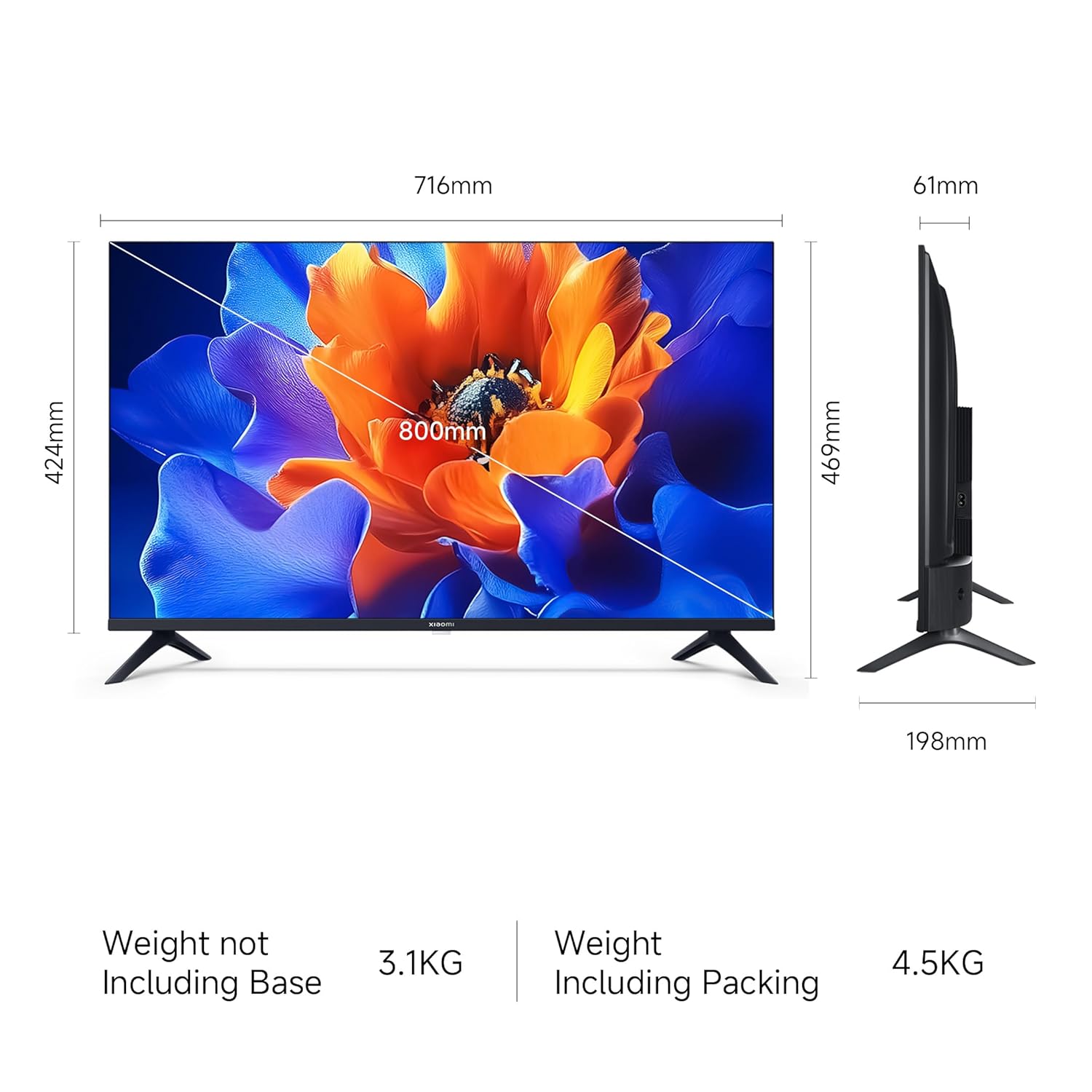
Image 6.1: Google TV interface and features.
- Appadgang: Launch pre-installed apps like Netflix, Prime Video, YouTube, and download more from the Google Play Store.
- Google Assistant: Press the Google Assistant button on your remote and speak your commands to search for content, control smart home devices, or get information.
- Screen Mirroring (Google Cast): Cast content from your compatible smartphone or tablet directly to the TV.
- Personlig Profiles: Skab individuel profiles for personalized recommendations and watchlists.
6.3 Skærm- og lydindstillinger
- Billedtilstande: Adjust picture settings (e.g., Standard, Vivid, Movie) to suit your viewing preference. The TV supports HDR 10 for enhanced contrast and color.
- Øjenkomforttilstand: Activate this feature to reduce blue light emission, which can be beneficial during long viewing sessioner.
- Lydtilstande: Select from various sound modes (e.g., Standard, Music, Movie) to optimize audio output. The TV features Dolby Audio and DTS-X for a cinematic sound experience.

Image 6.2: MagiQLED technology for vibrant colors.

Image 6.3: Vivid Picture Engine 2 in action.
Image 6.4: Eye Care Mode for comfortable viewing.

Image 6.5: Cinematic Audio features.
7. Vedligeholdelse
7.1 Rengøring af tv'et
- Tag altid stikket ud af tv'et inden rengøring.
- Brug en blød, tør og fnugfri klud til at tørre skærmen og kabinettet af.
- For genstridige mærker, gnid letampRengør kluden med vand eller et mildt, ikke-slibende skærmrensemiddel. Spray ikke rengøringsmiddel direkte på skærmen.
- Undgå at bruge slibende rengøringsmidler, voks eller opløsningsmidler.
7.2 Generel pleje
- Bloker ikke ventilationsåbninger.
- Undgå at placere tunge genstande på tv'et.
- Beskyt netledningen mod at blive trådt på eller klemt.
8. Fejlfinding
Før du kontakter support, kan du prøve disse almindelige løsninger:
| Problem | Mulig løsning |
|---|---|
| Ingen strøm | Ensure the power cord is securely connected and the power outlet is working. Try a different outlet. |
| Intet billede, men der er lyd | Kontrollér inputkilden. Sørg for, at eksterne enheder er tændt og tilsluttet korrekt. |
| Ingen lyd, men der er billede | Check volume levels and mute status. Verify audio settings and external speaker connections. |
| Fjernbetjening virker ikke | Replace batteries. Ensure no obstructions between the remote and TV. Re-pair Bluetooth remote if necessary. |
| Smart TV features are slow or unresponsive | Check internet connection. Restart the TV by unplugging it for a few minutes. Clear app caches or factory reset if issues persist (data will be lost). |
9. Specifikationer
| Feature | Detalje |
|---|---|
| Mærke | XIAOMI |
| Model | L32MB-APIN |
| Skærmstørrelse | 32 tommer (80 cm) |
| Displayteknologi | QLED |
| Opløsning | HD Ready (1366 x 768 Pixels) |
| Opdateringshastighed | 60 Hz |
| Operativsystem | Google TV (Android 14 OS) |
| RAM-hukommelse | 1 GB |
| Intern opbevaring | 8 GB |
| Lydudgang | 20 watt |
| Lydfunktioner | Dolby Audio, DTS-X, DTS Virtual:X |
| Forbindelse | Dual Band Wi-Fi, Bluetooth, Ethernet, 2 HDMI, 2 USB, AV Input, 3.5mm Audio |
| Særlige funktioner | Eye Comfort Mode, HDR 10, HLG, Vivid Picture Engine 2, Google Assistant |
| Produktmål (LxBxH) | 71.6 x 19.8 x 46.9 cm (med stativ) |
| Varens vægt | 3.2 kg |
| Strømkilde | AC 240 volt |

Billede 9.1: TV-dimensioner.
10. Garanti og support
10.1 Garantioplysninger
Your Xiaomi A Pro QLED Series Smart TV comes with a 1 års omfattende garanti from the date of purchase. To avail warranty services, please retain your purchase invoice. The user manual can also be accessed from the official Xiaomi brand webwebsted.
10.2 Kundesupport
For any assistance, service requests, or technical queries, please contact Xiaomi Support. Our team aims to provide swift solutions:
- Expect a call back from our team within 60 minutter for any service request.
- Our experts strive to arrive at your home within 24 timer of your service request, 99% of the time.
- 99% of new TV installations are completed within 3 timer of your appointment.
For the most up-to-date contact information, please visit the official Xiaomi India support website or refer to the contact details provided with your product documentation.


