Indledning
Thank you for choosing the MZYDM A28 Bone Conduction Open-Ear Headphones. These headphones are designed to provide a unique audio experience by transmitting sound through your cheekbones, allowing you to remain aware of your surroundings while enjoying music or calls. This manual provides essential information for the proper setup, operation, and maintenance of your device.
Hvad er der i æsken
- MZYDM A28 Bone Conduction Headphones
- USB-C ladekabel
- Ørepropper
- Brugermanual

Image: Contents of the MZYDM A28 package, including headphones, charging cable, and earplugs.
Produkt overview og funktioner
The MZYDM A28 headphones offer a comfortable and secure fit for various activities, ensuring you stay connected and aware.
- Komfort med åbent øre: Lightweight design (29g) sits outside the ear, preventing discomfort during extended use.
- Knogleledningsteknologi: Delivers audio through cheekbones, keeping ear canals open to ambient sounds.
- Bluetooth 5.4: Provides stable, fast, and universal connectivity with reduced latency and increased battery life.
- IPX6 vandtæthed: Sweat and splash-proof, suitable for workouts and light rain. Not designed for swimming or submersion.
- Forlænget spilletid: Up to 15 hours of music and call time on a single charge.
- Høj lydkvalitet: Equipped with 15mm speaker driver units for enhanced clarity and rich audio.
- Indbygget mikrofon: Ensures crystal-clear call quality.
- Multipunktsforbindelse: Tillader forbindelse til flere enheder samtidigt.

Image: Open-ear comfort and key features of the MZYDM A28 headphones.
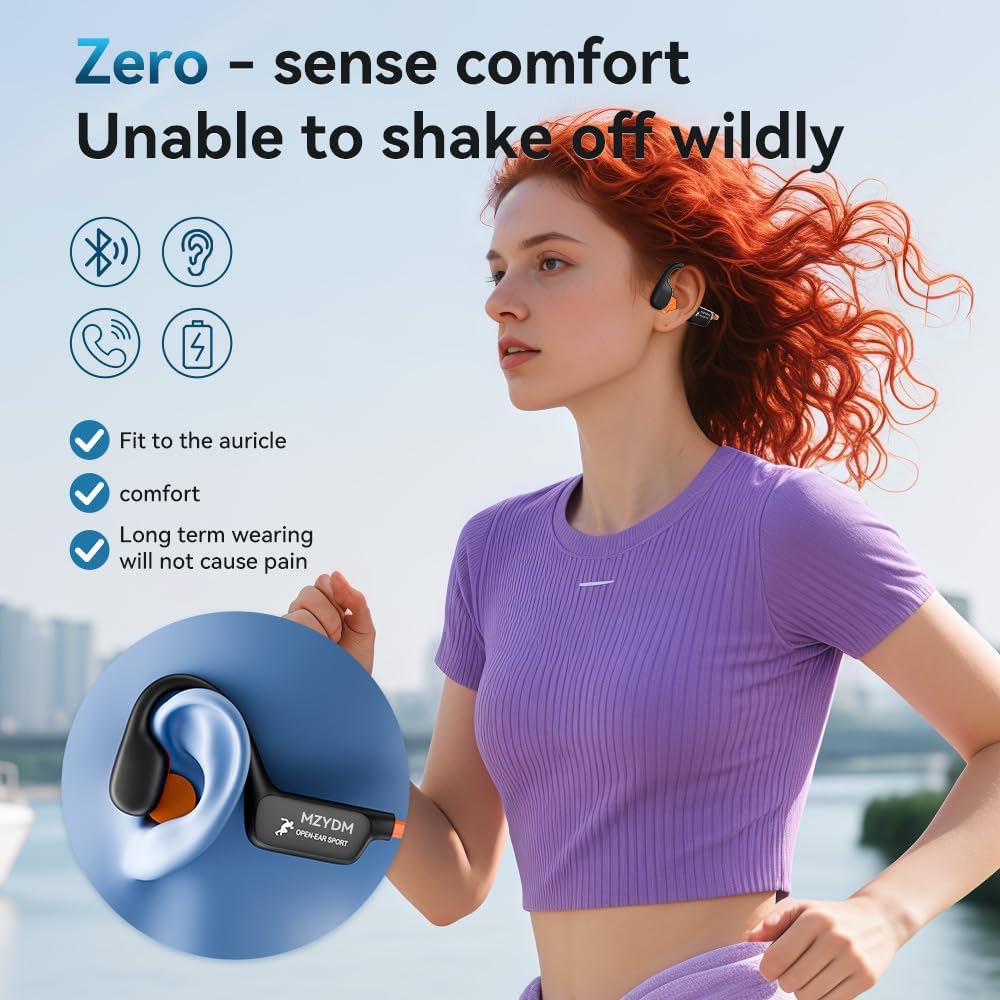
Image: Secure and comfortable fit of the MZYDM A28 headphones during activity.
Opsætning
1. Opladning af hovedtelefonerne
Before first use, fully charge your headphones. The headphones feature a USB-C charging port.
- Locate the USB-C charging port on the control module.
- Tilslut det medfølgende USB-C-opladerkabel til porten.
- Connect the other end of the cable to a compatible USB power source (e.g., computer, wall adapter).
- LED-indikatoren viser opladningsstatus og slukker, når den er fuldt opladet.

Image: Diagram illustrating the USB-C charging port and control buttons.
2. Bluetooth-parring
Sådan tilslutter du dine hovedtelefoner til en enhed:
- Sørg for, at hovedtelefonerne er opladet og slukket.
- Press and hold the power button (often combined with volume up) for approximately 5 seconds until the LED indicator flashes blue and red, indicating pairing mode.
- Gå til Bluetooth-indstillingerne på din enhed (smartphone, tablet osv.), og slå Bluetooth til.
- Søg efter available devices and select "i8pro" (or similar model name) from the list.
- Once connected, the LED indicator will show a solid blue light or flash blue slowly.

Image: Bluetooth pairing process shown on a smartphone.
Betjeningsvejledning
Iført hovedtelefoner
Place the headphones with the band resting behind your neck and the transducers resting on your cheekbones, just in front of your ears. Adjust for a comfortable and secure fit.
Kontrolelementer
Hovedtelefonerne har intuitive knapper til nem styring af lyd og opkald:
- Tænd/sluk: Long press the multi-function button (often volume up) for 5 seconds.
- Afspil/pause: Klik enkelt på multifunktionsknappen.
- Lydstyrke op/ned: Tryk kort på knapperne '+' eller '-'.
- Næste nummer: Double click the '+' button.
- Forrige nummer: Double click the '-' button.
- Besvar/afslut opkald: Klik enkelt på multifunktionsknappen.
- Afvis opkald: Tryk længe på multifunktionsknappen.
- Aktiver stemmeassistent: Tredobbeltklik på multifunktionsknappen.
Image: Detailed diagram of headphone controls and their functions.
Officiel produktvideo
Video: En overview of the MZYDM Bone Conduction Open Ear Headphones, demonstrating their features and use.
Opretholdelse
Rensning
Tør hovedtelefonerne af med en blød, damp cloth. Do not use harsh chemicals or abrasive materials. Ensure the charging port cover is securely closed before cleaning or exposure to moisture.
Vandmodstand
The MZYDM A28 headphones are IPX6 rated, meaning they are resistant to high-pressure water jets from any direction. This makes them suitable for sweaty workouts and light rain. However, they are not designed for swimming, showering, or submersion in water.

Image: Demonstrating the IPX6 water resistance of the MZYDM A28 headphones during exercise.
Fejlfinding
- Ingen strøm: Sørg for, at hovedtelefonerne er fuldt opladede.
- Kan ikke parres: Make sure the headphones are in pairing mode (flashing blue/red LED). Turn off and on your device's Bluetooth, then try pairing again. Ensure no other devices are actively connected to the headphones.
- Ingen lyd: Check the volume levels on both the headphones and your connected device. Ensure the headphones are correctly placed on your cheekbones.
- Dårlig lydkvalitet: Ensure the headphones are within Bluetooth range (up to 15 meters) of your device. Avoid obstacles that may interfere with the signal.
Specifikationer
| Feature | Specifikation |
|---|---|
| Modelnavn | A28 |
| Mærke | MZYDM |
| Forbindelsesteknologi | Trådløs (Bluetooth) |
| Bluetooth version | 5.4 |
| Bluetooth rækkevidde | 15 meter |
| Batterilevetid | 15 timer |
| Vandmodstandsniveau | IPX6 |
| Øreplacering | Åbent øre |
| Formfaktor | Åbent øre |
| Varens vægt | 5.3 ounces (ca. 150 g) |
| Kontroltype | Knap kontrol |
| Inkluderede komponenter | Bone Conduction Headphones, Eartip |
Garanti og support
MZYDM products are manufactured to high quality standards. For warranty information or technical support, please refer to the contact details provided with your purchase documentation or visit the official MZYDM webwebsted.