Vigtige sikkerhedsinstruktioner
Please read all instructions carefully before using your Shark Stratos 2-in-1 Robot Vacuum & Mop. Failure to follow these instructions may result in electric shock, fire, or serious injury.
- Dette apparat er kun til husholdningsbrug.
- Må ikke bruges udendørs eller på våde overflader.
- Hold hår, løstsiddende tøj, fingre og alle dele af kroppen væk fra åbninger og bevægelige dele.
- Brug kun som beskrevet i denne manual. Brug kun producentens anbefalede tilbehør.
- Håndter ikke stikket eller apparatet med våde hænder.
- Stik ikke genstande ind i åbninger. Må ikke bruges med blokerede åbninger; holdes fri for støv, fnug, hår og alt, hvad der kan reducere luftstrømmen.
- Keep the robot and its charging base away from water.
- Do not allow children to play with the robot. Close supervision is necessary when used near children or pets.
- Use only Shark-recommended cleaning solutions.
Hvad er inkluderet
Your Shark Stratos 2-in-1 Robot Vacuum & Mop package includes the following components:
- 1 Shark Stratos Robot Vacuum & Mop
- 1 NeverTouch Base (With Auto Cleaning, Emptying, & Refilling)
- 2 sidebørster
- 2 Antimicrobial Mopping Pads
- 12 ml starter VACMOP rengøringsopløsning
- 2 Odor Neutralizers
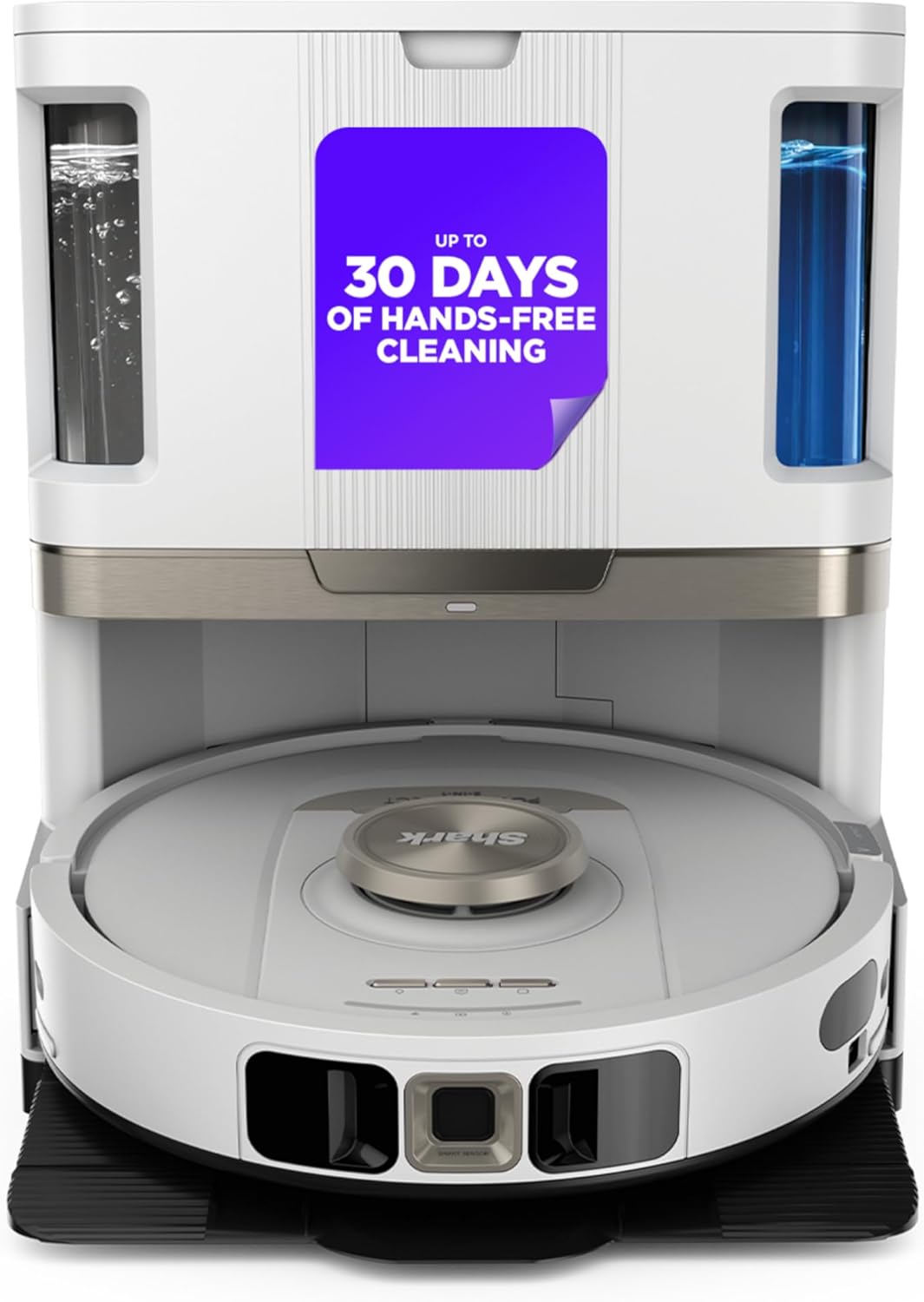
The Shark Stratos 2-in-1 Robot Vacuum & Mop and its NeverTouch Self-Cleaning Base.
Opsætning
1. Placering af base
Place the NeverTouch Base on a hard, level surface against a wall. Ensure there is at least 3 feet of clear space in front of the base and 1.5 feet on either side to allow the robot to dock properly.
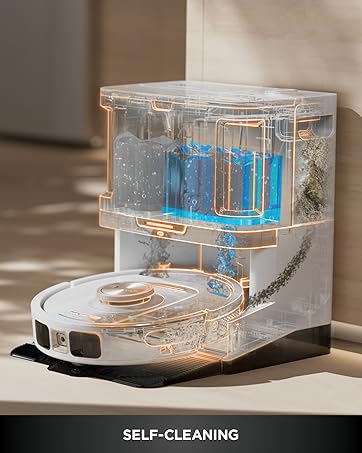
The robot vacuum docking with its self-cleaning base.
2. Robot Preparation
Remove all protective films from the robot and the base. Attach the side brushes to the robot by pressing them onto the pegs until they click into place. Ensure the mop pads are securely attached to the robot's underside.
3. App-forbindelse
Download the SharkClean app from your mobile device's app store. Follow the in-app instructions to connect your robot to your home Wi-Fi network. This will enable features like precision mapping, scheduling, and voice control via Amazon Alexa and Google Voice.

The SharkClean app allows for customized cleaning experiences.
Betjening af din robot
Rengøringstilstande
The Shark Stratos 2-in-1 Robot offers versatile cleaning modes:
- Kun støvsuger: Til tørt snavs på alle gulvtyper.
- Kun moppe: Til vådmopning af hårde gulve.
- Støvsuger og mopper: Simultaneously vacuums and mops hard floors. The robot will automatically lift the mop pads when detecting carpets.

The robot provides powerful vacuum performance on both carpets and hard floors.
Precision Navigation & Mapping
Equipped with 360° LiDAR vision, the robot quickly and accurately maps your home. This allows for methodical cleaning, object detection and avoidance, and adaptation to changes in your home layout. You can set no-go zones in the app to prevent cleaning in specific areas.
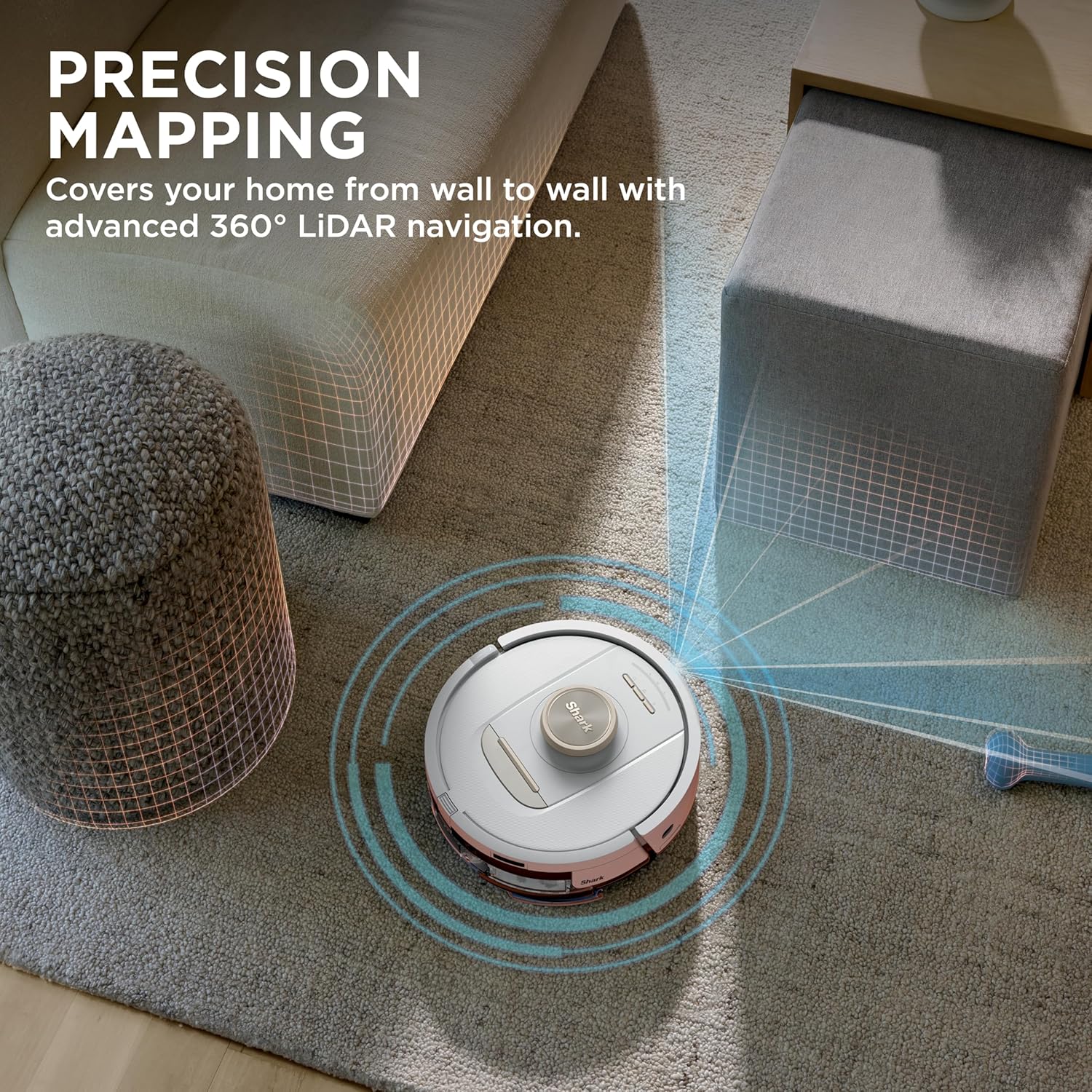
Precision mapping covers your home from wall to wall with advanced 360° LiDAR navigation.
Autolift Technology
This technology allows the robot to glide over obstacles and high thresholds, ensuring a continuous cleaning path. It also keeps the mop pads away from rugs and carpets when in mopping mode.
Autolift Technology allows the robot to glide over thresholds and keeps the mop off carpets.
Edge Detect
The Edge Detect feature utilizes blasts of air and corner recognition to pull debris from edges and corners directly into the cleaning path, ensuring thorough cleaning along walls and in tight spaces.

Edge Detect uses blasts of air to push debris from edges and corners into the cleaning path.
Official Product Video: Shark Stratos 2-in-1 Robot Vacuum & Mop
An official video from SharkNinja showcasing the features and operation of the Shark Stratos 2-in-1 Robot Vacuum & Mop.
Opretholdelse
1. NeverTouch Base Maintenance
The NeverTouch Base provides up to 30 days of hands-free cleaning by automatically emptying debris, refilling the water tank, and washing and drying the mop pads after each mission. Regularly check the dustbin in the base and empty it as needed. Ensure the clean water tank is filled and the dirty water tank is emptied.

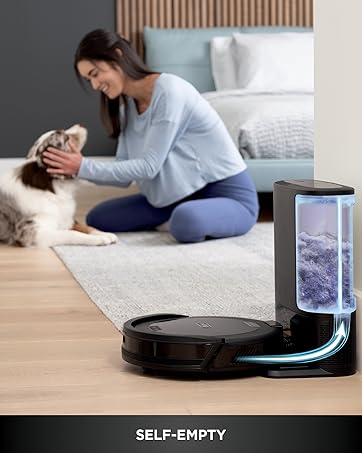
The NeverTouch Base automatically self-empties, self-cleans, and self-refills after every mission.
2. Selvrensende børsterulle
The self-cleaning brushroll is designed to dig deep into carpets and effectively clean hard floors, picking up debris, hair, and dirt. It is engineered to be anti-hair wrap, minimizing tangles. Periodically check the brushroll for any trapped debris and clean if necessary.
The self-cleaning brushroll is engineered to pick up more hair and is anti-hair wrap.
3. Filtervedligeholdelse
The robot features Anti-Allergen Complete Seal technology combined with HEPA filtration to capture allergens. Regularly clean or replace the HEPA filter according to the instructions in the full user manual to maintain optimal suction and air quality.
4. Mop Pad Care
The antimicrobial mop pads are washed and dried automatically by the NeverTouch Base. For optimal performance, ensure the mop pads are clean and free of excessive debris before each mopping session. Replace mop pads when they show signs of wear.
Fejlfinding
- Robot not docking: Ensure the base is placed in an area with sufficient clear space (3 feet front, 1.5 feet sides) and that the charging contacts on the robot and base are clean.
- Dårlig rengøringsevne: Check the dustbin and filters for clogs. Clean the brushroll for tangled hair or debris. Ensure mop pads are clean and properly attached.
- Problemer med app-forbindelse: Verify your Wi-Fi connection and ensure the robot is within range. Restart the app and your mobile device if necessary.
- Robot sidder fast: Clear obstacles from the cleaning path. Use the app to set no-go zones for areas where the robot frequently gets stuck.
- Moppepuder bliver ikke våde: Check the clean water tank in the base to ensure it is filled. Verify the water dispensing nozzles on the robot are not clogged.
Specifikationer
- Mærke: Haj
- Modelnavn: Stratos 2-in-1 Robot Vacuum & Mop
- Modelnummer: AV2700ZE
- Speciel funktion: Våd/tør
- Farve: Hvid
- Produktdimensioner: 14.17 cm L x 9.25 cm B x 16.85 cm H
- Filtertype: Cloth (HEPA filtration)
- Batterilevetid: 110 minutter
- Voltage: 120 volt
- Strømkilde: Batteridrevet
- Kontrolmetode: App
- Formfaktor: Robotisk
- Varens vægt: 23.9 pund
- Overfladeanbefaling: Carpets & Hardfloors
Garanti og support
For warranty information and customer support, please refer to the official Shark website or contact their customer service directly. Protection plans are available for purchase to extend coverage beyond the standard warranty period.
- 2-årig beskyttelsesplan: Tilgængelig for udvidet dækning.
- 3-årig beskyttelsesplan: Tilgængelig for udvidet dækning.
- Fuld beskyttelse: Månedlig plan, der dækker berettigede tidligere og fremtidige køb.
Besøg Shark Store for flere produkter og support.


