1. Introduktion
This manual provides essential information for operating your DJI Neo 2 Fly More Combo drone. Please read thoroughly before use to ensure safe and optimal performance.

Image: DJI Neo 2 drone with included accessories.
2. Hvad er der i æsken
The DJI Neo 2 Fly More Combo includes the following components:
- DJI Neo 2 Aircraft x 1
- DJI Neo 2 Intelligent Flight Battery x 3
- DJI Neo 2 Propeller Guard (Pair) x 1
- DJI Neo 2 Gimbal Protector x 1
- DJI Neo 2 Spare Propeller Screw x 4
- Skruetrækker x 1
- DJI Neo 2 Two-Way Charging Hub x 1
- DJI Neo 2 Spare Propellers (Pair) x 1
- USB-C til USB-C datakabel x 1

Image: All components included in the Fly More Combo package.
3. Produktet er slutview
The DJI Neo 2 is a lightweight and portable drone designed for ease of use and high-quality imaging. It features full-coverage propeller guards for enhanced safety.

Billede: Detaljeret view of the DJI Neo 2 drone.
Nøglefunktioner:
- Let og bærbar: Weighs just 151g and is C0 certified.
- 4K High-Quality Imaging: Captures 4K/60fps video, 4K/100fps slow motion, and 2.7K vertical video, stabilized by a 2-axis gimbal.
- Omnidirektionel forhindringsregistrering: Detects and avoids obstacles from the front or sides for safer flight.
- 49 GB intern lagerplads: Giver ampplads til optagelser.
Video: A user demonstrates the display screen on the DJI Neo 2 drone.
4. Opsætning
4.1 Opladning af batterier
Use the included Two-Way Charging Hub to charge the Intelligent Flight Batteries. Connect the USB-C to USB-C Data Cable to the hub and a power source. The LED indicators on the batteries will show charging status.

Image: DJI Neo 2 drone and charging hub.
4.2 Installing Propeller Guards and Gimbal Protector
Attach the full-coverage propeller guards for added safety during flight. Install the gimbal protector when transporting the drone to prevent damage to the camera.

Image: Detail of the propeller guard.
5. Betjeningsvejledning
5.1 Kontrolmetoder
The DJI Neo 2 offers multiple intuitive control methods:
- Palm Takeoff & Landing: Point the Neo 2 at yourself and press the takeoff button with one hand. It takes off directly from your palm and performs automatic camera movements.
- Bevægelseskontrol: Guide the Neo 2 to move up, down, or side-to-side with a single palm. Use both palms to achieve precise control over its proximity.
- Mobil app kontrol: Use the DJI Fly app on your smartphone for comprehensive control.
- Voice Control via Mobile: Adjust tracking or intelligent shooting modes using voice commands through the DJI Fly app.
- Apple Watch Integration: View live feed, check flight status, or use voice control to adjust tracking.

Image: Palm Takeoff & Landing demonstration.

Image: Adjusting camera angles with hand gestures.
Video: Demonstration of hand gesture controls for the DJI Neo 2.
5.2 Intelligente flyvetilstande
The Neo 2 supports various intelligent shooting modes for creative footage:
- ActiveTrack: Keeps your subject in focus, tracking at speeds up to 12 m/s.
- SelfieShot: Captures solo or group moments hands-free with auto-framing for various shot types.
- Intelligent Capture Modes: Includes Dolly Zoom, QuickShots, and MasterShots for dynamic video.

Image: ActiveTrack in action, following a runner.
Video: A demonstration of the DJI Neo 2's tracking capabilities.
6. Sikkerhedsfunktioner
The DJI Neo 2 is equipped with advanced safety features to ensure a secure flight experience:
- Omnidirektionel forhindringsregistrering: Utilizes a monocular vision system, combined with forward-facing LiDAR and a downward infrared sensing system, to detect obstacles in real-time.
- Full-Coverage Propeller Guards: Integrated design for safer operation and transport.

Image: Omnidirectional Obstacle Sensing explained.
7. Opladning og batteristyring
The Fly More Combo includes three Intelligent Flight Batteries and a Two-Way Charging Hub for extended flight times. Each battery provides approximately 19 minutes of flight time.
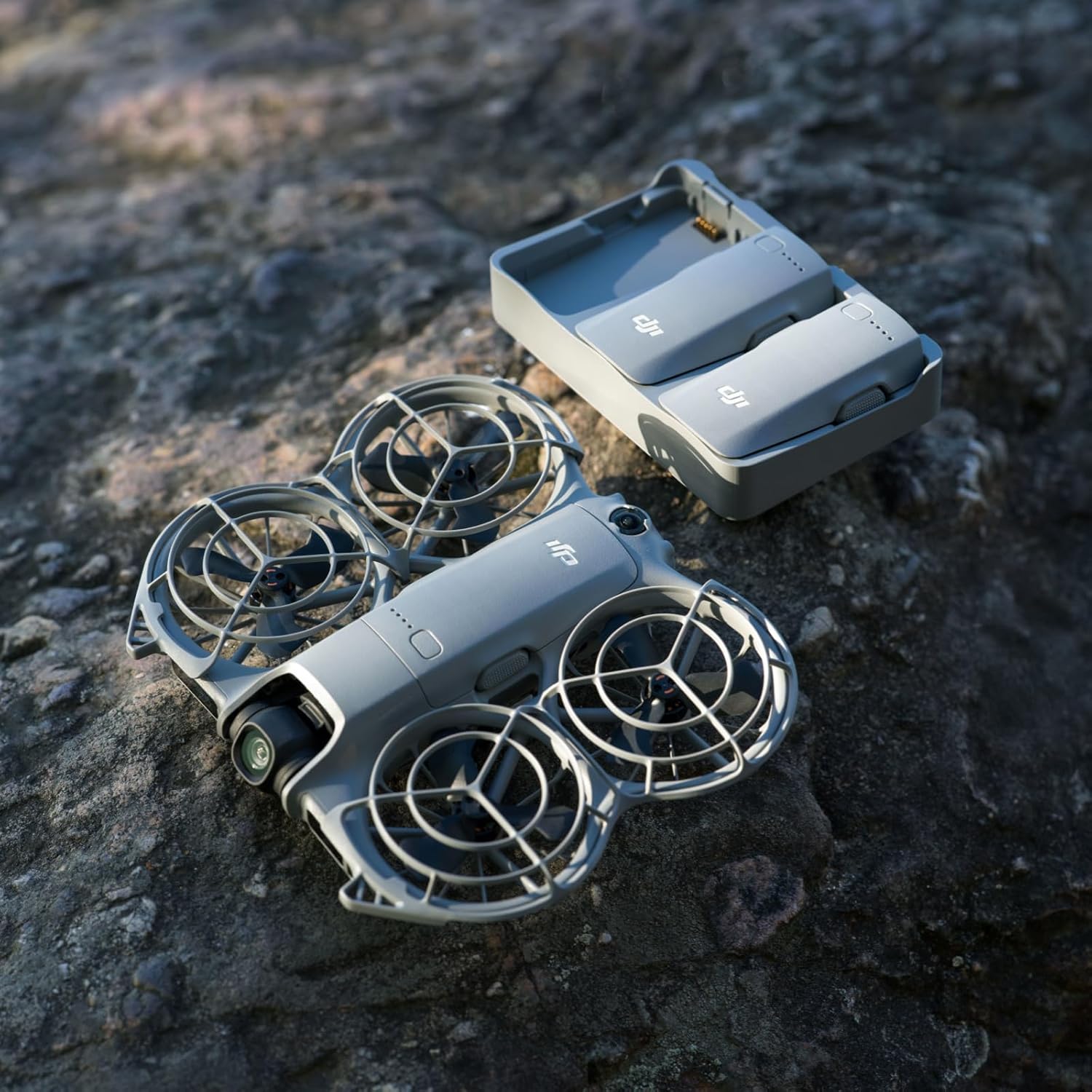
Image: Drone and charging hub in an outdoor setting.
8. Firmwareopdateringer
Regular firmware updates are crucial for optimal performance and access to new features. Ensure your drone is connected to a stable Wi-Fi network and has at least 20% battery life before initiating an update. It is recommended to perform updates at home with fast Wi-Fi.
Video: Instructions on ensuring sufficient battery charge before firmware updates.
Video: Guidance on performing software and firmware updates at home with fast Wi-Fi.
9. Vedligeholdelse
To maintain your DJI Neo 2 in optimal condition:
- Regularly inspect propellers for damage and replace if necessary.
- Keep the camera lens and obstacle sensors clean.
- Store the drone and batteries in a cool, dry place.
10. Fejlfinding
If you encounter issues with your DJI Neo 2, refer to the following common solutions:
- Forbindelsesproblemer: Ensure the drone and your mobile device (if used) are properly paired and within range.
- Flyvningsustabilitet: Check for damaged propellers or obstructions. Calibrate the IMU if necessary.
- App kompatibilitet: The DJI Fly app has been removed from Google Play. Visit the official DJI website to download the latest DJI Fly app for a better experience.
11. Specifikationer
| Feature | Detalje |
|---|---|
| Mærke | DJI |
| Modelnavn | DJI Neo 2 |
| Varens vægt | 151 gram |
| Produktdimensioner | 6.74 cm L x 5.8 cm B x 1.59 cm H |
| Effektiv stillopløsning | 12 MP |
| Forbindelsesteknologi | Bluetooth, WiFi |
| Battericellesammensætning | Lithium polymer |
| Genopladeligt batteri medfølger | Ja (3 inkluderet) |
| Fjernbetjening inkluderet? | No (Drone Only Combo) |
| Intern opbevaring | 49 GB |
| Vindmodstand | Op til 10.7 m/s |
12. Garanti og support
For detailed warranty information, technical support, and to download the latest DJI Fly app, please visit the official DJI website. Ensure you are using the most current version of the app for the best experience.
Due to platform compatibility issues, the DJI Fly app has been removed from Google Play. Please download it directly from the official DJI webwebsted.


