1. Introduktion
The LoraTap Smart Wi-Fi Light Bulb Socket Adapter transforms any standard light bulb into a smart, controllable device. This adapter allows you to manage your lighting remotely via a smartphone application, voice commands through smart assistants like Amazon Alexa and Google Assistant, and set automated schedules. It is designed for E26/E27 bulb bases and supports various bulb types up to 60W.
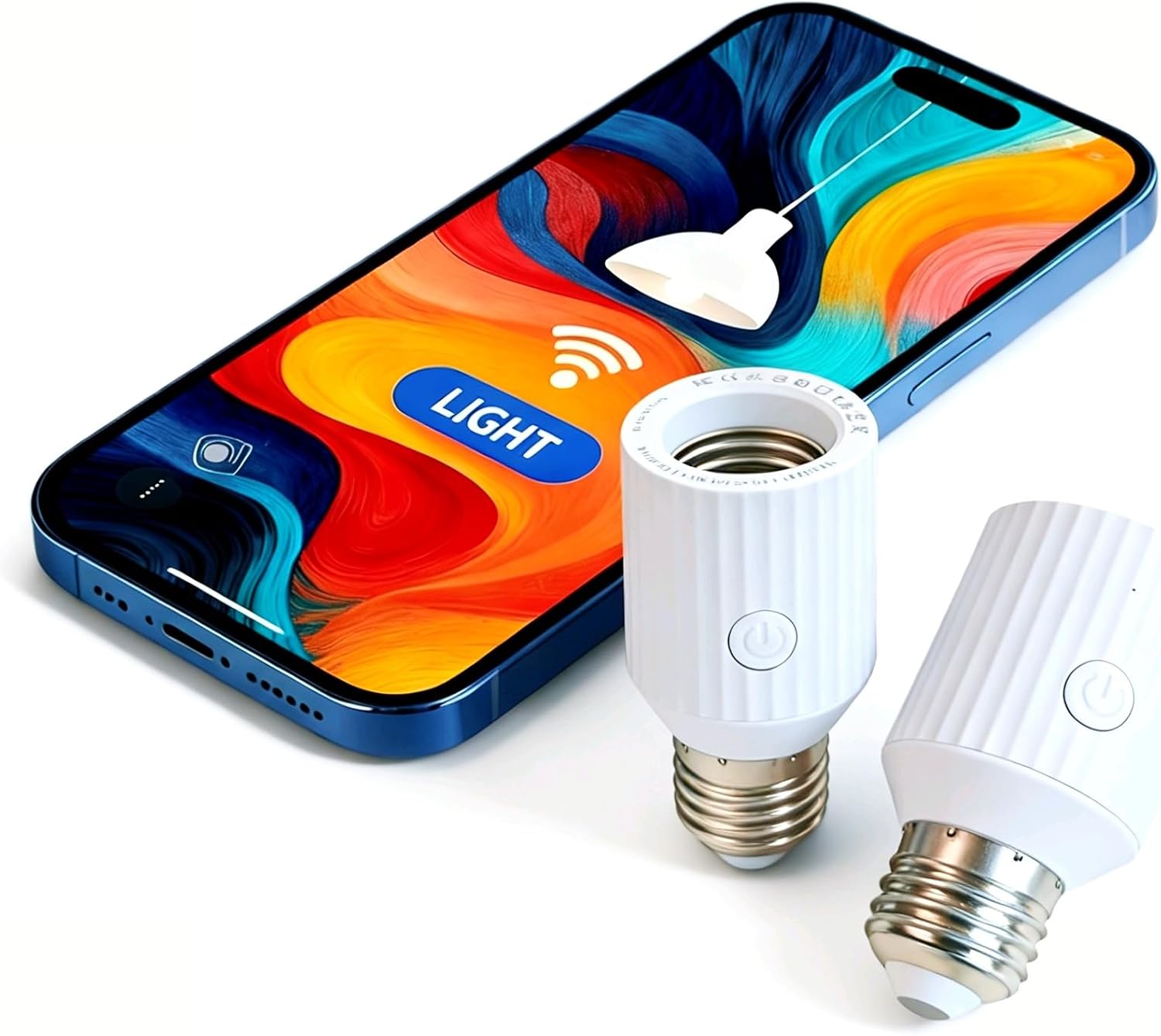
Image 1.1: The LoraTap Smart Wi-Fi Light Bulb Socket Adapter shown with a smartphone, illustrating app control capabilities.
2. Produktfunktioner
- Stemmestyring: Kompatibel med Amazon Alexa og Google Assistant for håndfri betjening.
- App kontrol: Manage lights from anywhere using the Smart Life app (2.4GHz Wi-Fi required, no hub needed).
- Koncernledelse: Group multiple adapters to control them simultaneously with a single tap.
- Timer & Automation: Set schedules, countdowns, and custom scenes for automatic light operation.
- 60W Power & Heat Resistance: Supports bulbs up to 60W (Incandescent, LED, CFL) with a heat-resistant design for stable performance.
- Nem installation: Screws into E26/E27 sockets in minutes without special tools or an electrician.
- Kompakt design: 3.4-inch height fits most lampnuancer.

Image 2.1: Comparison illustrating the LoraTap adapter's 60W universal compatibility and enhanced durability features.
3. Pakkens indhold
- LoraTap Smart Wi-Fi Light Bulb Socket Adapter(s)
- Brugermanual
4. Opsætning og installation
4.1 Fysisk installation
- Ensure the power to the light fixture is turned off at the switch or circuit breaker.
- Screw the LoraTap Smart Wi-Fi Light Bulb Socket Adapter into your existing E26/E27 light fixture.
- Screw your light bulb (Incandescent, LED, or CFL, up to 60W) into the LoraTap adapter.
- Gendan strømmen til lysarmaturen.

Image 4.1: Step-by-step illustration of the physical installation process for the smart socket adapter.
4.2 Download og parring af app
- Download the "Smart Life" app from the Apple App Store or Google Play Store.
- Registrer dig eller log ind på din Smart Life-konto.
- Ensure your smartphone is connected to a 2.4GHz Wi-Fi network. The adapter does not support 5GHz Wi-Fi.
- Open the Smart Life app, tap '+' to add a device, and follow the in-app instructions to pair your LoraTap adapter. The adapter will typically blink rapidly when in pairing mode.
4.3 Wi-Fi Signal Strength
For optimal performance, ensure the LoraTap adapter is installed within approximately 33 feet (10 meters) of your Wi-Fi router to maintain a strong and stable signal connection.

Image 4.2: Visual guide for maintaining a good Wi-Fi signal between the router and the smart socket adapter.
5. Betjeningsvejledning
5.1 App kontrol
Once paired, you can control your light bulb from anywhere using the Smart Life app. Tap the device icon to turn the light on or off. The app also provides real-time feedback on the light's status.

Image 5.1: Demonstrating app control of the smart light bulb socket adapter.

Image 5.2: Real-time feedback feature, allowing users to monitor light status remotely.
5.2 Stemmekontrol
Integrate your LoraTap adapter with Amazon Alexa or Google Assistant for voice commands. Link the Smart Life skill/action in your smart assistant's app. Then, use commands like "Alexa, turn on the bedroom light" or "Hey Google, turn off the lamp."

Billede 5.3: Eks.ample of using voice commands with Alexa or Google Assistant to control lighting.
5.3 Timer og tidsplan
Set custom schedules and timers within the Smart Life app to automate your lighting. You can schedule lights to turn on/off at specific times, at sunrise/sunset, or after a countdown.
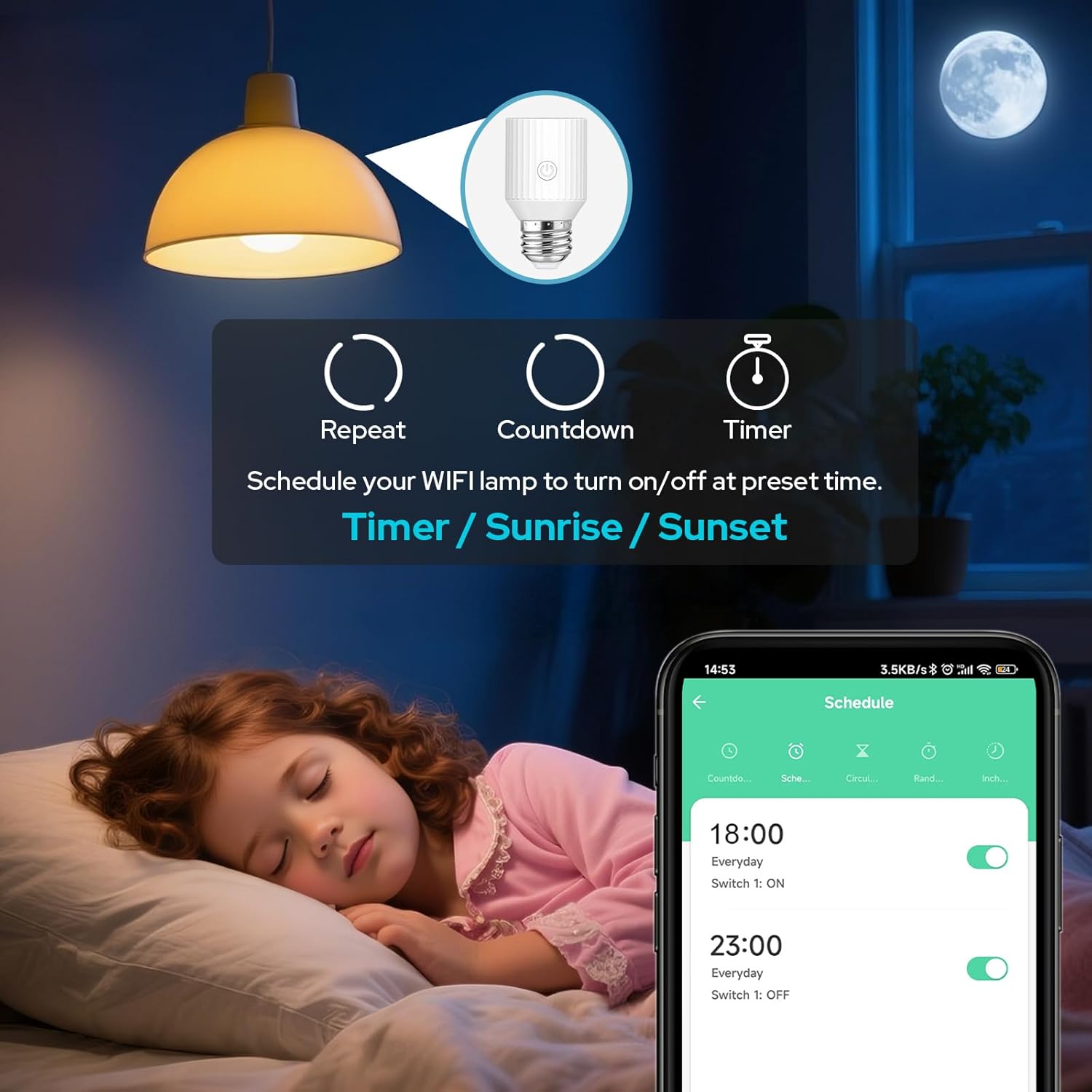
Image 5.4: Setting up timers and schedules for automated lighting control.
5.4 Group Management and Device Sharing
In the Smart Life app, you can create groups to control multiple LoraTap adapters simultaneously. Additionally, you can share control of your devices with family members, allowing everyone in the household to manage the smart lighting.

Image 5.5: Device sharing feature, enabling multiple users to control the smart socket adapter.
5.5 Restart Status Settings
Configure the restart status of your LoraTap adapter in the Smart Life app. You can choose for the light to be ON, OFF, or remember its last status after a power outage, preventing unnecessary energy consumption.

Image 5.6: Setting the device's restart status after a power interruption.
5.6 Produktvideo
Video 5.1: This video demonstrates the LoraTap Smart Wi-Fi Light Bulb Socket Adapter's app control and voice control functionalities, showing how to turn lights on and off using a smartphone and an Alexa device.
6. Kompatibilitet
The LoraTap Smart Wi-Fi Light Bulb Socket Adapter is designed for broad compatibility with various bulb types and standard E26/E27 sockets. Please review the following details to ensure proper fit and function:
6.1 Supported Bulb Types and Wattage
- Pære typer: Incandescent, LED, CFL, Fluorescent Lamp.
- Maks. Watttage: 60 watt.
6.2 Socket and Fixture Compatibility
The adapter is compatible with E26 and E27 bulb bases. It adds approximately 2.3 inches to the height of your light fixture. Ensure your lamp or fixture has sufficient space to accommodate this added length to avoid collision or obstruction of lampnuancer.
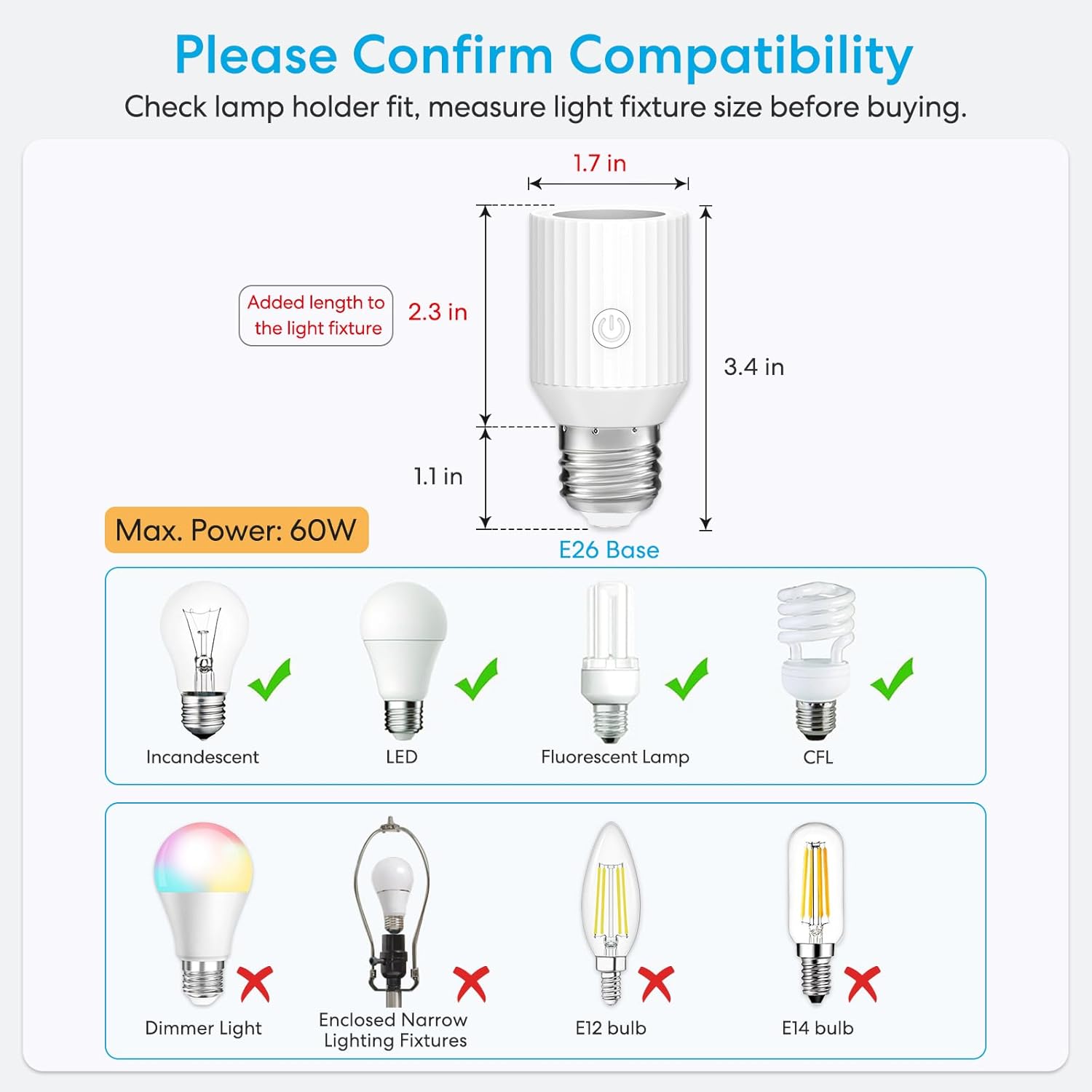
Image 6.1: Detailed compatibility information, including dimensions and supported/unsupported bulb types and fixtures.

Billede 6.2: Visuelt eksempelamples of potential incompatibility issues with certain lamp bases and fixtures.
6.3 Uforeneligheder
- Not compatible with dimmable bulbs.
- Not suitable for E12 or E14 bulb bases.
- May not fit in enclosed narrow lighting fixtures due to its dimensions.
7. Fejlfinding
- Enhed parres ikke: Ensure your Wi-Fi network is 2.4GHz. Check that the adapter is within range of your router (preferably within 33 feet). Reset the adapter by turning the light switch on/off multiple times until the bulb blinks rapidly, indicating pairing mode.
- Stemmestyring virker ikke: Verify that the Smart Life skill/action is correctly linked in your Amazon Alexa or Google Assistant app. Ensure the device name in the Smart Life app matches the name you are using for voice commands.
- Intermitterende forbindelse: A weak Wi-Fi signal can cause connection issues. Try moving the adapter closer to the router or consider a Wi-Fi extender.
- Light Not Responding: Check if the physical light switch is in the 'ON' position. The smart adapter requires continuous power to function.
8. Specifikationer
| Specifikation | Detalje |
|---|---|
| Mærke | Lora Tap |
| Modelnavn | Lyspære fatning |
| Varemodelnummer | BA202W-V3 |
| Pære base | E26 / E27 |
| Wattage | 60 Watt (Max) |
| Voltage | 100-120 volt (vekselstrøm) |
| Frekvens | 60 Hertz |
| Light Type Compatibility | CFL, Fluorescent Lamp, Incandescent, LED |
| Kontrolmetode | App, stemme |
| Trådløs forbindelse | 2.4GHz Wi-Fi (Not 5GHz compatible) |
| Materiale | Acrylonitril Butadien Styren (ABS) |
| Produktdimensioner | 1.7 cm B x 3.4 cm H |
| Varens vægt | 4.6 ounce |
| Indendørs/Udendørs brug | Indendørs |
| Certificeringer | FCC, RoHS |
9. Garanti og support
For warranty information, technical support, or further assistance, please refer to the contact details provided with your product packaging or visit the official LoraTap webwebsted. Gem din købskvittering for garantikrav.


