1. Introduktion
Tak for købetasing Moukey MAMP3 2.0-kanals stereo AmpDenne manual indeholder vigtige oplysninger for sikker og effektiv betjening af din enhed. Læs den grundigt inden brug, og gem den til senere brug.
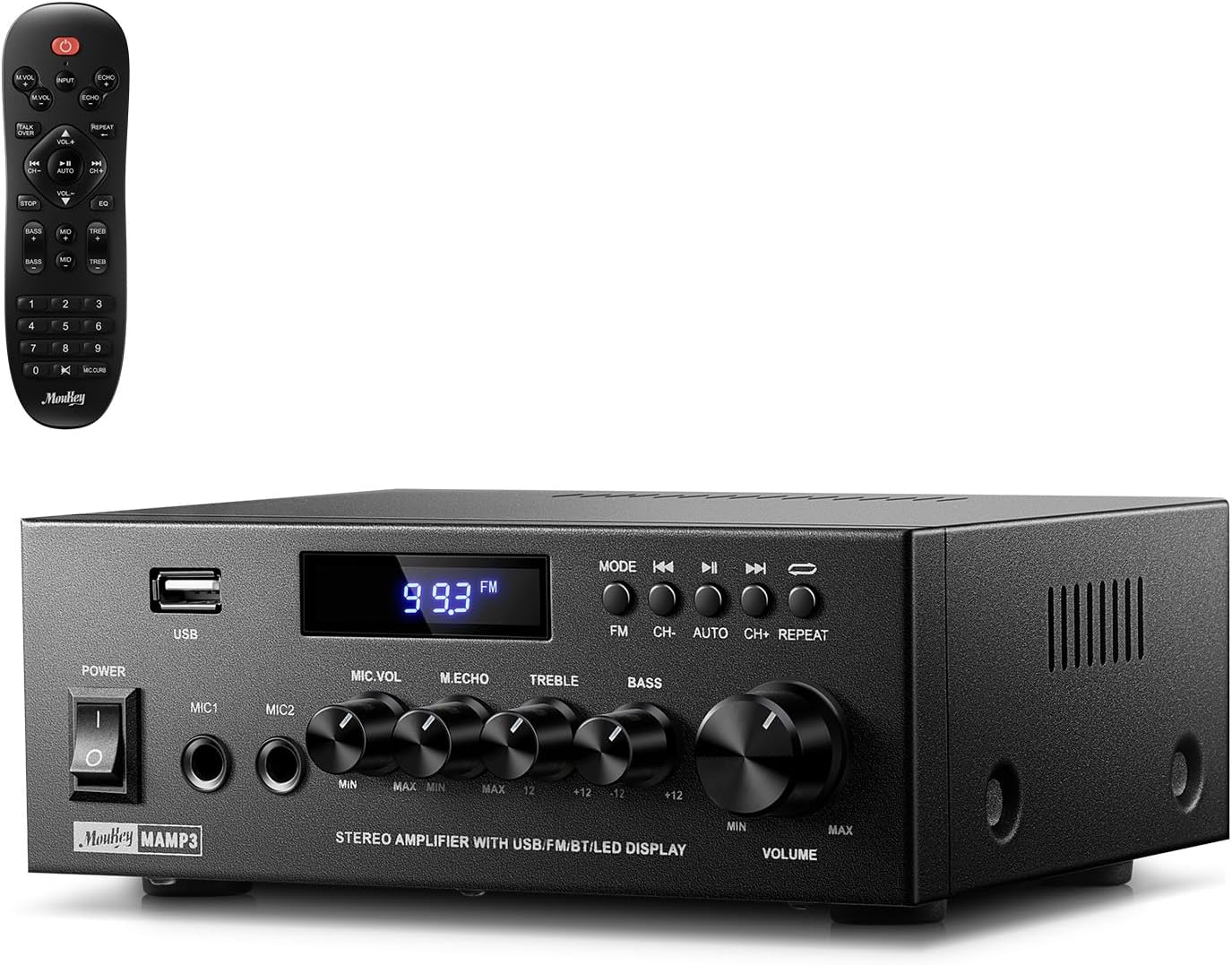
Billede 1.1: Moukey MAMP3 amplifer og dens fjernbetjening.
2. Sikkerhedsinstruktioner
- Læs alle instruktioner inden betjening af amplivligere.
- Behold ampHoldes væk fra vand, fugt og ekstreme temperaturer.
- Bloker ikke ventilationsåbningerne. Sørg for korrekt luftgennemstrømning omkring enheden.
- Brug kun den strømadapter, der følger med enheden.
- Forsøg ikke selv at reparere eller modificere enheden. Overlad al service til kvalificeret personale.
- Tag netledningen ud af stikkontakten, hvis enheden ikke skal bruges i længere perioder.
3. Produktet er slutview
3.1 Nøglefunktioner
- 2.0-kanals stereolydudgang
- Bluetooth 5.3 for stabil trådløs forbindelse
- Flere lydindgange: RCA, USB, FM-radio, 2 mikrofonindgange
- Fuldfunktionel fjernbetjening med EQ-justeringer
- Brugerdefinerbare diskant-, mellemtone- og baskontroller
- Hukommelsesfunktion til tilstand, lydstyrke og EQ-indstillinger
- 300 watt peak-effekt
3.2 Kontrol og indikatorer på frontpanelet

Billede 3.1: Frontpanellayout
- Afbryderen: Tænder eller slukker for enheden.
- MIC1/2: 6.35 mm mikrofonindgangsstik.
- Mikrofonlydstyrkeknap: Justerer lydstyrken på tilsluttede mikrofoner.
- Ekko-knap: Justerer ekkoeffekten for mikrofoner.
- Diskant-knap: Justerer højfrekvent lydudgang.
- Basknap: Justerer lavfrekvent lydudgang.
- Musik volumen knap: Hovedlydstyrkekontrol for alle lydkilder.
- USB-stik: Til tilslutning af USB-lagerenheder til lydafspilning.
- LED display: Viser aktuel tilstand, sporinformation eller FM-frekvens.
- MODE knap: Skifter mellem inputkilder (BT, Aux, CD, USB, FM).
- Forrige knap: Springer til det forrige nummer (USB/BT) eller FM-station.
- Afspil/pause knap: Afspiller eller sætter lyd på pause (USB/BT).
- Næste knap: Springer til næste nummer (USB/BT) eller FM-station.
- Gentag knap: Gentager det aktuelle nummer eller alle numre (USB).
3.3 Bagpaneltilslutninger

Billede 3.2: Tilslutninger på bagpanelet
- FM-antenneindgang: Tilslut den medfølgende FM-antenne for radiomodtagelse.
- LYDINDGANG (RCA): Tilslut eksterne lydkilder som cd-/dvd-afspillere med RCA-kabler.
- LYDUDGANG (højttalerterminaler): Tilslut passive højttalere. Sørg for korrekt polaritet (+ til + og - til -).
- STRØM AC-INDGANG: Tilslut netledningen til en stikkontakt.
4. Opsætning
4.1 Udpakning
Fjern forsigtigt ampFjern apparatet og alt tilbehør fra emballagen. Kontroller, at alle de varer, der er anført i afsnittet 'Hvad er der i æsken', er til stede.
4.2 Tilslutning af højttalere
MAMP3 ampLifier understøtter to passive højttalere. Tilslut dine højttalere til LYDUDGANG terminalerne på bagpanelet. Sørg for, at den positive (+) terminal på ampHøjttaleren tilsluttes den positive (+) terminal på din højttaler og den negative (-) terminal på ampHøjttaleren tilsluttes den negative (-) terminal på din højttaler. Forkert polaritet kan påvirke lydkvaliteten.

Billede 4.1: Højttalertilslutningsdiagram
4.3 Tilslutning af lydkilder
De ampLifier tilbyder flere inputmuligheder:
- RCA-indgang: Brug RCA-kabler til at tilslutte enheder som cd-afspillere, dvd-afspillere eller andet lydudstyr til LYDINGANG stik på bagpanelet.
- USB-indgang: Indsæt et USB-flashdrev i USB-slot på frontpanelet til direkte lydafspilning.
- Bluetooth: Par din Bluetooth-aktiverede enhed (smartphone, tablet, bærbar computer) trådløst.
- FM-radio: Tilslut den medfølgende FM-antenne til FM-antenneindgang på bagpanelet for radiomodtagelse. Træk antennen ud for optimalt signal.
- Mikrofonindgange: Tilslut op til to mikrofoner til MIC1/2 stik på frontpanelet til karaoke eller højttaleranlæg.

Billede 4.2: Tilgængelige signalindgange
4.4 Strømtilslutning
Tilslut netledningen til STRØM AC-INDGANG på bagpanelet, og sæt den derefter i en almindelig stikkontakt.
5. Betjeningsvejledning
5.1 Tænd/sluk
Tryk på Strømafbryder på frontpanelet for at tænde amptænd eller sluk for apparatet. LED-displayet lyser, når enheden er tændt.
5.2 Indgangsvalg
Tryk på MODE knappen på frontpanelet eller fjernbetjeningen for at gennemgå de tilgængelige inputkilder: Bluetooth (BT), Auxiliary (Aux), CD, USB og FM-radio. Den valgte tilstand vises på LED-displayet.
5.3 Lydstyrkekontrol
Drej den store Musiklydstyrkeknap på frontpanelet med uret for at øge lydstyrken og mod uret for at sænke den. Lydstyrken kan også justeres med fjernbetjeningen.
5.4 Justering af equalizer (EQ)
Juster lydegenskaberne ved hjælp af Diskantknap og Bassknop på frontpanelet. Fjernbetjeningen har også dedikerede knapper til justering af diskant, mellemtone og bas. ampLifier gemmer automatisk dine foretrukne EQ-indstillinger.
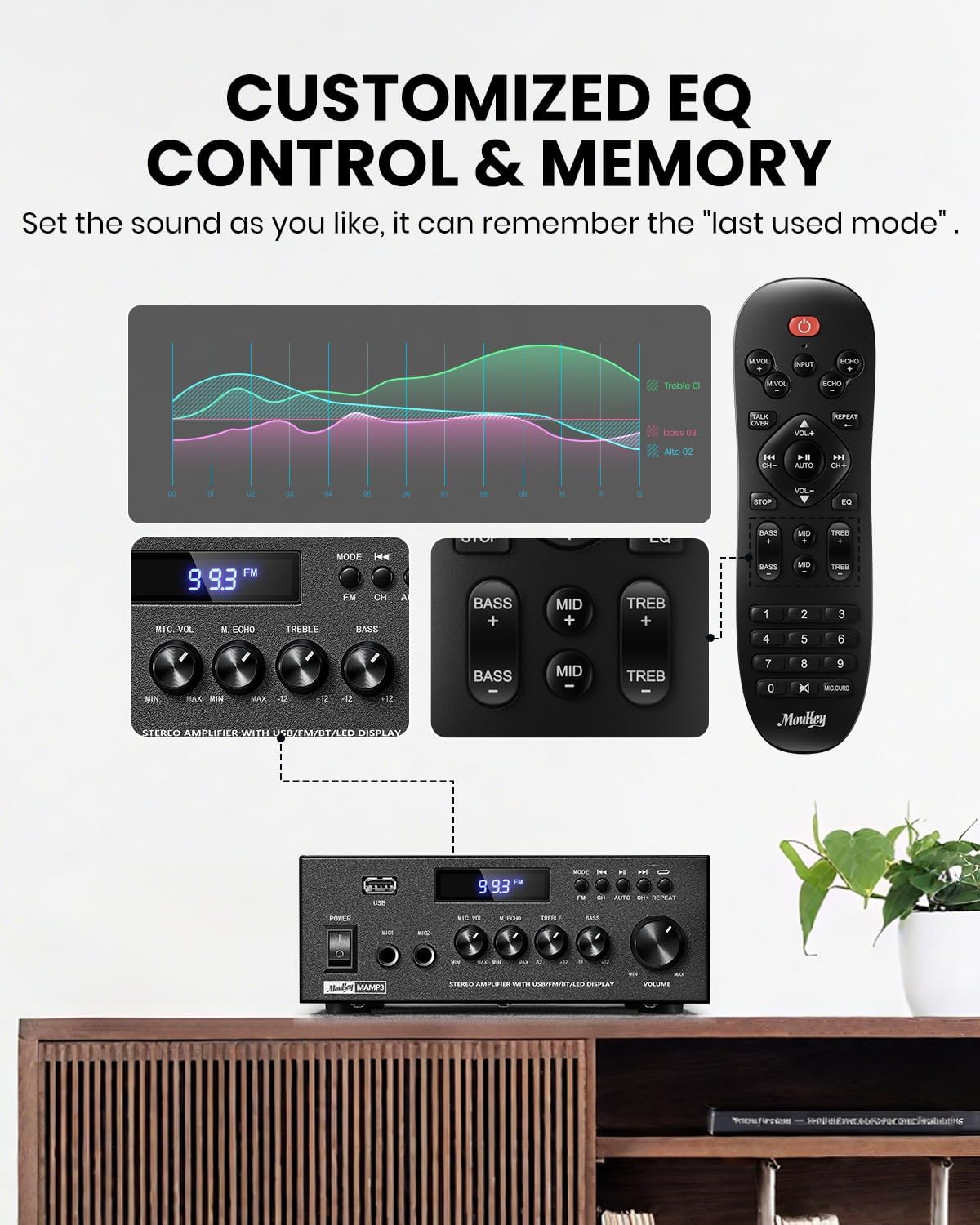
Billede 5.1: Tilpasset EQ-kontrol
5.5 Mikrofonkontroller
Hvis der er tilsluttet mikrofoner, skal du bruge Mikrofon lydstyrkeknap at justere deres outputniveau og Ekko-knap for at tilføje en ekkoeffekt. Fjernbetjeningen har også en 'Talkover'-funktion.
5.6 Bluetooth-betjening
- Tryk på MODE knappen, indtil "BT" vises på LED-displayet. ampLifier er nu i Bluetooth-parringstilstand.
- Aktiver Bluetooth på din mobilenhed, og søg efter "Moukey MAMP3".
- Vælg "Moukey M"AMP3" for at parre. Når forbindelsen er oprettet, hører du en bekræftelsestone.
- Du kan nu afspille lyd fra din enhed via amplivligere.

Billede 5.2: Bluetooth-parring
5.7 FM-radiofunktion
- Tryk på MODE knappen, indtil "FM" vises på LED-displayet.
- Automatisk scanning: Tryk på knappen "AUTO" på fjernbetjeningen for automatisk at scanne og gemme tilgængelige FM-stationer.
- Manuel indstilling: Brug taltastaturet på fjernbetjeningen til at indtaste den ønskede FM-frekvens direkte (f.eks. for 101.1 MHz, indtast 1011).
- Brug Tidligere og Næste knapper til at navigere mellem gemte stationer eller finjustere frekvenser.
5.8 USB-afspilning
Indsæt et USB-flashdrev, der indeholder MP3- eller WAV-lyd files ind i USB-slot. De ampFjernbetjeningen skifter automatisk til USB-tilstand og begynder afspilning. Brug Tidligere, Afspil/pause, og Næste knapper til at styre afspilningen. Gentage Knappen giver dig mulighed for at gentage det aktuelle nummer eller alle numre.
5.9 Fjernbetjening
Den medfølgende fjernbetjening med alle funktioner muliggør bekvem betjening på afstand. Den giver kontrol over valg af input, lydstyrke, EQ-indstillinger (diskant, mellemtone, bas), mikrofonekko og talkover-funktioner på tværs af alle inputtilstande.

Billede 5.3: Opgraderet fjernbetjeningsfunktionalitet
6. Vedligeholdelse
- Rensning: Brug en blød, tør klud til at rengøre ydersiden af ampBrug ikke flydende rengøringsmidler eller opløsningsmidler.
- Ventilation: Sørg for, at ventilationsåbningerne er fri for støv og snavs for at forhindre overophedning.
- Opbevaring: Når den ikke er i brug i længere perioder, skal den opbevares ampOpbevar apparatet på et køligt, tørt sted, væk fra direkte sollys og ekstreme temperaturer.
7. Fejlfinding
| Problem | Mulig årsag | Løsning |
|---|---|---|
| Ingen strøm | Netledning ikke tilsluttet; Stikkontakt defekt; Strømafbryder slukket. | Sørg for, at netledningen er korrekt tilsluttet; Test stikkontakten med en anden enhed; Tænd for strømmen. |
| Ingen lydudgang | Lydstyrken er for lav; Forkert indgang valgt; Højttalerledninger er løse/forkert tilsluttet; Problem med lydkilden. | Øg lydstyrken; Vælg den korrekte inputtilstand; Kontroller højttalerledningernes forbindelser og polaritet; Bekræft, at lydkilden afspilles. |
| Bluetooth forbinder ikke | AmpFjernbetjeningen er ikke i BT-tilstand; Enheden er for langt væk; Enheden er allerede forbundet til en anden enhed; Interferens. | Skifte ampSæt enheden i BT-tilstand; Flyt enheden tættere på; Afbryd forbindelsen til andre enheder; Reducer interferens. |
| Dårlig FM -modtagelse | Antenne ikke tilsluttet eller dårligt placeret; Svagt signal. | Tilslut og juster FM-antennens position; Prøv automatisk scanning eller manuel indstilling for stærkere stationer. |
| Problemer med USB-afspilning | Ikke understøttet file format; USB-drev er ikke formateret korrekt; USB-drevkapaciteten er for stor. | Sikre fileer MP3/WAV; Formater USB-drev til FAT32; Brug USB-drev på 32 GB eller mindre. |
8. Specifikationer
| Feature | Specifikation |
|---|---|
| Modelnummer | MAMP3 |
| Udgangseffekt | 300 watt (peak) |
| Kanaler | 2.0 Stereo |
| Forbindelsesteknologi | Aux, Bluetooth 5.3, FM, USB |
| Kompatible enheder | Smartphone, tablet, bærbar computer, computer, højttalere, cd/dvd-afspiller |
| Connector Type | RCA, USB, 2 mikrofonindgange |
| Lydudgangstilstand | Stereoanlæg |
| Produktdimensioner | 6.1" D x 7.1" B x 2.8" H (15.5 x 18.0 x 7.1 cm) |
| Varens vægt | 2.14 pund (0.97 kg) |
| Farve | Sort |
8.1 Hvad er der i æsken
- Moukey MAMP3 Amplivligere
- Fjernbetjening
- FM antenne
- Brugermanual
- Strømadapter
9. Garanti og support
9.1 Garantioplysninger
Moukey-produkter er designet og fremstillet efter de højeste kvalitetsstandarder. Dette produkt er dækket af en begrænset garanti mod defekter i materialer og udførelse. Se venligst garantikortet, der følger med dit køb, for specifikke vilkår og betingelser, eller besøg den officielle Moukey-side. webwebstedet for detaljerede garantioplysninger.
9.2 Kundesupport
Hvis du støder på problemer eller har spørgsmål vedrørende din Moukey MAMP3 ampLifier, bedes du kontakte vores kundesupportteam. Du kan finde kontaktoplysninger på den officielle Moukey webwebsted eller via din købsplatform.
Webwebsted: www.moukey.com (Eksamp(linket, se venligst den faktiske produktdokumentation)
E-mail: support@moukey.com (Eksampe-mail, se venligst den faktiske produktdokumentation)


