1. Introduktion
This manual provides detailed instructions for the CHEREEKI Digital Alarm Clock. Please read it carefully to ensure proper use and to fully utilize all features of your new alarm clock. This device is designed for convenience and reliability, offering a large LED display, dual alarm settings, adjustable brightness and volume, and a USB charging port.

Figure 1: CHEREEKI Digital Alarm Clock with included power adapter and USB cable.
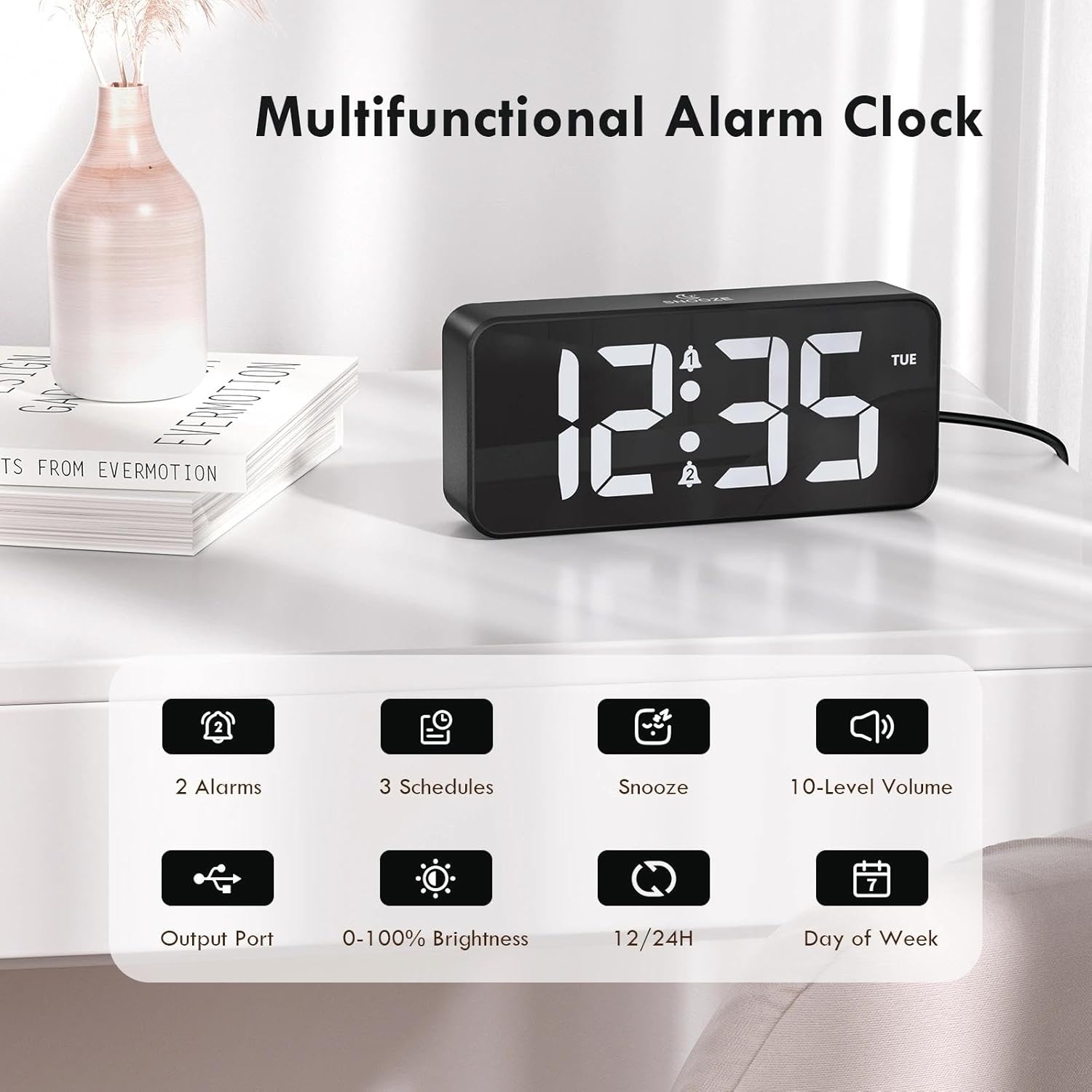
Figure 2: Key features of the CHEREEKI Digital Alarm Clock.
2. Pakkens indhold
Når du åbner pakken, skal du kontrollere, at alle følgende varer er inkluderet:
- 1 x CHEREEKI Digital Alarm Clock
- 1 x strømadapter
- 1 x USB-opladningskabel (1.5m)
- 1 x brugsanvisning

Figure 3: Contents of the CHEREEKI Digital Alarm Clock package.
3. Produktet er slutview
Familiarize yourself with the various buttons and ports on your CHEREEKI Digital Alarm Clock:

Figure 4: Rear panel controls and ports of the alarm clock.
- Dæmperknap: Adjusts display brightness (0% to 100%).
- Tidsindstillingsknap: Går i tidsindstillingstilstand.
- Alarm 1 knap: Enters Alarm 1 setting mode.
- Alarm 2 knap: Enters Alarm 2 setting mode.
- Up Button (+): Øger værdierne under indstilling.
- Down Button (-): Reducerer værdier under indstilling.
- Lydstyrkeknap: Adjusts alarm volume (10 levels).
- USB Port (Output): Til opladning af eksterne enheder.
- Type-C Port (DC 5V Input): For main power connection.
- DST -switch: Activates/deactivates Daylight Saving Time.
- Batterirum: Houses the CR2032 backup battery.
4. Opsætning
4.1 Strømtilslutning
The CHEREEKI Digital Alarm Clock operates solely on AC power. Connect the provided USB cable to the Type-C port on the back of the alarm clock and plug the power adapter into a standard wall outlet (5V/1A or 5V/2A adapter recommended). The display will illuminate once power is connected.

Figure 5: Connecting the alarm clock to a power source.
4.2 Backup Battery Installation (Memory Function)
The alarm clock includes a CR2032 backup battery (pre-installed) to retain time and alarm settings during power outages. This battery does not power the clock's display or functions; it only preserves memory. If the battery needs replacement, open the battery compartment on the rear panel and insert a new CR2032 battery, ensuring correct polarity.

Figure 6: The backup battery ensures settings are retained during power interruptions.
5. Betjeningsvejledning
5.1 Indstilling af klokkeslæt
- Tryk på Indstil tid knap. Timecifrene vil blinke.
- Brug Op (+) or Ned (-) knapper for at justere timen.
- Trykke Indstil tid igen. Minuttifrene vil blinke.
- Brug Op (+) or Ned (-) knapper for at justere minutterne.
- Trykke Indstil tid endnu en gang for at bekræfte og afslutte tidsindstillingstilstanden.
5.2 12/24-timers format
For at skifte mellem 12-timers og 24-timers tidsformater skal du trykke på Indstil tid button while the time is displayed (not in setting mode). The display will show "AM" or "PM" for 12-hour format, or no indicator for 24-hour format.

Figure 7: The alarm clock supports both 12-hour and 24-hour time displays.
5.3 Indstilling af alarmer (Alarm 1 og Alarm 2)
The clock features two independent alarms. The setting process is identical for both:
- Tryk på Alarm 1 or Alarm 2 knappen. Alarmtimecifrene blinker.
- Brug Op (+) or Ned (-) knapper for at justere alarmtiden.
- Press the respective alarm button again. The minute digits will flash.
- Brug Op (+) or Ned (-) knapper til at justere alarmens minutter.
- Press the alarm button again to select the alarm schedule:
- MAN-FRE: Alarm sounds on weekdays.
- LØR-SØN: Alarm sounds on weekends.
- MAN-SØN: Alarm sounds daily.
- Press the alarm button once more to confirm and activate the alarm. A bell icon will appear on the display.

Figure 8: Dual alarms with customizable schedules.
5.4 Snooze -funktion
When an alarm sounds, press any button (except the alarm buttons) to activate the 5-minute snooze function. The alarm will temporarily stop and sound again after 5 minutes. To completely turn off the alarm, press the corresponding Alarm 1 or Alarm 2 knap.
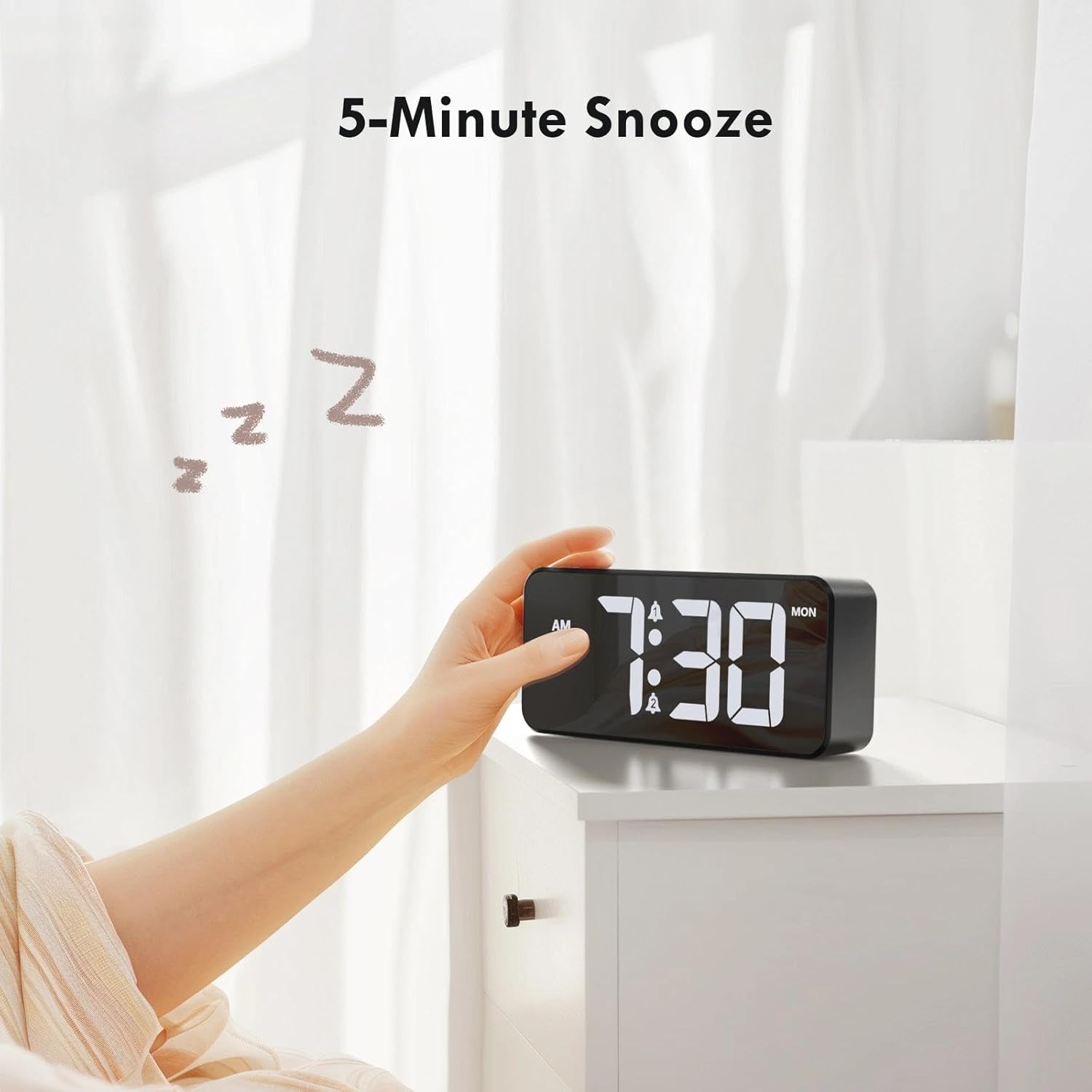
Figure 9: Activating the 5-minute snooze.
5.5 Justering af skærmens lysstyrke
Drej på Lysdæmper knob on the rear panel to adjust the LED display brightness from 0% (off) to 100% (maximum brightness). This allows you to customize the display visibility for different lighting conditions and personal preference.
5.6 Justering af alarmlydstyrke
Drej på Bind knob on the rear panel to select one of the 10 available volume levels for the alarm sound. Choose a volume that is suitable for your needs.

Figure 10: Controls for brightness and volume adjustment.
5.7 Sommertid (DST)
The alarm clock supports Daylight Saving Time. Locate the DST switch on the rear panel. Slide the switch to activate or deactivate DST as required by your local time zone.
6. USB -opladningsport
The alarm clock is equipped with a USB output port on the rear panel. This port allows you to conveniently charge other electronic devices, such as smartphones or tablets, directly from the alarm clock. Simply connect your device's charging cable to the USB port.

Figure 11: Using the USB port to charge an external device.
7. Vedligeholdelse
To ensure the longevity and optimal performance of your CHEREEKI Digital Alarm Clock, follow these maintenance guidelines:
- Rensning: Use a soft, dry cloth to clean the surface of the alarm clock. Avoid using abrasive cleaners, solvents, or chemical sprays, as these can damage the finish.
- Placering: Place the alarm clock on a stable, flat surface. Avoid areas with excessive heat, humidity, direct sunlight, or strong magnetic fields.
- Magt: Always use the provided power adapter and cable. Do not attempt to power the clock with incompatible adapters.
8. Fejlfinding
Hvis du støder på problemer med dit vækkeur, kan du se følgende almindelige problemer og løsninger:
| Problem | Mulig årsag | Løsning |
|---|---|---|
| Skærmen er slukket eller virker ikke. | Ingen strømtilslutning eller strømudgangtage. Backup battery does not power the display. | Ensure the power adapter is securely plugged into both the clock and a working wall outlet. Check the power source. |
| Alarmen lyder ikke. | Alarmen er ikke aktiveret, lydstyrken er for lav, eller alarmtidspunktet er indstillet forkert. | Verify that the alarm is activated (bell icon visible). Adjust the volume knob. Re-check alarm time settings. |
| Tid/indstillinger går tabt efter strømafbrydelsetage. | Backup battery is depleted or not installed correctly. | Replace the CR2032 backup battery, ensuring correct polarity. |
| USB-opladeporten virker ikke. | Enheden er ikke korrekt tilsluttet, eller der er strømproblem. | Ensure the alarm clock is powered on. Check the connection of the charging cable to both the clock and your device. Try a different USB cable. |
9. Specifikationer
| Feature | Detalje |
|---|---|
| Mærke | CHEREEKI |
| Model | B0FHHKMP1X |
| Farve | Sort |
| Produktdimensioner | 14.5 x 3.81 x 6.5 cm |
| Vægt | 230 gram |
| Materiale | Acrylonitril Butadien Styren (ABS) |
| Display Type | Digital LED |
| Særlige funktioner | Adjustable Brightness, Dual Alarms, Snooze, USB Charging Port, 12/24H Format, DST Support |
| Strømkilde | Corded Electric (5V/1A or 5V/2A adapter) |
| Backup batteri | CR2032 (for memory retention only) |
10. Garanti og support
10.1 Garantioplysninger
The CHEREEKI Digital Alarm Clock comes with a Lifetime Warranty from CHEREEKI. Please refer to the warranty card included in your package or contact CHEREEKI customer support for detailed terms and conditions.
10.2 Kundesupport
For any questions, technical assistance, or warranty claims, please contact CHEREEKI customer support. You can typically find contact information on the product packaging, the official CHEREEKI webwebstedet eller via din købsplatform.
