Indledning
This manual provides essential information for the safe and efficient operation of your ZeroKor Portable Power Stations. This bundle includes a 120W portable battery with a 22W solar panel and a 65W outlet power bank, designed for versatile power needs both indoors and outdoors, supporting laptops, smart devices, and more.
Sikkerhedsoplysninger
Please read all safety warnings and instructions before using this product to avoid injury or damage. Keep this manual for future reference.
- Enheden må ikke skilles ad, repareres eller modificeres.
- Udsæt ikke enheden for ild eller høje temperaturer.
- Holdes væk fra vand, høj luftfugtighed og direkte sollys.
- Sørg for tilstrækkelig ventilation under brug og opladning.
- Do not use if the unit is damaged or has been dropped.
- Opbevares utilgængeligt for børn.
- Bortskaf produktet i henhold til lokale regler.
Pakkens indhold
Bekræft at alle varer er inkluderet i din pakke:
- ZeroKor 120W Portable Power Station
- ZeroKor 65W Portable Power Bank
- 22W sammenklappeligt solpanel
- AC Wall Adapter (for 120W unit)
- 12V Car Charging Cable (for 120W unit)
- 9V/3A Max USB-C Adapter (for 65W unit)
- Brugervejledning (dette dokument)

Image: The ZeroKor Portable Power Station bundle, showing the 120W power station, the 65W power bank, and the foldable solar panel.
Produkt overview
ZeroKor 120W Portable Power Station
This unit is designed for higher power demands and features multiple output options.

Billede: Top view of the 120W Portable Power Station, highlighting its various ports and digital display.
- AC-udgang: Two 110V/120W MAX AC outlets.
- DC-udgang: One 12V~16.8V/6A MAX DC output.
- USB-A-output: One USB1 (5V/2A) and one QC USB2 (5V/3A, 9V/2A MAX).
- USB-C udgang: One USB-C (5V/3A, 9V/2A MAX).
- Input: Dedicated input port for charging.
- LED lommelygte: Features reading mode and SOS mode for emergencies.
- Vise: Digital display showing battery level and output status.
ZeroKor 65W Portable Power Bank
This compact unit is ideal for smaller devices and on-the-go power.
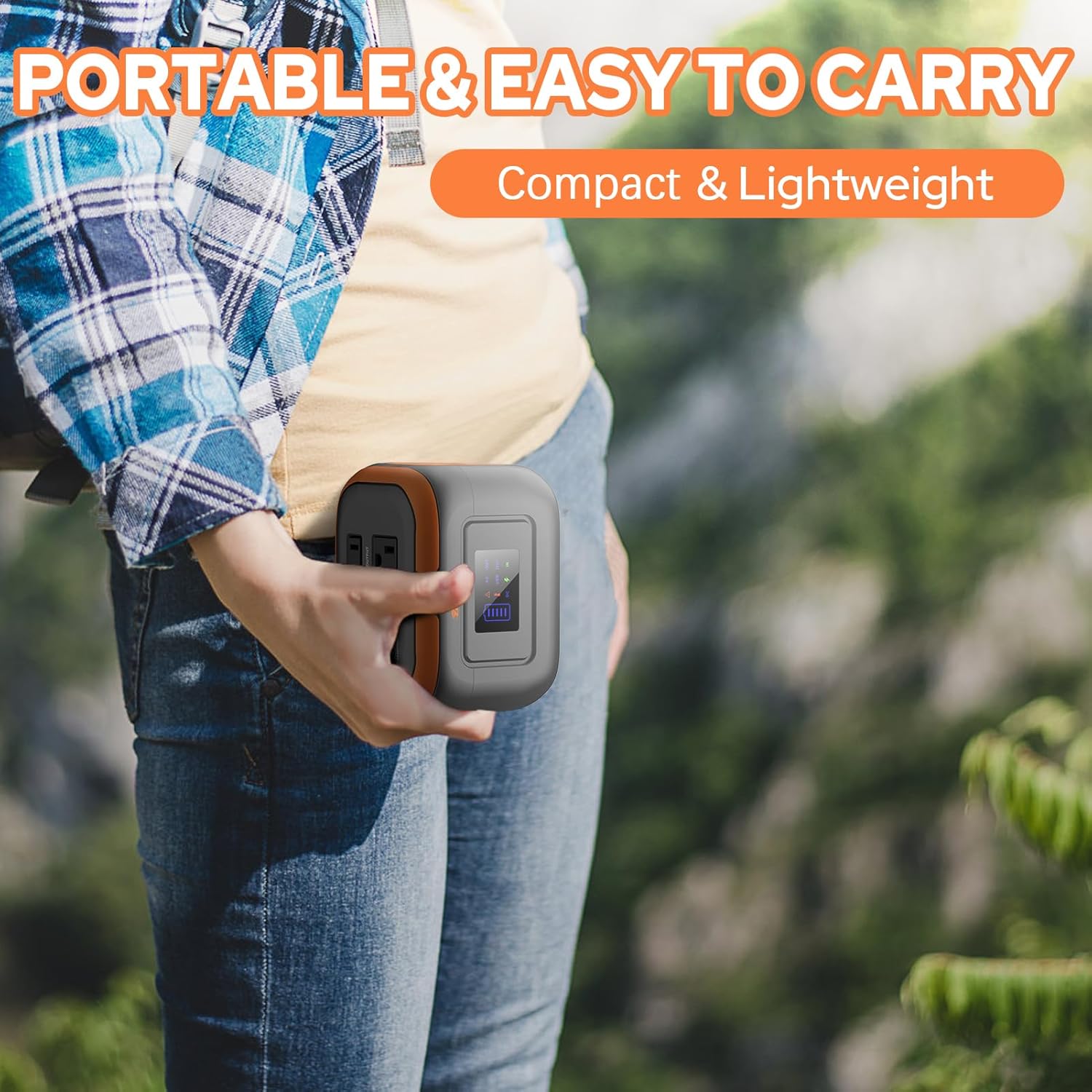
Image: A person holding the compact 65W Portable Power Bank, demonstrating its portability.
- AC-udgang: One 110V/65W MAX AC outlet.
- DC-udgang: One 9V~12.6V/10A MAX DC output.
- USB-udgang: One USB-2 port (5V/2.1A Max) and one quick charge USB-1 port (5V/3A, 9V/2A MAX).
- Lommelygte: Features reading mode and SOS mode.
Built-in Battery Management System (BMS)
Both ZeroKor portable power units feature an advanced BMS for enhanced safety and battery longevity.

Image: A diagram showing the Battery Management System (BMS) and its protective features, including short circuit, over-current, over-voltage, overload, overheating, and overcharge protection.
- Kortslutningsbeskyttelse
- Overstrømsbeskyttelse
- Over-voltage beskyttelse
- Overbelastningsbeskyttelse
- Overophedningsbeskyttelse
- Overopladningsbeskyttelse
Opsætning
Indledende opladning
Before first use, fully charge your power station. There are three primary ways to recharge the 120W unit:
- AC vægudtag: Connect the provided AC wall adapter to the input port of the 120W power station and plug it into a standard wall outlet.
- Solpanel: Connect the 22W foldable solar panel to the input port of the 120W power station. Place the solar panel in direct sunlight for optimal charging.
- Bilhavn: Use the included 12V car charging cable to charge the 120W power station from your vehicle's car port.
The 65W power bank can be recharged via its USB-C input using the provided 9V/3A Max USB-C adapter.

Image: Illustration of the three charging methods for the power station: solar panel, AC wall adapter, and 12V car charging cable.
Betjeningsvejledning
Tænd/sluk
- To turn on the 120W power station, press and hold the main power button. The display will illuminate.
- To activate the AC output on the 120W unit, long press the DC button.
- To turn off, press and hold the main power button again.
Brug af output
Connect your devices to the appropriate output ports (AC, DC, USB-A, USB-C). The power station is capable of powering various devices:

Image: A person charging a laptop with the 120W power station in an outdoor setting. Icons indicate the number of recharges for devices like laptops, cameras, smartphones, and drones.
Note: If your devices need an air compressor to work, it is recommended to purchase a more powerful power station.
Pass-Through-opladning
Both power stations support pass-through charging, allowing you to charge the power station while simultaneously powering your devices.

Image: A visual representation of pass-through charging, showing the power station being recharged from a wall outlet while simultaneously providing power to a connected mobile device.
Brug af LED-lommelygten
The integrated LED flashlight on both units offers multiple modes:
- Læsetilstand: Provides a steady light for illumination.
- SOS-tilstand: Emits a flashing signal for emergency situations.
Video: A demonstration of the ZeroKor Portable Power Station, showcasing its various ports, the functionality of the LED flashlight, and its ability to power a small fan. This video highlights the product's versatility for camping og udendørs brug.
Opretholdelse
- Rensning: Brug en blød, tør klud til at rengøre enhedens yderside. Brug ikke slibende rengøringsmidler eller opløsningsmidler.
- Opbevaring: Store the power station in a cool, dry place away from direct sunlight and extreme temperatures. For long-term storage, it is recommended to charge the unit to 50-80% every 3-6 months to maintain battery health.
- Batteripleje: Undgå at aflade batteriet helt ofte for at forlænge dets levetid.
Fejlfinding
| Problem | Mulig årsag | Løsning |
|---|---|---|
| Enheden tænder ikke | Lavt batteri; Tænd/sluk-knappen er ikke trykket længe nok ned. | Charge the unit fully. Press and hold the power button for 3 seconds. |
| Ingen udgang fra AC/DC/USB-porte | Output not activated; Device draws too much power; Overload protection triggered. | Ensure the specific output (e.g., AC) is activated (long press DC button for 120W unit). Check device power requirements. Disconnect device, restart unit, try a lower-power device. |
| Langsom opladning | Using a low-power charger; Solar panel not in direct sunlight. | Use the original AC adapter. Ensure solar panel is fully exposed to direct sunlight and clean. |
| Unit gets warm during use | Normal drift, især under tung belastning. | Ensure adequate ventilation. If overheating protection triggers, the unit will shut down automatically. Allow it to cool before resuming use. |
Restricted Devices
The ZeroKor Portable Power Stations are designed for specific power outputs. Do not attempt to power devices that exceed the maximum wattage (120W for the larger unit, 65W for the smaller unit). Attempting to power high-wattage appliances can trigger overload protection or damage the unit.

Image: An illustration indicating types of high-power devices (e.g., coffee makers, induction cookers, hair dryers) that are restricted and should not be used with this power station due to their wattage exceeding 120W.
Specifikationer
ZeroKor 120W Portable Power Station
- Batterikapacitet: 97Wh
- AC-udgang: 2 x 110V/120W MAX
- DC-udgang: 1 x 12V~16.8V/6A MAX
- USB-A-output: 1 x 5V/2A, 1 x QC (5V/3A, 9V/2A MAX)
- USB-C udgang: 1 x 5V/3A, 9V/2A MAX
- Opladningsindgang: AC wall adapter, 22W solar panel, 12V car port
- Funktioner: LED Flashlight (reading, SOS modes), BMS protection
ZeroKor 65W Portable Power Bank
- AC-udgang: 1 x 110V/65W MAX
- DC-udgang: 1 x 9V~12.6V/10A MAX
- USB-udgang: 1 x 5V/2.1A Max, 1 x QC (5V/3A, 9V/2A MAX)
- Opladningsindgang: USB-C (9V/3A Max adapter)
- Funktioner: Flashlight (reading, SOS modes), BMS protection
Garanti og support
ZeroKor products are designed for reliability and performance. For detailed warranty information and customer support, please refer to the official ZeroKor webhjemmeside eller kontakt deres kundeservice direkte.
- Webwebsted: Visit the ZeroKor Store on Amazon
- Kundeservice: Refer to your purchase documentation or the ZeroKor webwebsted for kontaktoplysninger.
Gem venligst dit købsbevis for garantikrav.


