1. Introduktion
This manual provides detailed instructions for the installation, operation, and maintenance of your BlackVue DR970X-2CH Plus II Dash Cam. This advanced dual-channel dash cam offers 4K UHD recording for the front camera and Full HD for the rear, featuring STARVIS 2 and HDR technology for superior video clarity in various lighting conditions. It includes Wi-Fi connectivity for easy video playback and Cloud access for remote monitoring.

Billede 1.1: The BlackVue DR970X-2CH Plus II Dash Cam system, showing the front camera, rear camera, a BlackVue microSD card, and a smartphone screen displaying the dash cam's 4K recording capabilities and app interface.
2. Produktet er slutview
2.1 Nøglefunktioner
- Ultimate 4K UHD & HDR Recording: Front camera captures in 4K UHD, rear in Full HD, with STARVIS 2 sensor and HDR for enhanced clarity in diverse lighting.
- Advanced Visual Clarity: New ISP and STARVIS 2 sensor ensure rich, noise-free video, capturing details like license plates. Utilizes HEVC H.265 and AVC H.264 encoding.
- Effortless Wi-Fi & Cloud Playback: Fast Wi-Fi for instant viewing/downloading to phone. Optional CM100G LTE module (sold separately) enables BlackVue Cloud features like Live View, Remote Playback, and Push Notifications.
- Fast Boot & USB-C Installation: Quick startup for immediate recording. USB-C cable provides secure power and a clean installation.
- Stor lagerkapacitet: Supports BlackVue microSD cards up to 1TB (sold separately) for extended 4K recording and Parking Mode.
- Smart Event Detection: G-Sensor detects impacts, saving footage with 10s pre-buffering, protecting up to 50 files.
- 24/7 Smart Parking Surveillance: Records motion and impacts while parked, using Time Lapse for continuous coverage (requires hardwire cable).
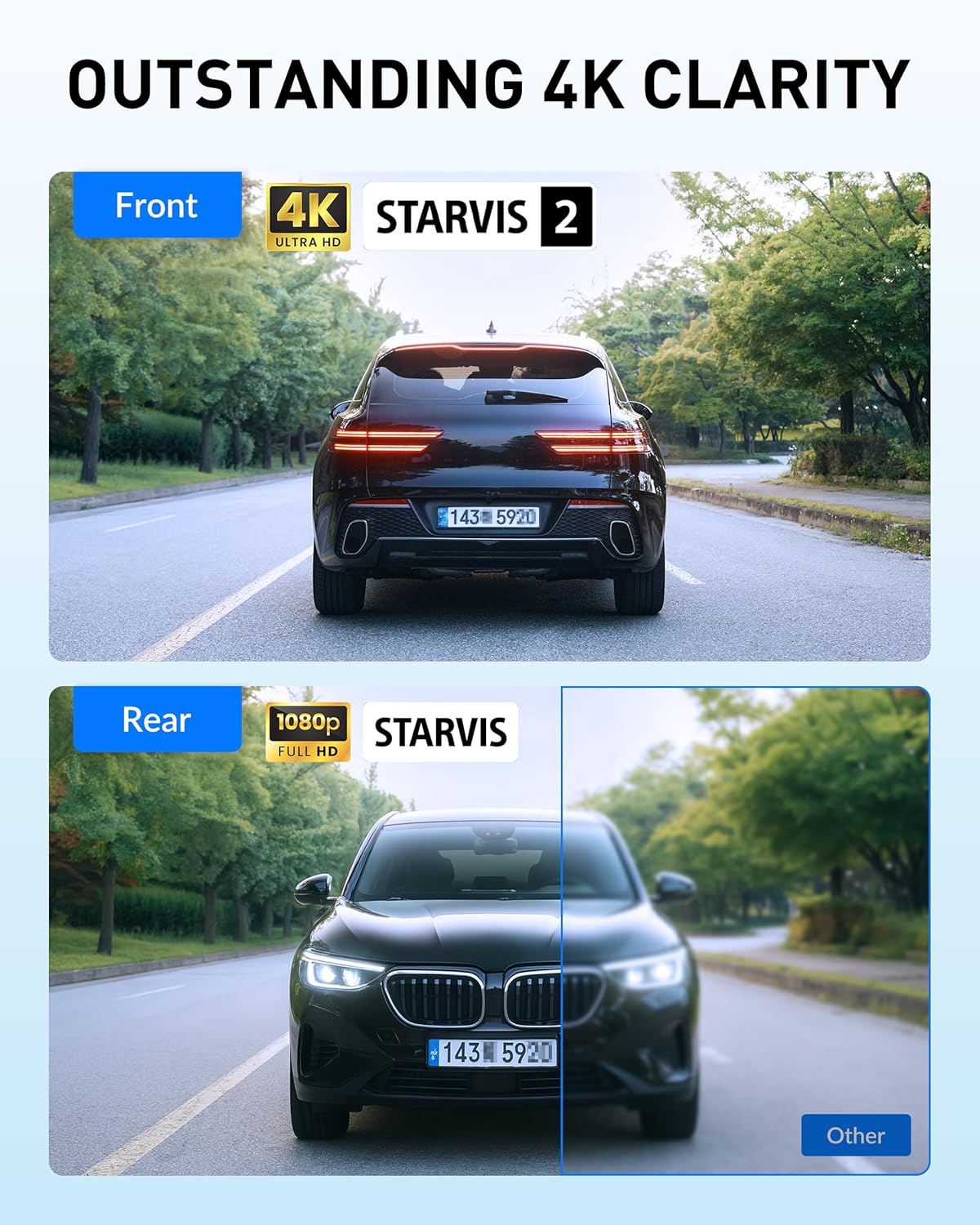
Billede 2.1: Demonstrates the outstanding 4K clarity of the front camera with STARVIS 2 and the Full HD clarity of the rear camera, highlighting the visual quality difference compared to other dash cams.

Billede 2.2: Illustrates the dash cam's super night vision performance, capturing clear footage in low-light conditions, with details on front (F1.7 aperture, 142° view) and rear (F2.0 aperture, 131° view) camera specifications.
2.2 Komponenter
- Front Dash Cam-enhed
- Bagerste dashcam-enhed
- USB-C strømkabel
- Tilslutningskabel til bagkamera
- MicroSD Card (capacity varies by package)
- Bilbeslag (til for- og bagkameraer)
- Kabelclips
- Pry Tool
- Brugervejledning (dette dokument)
3. Opsætning og installation
3.1 Indledende opsætning
- Indsæt MicroSD-kort: Ensure the BlackVue microSD card is inserted correctly into the front camera unit.
- Monter frontkamera: Attach the front camera to the windshield, typically behind the rearview spejl, der sikrer et klart view of the road. Use the provided adhesive mount.
- Tilslut strøm: Connect the USB-C power cable to the front camera and then to your vehicle's 12V power outlet (cigarette lighter socket) or a hardwiring kit (sold separately for Parking Mode).
- Monter bagkamera: Attach the rear camera to the rear windshield, ensuring a clear view.
- Tilslut bakkamera: Use the provided coaxial cable to connect the rear camera to the front camera. Route the cable neatly along the vehicle's interior trim.

Billede 3.1: The USB-C power cable kit, designed for easy and secure installation of the dash cam in a vehicle, showing the car charger with USB-C port.

Billede 3.2: Illustration of the hassle-free installation process, showing the dash cam mounted on the windshield and connected via the USB-C power cable to a cigarette lighter adapter.
3.2 Hardwiring for Parking Mode
For continuous 24/7 Smart Parking Surveillance, a hardwiring kit (sold separately) is required. This connects the dash cam directly to your vehicle's fuse box, allowing it to operate even when the ignition is off. Refer to the hardwiring kit's specific instructions for detailed installation steps. Professional installation is recommended for hardwiring.
4. Betjeningsvejledning
4.1 Tænd/sluk
The dash cam powers on automatically when connected to a power source and the vehicle's ignition is turned on. It will begin recording shortly after booting up. To power off, disconnect the power cable from the dash cam or turn off the vehicle's ignition if not hardwired.
Note: This model does not feature a dedicated physical power off button. Disconnecting the power source is the primary method for powering down.
4.2 Optagelsestilstande
- Normal optagelse: Kontinuerlig optagelse under kørsel.
- Hændelsesoptagelse: Automatically triggered by impacts detected by the G-Sensor. Footage from 10 seconds before and after the event is saved.
- Parkeringstilstand: Activated when the vehicle is parked and ignition is off (requires hardwiring). Records motion and impacts using time-lapse for efficient storage.

Billede 4.1: Visual representation of Smart Event Detection, illustrating how the dash cam detects impacts and saves critical footage, with examples of recorded events.

Billede 4.2: An illustration of the 24/7 Smart Parking Surveillance feature, showing a car protected by the dash cam's ability to record motion and impacts while parked.
4.3 Wi-Fi and Cloud Connectivity
The BlackVue DR970X-2CH Plus II features built-in Wi-Fi for direct connection to your smartphone via the BlackVue App. This allows for:
- Levende View af kamerafeeds.
- Playback and download of recorded videos.
- Configuration of dash cam settings.
- Firmwareopdateringer.
For BlackVue Cloud features (Live View, Remote Playback, Auto Backup, Push Notifications), connect the dash cam to a mobile hotspot or the optional CM100G LTE module (sold separately).

Billede 4.3: A smartphone screen displaying the BlackVue App, demonstrating its compatibility with the BlackVue Cloud service for live view, video playback, and push alerts.
5. Vedligeholdelse
5.1 Administration af microSD-kort
The dash cam supports microSD cards up to 1TB. Regular formatting of the microSD card is recommended to maintain optimal performance and prevent data corruption. This can typically be done through the BlackVue App. The dash cam features endless loop recording, overwriting the oldest files when the card is full, except for event-locked files.

Billede 5.1: The BlackVue dash cam unit, highlighting its microSD card slot and a 1TB microSD card, emphasizing its large storage capacity for 4K recording.
5.2 Rengøring
Gently wipe the camera lenses with a soft, lint-free cloth to ensure clear video recording. Avoid using harsh chemicals or abrasive materials. Keep the dash cam unit free from dust and debris.
6. Fejlfinding
| Problem | Mulig årsag | Løsning |
|---|---|---|
| Dashcam'et tænder ikke. | No power supply, loose connection, faulty power cable. | Check power cable connection. Ensure vehicle's 12V outlet is functional. Test with another power source if possible. |
| Videokvaliteten er dårlig eller sløret. | Dirty lens, protective film still on lens, incorrect settings, damaged lens. | Clean lenses with a soft cloth. Remove any protective film. Check video resolution settings in the BlackVue App. |
| Problemer med Wi-Fi-forbindelse. | Incorrect Wi-Fi password, too far from dash cam, interference. | Ensure correct password. Be within close proximity to the dash cam. Restart both dash cam and smartphone. |
| MicroSD card errors. | Card corruption, incompatible card, full card. | Format the microSD card via the BlackVue App. Use a BlackVue-recommended microSD card. Replace card if issues persist. |
| App feels clunky or slow. | Outdated app version, phone performance, network issues. | Ensure the BlackVue App is updated to the latest version. Check your phone's available memory and network connection. |
7. Specifikationer
| Feature | Detalje |
|---|---|
| Modelnavn | DR970X-2CH Plus II |
| Forreste kameraopløsning | 4K UHD (3840x2160) |
| Bagkameraopløsning | Fuld HD (1920x1080) |
| Front sensor | STARVIS 2 |
| Videofunktioner | HDR, HEVC/H.265, AVC/H.264 encoding |
| Forbindelse | Wi-Fi, Cloud (via external hotspot/LTE module) |
| Særlige funktioner | G-Sensor, Smart Parking Mode, Fast USB-C Boot |
| Opbevaring | Supports up to 1TB microSD card |
| Produktdimensioner | 7.8" D x 4.8" B x 4" H |
| Varens vægt | 1.83 pund |
| Fabrikant | Pittasoft |
8. Garanti og support
For specific warranty information, please refer to the warranty card included with your product or visit the official BlackVue webwebsted.
For technical support, firmware updates, and additional resources, please visit the BlackVue support page or contact BlackVue customer service directly.
- BlackVue Official Webwebsted: www.blackvue.com
- Supportside: Henvis til embedsmanden website for the most current support contact information.


