Indledning
The Philips Hue Devote Smart LED Panel provides uniform and powerful illumination with a wide range of white and colored light options. This round, 43 cm panel features a white frame and a semi-flush design, making it a versatile lighting solution for various indoor spaces.

Image: The Philips Hue Devote Smart LED Panel shown with its product packaging, highlighting its design and smart lighting capabilities.
Opsætning og installation
The Philips Hue Devote Smart LED Panel is designed for straightforward installation. No complex setup is required beyond physical mounting. Once installed, connect the panel to the Philips Hue app to begin controlling your lighting.
Installationstrin:
- Forbered installationsområdet: Ensure power is turned off at the main circuit breaker before beginning any electrical work.
- Monter panelet: Securely attach the LED panel to the ceiling according to standard electrical fixture installation practices.
- Tilslut til strøm: Wire the panel to the electrical supply, ensuring all connections are secure and insulated.
- Gendan strøm: Tænd for strømmen igen ved afbryderen.
- Connect to Philips Hue App: Download the Philips Hue app on your smartphone or tablet. Follow the in-app instructions to discover and add your new Devote Smart LED Panel.

Image: The Philips Hue Devote Smart LED Panel seamlessly integrated into a modern kitchen ceiling, providing ambient lighting over a countertop.
Betjeningsvejledning
The Philips Hue Devote Smart LED Panel offers extensive control over light color and intensity through the Philips Hue app or compatible voice assistants.
Color and White Light Control:
- High Color Styles: Access 16 million colors to create various ambiances. Use the Philips Hue app to select specific colors or pre-set scenes for different activities or moods.
- Infinite White Light Declinations: Adjust between 50,000 dimmable shades of white light, from warm to cool. This allows for optimal lighting for tasks, relaxation, or energizing environments.

Image: The Philips Hue Devote Smart LED Panel illuminating a space with a distinct pink hue, demonstrating its color ambiance capabilities.
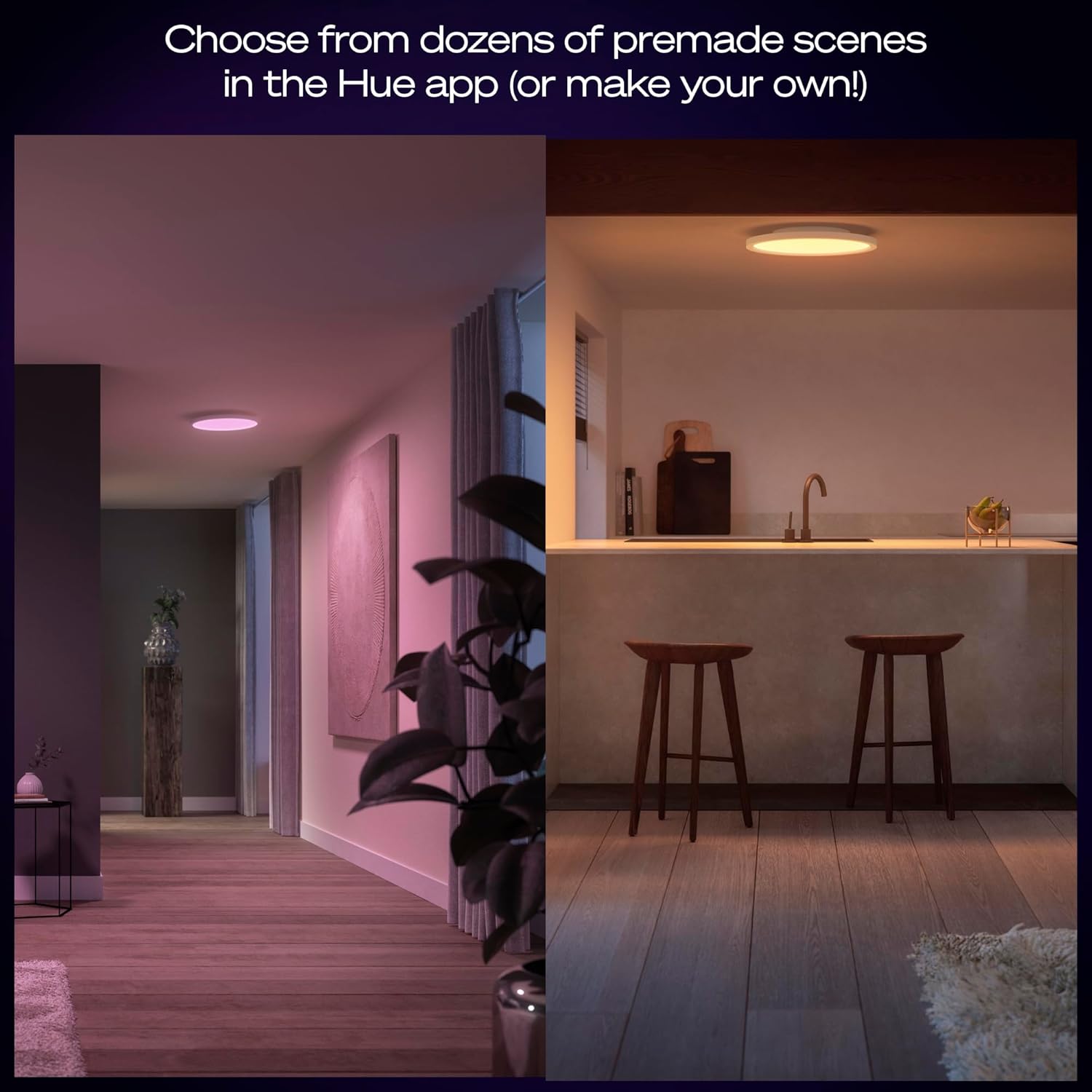
Billede: En splittelse view illustrating the Philips Hue Devote Panel's versatility, displaying a room lit with a soft pink light and another with a warm, inviting glow.
Kontrolmuligheder:
- Philips Hue App: The primary method for controlling the panel. The app allows for scene creation, color selection, dimming, and scheduling.
- Stemmestyring: Compatible with Amazon Alexa and Google Assistant. When paired with a Google Nest or Amazon Echo device, simple voice commands can control individual lights or groups of lights. (Requires Philips Hue Bridge for full functionality)
- Smart tilbehør: Integrate with Philips Hue smart switches and motion sensors for additional control options. (Requires Philips Hue Bridge)

Image: An illustration of various control methods for Philips Hue lighting, including the mobile app interface, a smart dimmer switch, a motion sensor, and voice command interaction.

Image: A close-up of the Philips Hue mobile application, displaying options for selecting lighting scenes and controlling individual lamps within a "Living room" setting.
Philips Hue Bridge vs. Bluetooth:
The Philips Hue Devote Smart LED Panel can be controlled via Bluetooth directly from the app for single-room control. For advanced features, whole-home control, and integration with smart accessories or voice assistants, a Philips Hue Bridge (sold separately) is required.

Image: A comparative chart outlining the features available when controlling Philips Hue lights via a Hue Bridge versus direct Bluetooth connection, indicating the expanded capabilities with the Bridge.
Opretholdelse
The Philips Hue Devote Smart LED Panel requires minimal maintenance. Ensure the power is off before cleaning.
- Rensning: Tør forsigtigt overfladen af panelet af med en blød, tør eller let fugtet klud.amp klud. Undgå at bruge slibende rengøringsmidler, opløsningsmidler eller barske kemikalier, da disse kan beskadige overfladen eller de elektroniske komponenter.
- Lyskilde: This product contains an integrated LED light source that is not user-replaceable. If the light source fails, the entire fixture may need to be replaced.
Fejlfinding
If you encounter issues with your Philips Hue Devote Smart LED Panel, consider the following troubleshooting steps:
- Lyset tænder ikke:
- Check the power supply to the fixture. Ensure the circuit breaker is on.
- Verify that the panel is securely connected to the electrical wiring.
- Confirm that the light is not turned off via the app or a smart switch.
- Cannot Connect to Philips Hue App:
- Ensure Bluetooth is enabled on your mobile device and you are within range of the panel.
- If using a Hue Bridge, ensure the Bridge is powered on and connected to your network.
- Try restarting the Philips Hue app or your mobile device.
- Perform a factory reset on the light if necessary (refer to Philips Hue support for specific instructions).
- Inconsistent Light Performance:
- Kontroller for interferens fra andre trådløse enheder.
- Ensure your Philips Hue app and Bridge firmware are up to date.
For further assistance, refer to the official Philips Hue support resources.
Specifikationer
| Feature | Detalje |
|---|---|
| Produktdimensioner | 43 x 43 x 3.1 cm |
| Varens vægt | 1470 gram (1.47 kg) |
| Lysudgang | 2900 lumen |
| Strømforbrug | 23 W |
| Farvetemperatur | White and Color Ambiance (50,000 shades of white, 16 million colors) |
| Materiale | Plast |
| Kontrolmetode | App (Bluetooth or Hue Bridge), Voice (with Hue Bridge), Smart Accessories (with Hue Bridge) |
| Indendørs/Udendørs brug | Indendørs |
| Modelnummer | 929004297501 |
| Inkluderede komponenter | 1 x Devote Smart LED Panel |
| Energieffektivitetsklasse | E |

Image: A technical diagram illustrating the dimensions of the Philips Hue Devote Smart LED Panel, showing a diameter of 430 mm and a depth of 30 mm.
Garanti og support
For garantioplysninger og teknisk support henvises til den officielle Philips Hue- website or contact Philips Hue customer service directly. Keep your proof of purchase for warranty claims.
Online ressourcer: Philips Hue Official Webwebsted


